> ## Documentation Index
> Fetch the complete documentation index at: https://www.spacebring.com/docs/llms.txt
> Use this file to discover all available pages before exploring further.
# Track occupancy
> Monitor the real-time occupancy rate of all your resource types
Monitor the occupancy rate for all resource types on the **Occupancy** page. It helps you better collaborate with the sales team to lease out your spaces.
## Track occupancy rates
1. Go to **Analytics** > **Occupancy.**
2. The **Occupancy** dashboard allows you to view:
* **Overall occupancy rate** — percentage of all desk and office seats that are currently occupied (either booked or rented (assigned) long-term) out of the total number of available seats in your space.
* **Occupancy rate for each resource type** — a breakdown of how each resource type is being utilized as of today.
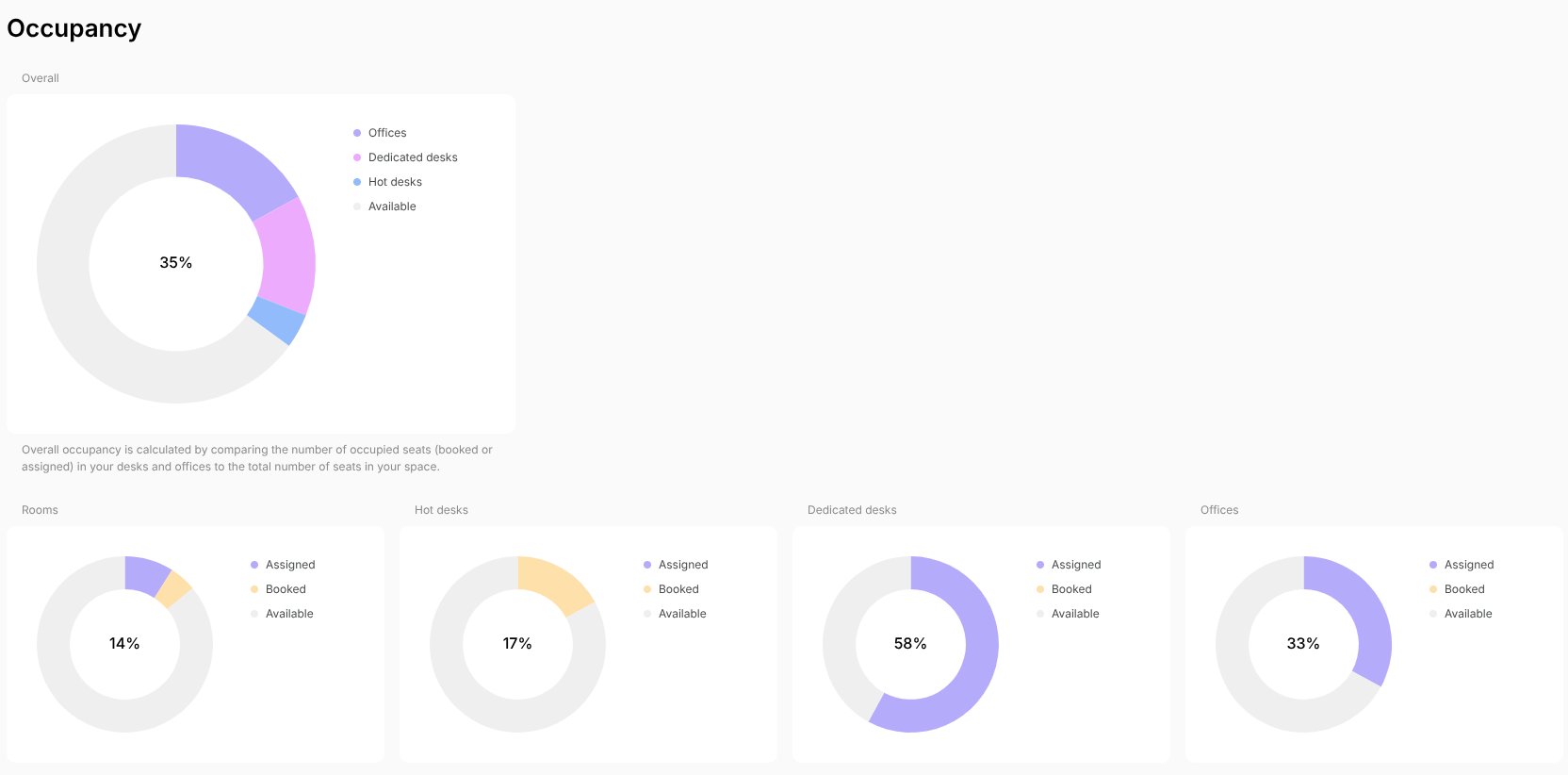 The occupancy rate for each resource type is calculated as follows:
| Resource type | Occupancy is calculated by: | Calculation details |
| ------------- | --------------------------- | ----------------------------------------------------------------------------------------------------------------- |
| Rooms | Hours per day | The percentage of hours that are booked out of the total available hours for that day. |
| Desks | Seats | The percentage of seats that are booked or assigned out of the total number of seats in your desks. |
| Offices | Seats | The percentage of seats that are booked or assigned out of the total number of seats in your offices. |
| Parking | Lots | The percentage of parking lots that are booked or assigned out of the total number of parking lots in your space. |
| Equipment | Items | The percentage of equipment items that are booked out of the total number of equipment items in your space. |
For rooms, the occupancy calculation doesn't take seating capacity into consideration. Instead, it measures the percentage of hours a room is booked out of all available hours for the day, based on your [default or public location schedule.](/docs/location/schedule) [Custom schedules](/docs/location/schedule) for rooms are not applied to this calculation.
The occupancy rate for each resource type is calculated as follows:
| Resource type | Occupancy is calculated by: | Calculation details |
| ------------- | --------------------------- | ----------------------------------------------------------------------------------------------------------------- |
| Rooms | Hours per day | The percentage of hours that are booked out of the total available hours for that day. |
| Desks | Seats | The percentage of seats that are booked or assigned out of the total number of seats in your desks. |
| Offices | Seats | The percentage of seats that are booked or assigned out of the total number of seats in your offices. |
| Parking | Lots | The percentage of parking lots that are booked or assigned out of the total number of parking lots in your space. |
| Equipment | Items | The percentage of equipment items that are booked out of the total number of equipment items in your space. |
For rooms, the occupancy calculation doesn't take seating capacity into consideration. Instead, it measures the percentage of hours a room is booked out of all available hours for the day, based on your [default or public location schedule.](/docs/location/schedule) [Custom schedules](/docs/location/schedule) for rooms are not applied to this calculation.