> ## Documentation Index
> Fetch the complete documentation index at: https://www.spacebring.com/docs/llms.txt
> Use this file to discover all available pages before exploring further.
# Optimize room usage
> Tips to optimize room usage and ensure fair room bookings by all customers
Smart room management ensures fair usage by all customers, guarantees that a room is available for everyone when needed, prevents over-exploitation by a few individuals, and makes finding and booking an available room effortless. This article provides practical recommendations for setting up rooms in Spacebring to achieve the most optimized usage.
## Set booking duration limits
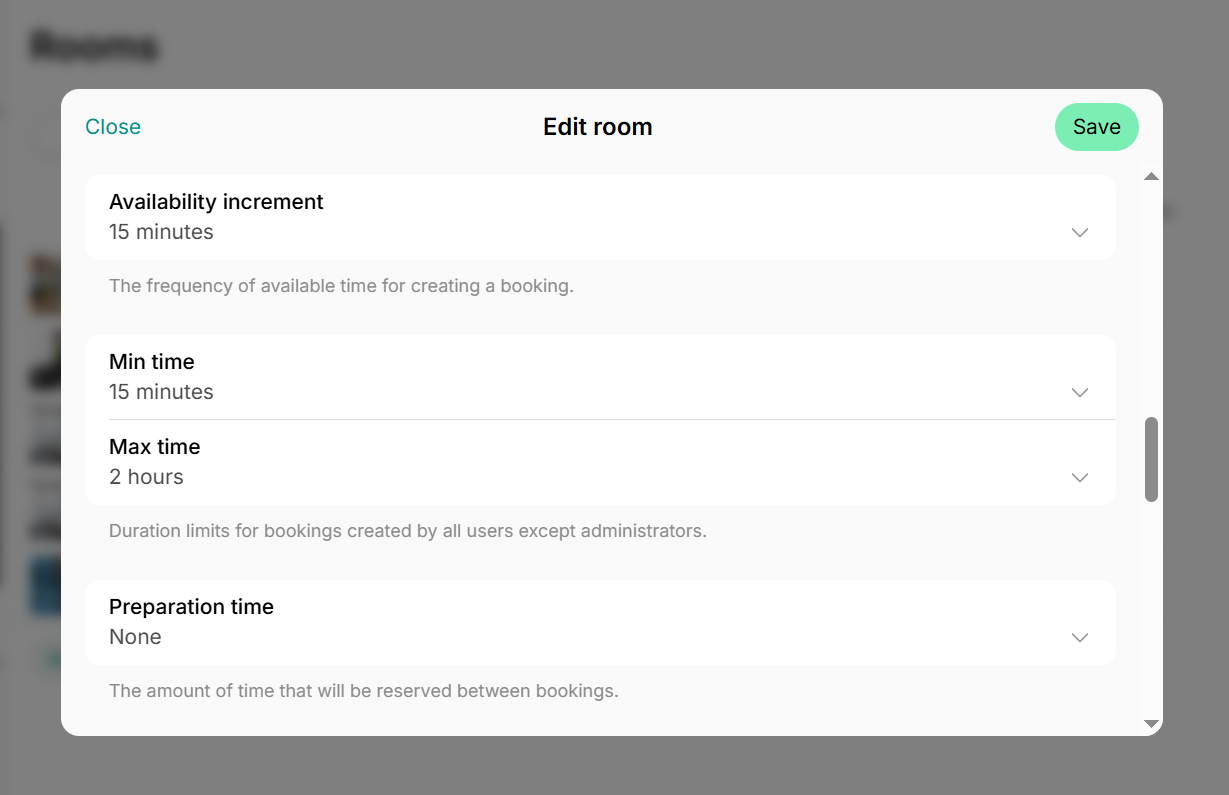
Set **Min time** and **Max time** properties for each room when [adding](/resource-management/set-up) or [editing it.](/resource-management/edit-a-resource)
This allows customers to book a room even for a quick 10-15 minute call, while preventing others from monopolizing it all day.
For example, you might set a minimum booking duration of 15 minutes and a maximum of two hours.
 ## Limit active free bookings at a time
If the usage of your Skype rooms, call booths, or meeting rooms is included in your members' subscriptions, you can limit how many active free bookings a user can hold scheduled at any given time.
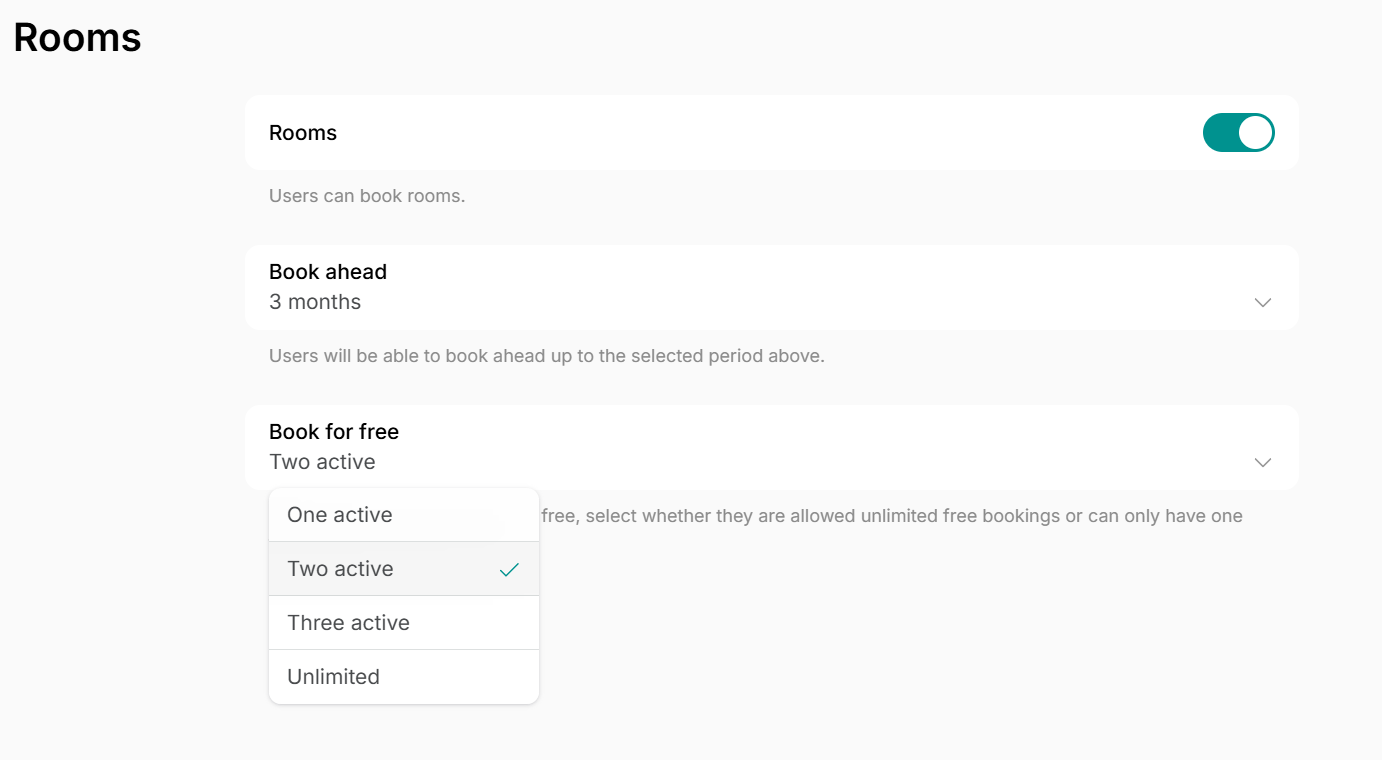
Navigate to **Location settings > Rooms** page and [set up the **Book for free** property.](/resource-management/set-up) You can choose from:
* One active
* Two active
* Three active
* Unlimited
This feature ensures users can't book too many slots at once. The system will only allow them to hold a set number of scheduled bookings at a time, and they'll be able to book the next time slots once their previous meetings have passed.
## Limit active free bookings at a time
If the usage of your Skype rooms, call booths, or meeting rooms is included in your members' subscriptions, you can limit how many active free bookings a user can hold scheduled at any given time.
Navigate to **Location settings > Rooms** page and [set up the **Book for free** property.](/resource-management/set-up) You can choose from:
* One active
* Two active
* Three active
* Unlimited
This feature ensures users can't book too many slots at once. The system will only allow them to hold a set number of scheduled bookings at a time, and they'll be able to book the next time slots once their previous meetings have passed.
 ## Implement credit system
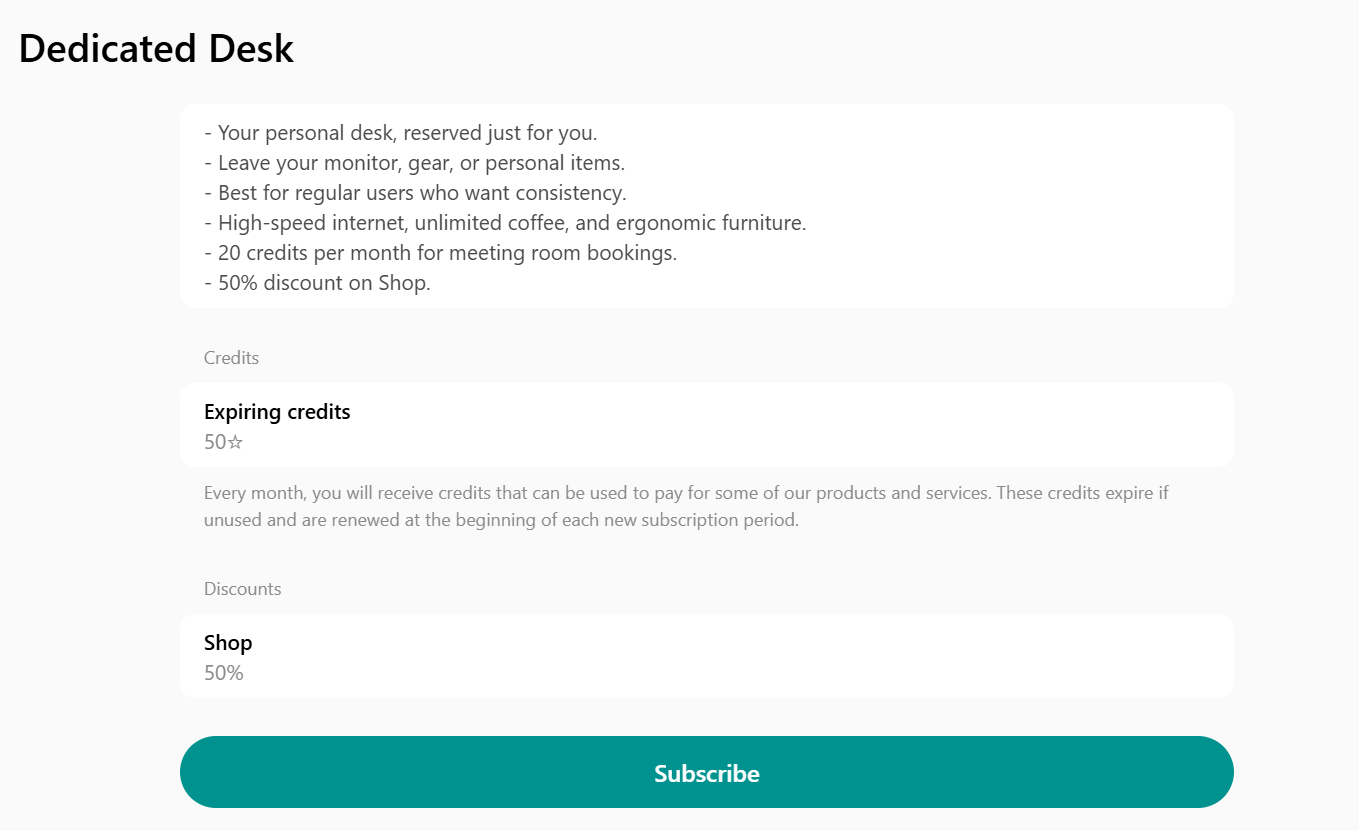
For finer control and a more direct way to limit usage, consider setting up a credit system instead of completely free bookings. This effectively gives each customer a specific usage allowance per month or week.
1. [Enable credits](/billing/credits-and-day-passes/credits) and set credit prices for each room.
2. Set a specific number of credits in your membership plans.
3. Members will automatically receive this amount (e.g., 10 credits) every week, month, or other period, depending on their plan cycle. They then use these credits to book rooms. [How credits work](/billing/credits-and-day-passes/credits)
This approach naturally sets a fair limit on usage and encourages responsible booking behavior. As an added benefit, this also lets you upsell customers with [credit packages](/billing/credits-and-day-passes/credit-packages) if they run out of credits given with their subscription.
## Implement credit system
For finer control and a more direct way to limit usage, consider setting up a credit system instead of completely free bookings. This effectively gives each customer a specific usage allowance per month or week.
1. [Enable credits](/billing/credits-and-day-passes/credits) and set credit prices for each room.
2. Set a specific number of credits in your membership plans.
3. Members will automatically receive this amount (e.g., 10 credits) every week, month, or other period, depending on their plan cycle. They then use these credits to book rooms. [How credits work](/billing/credits-and-day-passes/credits)
This approach naturally sets a fair limit on usage and encourages responsible booking behavior. As an added benefit, this also lets you upsell customers with [credit packages](/billing/credits-and-day-passes/credit-packages) if they run out of credits given with their subscription.
 ## Use Room display
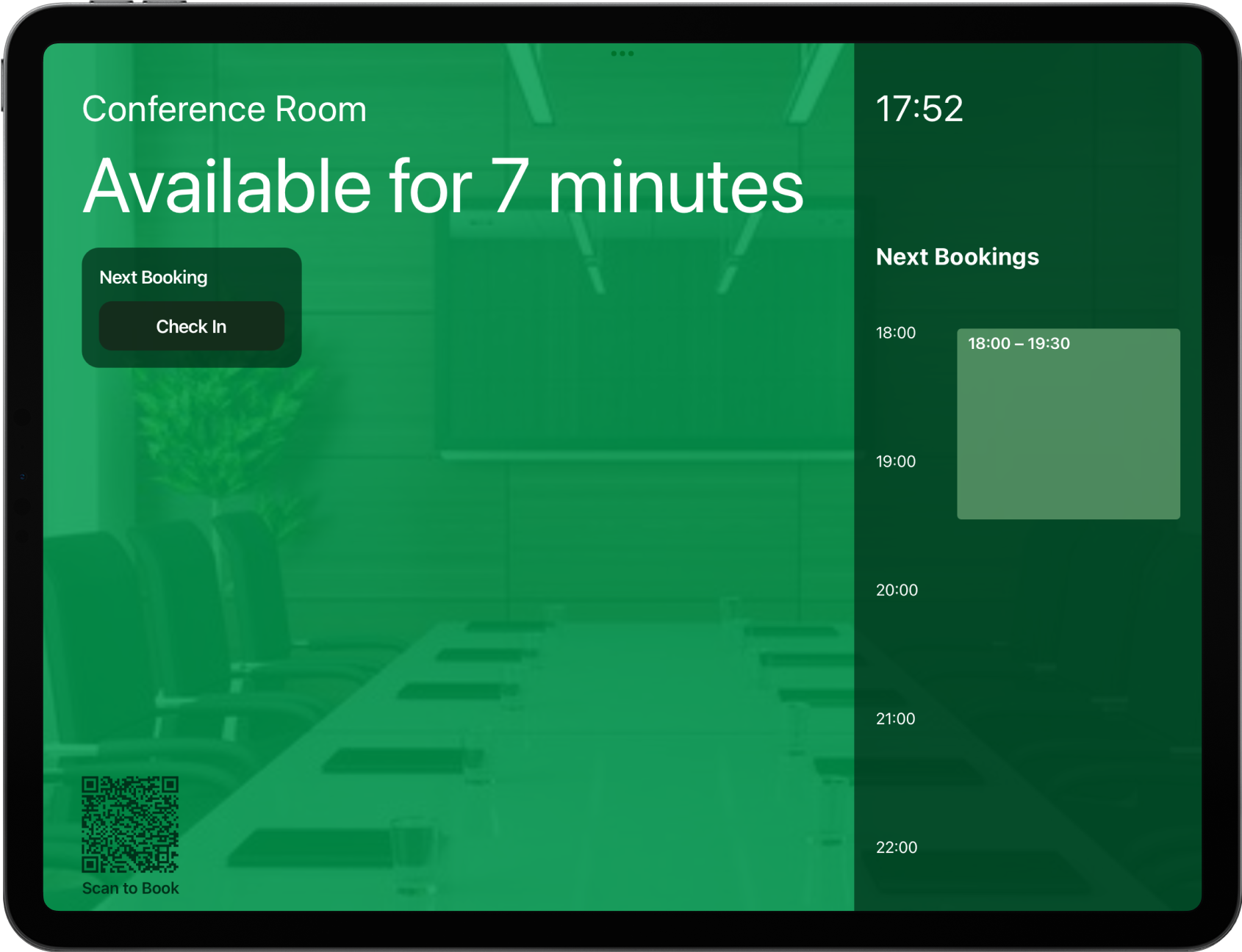
Placing a [room display](/resource-management/room-display) next to each room door offers dual benefits:
* Require check-in for free bookings
Combat "no-shows" by requiring members to check in via the Room display within a set grace period (5-15 minutes) of their booking start time. If they don't, the system automatically cancels the booking, freeing up the room for others. This tackles the common challenge of abandoned bookings. [How abandoned booking protection works](/resource-management/room-display/use-room-display)
* On-the-spot booking & availability
Users can glance at the display to instantly see if a room is available and book it right then and there. This eliminates the need to book far in advance or spend time searching for an available room. [How users make ad-hoc bookings with a QR code](/resource-management/room-display/use-room-display)
## Use Room display
Placing a [room display](/resource-management/room-display) next to each room door offers dual benefits:
* Require check-in for free bookings
Combat "no-shows" by requiring members to check in via the Room display within a set grace period (5-15 minutes) of their booking start time. If they don't, the system automatically cancels the booking, freeing up the room for others. This tackles the common challenge of abandoned bookings. [How abandoned booking protection works](/resource-management/room-display/use-room-display)
* On-the-spot booking & availability
Users can glance at the display to instantly see if a room is available and book it right then and there. This eliminates the need to book far in advance or spend time searching for an available room. [How users make ad-hoc bookings with a QR code](/resource-management/room-display/use-room-display)
 ## Use interactive floor plans
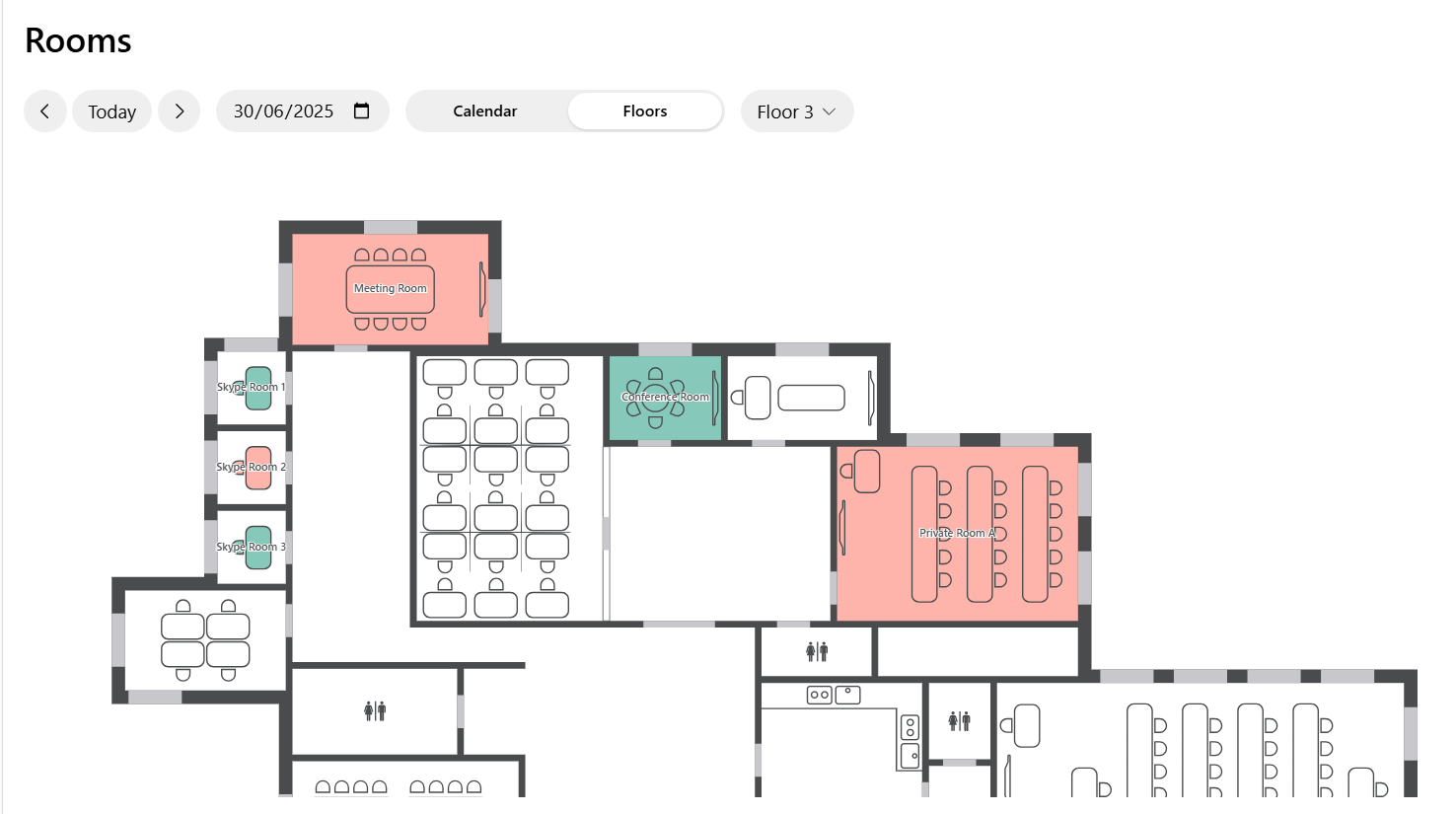
For larger spaces or those spanning multiple floors, [interactive floor plans](/resource-management/floors) are invaluable.
They instantly show users where an available room is right now and on which floor. This means no more scheduling bookings far in advance or wandering around and endlessly searching – users can quickly find and book the nearest free room at the moment.
## Use interactive floor plans
For larger spaces or those spanning multiple floors, [interactive floor plans](/resource-management/floors) are invaluable.
They instantly show users where an available room is right now and on which floor. This means no more scheduling bookings far in advance or wandering around and endlessly searching – users can quickly find and book the nearest free room at the moment.
 ## Clearly communicate room booking policy
Create a dedicated [location guide](/support/guides) for your room booking policy. This ensures all users can easily see it in the member web portal or mobile app and are fully aware of the booking rules. Clearly communicated policies help foster a culture of respect for shared resources within your community.
## Integrate with access control system
If you use an [access control system](/integrations/access-control), set up automated access granting for each room. This means a user can only access a room if they have an active booking for it. This crucial step prevents unauthorized usage and ensures only the rightful booker can enter.
## Use data-driven insights for better room management
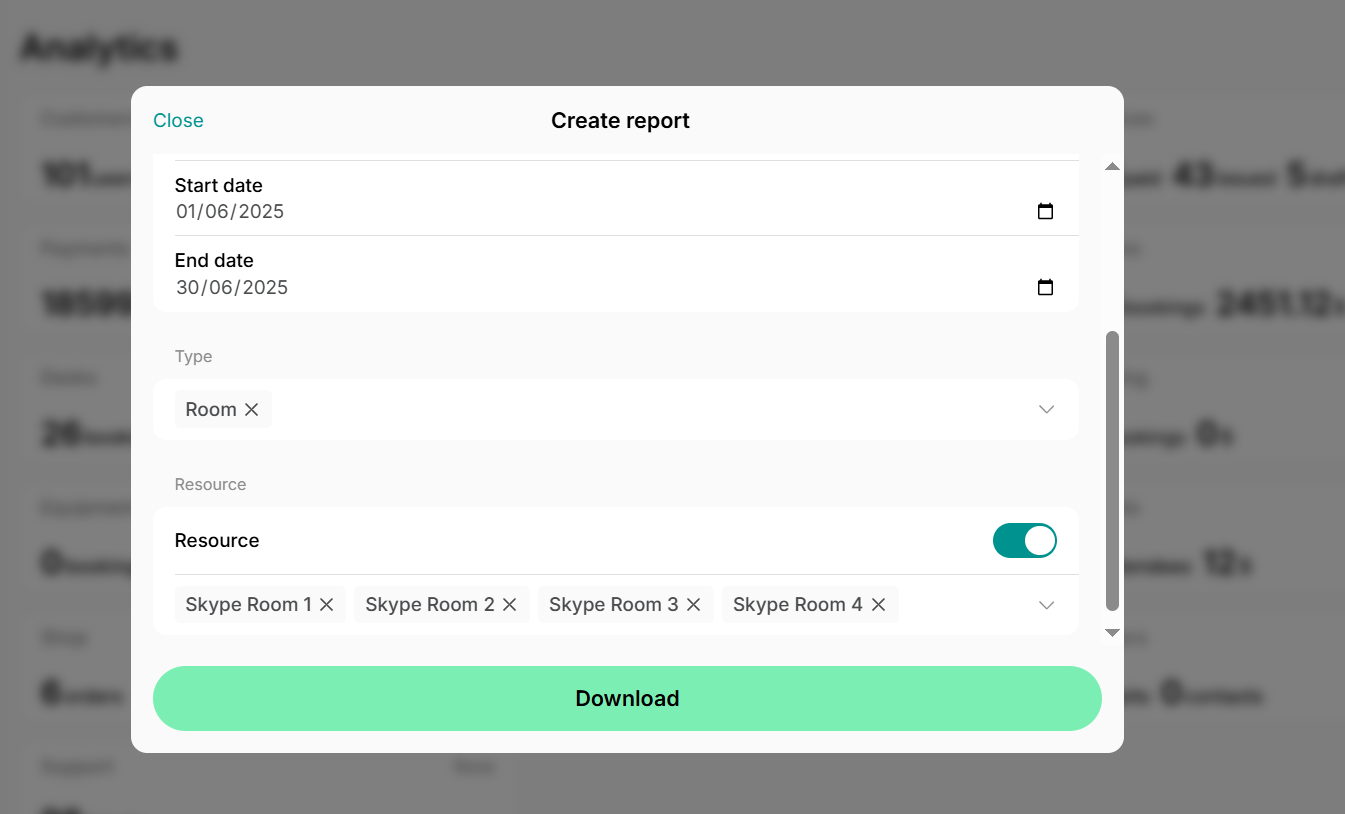
To continually optimize your room management, regularly analyze your booking data. We recommend downloading and analyzing the [**Bookings** report](/analytics/create-custom-reports) at least once a month.
1. Go to the **Analytics** page, and click **Create report** top right.
2. Choose the **Bookings** report type, filter, and sort it, as needed.
3. This report allows you to easily identify the most frequently booked rooms, peak usage days and times, average booking durations, most frequent bookers, and other critical metrics that can inform your policy adjustments and future planning.
## Clearly communicate room booking policy
Create a dedicated [location guide](/support/guides) for your room booking policy. This ensures all users can easily see it in the member web portal or mobile app and are fully aware of the booking rules. Clearly communicated policies help foster a culture of respect for shared resources within your community.
## Integrate with access control system
If you use an [access control system](/integrations/access-control), set up automated access granting for each room. This means a user can only access a room if they have an active booking for it. This crucial step prevents unauthorized usage and ensures only the rightful booker can enter.
## Use data-driven insights for better room management
To continually optimize your room management, regularly analyze your booking data. We recommend downloading and analyzing the [**Bookings** report](/analytics/create-custom-reports) at least once a month.
1. Go to the **Analytics** page, and click **Create report** top right.
2. Choose the **Bookings** report type, filter, and sort it, as needed.
3. This report allows you to easily identify the most frequently booked rooms, peak usage days and times, average booking durations, most frequent bookers, and other critical metrics that can inform your policy adjustments and future planning.
 By implementing these strategies, you can ensure rooms are used efficiently and fairly in your space, and to the maximum benefit of all your customers.