> ## Documentation Index
> Fetch the complete documentation index at: https://www.spacebring.com/docs/llms.txt
> Use this file to discover all available pages before exploring further.
# Promote member web portal and mobile app
> Tips on how to drive customer adoption of your member web portal and mobile app
Your member web portal and mobile app are key tools for delivering superior member service while reducing manual work for your team. They allow customers to book resources, make payments, and access all services independently and in one place—without needing staff assistance.
Explore a set of practical recommendations to help customers discover your web portal and mobile app, adopt it, and make full use of its features.
## Universal promotion tips
These recommendations apply to promoting both the member web portal and the mobile app.
### Run a soft launch
You don’t have to wait until your official opening to start growing customer interest. Use your member web portal and mobile app early to collect registrations, share updates, and offer early access to your services. This builds awareness while giving your team an efficient way to manage leads and communication from day one.
Find ideas for trial days, launch events, and **Feed** posts that document your space-building journey in [this guide](/guides/soft-opening).
### Offer promo codes
Offer discount promo codes on bookings or plan sign-ups, redeemable through your digital platforms. It's an excellent strategy to encourage new users to explore your services through the member web portal or mobile app, and increases the chances that customers will return and book independently in the future. Include promo codes and direct links to the member web portal or mobile app in ads, emails, or printed materials.
For setup details and different promo code types, refer to our [comprehensive guide](/billing/discounts/set-up).
## Promote member web portal
### Add links to your marketing channels
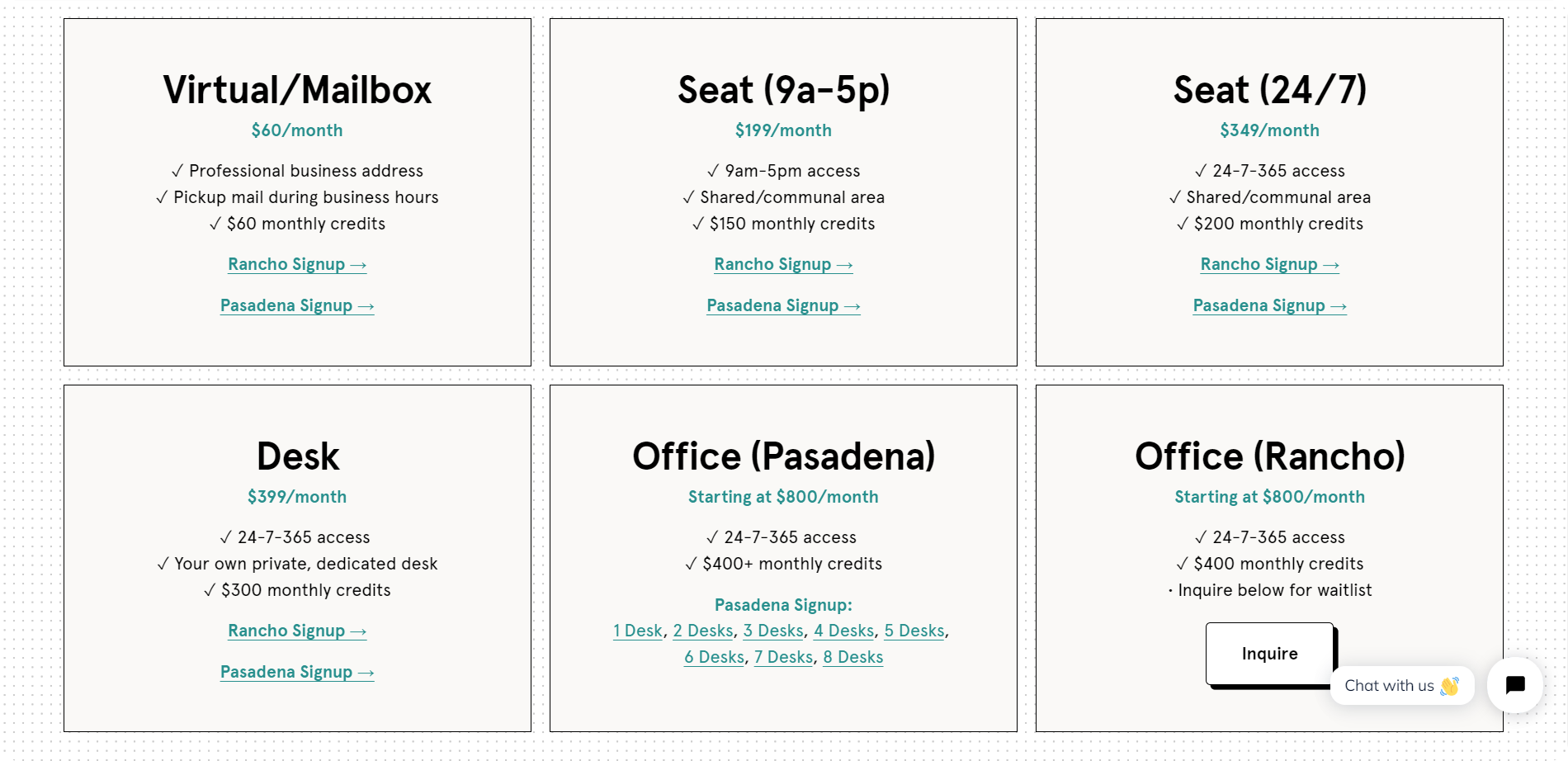
Make it easy for people to access your services by integrating direct links to your member web portal pages into your marketing channels.
* **Marketing website:** Add links to call-to-action buttons like “Join,” “Sign up,” or “Book.”
* **Ad campaigns:** Use direct links to drive conversions and track actions like purchases, logins, and more. Configure integrations with [Meta Pixel](/integrations/analytics/meta-pixel) or [Google Ads](/integrations/analytics/google-analytics) to track conversions.
Find instructions on how to copy links to the necessary member web portal pages [in this guide.](/guides/integrate-with-your-marketing-website)
Ensure the promoted services are set to [**Public** visibility](/location/visibility) and that [plans allow immediate sign-ups.](/billing/plans/immediate-sign-ups)
Check out our customer's [FoundrSpace](https://www.foundrspace.com/membership) marketing site for a great example of integrated membership plan links.
 ### Place QR codes around your space
[**Generate QR code stickers**](/guides/promote-member-web-portal-and-mobile-app-with-qr-codes) linking to key member portal pages and place them around your space—meeting rooms, desks, or shared areas. This gives customers instant access to bookings and reinforces self-service on-site.\\
## Promote mobile apps
### Use Google Play and App Store badges
Google Play and App Store badges help users recognize and trust your mobile apps. Use them across your marketing materials:
* Website footers
* Newsletters
* Printed materials (business cards, leaflets, and stickers)
* Corporate email signatures
To access links to your member mobile app, the [owner](/administration/roles/owner) goes to **Network settings** > **Member** **mobile** **app**.
See how our customer [Culture Co-Working](https://culturecoworking.ie/) prominently features Google Play and App Store badges on their marketing site.
### Place QR code stickers around your space
Branded [QR code stickers](/guides/promote-member-web-portal-and-mobile-app-with-qr-codes) linking directly to your mobile apps make downloads quick and convenient. Place them around your space or include them in printed materials to encourage app downloads and adoption.
### Promote via Feed
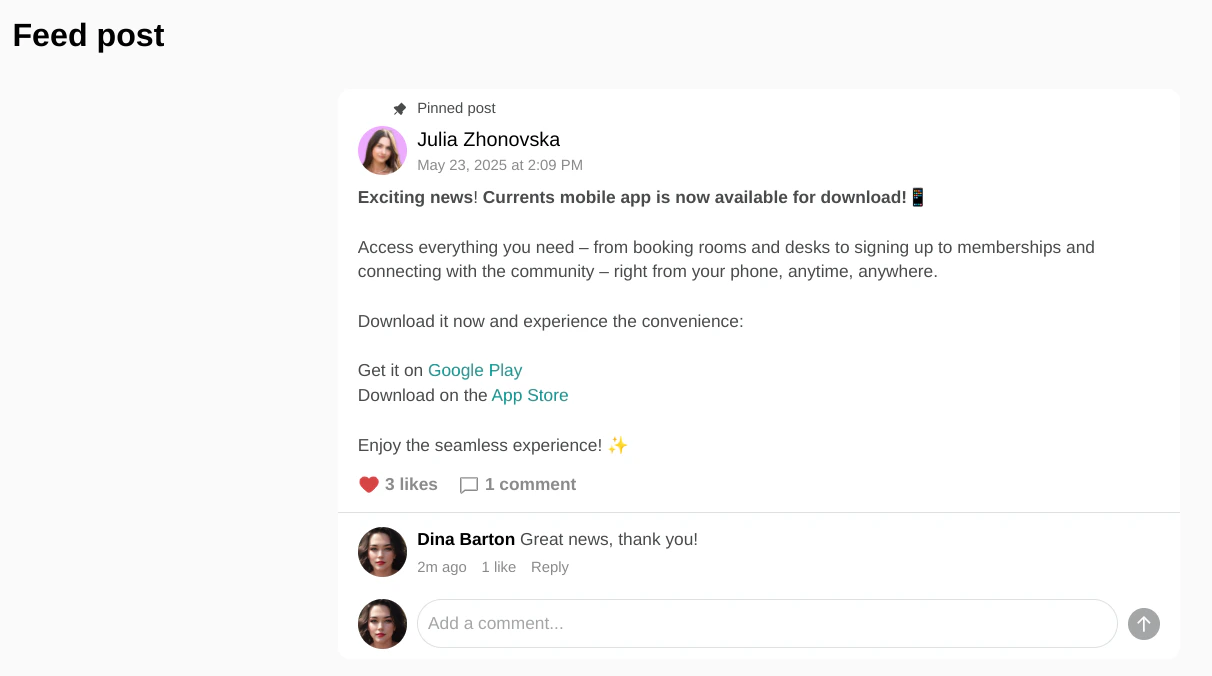
Leverage your **Feed** page to announce and promote the availability of your member mobile apps.
[Create a post](/engagement/feed) informing users that they can now access your space and services conveniently from their phones anytime, anywhere. You can embed links directly to the App Store or Google Play within your posts to encourage downloads.
### Place QR codes around your space
[**Generate QR code stickers**](/guides/promote-member-web-portal-and-mobile-app-with-qr-codes) linking to key member portal pages and place them around your space—meeting rooms, desks, or shared areas. This gives customers instant access to bookings and reinforces self-service on-site.\\
## Promote mobile apps
### Use Google Play and App Store badges
Google Play and App Store badges help users recognize and trust your mobile apps. Use them across your marketing materials:
* Website footers
* Newsletters
* Printed materials (business cards, leaflets, and stickers)
* Corporate email signatures
To access links to your member mobile app, the [owner](/administration/roles/owner) goes to **Network settings** > **Member** **mobile** **app**.
See how our customer [Culture Co-Working](https://culturecoworking.ie/) prominently features Google Play and App Store badges on their marketing site.
### Place QR code stickers around your space
Branded [QR code stickers](/guides/promote-member-web-portal-and-mobile-app-with-qr-codes) linking directly to your mobile apps make downloads quick and convenient. Place them around your space or include them in printed materials to encourage app downloads and adoption.
### Promote via Feed
Leverage your **Feed** page to announce and promote the availability of your member mobile apps.
[Create a post](/engagement/feed) informing users that they can now access your space and services conveniently from their phones anytime, anywhere. You can embed links directly to the App Store or Google Play within your posts to encourage downloads.
 ### Send newsletters & announce on social media
When launching your branded mobile apps, utilize your existing communication channels to announce and promote them.
Send out a dedicated newsletter to your subscriber list, sharing direct links to download your app from the App Store and Google Play. Additionally, feature these apps prominently across all your social media channels (e.g., Facebook, Instagram, LinkedIn), creating engaging posts with download links and visuals. This ensures your entire audience is aware and can easily access your mobile experience.
### Send newsletters & announce on social media
When launching your branded mobile apps, utilize your existing communication channels to announce and promote them.
Send out a dedicated newsletter to your subscriber list, sharing direct links to download your app from the App Store and Google Play. Additionally, feature these apps prominently across all your social media channels (e.g., Facebook, Instagram, LinkedIn), creating engaging posts with download links and visuals. This ensures your entire audience is aware and can easily access your mobile experience.