> ## Documentation Index
> Fetch the complete documentation index at: https://www.spacebring.com/docs/llms.txt
> Use this file to discover all available pages before exploring further.
# Organize soft opening of the space
> Organize your coworking space soft opening by accepting early bookings and rental applications, promoting rooms, desks, offices, and plans with promo codes, and organizing a grand opening event
A soft opening is a great way to start building your community, offering services and testing operations before the official opening. You can attract early members, gather feedback, and even generate revenue while final preparations are still in progress. Here’s how to get started:
## Prerequisites
Before giving access to your member web portal and mobile app:
1. Configure the basic [settings of your network and location](/start).
2. [Connect the payment gateway](/integrations/payments) to allow smooth online payments for all services and products.
3. [Connect the access control system](https://www.spacebring.com/integrations/access-control) to automate physical access to your space.
## Allow early bookings and rent applications
Even if your space isn’t officially open, you can start accepting future bookings and office rental applications.
### Rooms and desks
1. Set all [dates as closed](/location/schedule) in the location schedule until your opening to avoid confusion.
2. Add the resources you will offer to the relevant pages:
* [Rooms](/resource-management/set-up#rooms) (meeting rooms, conference rooms, event spaces, etc.) to the **Rooms** page.
* [Desks](/resource-management/set-up#desks) for daily booking to the **Desks** page.
3. [Create a promo code](/billing/discounts/give-and-apply#create-promo-codes) for a free trial day or a discount to attract people to visit your space for the first time.
4. Post a [booking link](/guides/integrate-with-your-marketing-website) with promo codes on your website, social media, and ads. Interested customers will book directly through your member web portal or mobile app.
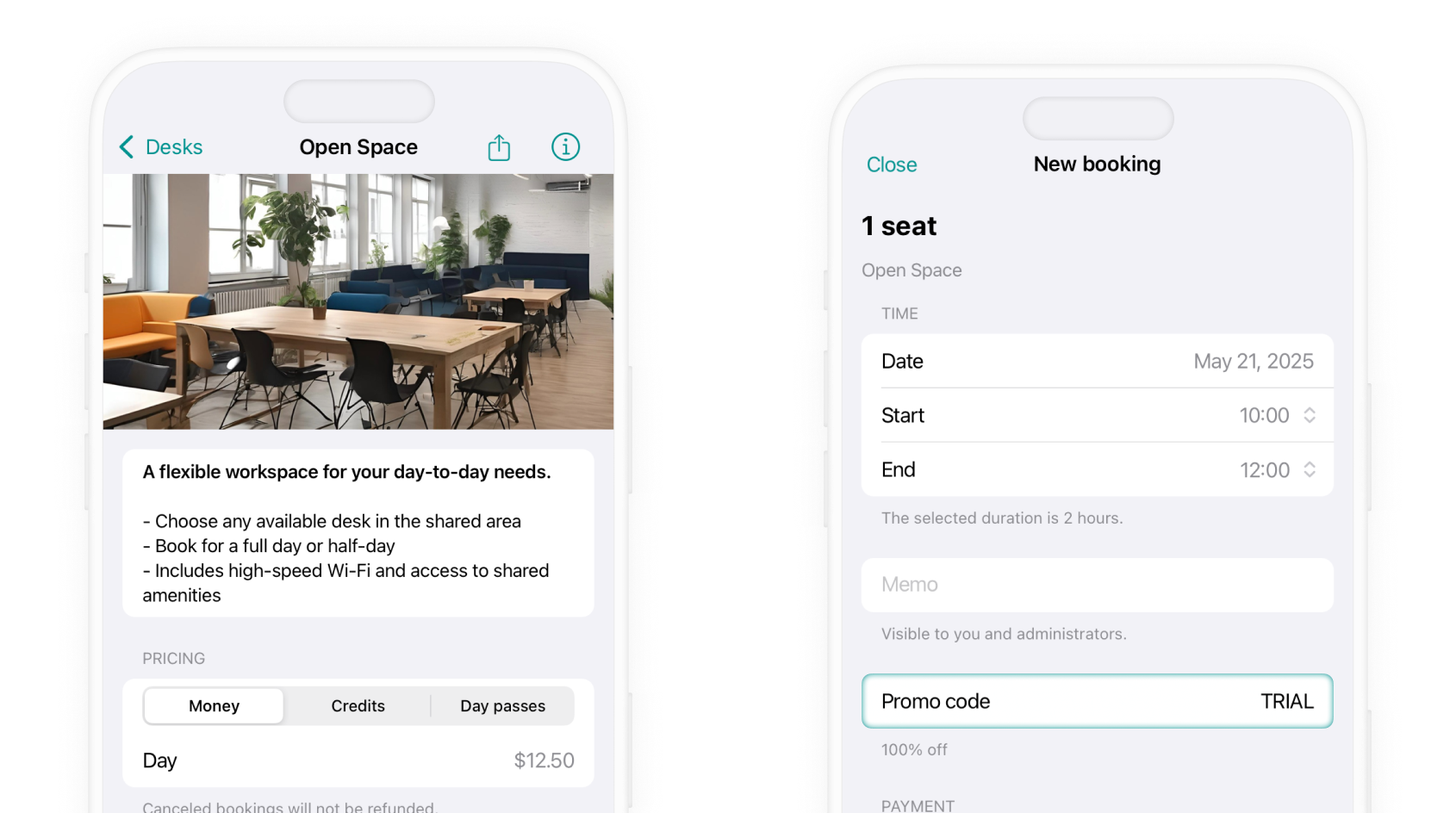 If your space isn’t photo-ready yet, use temporary stock images for the app content to improve the visual experience.
### Offices
1. [Add your offices](/resource-management/set-up#offices) to the **Offices** page with public visibility.
2. Include key information, such as price, size, and amenities, in each office description.
3. Integrate the [link to the **Offices** page](/guides/integrate-with-your-marketing-website) into your marketing site so potential tenants can explore available offices and submit applications for rental.
4. [Accept rental applications](/resource-management/rentals/rental-applications-or-immediate-sign-ups) and [schedule subscriptions](/resource-management/rentals/rental-applications-or-immediate-sign-ups) for the new tenants to begin once your space opens.
If your space isn’t photo-ready yet, use temporary stock images for the app content to improve the visual experience.
### Offices
1. [Add your offices](/resource-management/set-up#offices) to the **Offices** page with public visibility.
2. Include key information, such as price, size, and amenities, in each office description.
3. Integrate the [link to the **Offices** page](/guides/integrate-with-your-marketing-website) into your marketing site so potential tenants can explore available offices and submit applications for rental.
4. [Accept rental applications](/resource-management/rentals/rental-applications-or-immediate-sign-ups) and [schedule subscriptions](/resource-management/rentals/rental-applications-or-immediate-sign-ups) for the new tenants to begin once your space opens.
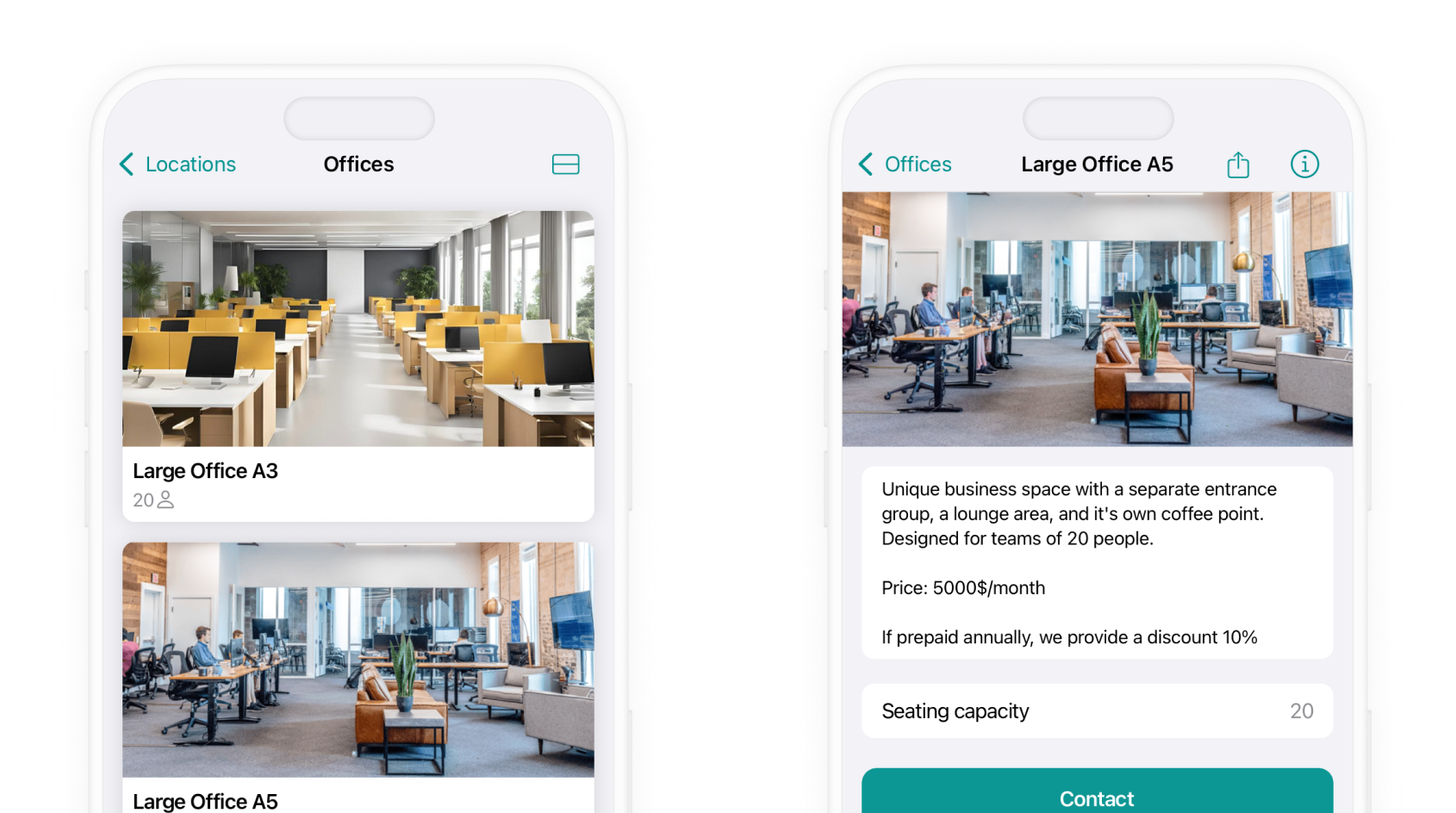 To attract first tenants, offer [discounts on the first months of rental](/billing/discounts/set-up). Apply them when setting up subscriptions.
### Membership plans
Launch with a few simple membership plans to test interest.
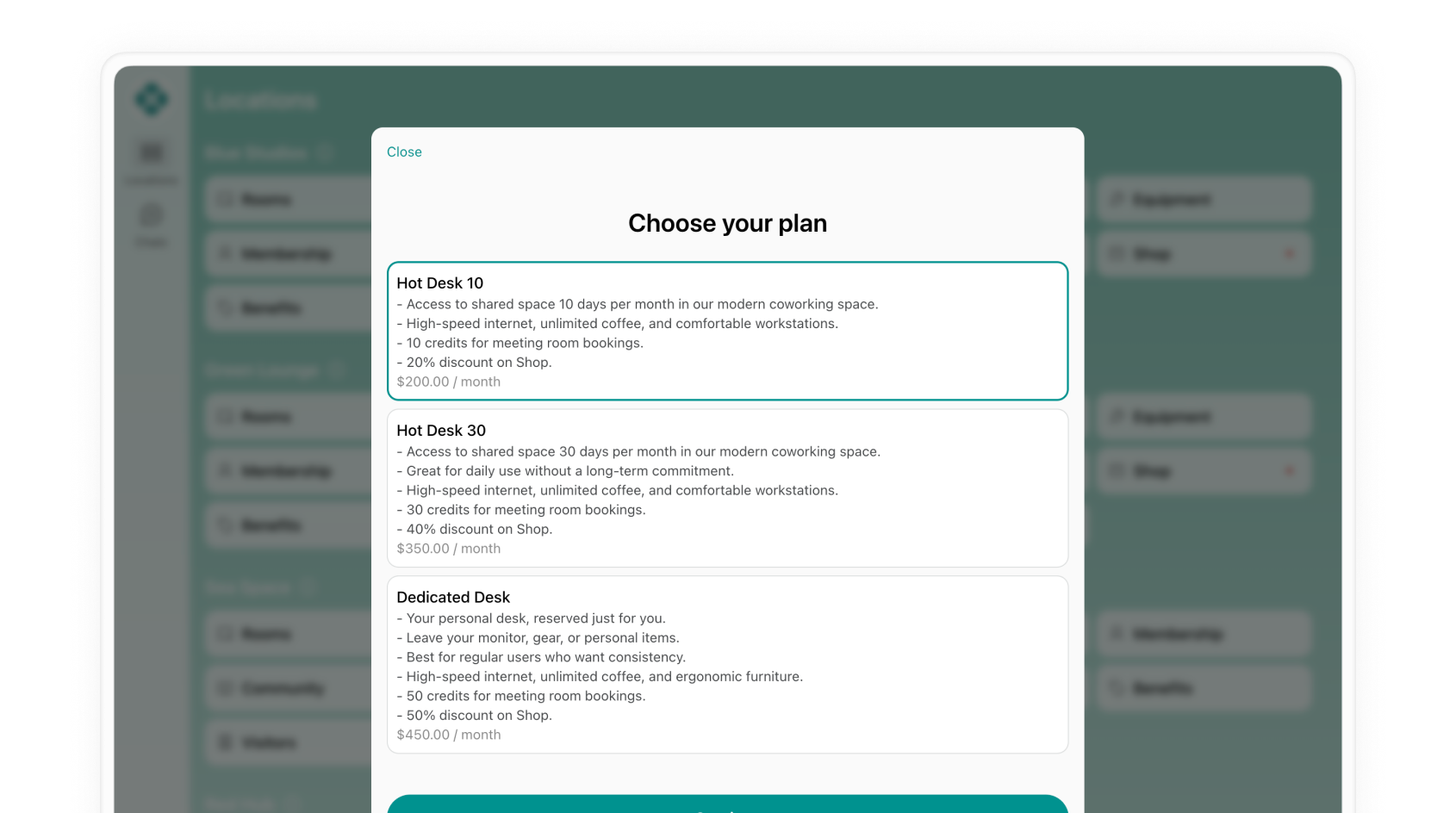
1. [Create your first membership plans](/billing/plans).
2. Set up an **Early bird** [promo code](/billing/discounts/give-and-apply#create-promo-codes) offering a discount or a free first month. This will make your plans more compelling and encourage first customers to [sign up](/billing/plans/immediate-sign-ups).
3. Promote the [link to your plans](/guides/integrate-with-your-marketing-website) with a promo code for a discount on your website and social media.
4. If you already have a base of contacts interested in joining, send a newsletter to them with the link to the plans and a promo code.
To attract first tenants, offer [discounts on the first months of rental](/billing/discounts/set-up). Apply them when setting up subscriptions.
### Membership plans
Launch with a few simple membership plans to test interest.
1. [Create your first membership plans](/billing/plans).
2. Set up an **Early bird** [promo code](/billing/discounts/give-and-apply#create-promo-codes) offering a discount or a free first month. This will make your plans more compelling and encourage first customers to [sign up](/billing/plans/immediate-sign-ups).
3. Promote the [link to your plans](/guides/integrate-with-your-marketing-website) with a promo code for a discount on your website and social media.
4. If you already have a base of contacts interested in joining, send a newsletter to them with the link to the plans and a promo code.
 ## Start building a community
### Organize a grand opening event
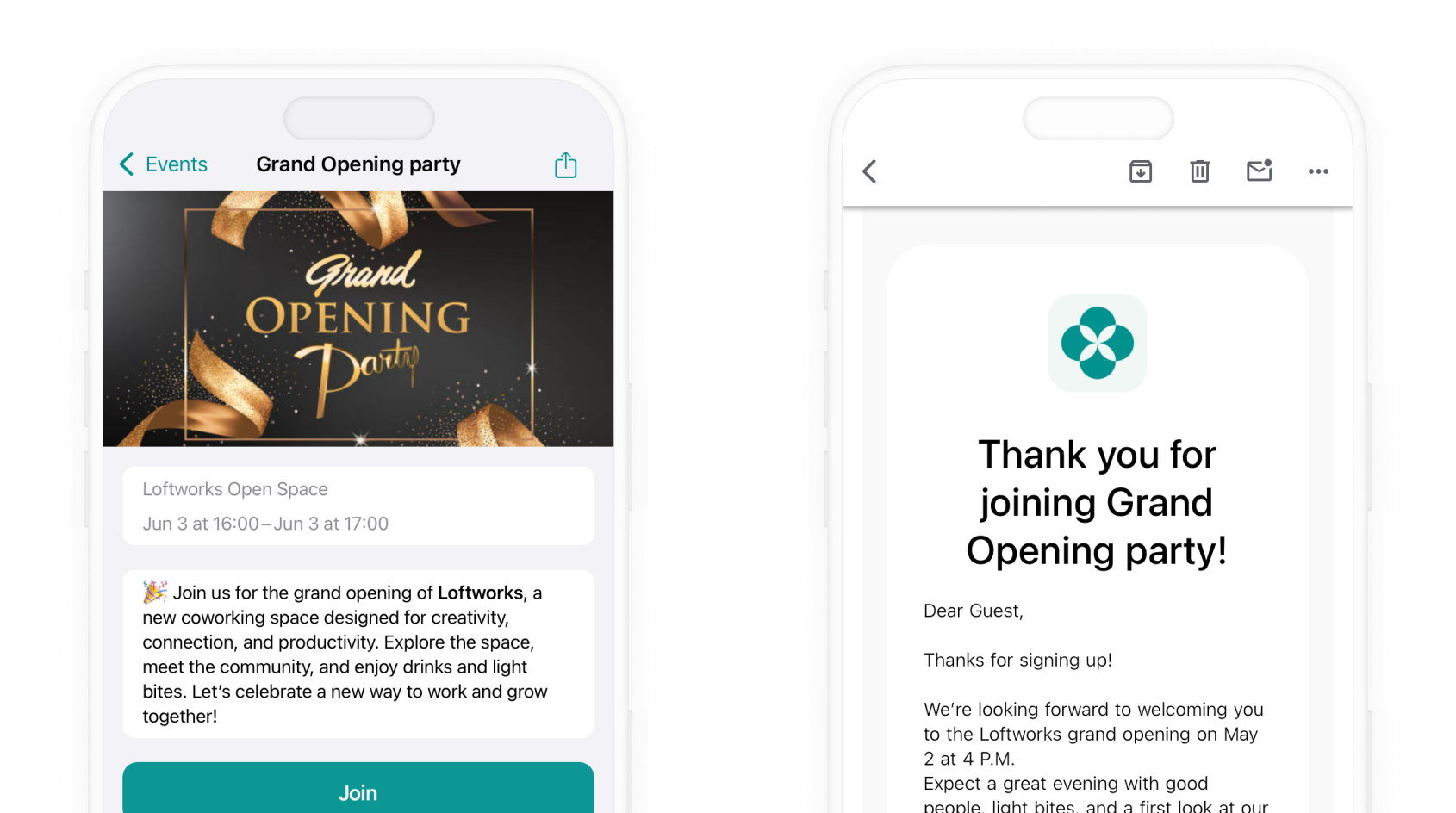
Use the **Events** page to schedule an event for your space's grand opening.
1. [Create an event](/engagement/events) and enable the **Joining** option to collect RSVPs.
2. Enable the **Confirmation email** and add a custom welcoming message, mentioning that attendees will get exclusive deals during the event.
3. Promote [the event link](/guides/integrate-with-your-marketing-website) across your channels.
4. Organizing such an event via Spacebring gives you a new contact list of leads. After the event, export the attendee contacts using the [**Event attendees** report](/analytics/create-custom-reports). Follow up with newsletters or ads to convert them into your customers.
## Start building a community
### Organize a grand opening event
Use the **Events** page to schedule an event for your space's grand opening.
1. [Create an event](/engagement/events) and enable the **Joining** option to collect RSVPs.
2. Enable the **Confirmation email** and add a custom welcoming message, mentioning that attendees will get exclusive deals during the event.
3. Promote [the event link](/guides/integrate-with-your-marketing-website) across your channels.
4. Organizing such an event via Spacebring gives you a new contact list of leads. After the event, export the attendee contacts using the [**Event attendees** report](/analytics/create-custom-reports). Follow up with newsletters or ads to convert them into your customers.
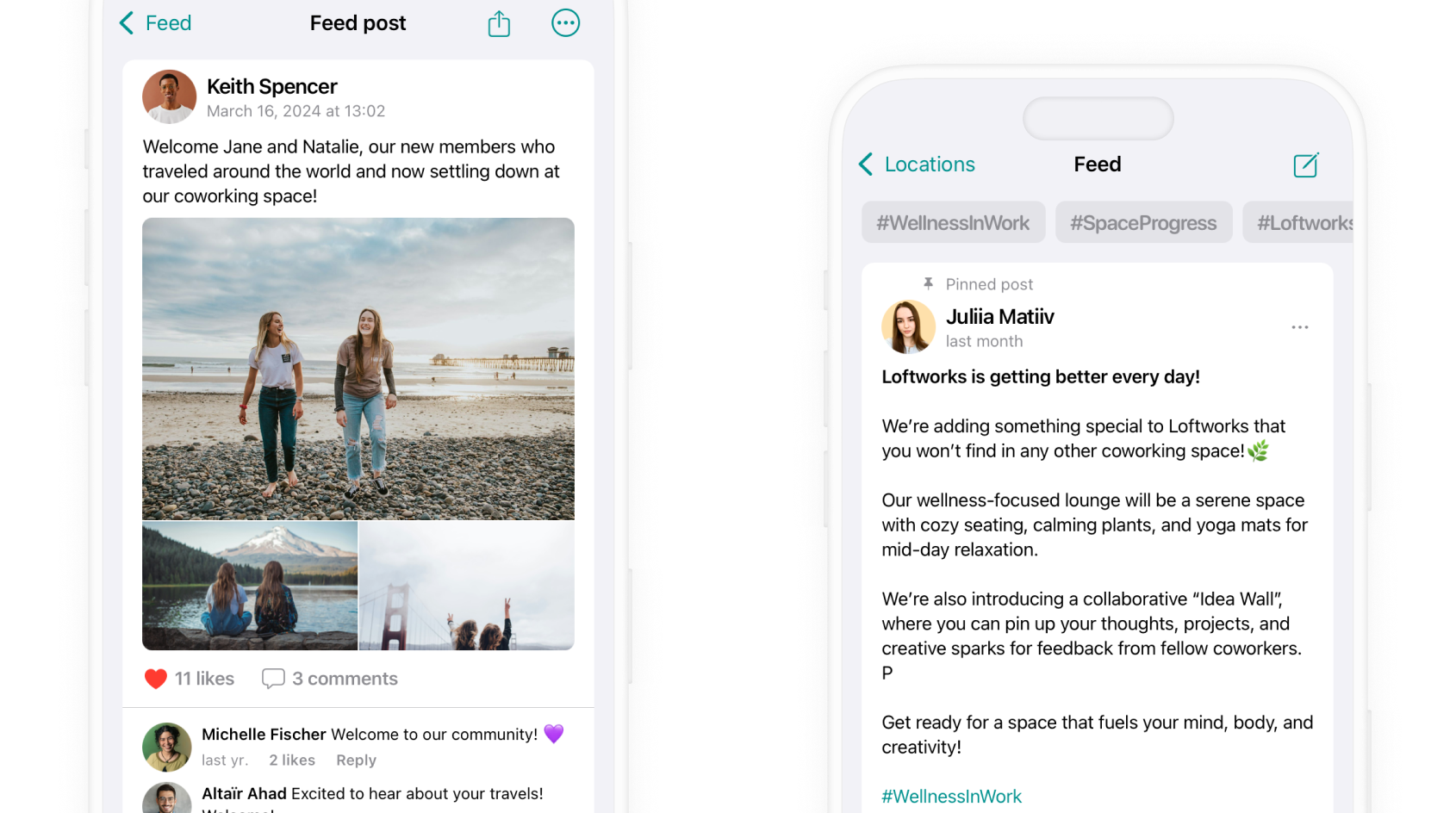
 ### Keep first customers engaged with Feed
Use the [**Feed**](/engagement/feed) [page](/engagement/feed) to keep your early community engaged and informed.
1. Share progress photos, design previews, and setup milestones to build excitement.
2. Let followers know when new desks, plans, or features become available.
3. Ask questions, post discussions, and create excitement around your space.
4. Ask early members to [share feedback](/guides/efficient-communication) or post questions so they feel involved in shaping the space.
### Keep first customers engaged with Feed
Use the [**Feed**](/engagement/feed) [page](/engagement/feed) to keep your early community engaged and informed.
1. Share progress photos, design previews, and setup milestones to build excitement.
2. Let followers know when new desks, plans, or features become available.
3. Ask questions, post discussions, and create excitement around your space.
4. Ask early members to [share feedback](/guides/efficient-communication) or post questions so they feel involved in shaping the space.
 Keep it simple. Minimize friction and make every step easy. Ensure people can easily register for your grand opening, as well as book and subscribe on their own in your member web portal or mobile app.