> ## Documentation Index
> Fetch the complete documentation index at: https://www.spacebring.com/docs/llms.txt
> Use this file to discover all available pages before exploring further.
# Google Analytics
> Learn how to connect the Google Analytics integration to track user behavior, purchases, and optimize Google Ads campaigns
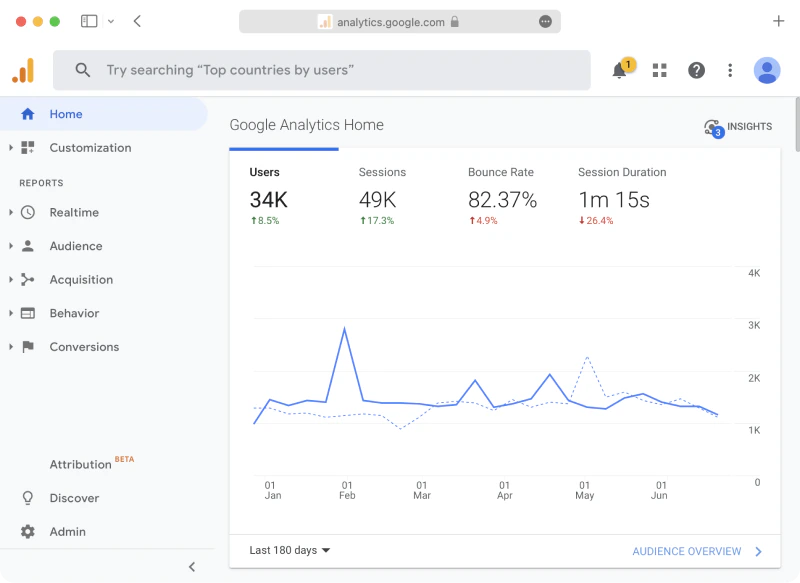
Gain valuable insights into your users’ behavior and optimize ad campaigns with Google Analytics integration for your member web portal.
You can use Google Analytics 4 to:
* Explore how users interact with content in the member web portal.
* Track key events and use them to optimize Google Ads campaigns.
## Connect Google Analytics
1. As an [owner](/docs/administration/owners), click your network name top left > **Network settings**.
2. Go to **Integrations** > **Google Analytics**.
3. Press **Connect** and enter **Measurement ID** to connect your GA4 account to Spacebring.
4. Once connected, Spacebring starts sending supported events from the member web portal to your GA4 property.
 In addition to [default Google Analytics 4 events](https://support.google.com/analytics/answer/9234069), the following custom events are tracked:
| **Event name** | **Explanation** |
| --------------- | -------------------------------------------------------------------------------------------------------------------------------------------------------------------------------------------------------------------------- |
| login | Users log into the member web portal |
| share | Users press the **Share** button to share the member web portal content |
| begin\_checkout | Users initiate a payment in the member web portal |
| purchase | Users make a successful monetary purchase in the member web portal |
| add\_to\_cart | Users add shop products to cart in the member web portal |
| generate\_lead | Users schedule a tour booking on the member web portal landing page via the integration with [Calendly](/docs/integrations/bookings/calendly) or [HubSpot Meeting Scheduler](/docs/integrations/bookings/hubspot-meeting-scheduler). |
Integration with Google Analytics is only available for tracking events in your member web portal.
## Link Google Analytics with Google Ads
You can optimize your Google Ads campaigns by tracking user events in your member web portal. To track conversions from your Google Ads campaign, do the following:
1. Connect your Google Analytics 4 account to Spacebring.
2. Navigate to your Google Ads account and link it to Google Analytics following [Google guidelines](https://support.google.com/google-ads/answer/1704341?hl=en).
Learn how to get URLs to specific pages in your member web portal and how to promote them [here](/docs/guides/integrate-with-marketing-website#buttons-for-specific-services).
3. Constantly monitor the user purchases in the member web portal and track conversions from the ad campaigns containing these links to make informed decisions on your Google Ads enhancement.
In addition to [default Google Analytics 4 events](https://support.google.com/analytics/answer/9234069), the following custom events are tracked:
| **Event name** | **Explanation** |
| --------------- | -------------------------------------------------------------------------------------------------------------------------------------------------------------------------------------------------------------------------- |
| login | Users log into the member web portal |
| share | Users press the **Share** button to share the member web portal content |
| begin\_checkout | Users initiate a payment in the member web portal |
| purchase | Users make a successful monetary purchase in the member web portal |
| add\_to\_cart | Users add shop products to cart in the member web portal |
| generate\_lead | Users schedule a tour booking on the member web portal landing page via the integration with [Calendly](/docs/integrations/bookings/calendly) or [HubSpot Meeting Scheduler](/docs/integrations/bookings/hubspot-meeting-scheduler). |
Integration with Google Analytics is only available for tracking events in your member web portal.
## Link Google Analytics with Google Ads
You can optimize your Google Ads campaigns by tracking user events in your member web portal. To track conversions from your Google Ads campaign, do the following:
1. Connect your Google Analytics 4 account to Spacebring.
2. Navigate to your Google Ads account and link it to Google Analytics following [Google guidelines](https://support.google.com/google-ads/answer/1704341?hl=en).
Learn how to get URLs to specific pages in your member web portal and how to promote them [here](/docs/guides/integrate-with-marketing-website#buttons-for-specific-services).
3. Constantly monitor the user purchases in the member web portal and track conversions from the ad campaigns containing these links to make informed decisions on your Google Ads enhancement.