> ## Documentation Index
> Fetch the complete documentation index at: https://www.spacebring.com/docs/llms.txt
> Use this file to discover all available pages before exploring further.
# Paystack
> Connect integration with the Paystack payment gateway to enable seamless customer payments
Paystack integration allows you to receive payments in Spacebring.
🌍 Paystack is available in Côte d'Ivoire, Egypt, Ghana, Kenya, Nigeria, Rwanda, and South Africa.
Paystack is a distinct company not affiliated with us. For any inquiries regarding Paystack's solutions, services, or pricing, please reach out to Paystack directly. We do not have the authority to provide information or support on behalf of Paystack.
## Connect Paystack
To activate Paystack, go to Spacebring and do the following:
1. Go to the **Integrations** page by pressing the menu **(...)** next to the location's name.
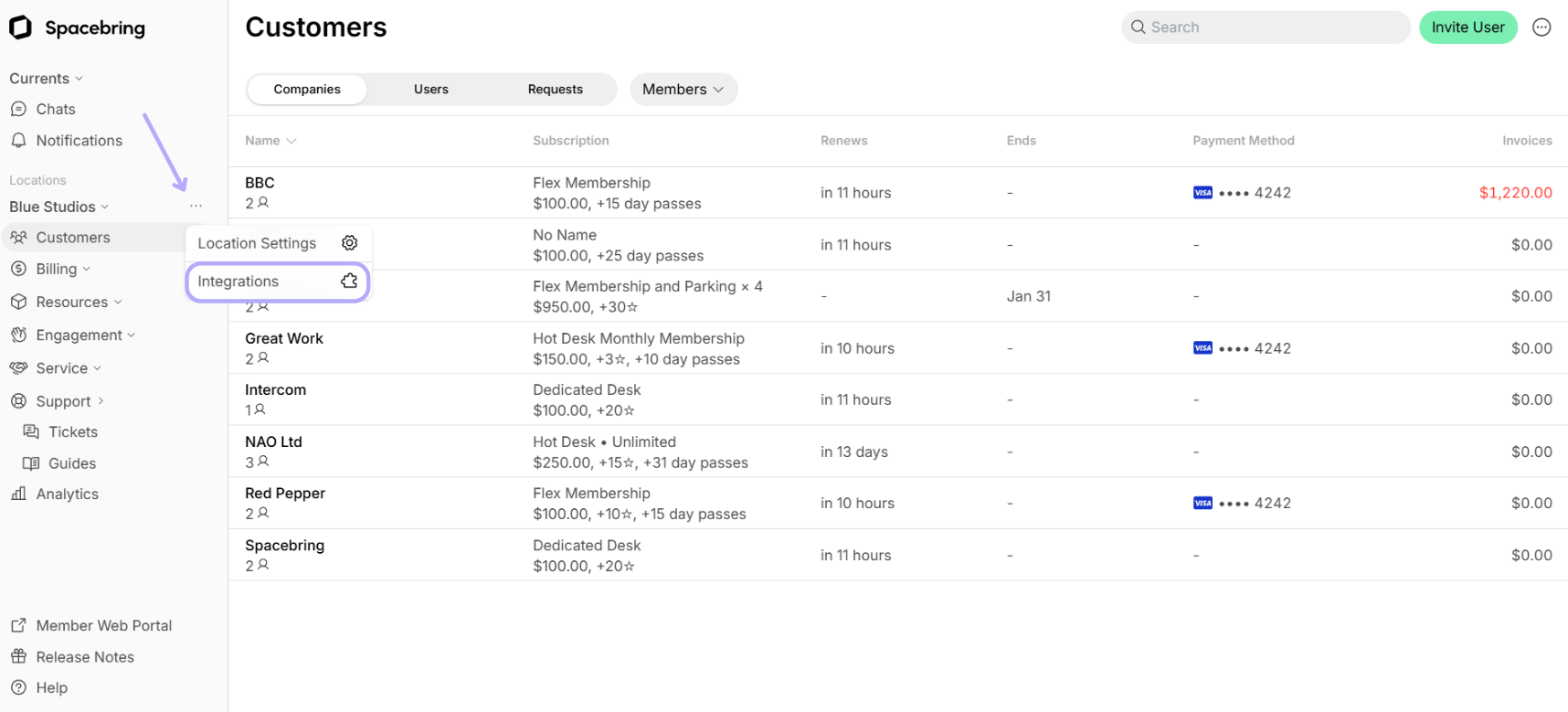 2. Find the **Paystack** integration page. *On this page, you'll also see two helpful buttons:*
* **About**: For general information about the integration.
* **Docs**: For detailed instructions on connecting and configuring.
2. Find the **Paystack** integration page. *On this page, you'll also see two helpful buttons:*
* **About**: For general information about the integration.
* **Docs**: For detailed instructions on connecting and configuring.
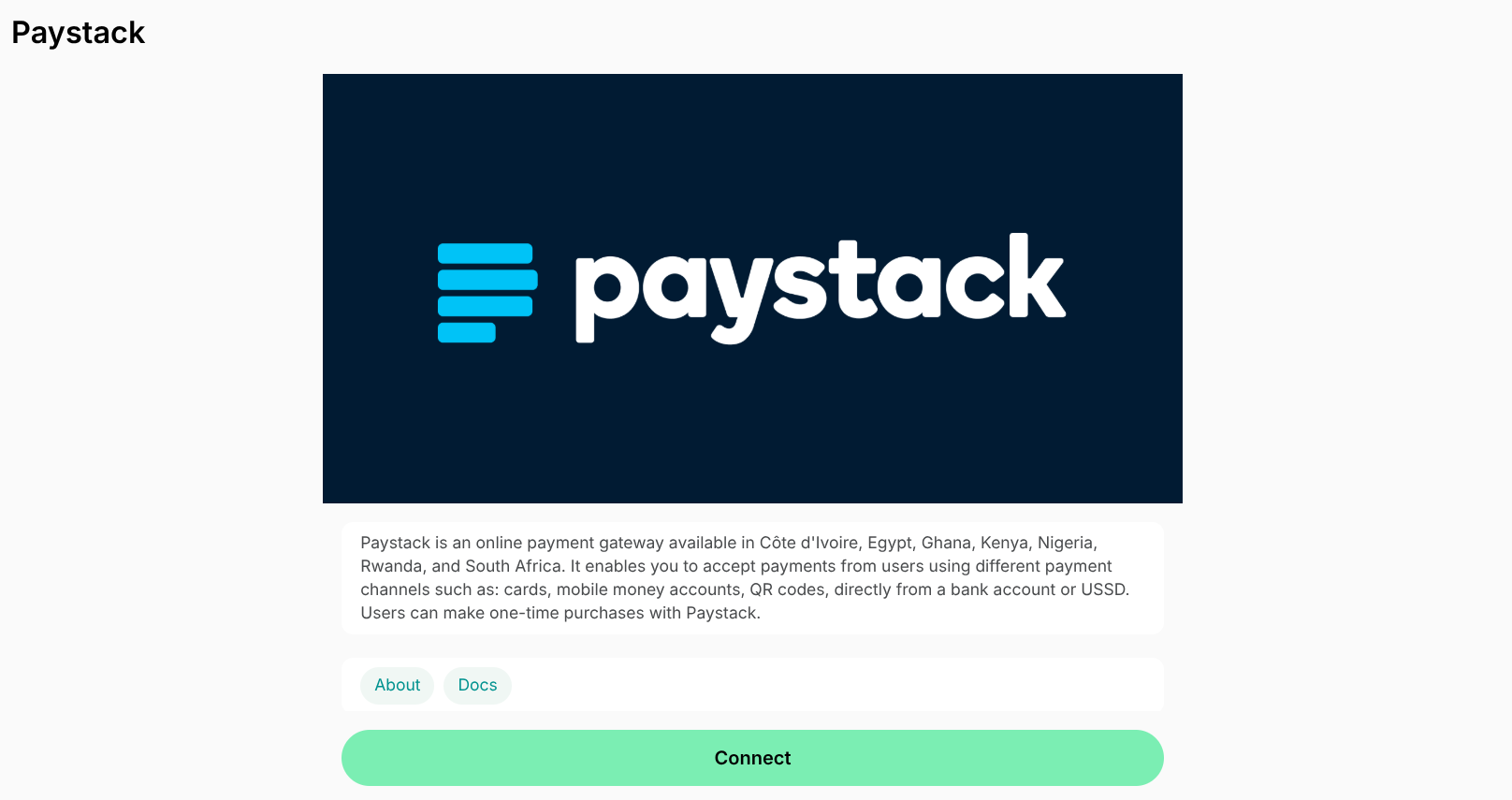 3. Press **Connect**.
To connect the integration, you need to find a Secret Key from the settings of your Paystack account. Generate your Secret key from Paystack following this [guide](https://support.paystack.com/hc/en-us/articles/360011508199-How-do-I-generate-new-API-keys-).
## Configure Paystack
You can activate payments for the following:
* Bookings
* Event tickets
* Shop products
* Invoices
* Credit packages
## How Paystack works
The integration adds **New payment method** at the checkout section around member web portal and mobile app. Users selecting the **New payment method** are redirected to the Paystack payment page and can use any of the payment methods enabled.
## Identify users' transactions in Paystack
You can easily find users' transactions in the Paystack dashboard using the following unique identifiers:
* ID — coincides with `Transaction ID` in Paystack dashboard. You can copy the ID of the transaction from the [**Transactions** custom report](/docs/analytics/reports).
* Time — coincides with the date and time of the transaction in the Pastak dashboard.
* Description — the types of purchases users make, such as bookings, **Shop** orders, etc.
## Disconnect Paystack
To disconnect Paystack integration, follow these steps:
1. Go to Spacebring > **Integrations** page by pressing the menu **(...)** next to the location's name > **Paystack.**
2. Press **Disconnect** and confirm your choice.
3. Press **Connect**.
To connect the integration, you need to find a Secret Key from the settings of your Paystack account. Generate your Secret key from Paystack following this [guide](https://support.paystack.com/hc/en-us/articles/360011508199-How-do-I-generate-new-API-keys-).
## Configure Paystack
You can activate payments for the following:
* Bookings
* Event tickets
* Shop products
* Invoices
* Credit packages
## How Paystack works
The integration adds **New payment method** at the checkout section around member web portal and mobile app. Users selecting the **New payment method** are redirected to the Paystack payment page and can use any of the payment methods enabled.
## Identify users' transactions in Paystack
You can easily find users' transactions in the Paystack dashboard using the following unique identifiers:
* ID — coincides with `Transaction ID` in Paystack dashboard. You can copy the ID of the transaction from the [**Transactions** custom report](/docs/analytics/reports).
* Time — coincides with the date and time of the transaction in the Pastak dashboard.
* Description — the types of purchases users make, such as bookings, **Shop** orders, etc.
## Disconnect Paystack
To disconnect Paystack integration, follow these steps:
1. Go to Spacebring > **Integrations** page by pressing the menu **(...)** next to the location's name > **Paystack.**
2. Press **Disconnect** and confirm your choice.