> ## Documentation Index
> Fetch the complete documentation index at: https://www.spacebring.com/docs/llms.txt
> Use this file to discover all available pages before exploring further.
# Create feed posts
> Have Lem AI write your Feed posts, including posts that promote your events, products, and benefits
Lem AI can write posts for your **Feed**, whether it's promoting a specific event, product, or benefit, or a post from scratch.
## Promote an event, product, or benefit
Promote your events, shop products, or benefits among customers with Lem AI. The **Promote** feature automatically generates a ready-to-use feed post to help you highlight specific new or existing items and attract more customer attention to it.
1. On the **Network settings > Lem AI** page, make sure you have **Lem AI** enabled.
2. Go to the **Events, Shop**, or **Benefits** page.
3. Create an event, product, or benefit, or choose an existing one.
4. Click the **(...)** menu next to it > **Promote**.
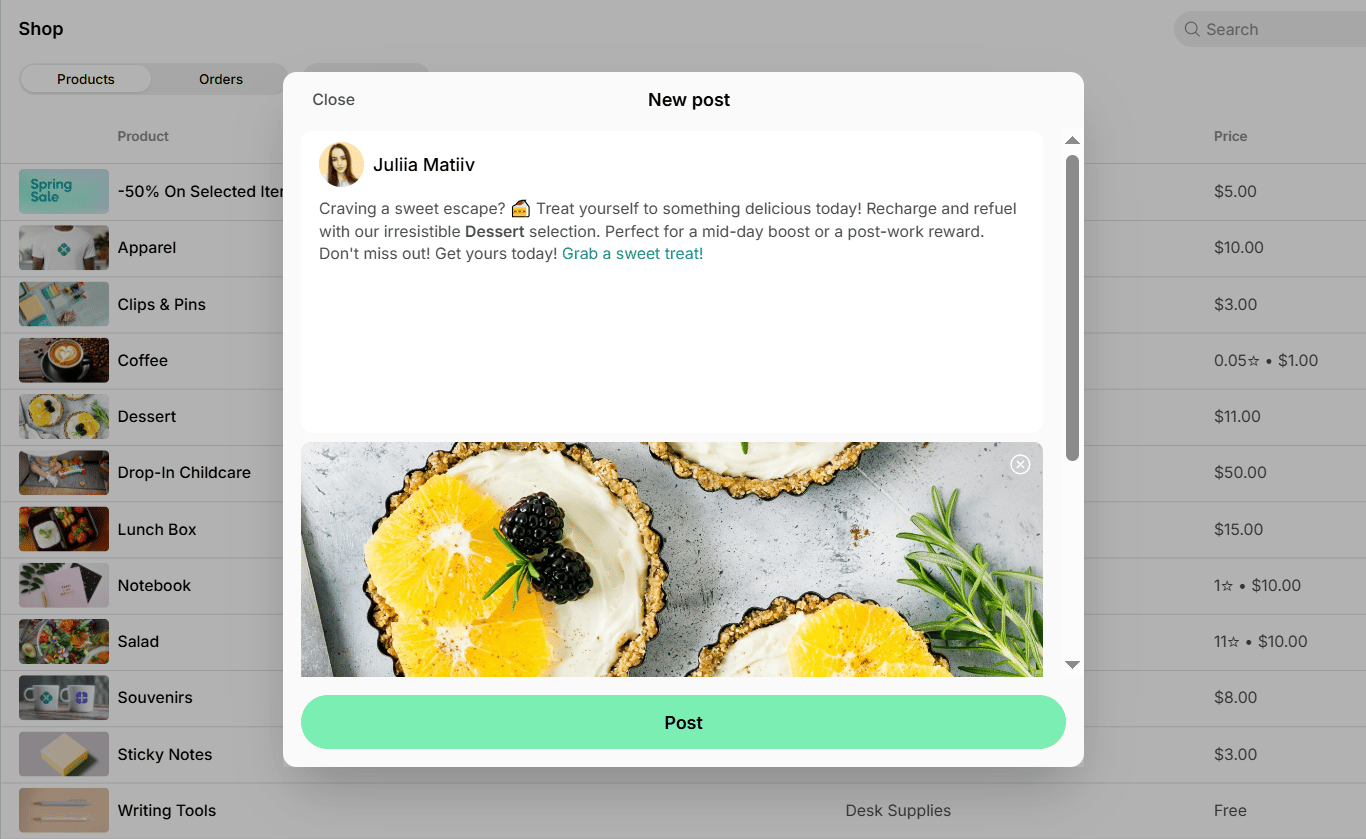
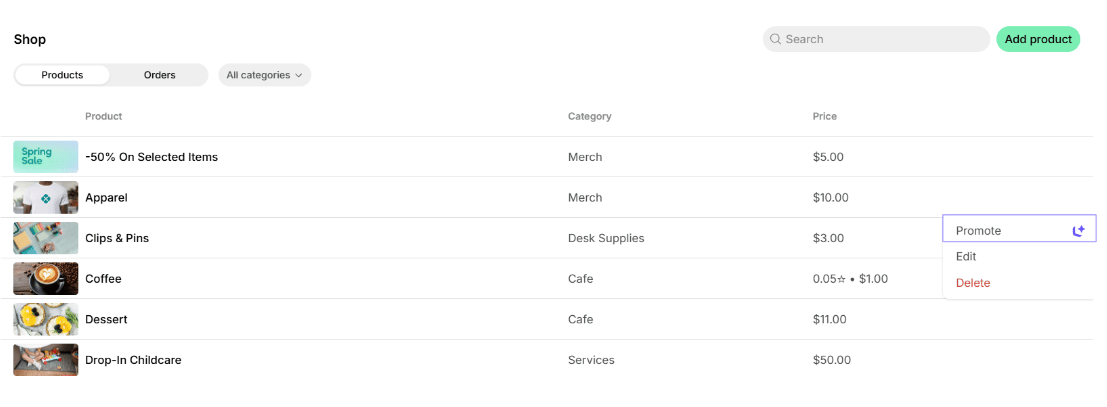 5. You’ll see a tab with an AI-generated feed post. The post is generated based on your event, product, or benefit details and includes its brief description, image (if added), and a direct link to join, order, or apply for it.
6. Feel free to make any edits, then click **Post** to publish it.
5. You’ll see a tab with an AI-generated feed post. The post is generated based on your event, product, or benefit details and includes its brief description, image (if added), and a direct link to join, order, or apply for it.
6. Feel free to make any edits, then click **Post** to publish it.
 You can view and [edit the post](/docs/engagement/feed#edit-a-post) later via **Engagement > Feed**.
## Write a post from scratch
You can also ask Lem AI in chat to write a feed post for you.
1. Open **Lem AI** top left and start a chat.
2. Tell Lem AI what you want the post to say, including any details like the message, tone, or images to include.
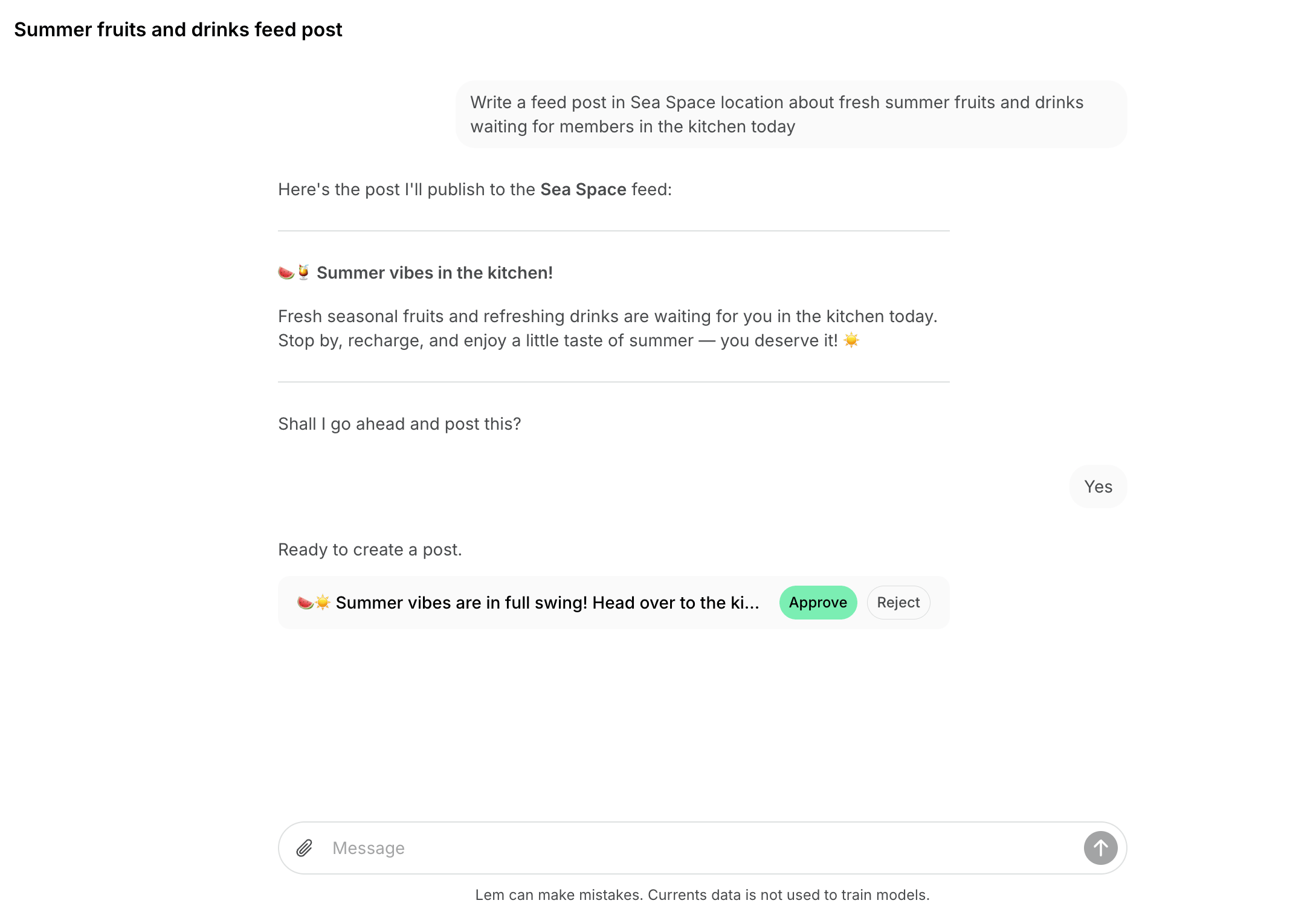
3. Lem AI will draft the post and share it with you for review.
4. Click **Approve** to publish it right away, or **Reject** if you don't want to post it.
You can view and [edit the post](/docs/engagement/feed#edit-a-post) later via **Engagement > Feed**.
## Write a post from scratch
You can also ask Lem AI in chat to write a feed post for you.
1. Open **Lem AI** top left and start a chat.
2. Tell Lem AI what you want the post to say, including any details like the message, tone, or images to include.
3. Lem AI will draft the post and share it with you for review.
4. Click **Approve** to publish it right away, or **Reject** if you don't want to post it.
 If you manage multiple locations, you can also ask Lem AI to publish the same (or a tailored) post across several locations at once.