> ## Documentation Index
> Fetch the complete documentation index at: https://www.spacebring.com/docs/llms.txt
> Use this file to discover all available pages before exploring further.
# ChatGPT
> Connect Spacebring to ChatGPT to give it access to your Spacebring network, and get answers and information instantly by asking in the ChatGPT conversation.
Spacebring is an official ChatGPT plugin, approved by OpenAI and listed in [ChatGPT's plugin directory](https://chatgpt.com/plugins/plugin_asdk_app_698cc2d00acc8191aff29c7911ac7517). Once installed, ChatGPT can access your Spacebring network, so you can ask about your members, subscriptions, invoices, and more — right in the conversation, without opening the Spacebring admin dashboard.
## Connect Spacebring in ChatGPT
* Open [Spacebring in ChatGPT's plugin directory](https://chatgpt.com/plugins/plugin_asdk_app_698cc2d00acc8191aff29c7911ac7517).
* Alternatively, in ChatGPT go to **Settings > Plugins** and search for **Spacebring**.
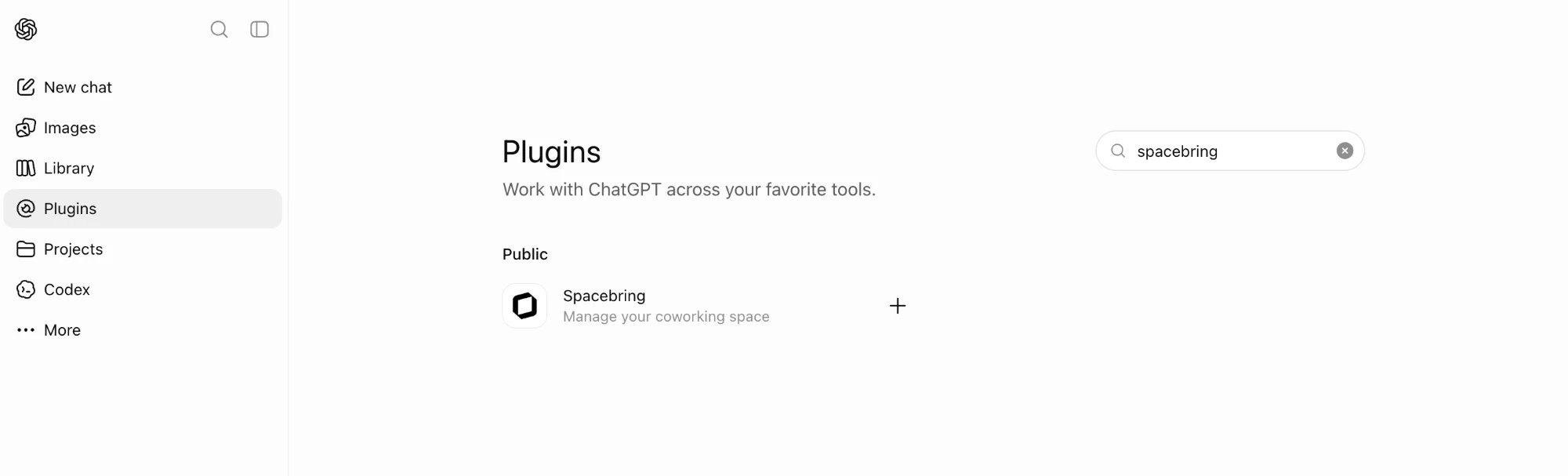 Click **Install plugin**.
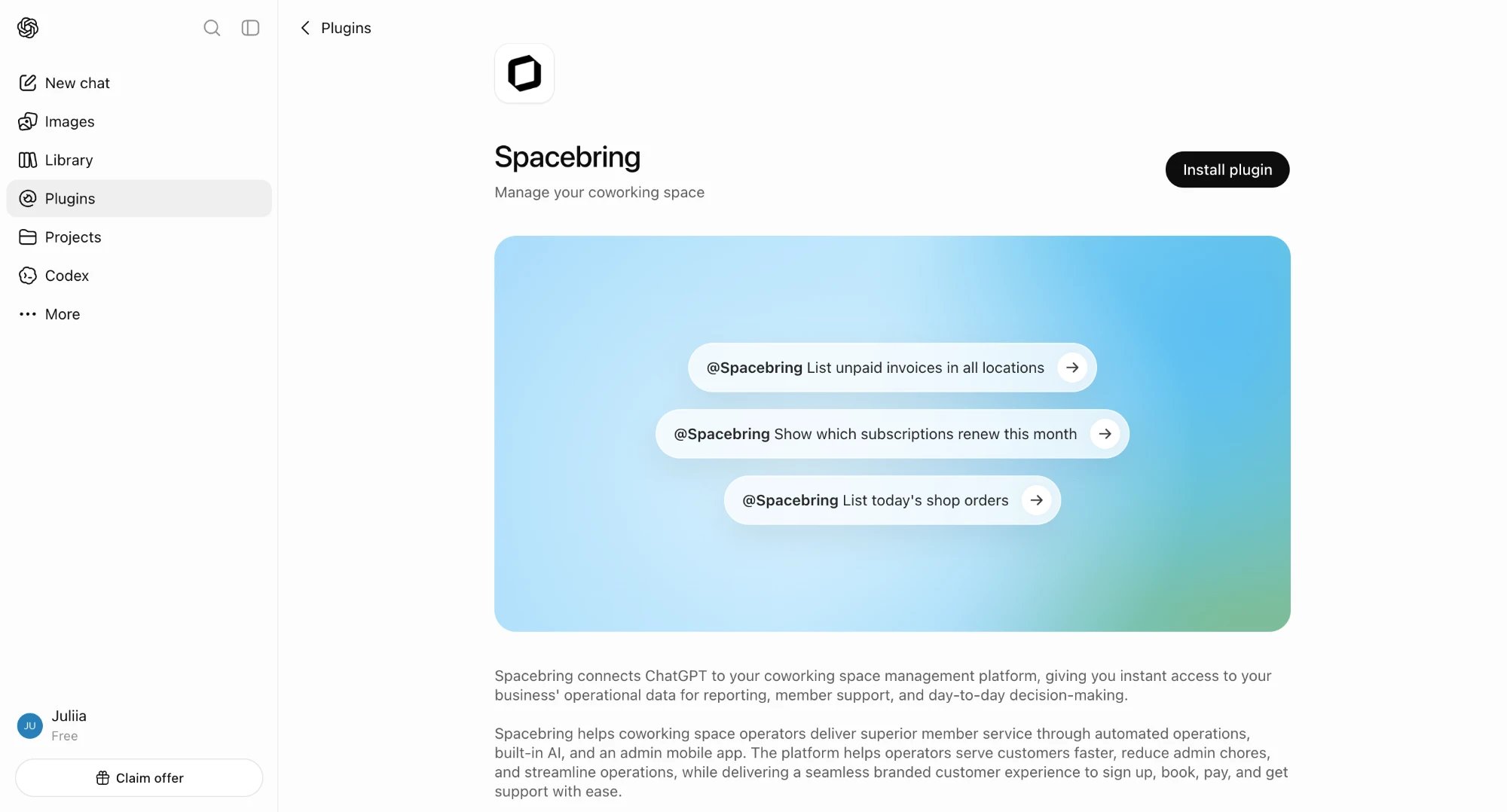 When prompted, sign in and authorize access to your Spacebring network.
ChatGPT can now access your Spacebring network. Just name what you're looking for in plain language, and ChatGPT will answer.
When prompted, sign in and authorize access to your Spacebring network.
ChatGPT can now access your Spacebring network. Just name what you're looking for in plain language, and ChatGPT will answer.
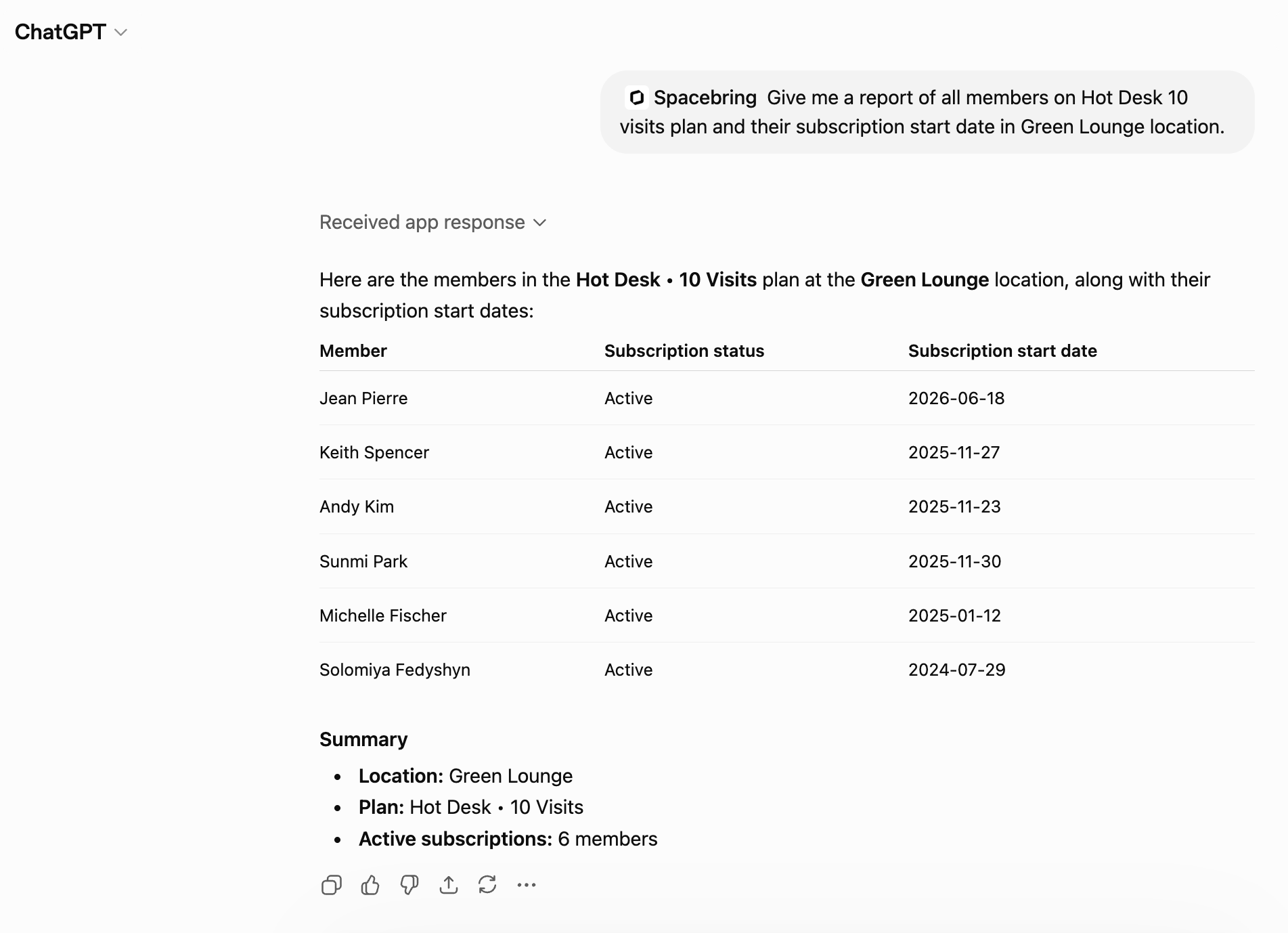 ## What you can ask ChatGPT
Ask about any of the following, in plain language, and ChatGPT finds the answer for you:
* Network and locations
* Members and companies
* Plans and subscriptions
* Resources and bookings
* Invoices and contracts
* Shop products and orders
* Benefits and applications
* Guides
For the full list of tools ChatGPT can use, see [Supported tools](/docs/mcp-server#supported-tools).
ChatGPT can also:
* Combine these in a single request — for example, ask for a member's subscription, recent invoices, and bookings together, and ChatGPT pulls up all three
* Pass what it finds to your other plugins — for example, draft reminder emails for overdue invoices
## Disconnect Spacebring from ChatGPT
You can remove the Spacebring plugin from ChatGPT at any time to end its access.
In ChatGPT, go to **Settings > Plugins**.
Locate **Spacebring** in your list of installed plugins.
Uninstall the plugin to immediately end its access to your Spacebring network.
The Spacebring plugin in ChatGPT is powered by the Spacebring MCP server. You can also connect Spacebring to [Claude](/docs/mcp-server/claude) or [another MCP-compatible assistant](/docs/mcp-server#connect-in-another-ai-assistant).
## What you can ask ChatGPT
Ask about any of the following, in plain language, and ChatGPT finds the answer for you:
* Network and locations
* Members and companies
* Plans and subscriptions
* Resources and bookings
* Invoices and contracts
* Shop products and orders
* Benefits and applications
* Guides
For the full list of tools ChatGPT can use, see [Supported tools](/docs/mcp-server#supported-tools).
ChatGPT can also:
* Combine these in a single request — for example, ask for a member's subscription, recent invoices, and bookings together, and ChatGPT pulls up all three
* Pass what it finds to your other plugins — for example, draft reminder emails for overdue invoices
## Disconnect Spacebring from ChatGPT
You can remove the Spacebring plugin from ChatGPT at any time to end its access.
In ChatGPT, go to **Settings > Plugins**.
Locate **Spacebring** in your list of installed plugins.
Uninstall the plugin to immediately end its access to your Spacebring network.
The Spacebring plugin in ChatGPT is powered by the Spacebring MCP server. You can also connect Spacebring to [Claude](/docs/mcp-server/claude) or [another MCP-compatible assistant](/docs/mcp-server#connect-in-another-ai-assistant).