

By default, all transactional emails are sent fromDocumentation Index
Fetch the complete documentation index at: https://www.spacebring.com/docs/llms.txt
Use this file to discover all available pages before exploring further.
hello@transactional.spacebring.com and include Spacebring’s postal address in the footer to comply with anti-spam regulations. With custom MAIL FROM, you can replace the default sender with your own email address.
This helps your customers better recognize your business and improves email deliverability in certain scenarios.
Custom MAIL FROM is an add-on with a one-time setup fee. Pricing
Set up custom MAIL FROM
- Contact us at support@spacebring.com and share the email address you want to use to send emails to users.
- Upon your confirmation, we’ll charge a one-time fee to your default payment method. It covers lifetime usage. You can later change the email address without additional charges.
- Our team will send you a file with DNS records and instructions for adding them to your domain registrar.
- Notify us once you set the DNS records. We’ll verify them on our end and enable your custom email sending address.
Tips
To maximize email deliverability, we suggest:- Avoid using generic addresses like “info@”. More specific prefixes—such as “members@” or “hello@“—tend to be viewed as more trustworthy by mail providers and are less likely to end up in spam folders.
- Set up a DMARC record. A DMARC record helps recipient servers verify your identity and significantly improves your reach.
- Log in to your domain registrar account.
- Open the DNS settings or control panel.
- Create a new record with the following data:
| Type | TXT |
|---|---|
| Name | _dmarc |
| Value | v=DMARC1; p=none; sp=none; pct=100; rua=mailto:[example@yourdomain.com](mailto:example@yourdomain.com);Note: Replace example@yourdomain.com with a managed email address where you wish to receive DMARC reports from mail servers. |
| TTL | leave the default value |
How custom MAIL FROM works
With a custom MAIL FROM email address configured, all transactional emails — including invitation emails, payment confirmations, and invoices — are sent from your custom email address. This ensures consistent branding for all your Spacebring-generated communications.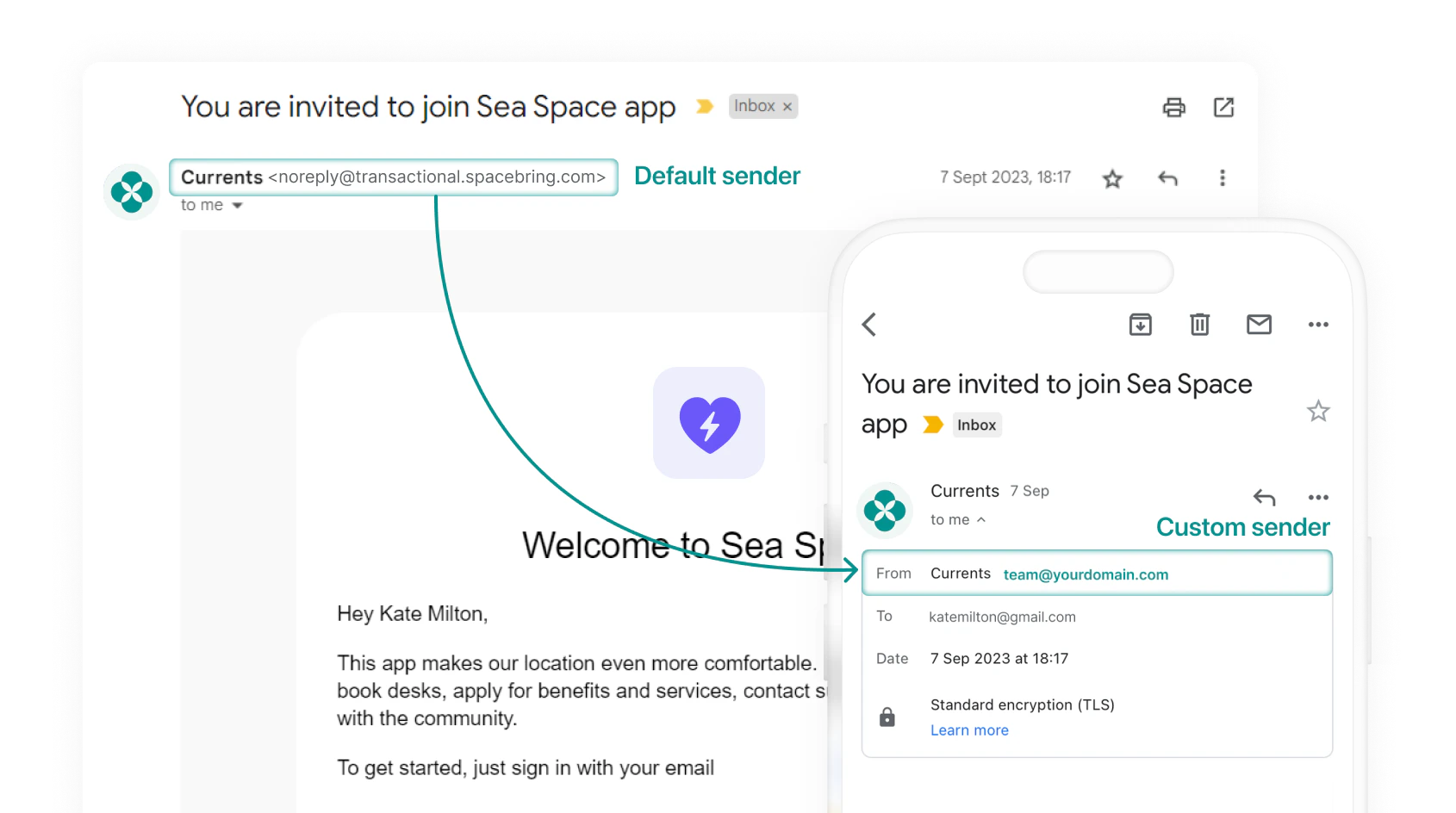
Helpful links
Instructions for setting DNS records in common registrars:Migrate custom MAIL FROM to a different hosting provider
- Open the DNS panel with your new hosting provider.
- Recreate the same DNS records our team originally shared.
- Delete the DNS records from your previous hosting provider.
Migrate custom MAIL FROM to a different domain name
- Request new DNS records from our support team.
- Add the new records to your new domain’s DNS panel.
- Remove the DNS records associated with the old domain.
Customize email footer
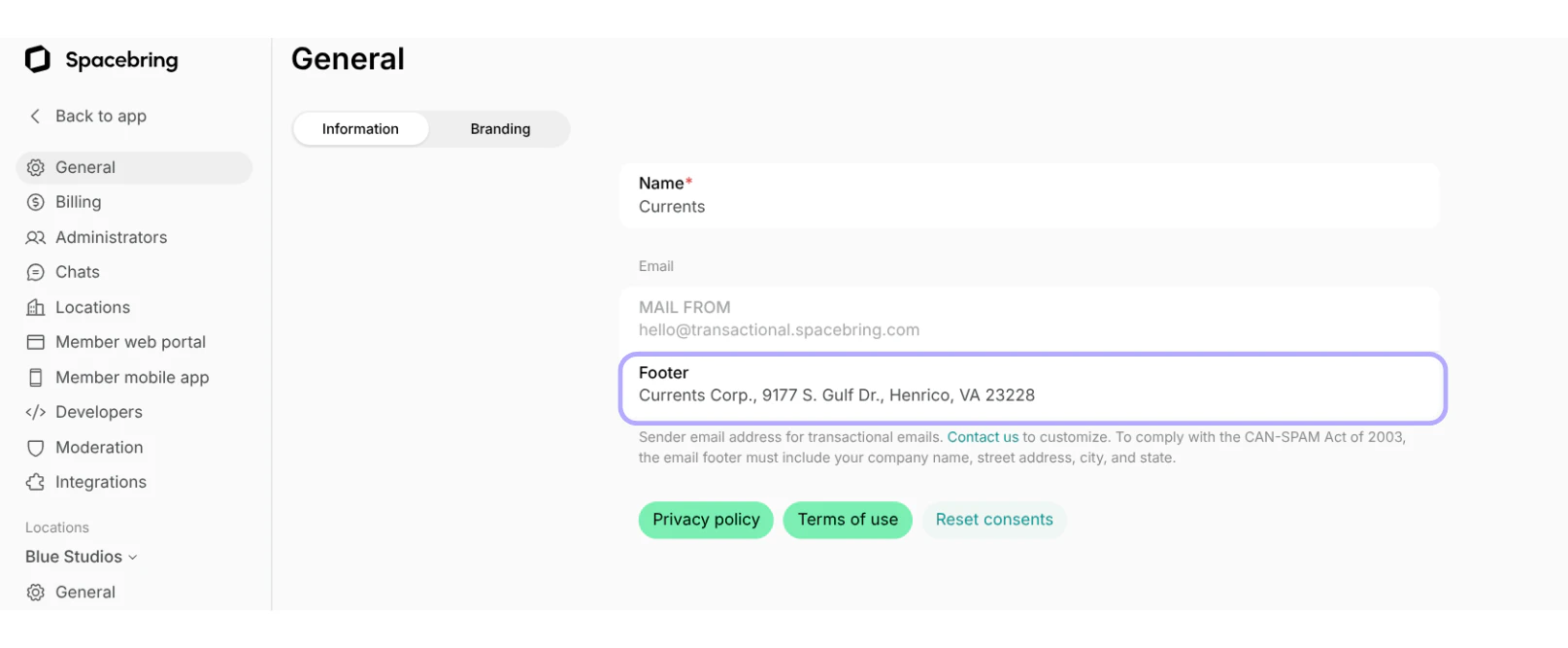
You can customize the footer of transactional emails with your business information. To customize the email footer, do the following:- The owner needs to go to Spacebring.
- On the left-side panel, click (…) menu next to your network name > Network settings > General > “Information” tab.
- Enter the company name in the “Footer” field inside the “Email” section.
How quickly is my custom MAIL FROM configured after ordering the add-on?
How quickly is my custom MAIL FROM configured after ordering the add-on?
It depends on how quickly you configure the DNS records that we send you.As soon as you create the records and notify us during our support hours, we will promtly verify them and enable your custom email sending address.
Can I add multiple custom MAIL FROM email addresses?
Can I add multiple custom MAIL FROM email addresses?
The custom MAIL FROM feature supports one sender email address only.All transactional emails will be sent from this single address to maintain consistency and avoid confusion for recipients.