

Get instant help
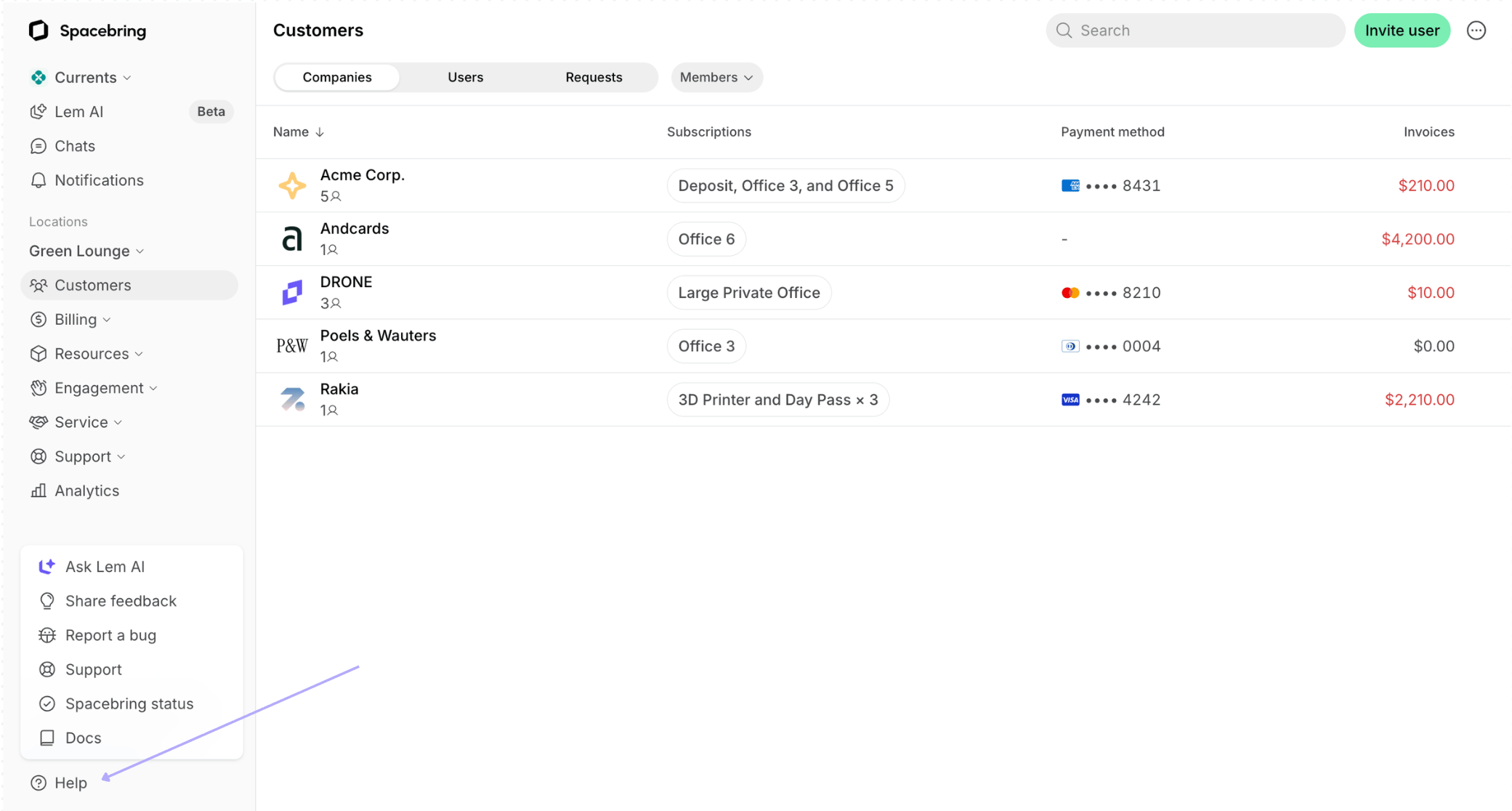
If you have questions about features or need help with setup, tap the Help button in the bottom left corner of your admin portal:- Ask Lem AI — Lem AI knows all of Spacebring’s functionality and has access to your specific data, so it can give you a personalized answer or assistance instantly.
- Docs — find comprehensive Spacebring documentation about a specific feature or setup.
Contact us
To contact us:- Tap the Help button in the bottom left corner > Support.
- If the AI response isn’t helpful and you choose to submit your question to our support team, you will receive a response from us via email.
In addition to our standard support channel, a dedicated support session is available for purchase.
Office hours
Our regular office hours are Monday through Friday, 2 a.m. to 5 p.m. Eastern Time (ET). Our regular response time is 3 minutes.Check status page
To check the status of our servers:- Tap the Help button in the bottom left corner > Spacebring status.
- Press Subscribe to updates to subscribe to any news via email, Slack, or Microsoft Teams.
Share feedback
If you have feature requests, insights to share about the platform, or have faced any challenges tap the Help button in the bottom left corner > Share feedback. This is the fastest way to submit feature requests — our team reviews every submission.Report a bug
To report an issue or bug, tap the Help button in the bottom left corner > Report a bug. We will send you updates about the bug resolution to your email.Track release notes
To stay informed about all new features, solutions and product improvements implemented in Spacebring, monitor Release notes in the bottom left corner of the admin web portal.FAQs
How can I know when a certain feature will be implemented?
How can I know when a certain feature will be implemented?
Keep an eye on the Release notes in the bottom left corner of the admin web portal to be constantly notified when new features and solutions you are interested in become available.