

What customers see
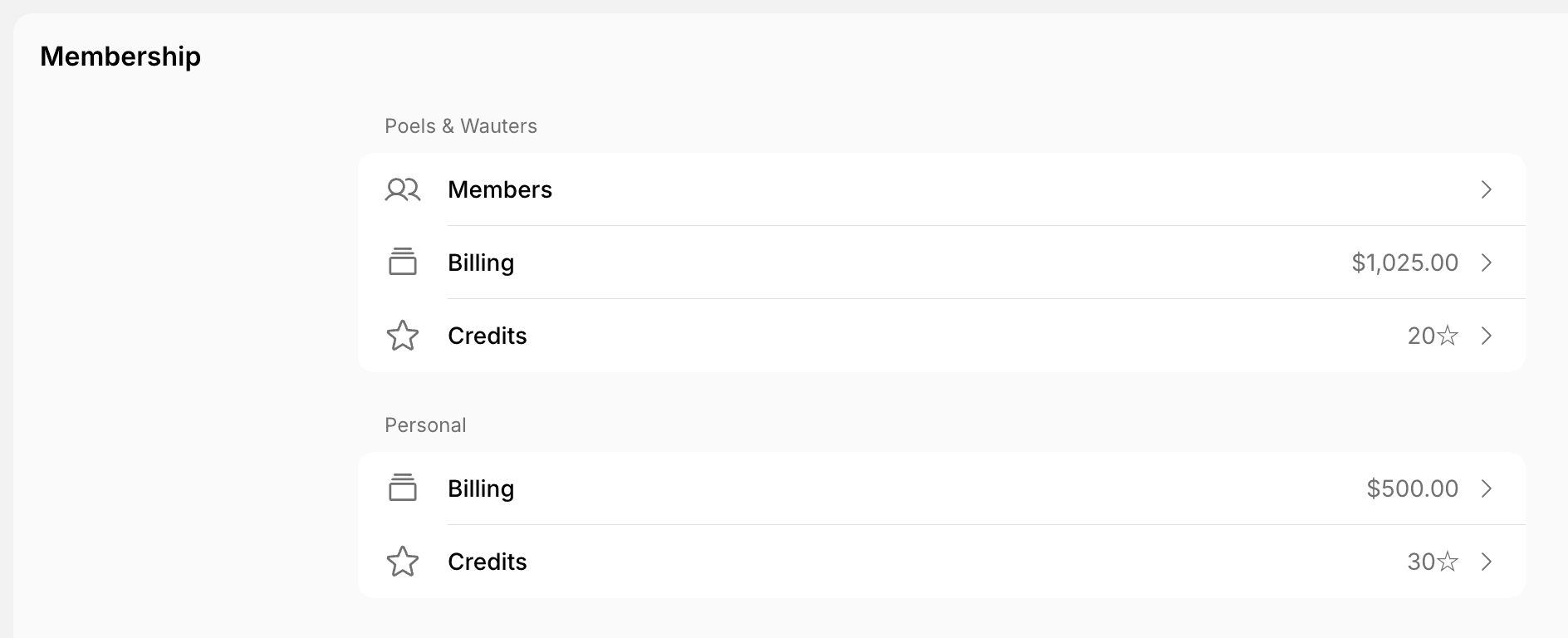
- Nonmembers see Personal > Billing.
- Members also see Credits, Day passes, and Printing under Personal, if your location uses them. Printing shows the pages they printed this month and last month on Sindoh printers.
- Company members also see a section with the company name above Personal, with Members, Credits, and Day passes.
- Company managers also see the company’s Billing in that section.
Billing
Customers manage their own billing under Personal > Billing. Company managers manage the company’s billing under the section with the company name > Billing.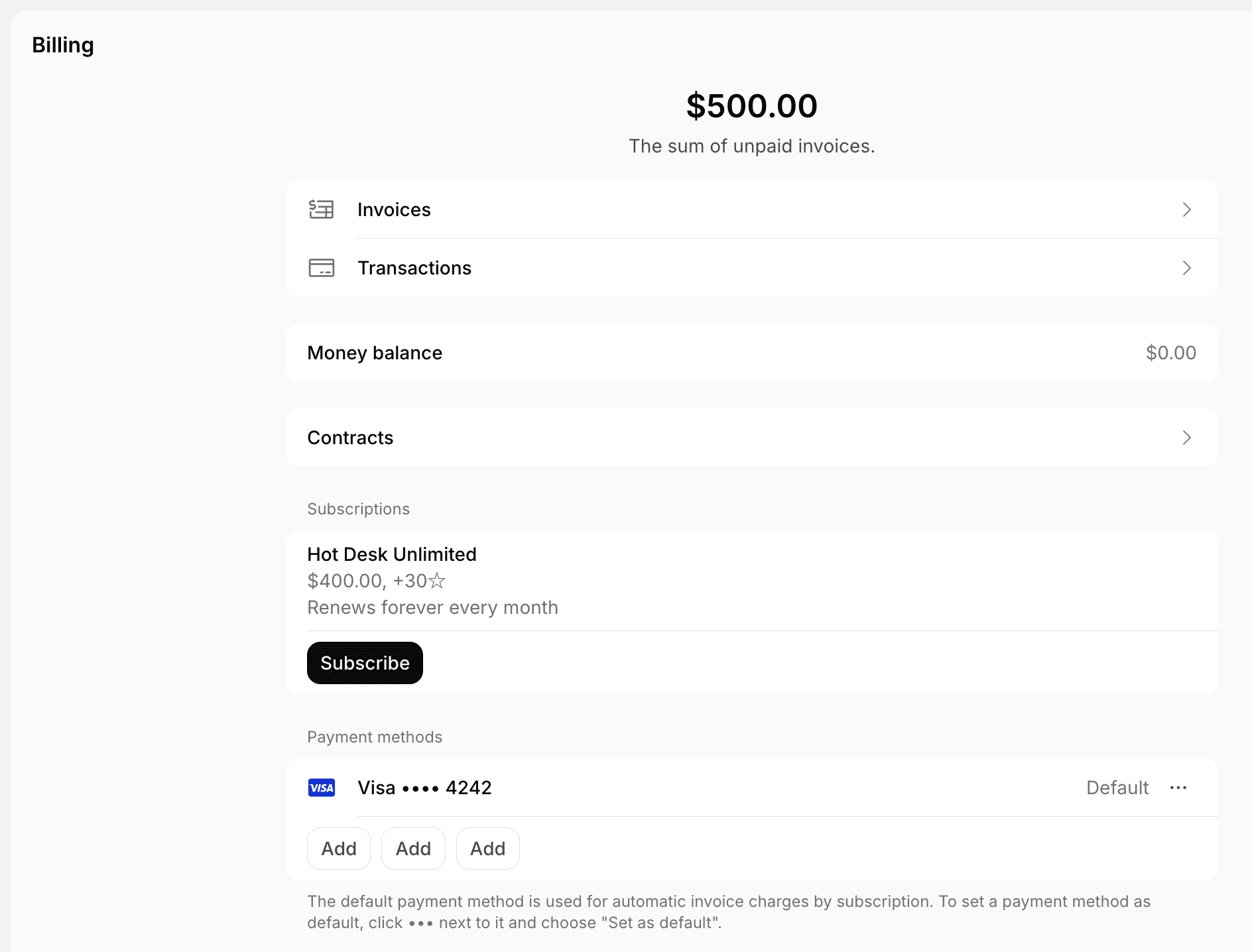
- The amount at the top is the sum of unpaid invoices.
- Invoices — view, pay, and download invoices.
- Transactions — view payments and download receipts.
- Money balance — the money balance that applies to the next invoice.
- Contracts — view and download contracts, including signed ones.
- Subscriptions — open a subscription to check its credits, day passes, discounts, items, assignments, and upcoming invoice. Click Subscribe to sign up for another plan.
- Pending invoice items — bookings and purchases paid by invoice that aren’t invoiced yet.
- Payment methods — add, delete, or set a default payment method. The default one is charged automatically for subscription invoices.
- Billing details — the legal business name, address, and tax ID on invoices and receipts.
- Billing emails — on the company’s Billing page, the addresses that receive company invoices and receipts.
Customers can’t cancel a subscription themselves. Cancel subscription on the subscription page sends your team a cancellation request as a support ticket, and shows only if Support is enabled for the location.
Credits and day passes
Customers check their own balance under Personal > Credits or Day passes, and the company’s balance under the section with the company name.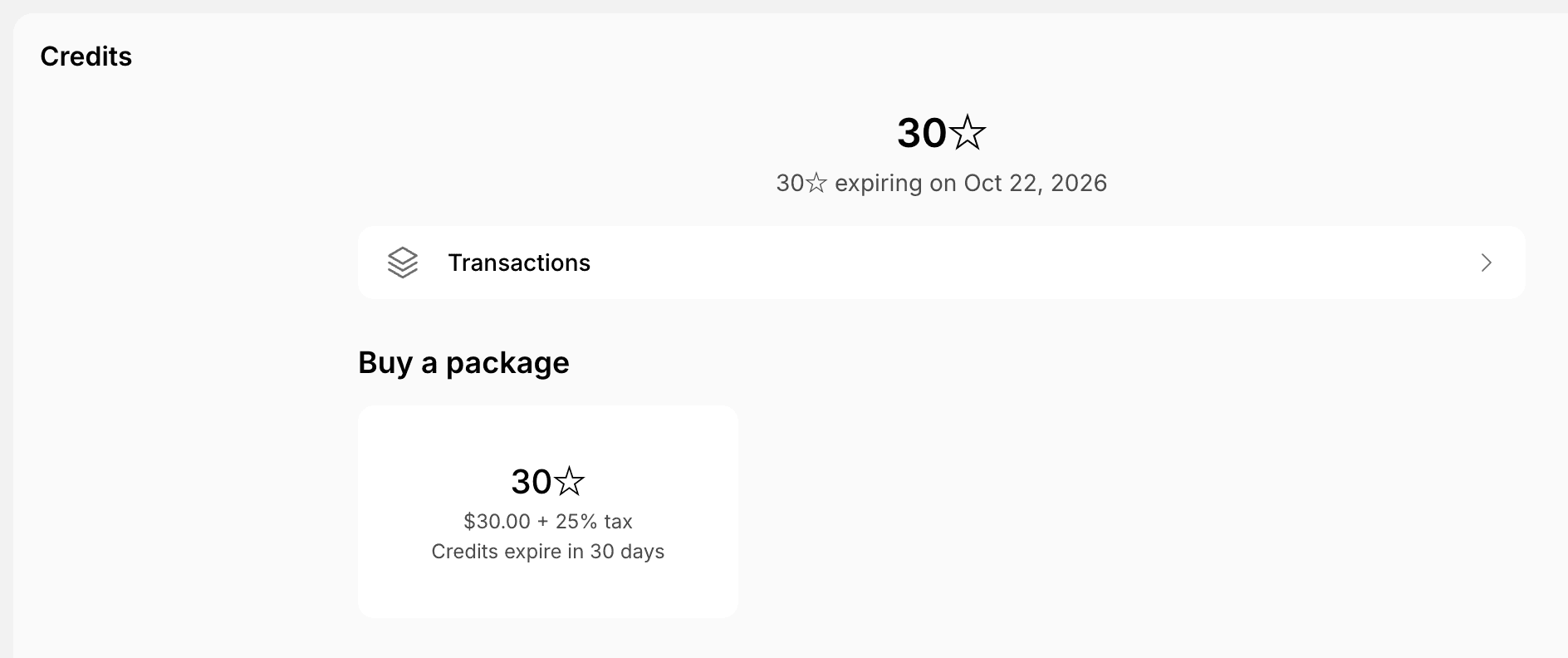
- The balance at the top shows how much expires and when.
- Transactions — the history of credits or day passes received and spent.
- Buy a package — buy more credits or day passes.
- Scheduled transactions — credits reserved for bookings in a future subscription period.
Company members
Under the section with the company name > Members, company members see everyone in their company, with company managers marked Manager.- Any company member can click Invite user to invite someone to the company.
- Company managers can remove people from the company.