

Export CSV reports
CSV reports are ideal for bulk uploading invoice data into accounting software.| Report type | Purpose |
|---|---|
| Invoices | Export consolidated invoice data with total amounts per invoice. |
| Invoice items | Export detailed data for each individual line item within invoices. |
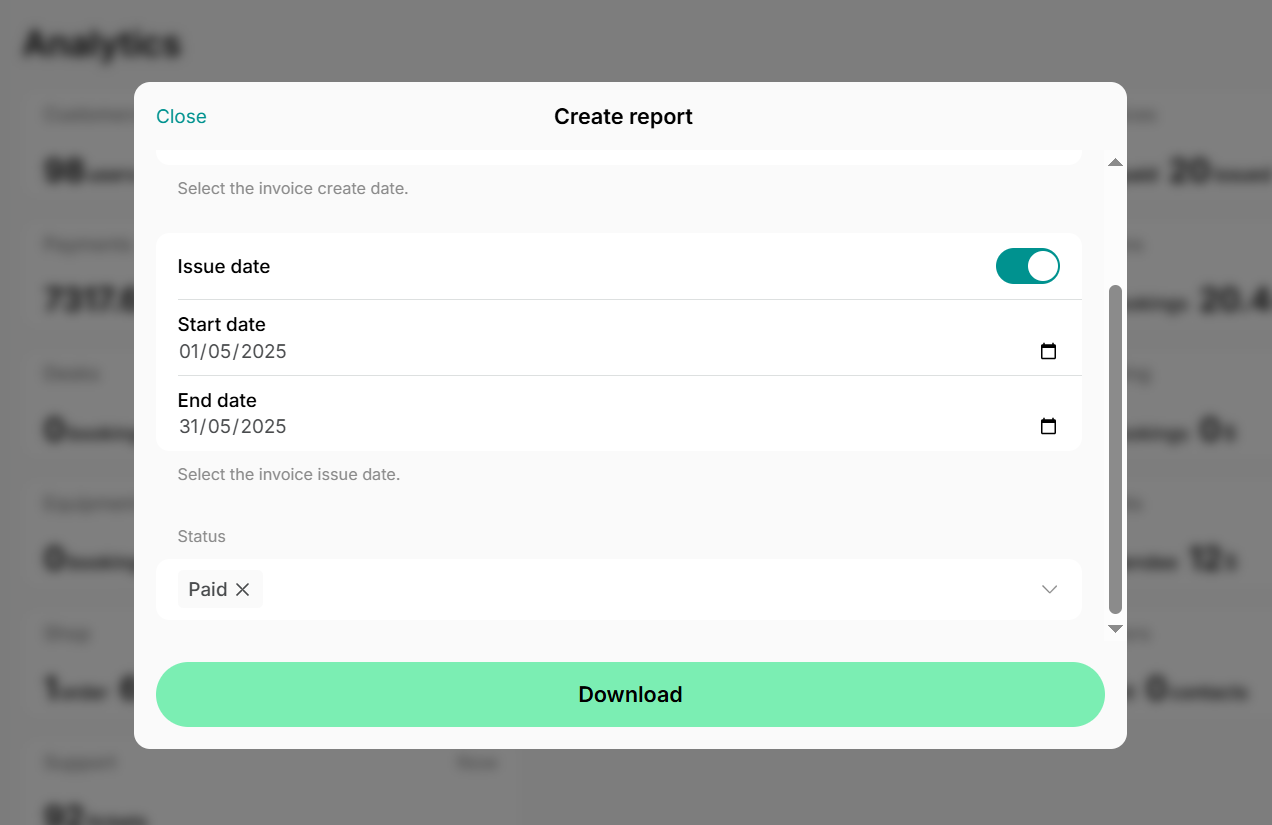
- Go to the Analytics page > click
Create reporttop right. - Choose the necessary report type, time range, and payment status (e.g., filter to export only “Paid” invoices).
- Press
Donwload. - Upload or copy-paste invoice data into your accounting software.
Download invoice PDFs
- Go to Analytics > press
Create reporttop right. - Choose the “Invoices” report type, select the necessary time range, and payment status > press
Download. - Open the downloaded report in Google Sheets, Excel, or any other app that supports the CSV file format.
- Locate the “PDF” column.
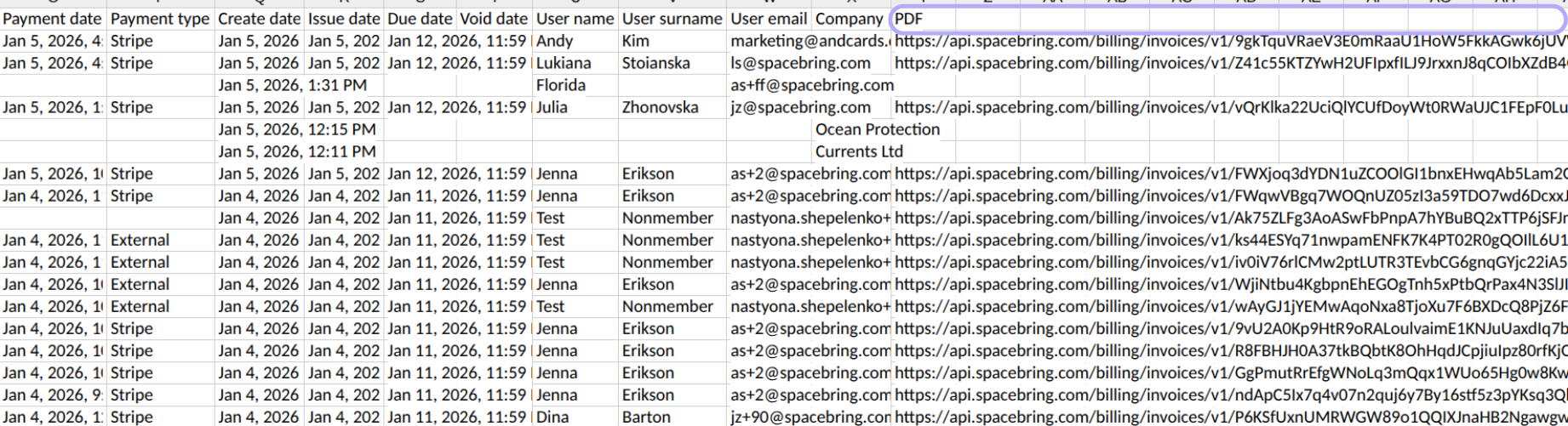
- To download individual invoices, click on the URL in this column. The invoice PDF will be downloaded to your device.
- To mass download all invoices, select a range of links in the “PDF” column. Then, click the
(...) View more cell actions> use theOpen linksfeature (available in Google Sheets and other apps that handle hyperlinks). All selected links will open simultaneously, and all invoices will be downloaded. - Once exported, upload all invoice PDFs to your accounting software.