

Track subscription purchases
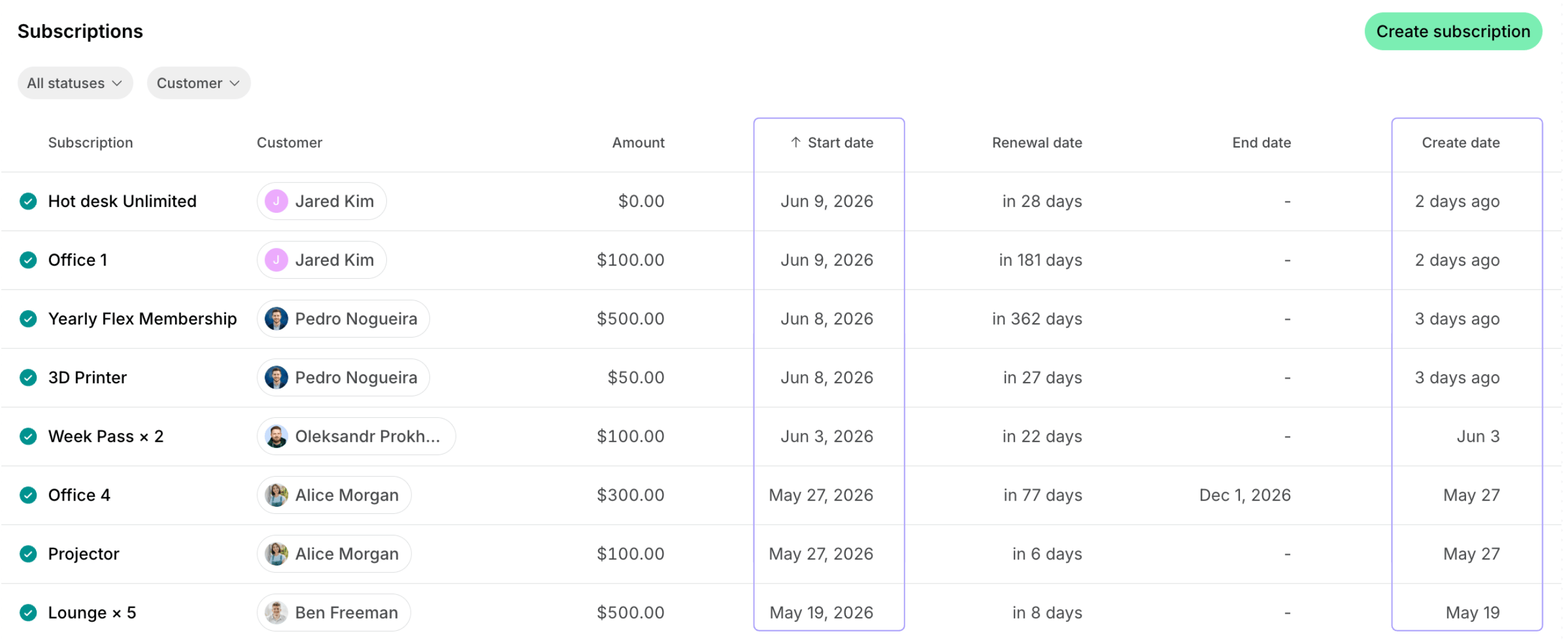
To check how many new subscriptions have begun during the specified period, follow these steps:- Go to Billing > Subscriptions and filter the list by status.
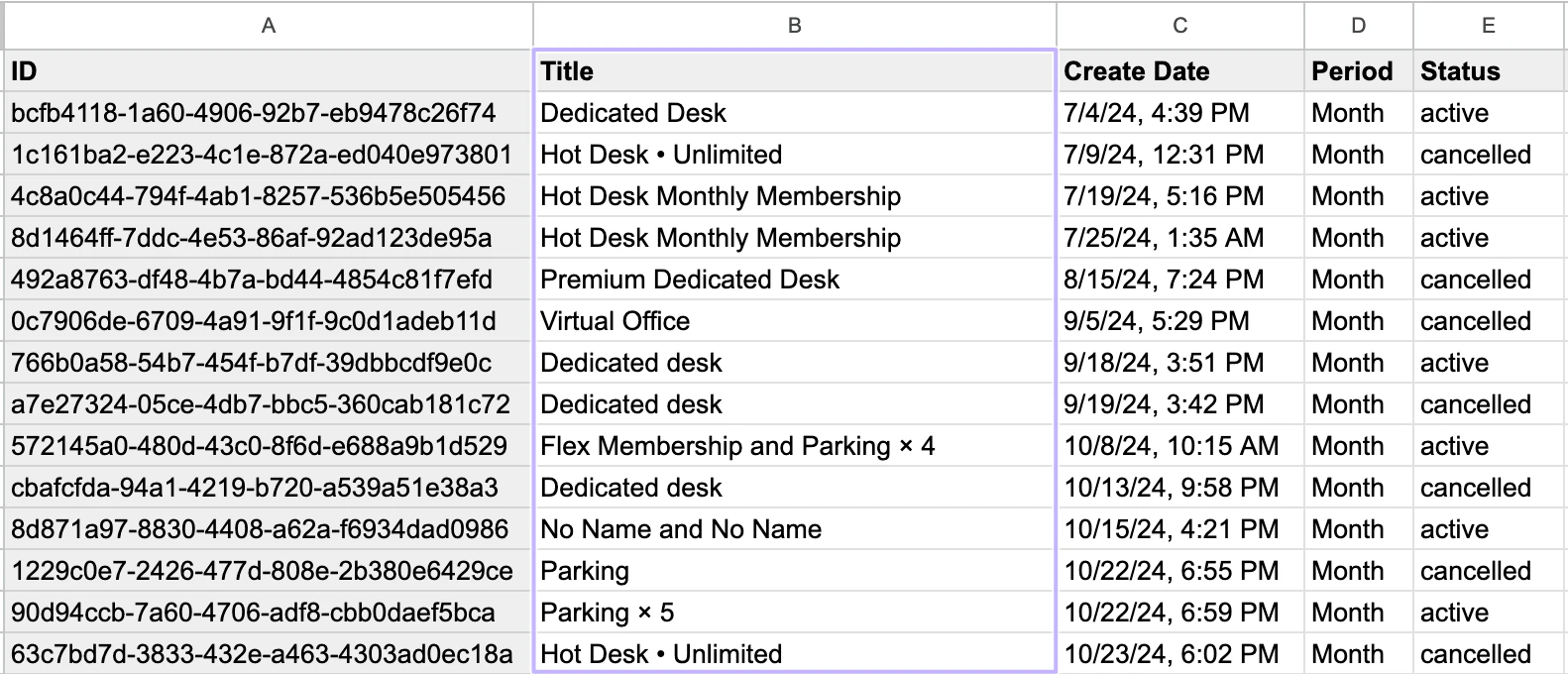
- Filter by Create date to see how many new subscriptions were purchased during a specific period, or by Start date to see how many started during a specific period.
- Click (…) in the top right corner > Export as CSV or Export as XLSX to download a subscriptions report with the filtered subscriptions.
Track customer base growth
In addition to subscription purchase analytics, you are empowered to track the growth of the customer base in your space. For this, follow these steps:- Go to the Customers page > Users tab.
- Select Members or Nonmembers in the drop-down at the top.
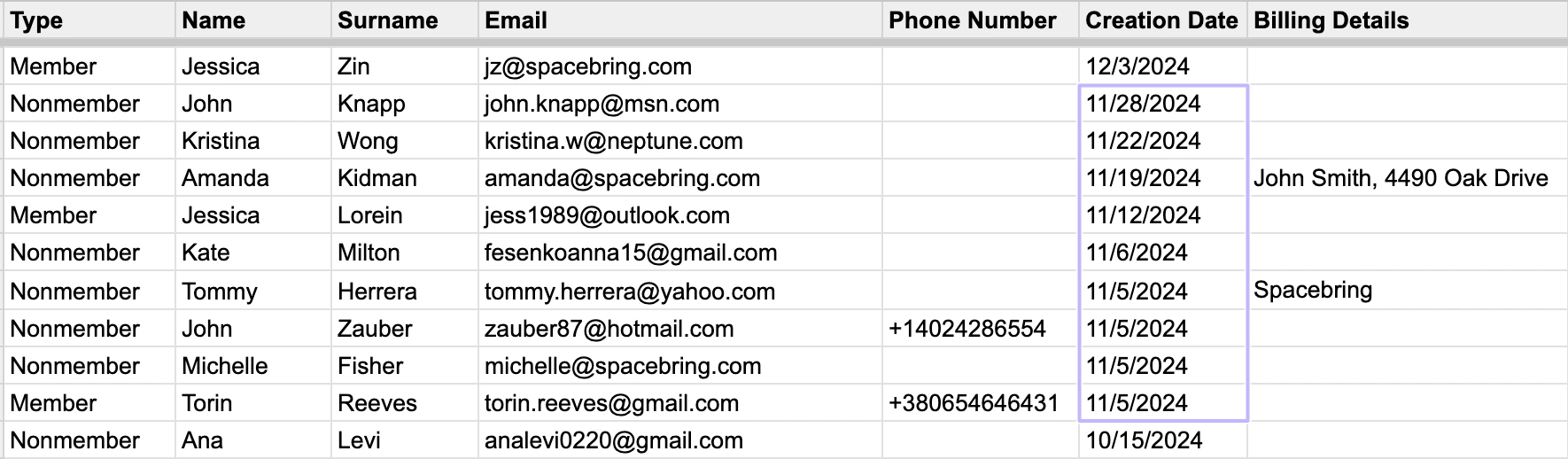
- Click (…) in the top right corner > Export users as CSV or Export users as XLSX to download a members report.
- Open the report and check the Create date column to see how many customers joined during a specific period.
FAQs
How can I check the average subscription duration for each customer?
How can I check the average subscription duration for each customer?
To calculate the average subscription duration:
- Go to Billing > Subscriptions.
- To include both current and past members in your analysis, filter by the Active and Canceled statuses.
- Click (…) in the top right corner > Export as CSV or Export as XLSX to download a subscriptions report.
- Open the report and find the Start date column for the subscription’s beginning.
- Identify the subscription’s Renewal date (for active subscriptions), End date (for ended subscriptions), and Delete date (for canceled subscriptions).
- Using Google Sheets or Excel possibilities, calculate the duration in months for each subscription based on its relevant dates.
- Once you have the duration for each, calculate the average across all the subscriptions you’ve included.