Automated integration
QuickBooks Online
Spacebring offers a native integration with QuickBooks Online. Follow this step-by-step guide to connect and set up the integration: Automate accounting with QuickBooks Online.Xero
Spacebring offers a native integration with Xero. Follow this step-by-step guide to connect and set up the integration: Automate accounting with Xero.Odoo
Spacebring offers a native integration with Odoo. Follow this step-by-step guide to connect and set up the integration: Automate accounting with Odoo.Fortnox
Spacebring offers a native integration with Fortnox. Follow this step-by-step guide to connect and set up the integration: Automate accounting with Fortnox.Integration via accounting email
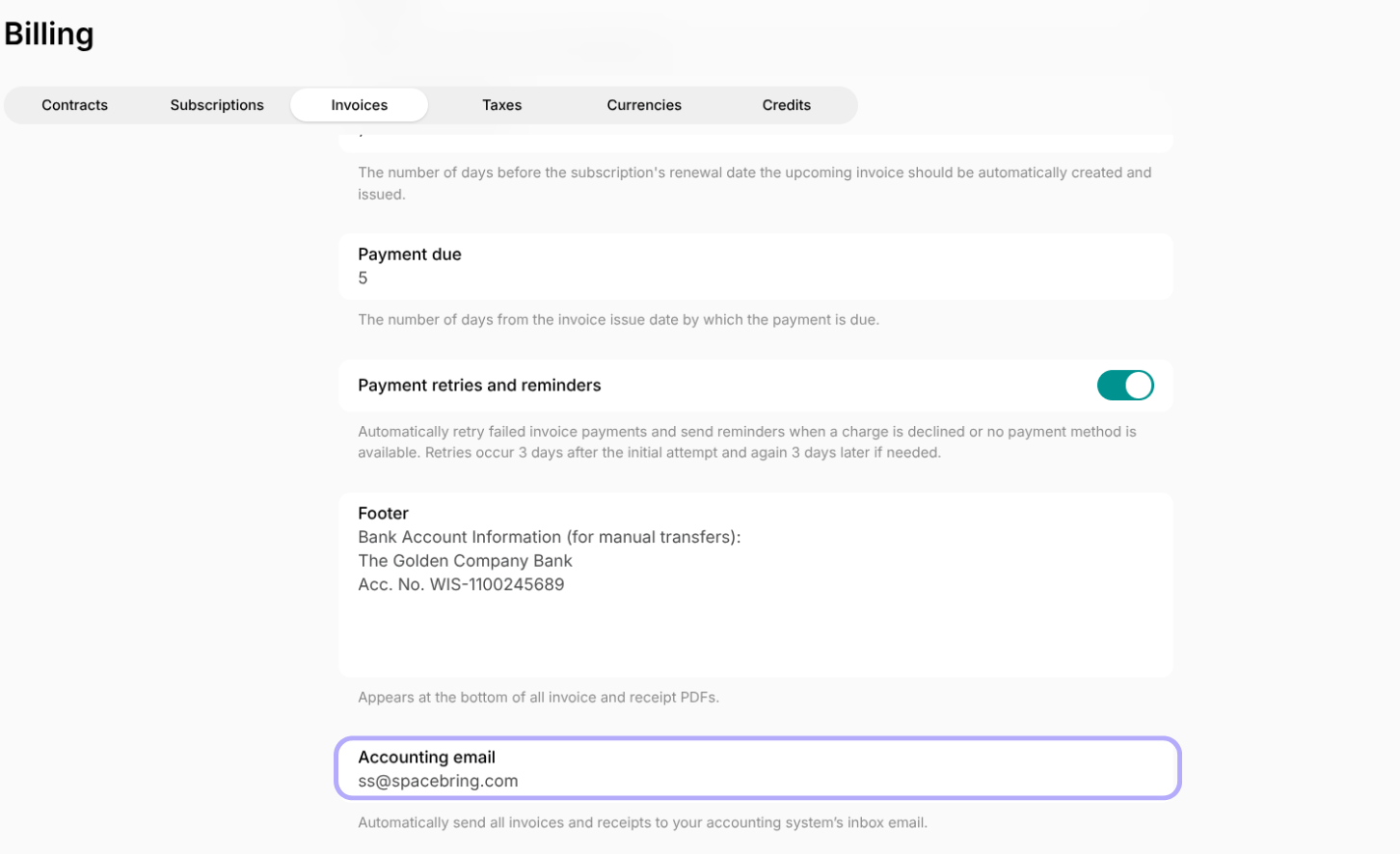
Spacebring lets you add an accounting email address to automatically forward all issued invoices and receipts in the location to a specific inbox of your accounting system. If your accounting software is not QuickBooks Online or Xero, but supports scanning emails with invoice and receipt attachments, this allows for seamless automation. To add your accounting email to Spacebring:- Tap the (…) next to the location name > go to Location settings > Billing.
- In the Invoices tab, add your accounting system’s inbox email in the Accounting email field.