

Promote an event, product, or benefit
Promote your events, shop products, or benefits among customers with Lem AI. The Promote feature automatically generates a ready-to-use feed post to help you highlight specific new or existing items and attract more customer attention to it.- On the Network settings > Lem AI page, make sure you have Lem AI enabled.
- Go to the Events, Shop, or Benefits page.
- Create an event, product, or benefit, or choose an existing one.
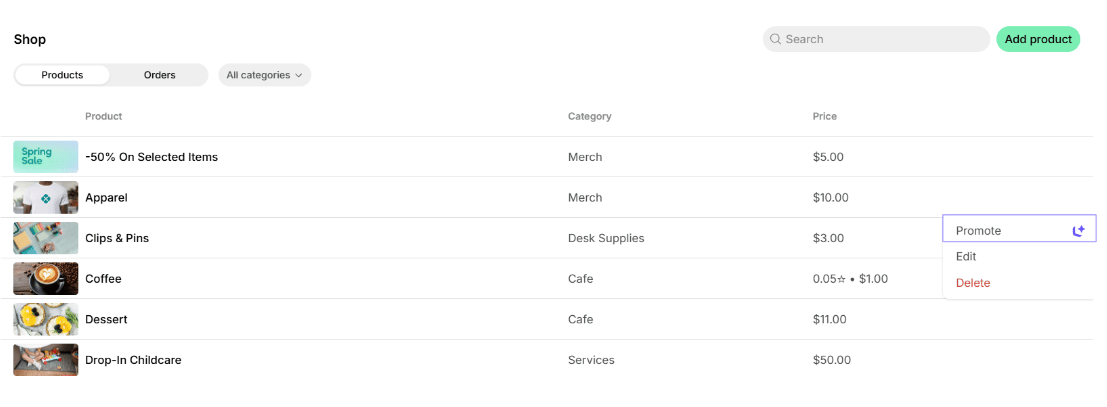
- Click the (…) menu next to it > Promote.
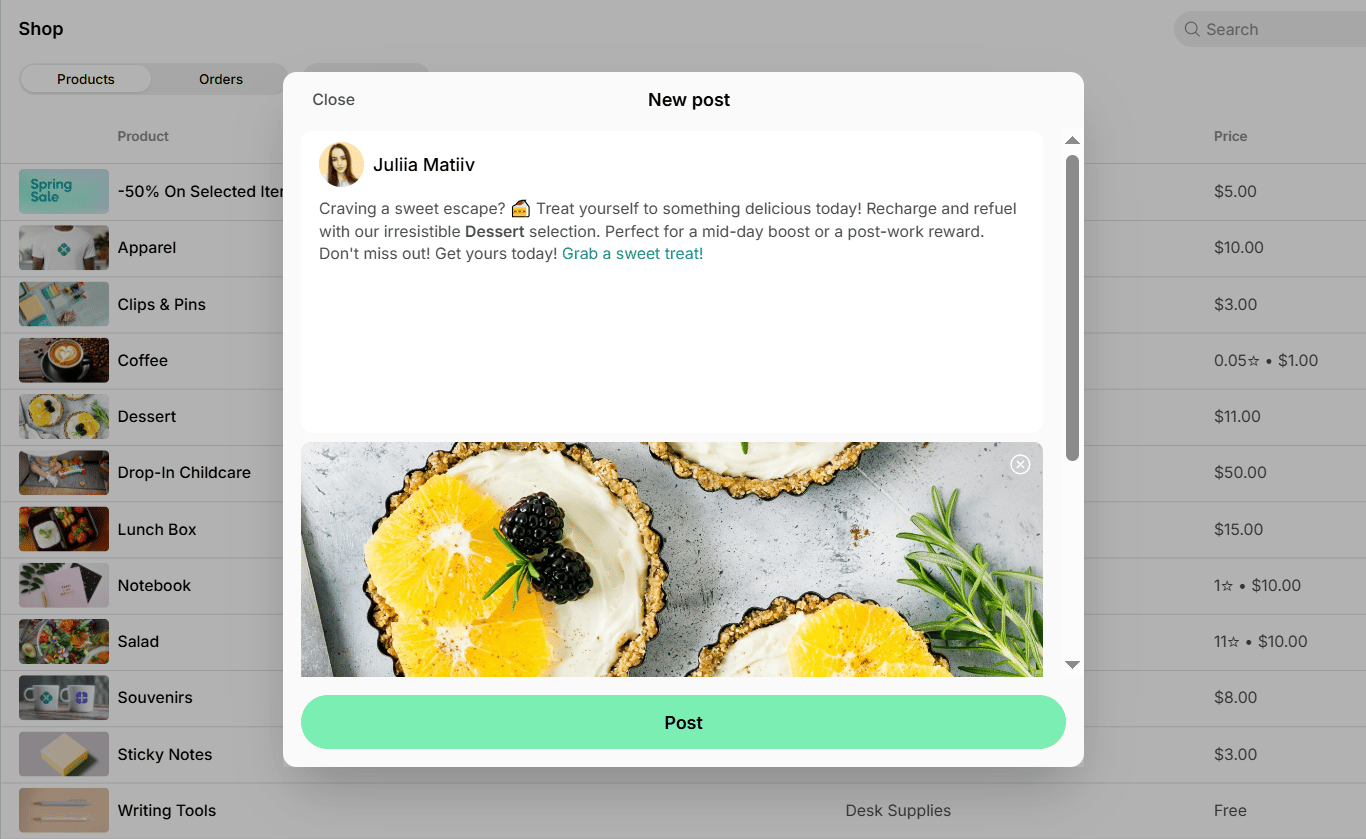
- You’ll see a tab with an AI-generated feed post. The post is generated based on your event, product, or benefit details and includes its brief description, image (if added), and a direct link to join, order, or apply for it.
- Feel free to make any edits, then click Post to publish it.
Write a post from scratch
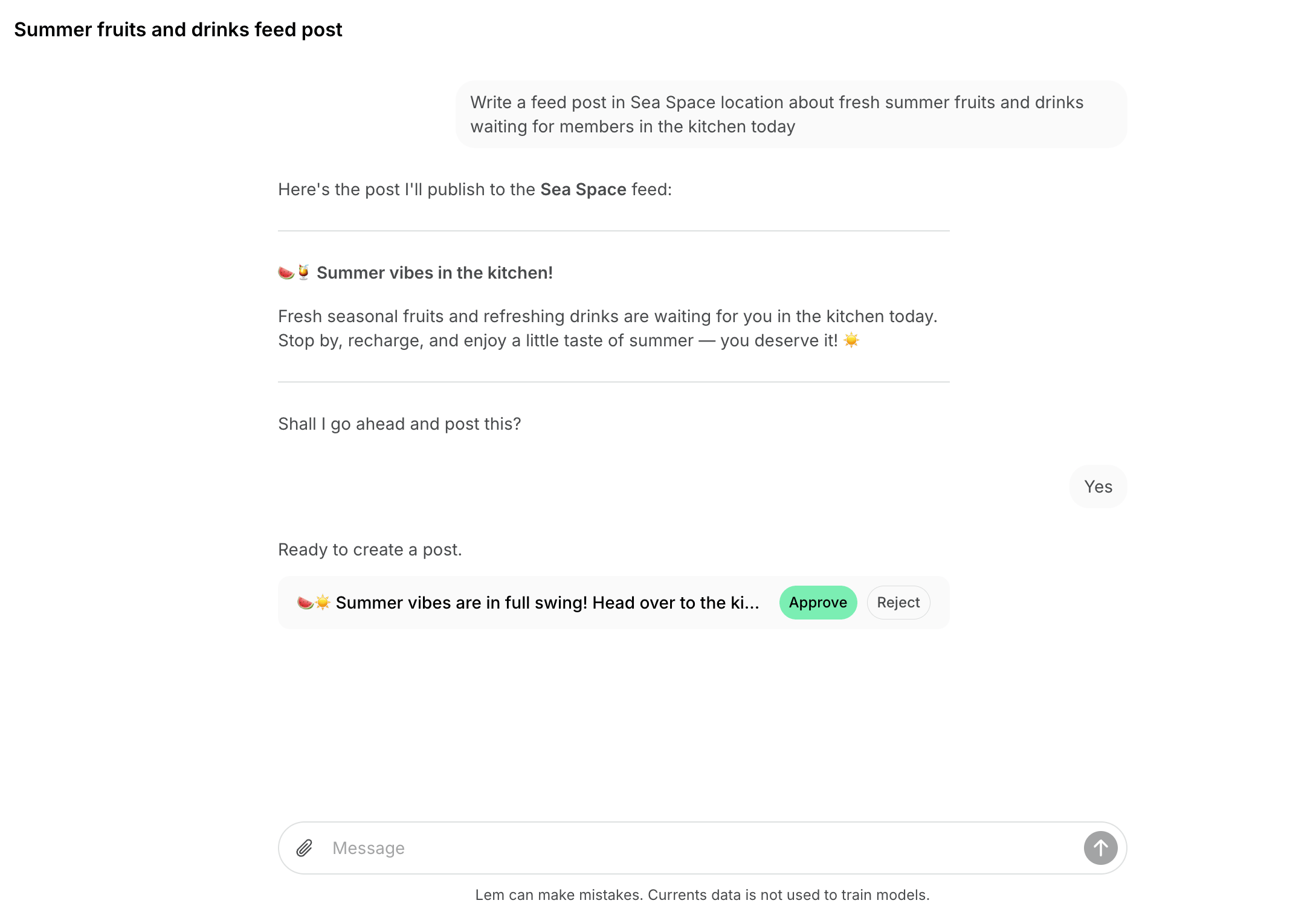
You can also ask Lem AI in chat to write a feed post for you.- Open Lem AI top left and start a chat.
- Tell Lem AI what you want the post to say, including any details like the message or tone.
- Lem AI will draft the post and share it with you for review.
- Click Approve to publish it right away, or Reject if you don’t want to post it.
It is not currently possible to add an image to a post through Lem AI. Add the image directly on the post’s page after Lem AI creates it.