

API & webhooks is a paid add-on to the Spacebring subscription. Pricing
Get access to API & webhooks
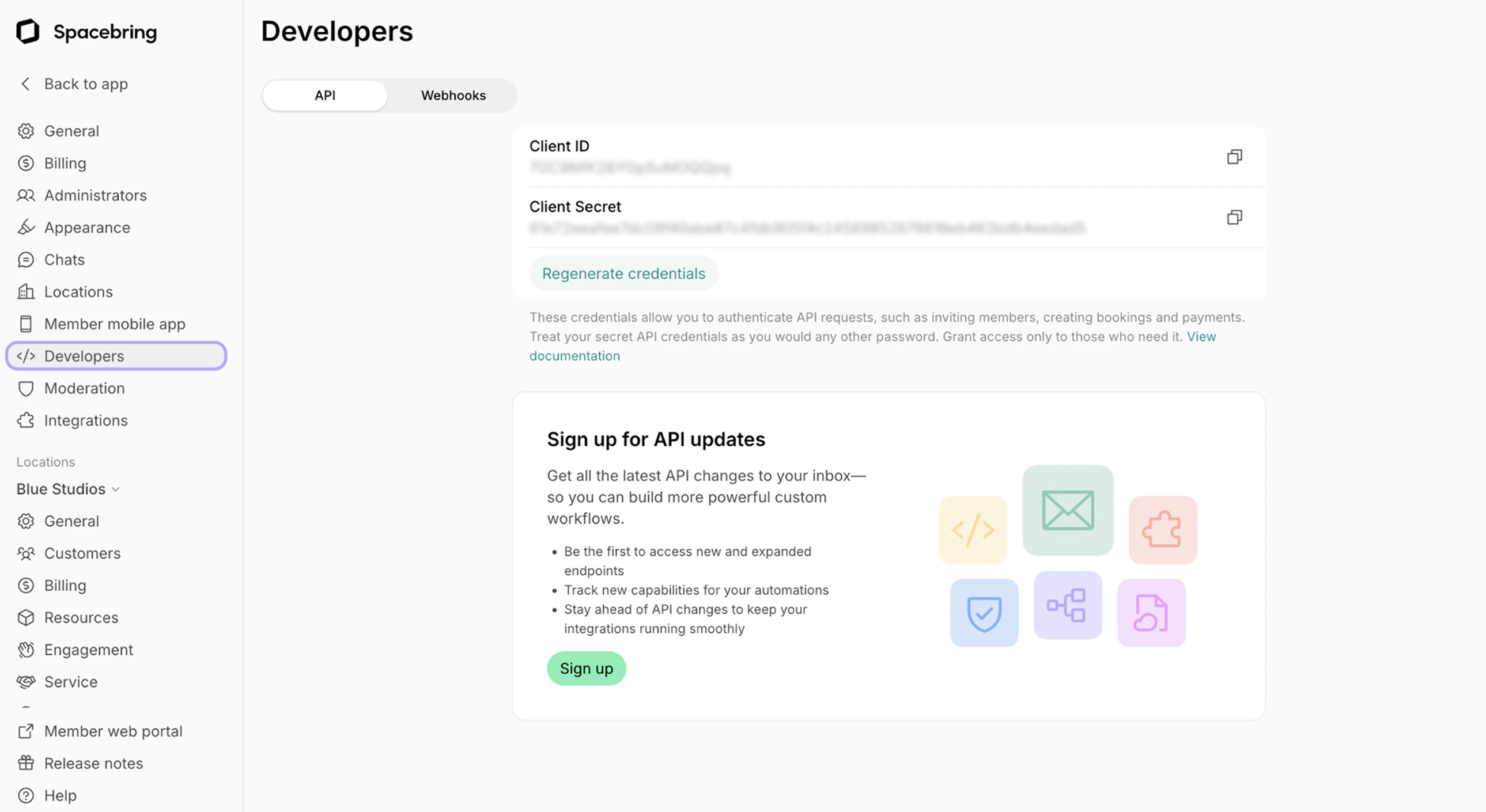
The owner should follow these steps:- Click your network name in the top left corner.
- Go to Network settings > Developers page.
- If you haven’t yet, sign up for the API & webhooks add-on from Network settings > Billing.
- On the API tab, press Generate credentials, then copy the Client ID and Client Secret.
- Use our documentation:
How API & webhooks work
API- Acts as a two-way bridge, allowing your external software (like a CRM or access control system) to request information from and send commands to Spacebring.
- Enables you to build customized workflows and a cohesive tech stack by directly connecting Spacebring with your third-party platforms.
- Function as automated, real-time notifications from Spacebring to your application.
- Spacebring sends a webhook to a URL you specify whenever a particular event occurs in your network (e.g., a new booking is created, a user is added, a subscription ends).
- This ensures your connected systems are instantly updated without constant polling.
Regenerate API credentials
For safety reasons, you might need to hide your credentials from someone who got access to them previously. In this case, the owner can regenerate API credentials, and nobody except the owner will see them:- Click your network name in the top left corner.
- Go to Network settings > Developers page.
- Press Regenerate credentials.