

Understand administrator roles
Each administrator has one of three roles. A network can have several owners.Administrators become active and count towards your subscription only if they meet the criteria by interacting with Spacebring.
View all administrators
Click the network name top left > Invite and manage administrators. The Administrators page lists everyone in the Owners, Super administrators, and Administrators sections.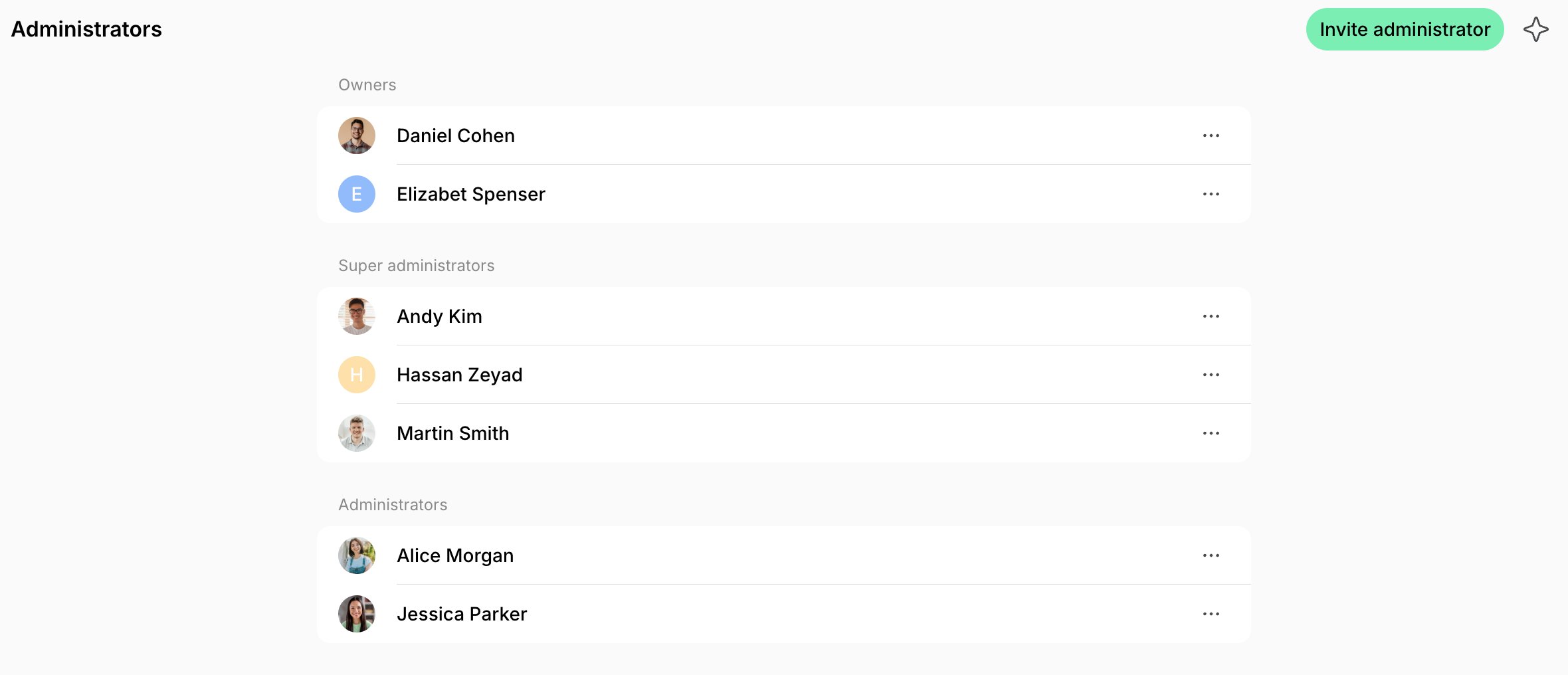
Invite an administrator
- Click the network name top left > Invite and manage administrators.
- Press Invite administrator.
- Enter their email, and their first and last name if they don’t have an account yet.
- Select the Role:
- Owner or Super administrator — they get every permission in every location, so there are no locations or permissions to set. Only owners see Owner.
- Administrator — keep All locations on, or turn it off and select the locations they manage. Then set their permissions, which are all on by default.
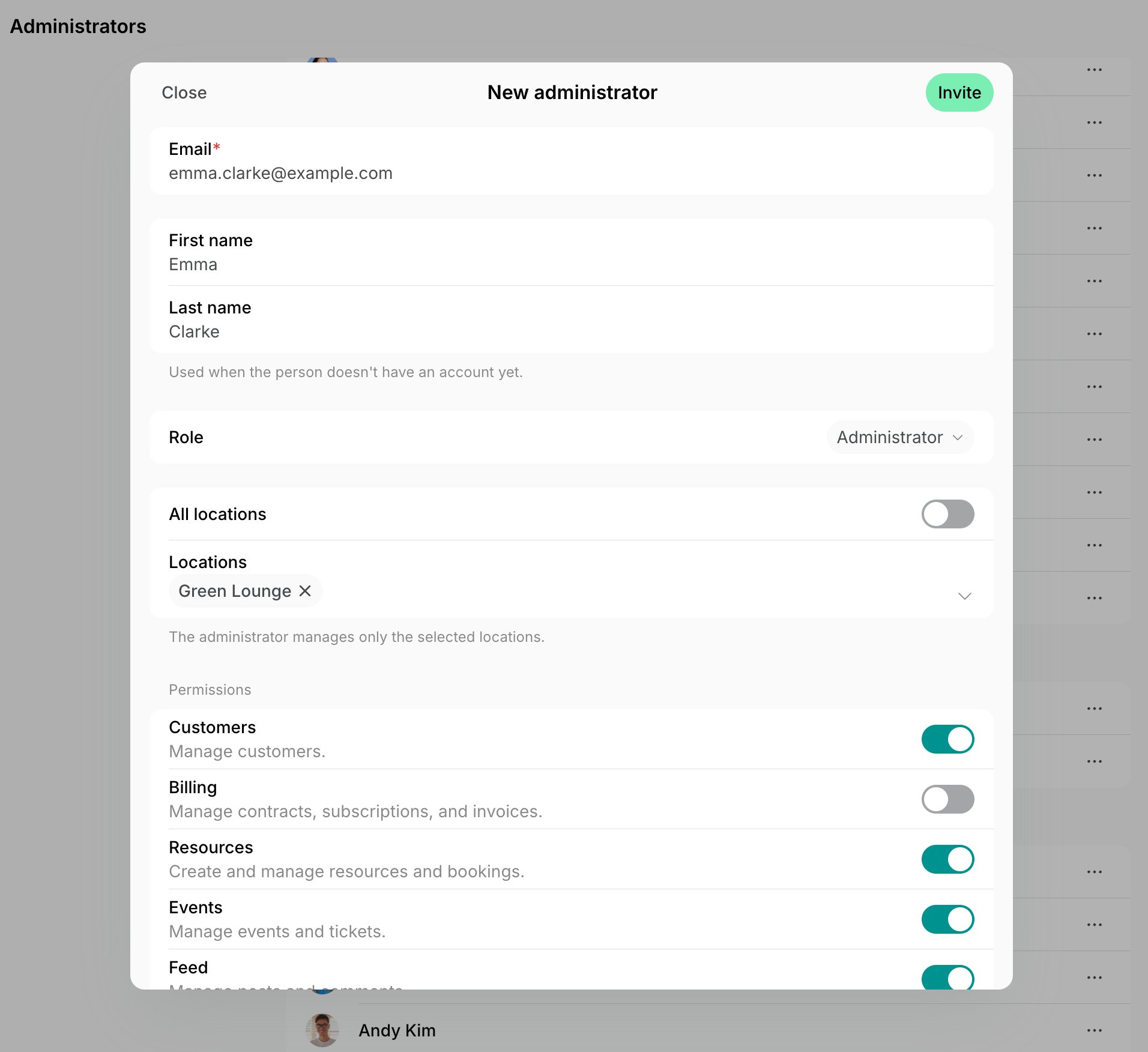
- Press Invite.
Change an administrator’s role, locations, and permissions
- On the Administrators page, press (…) next to the person > Edit.
- Change the Role, if needed. For example, select Owner to make them an owner, or another role to remove their owner rights.
- For an administrator, change the locations they manage and their permissions.
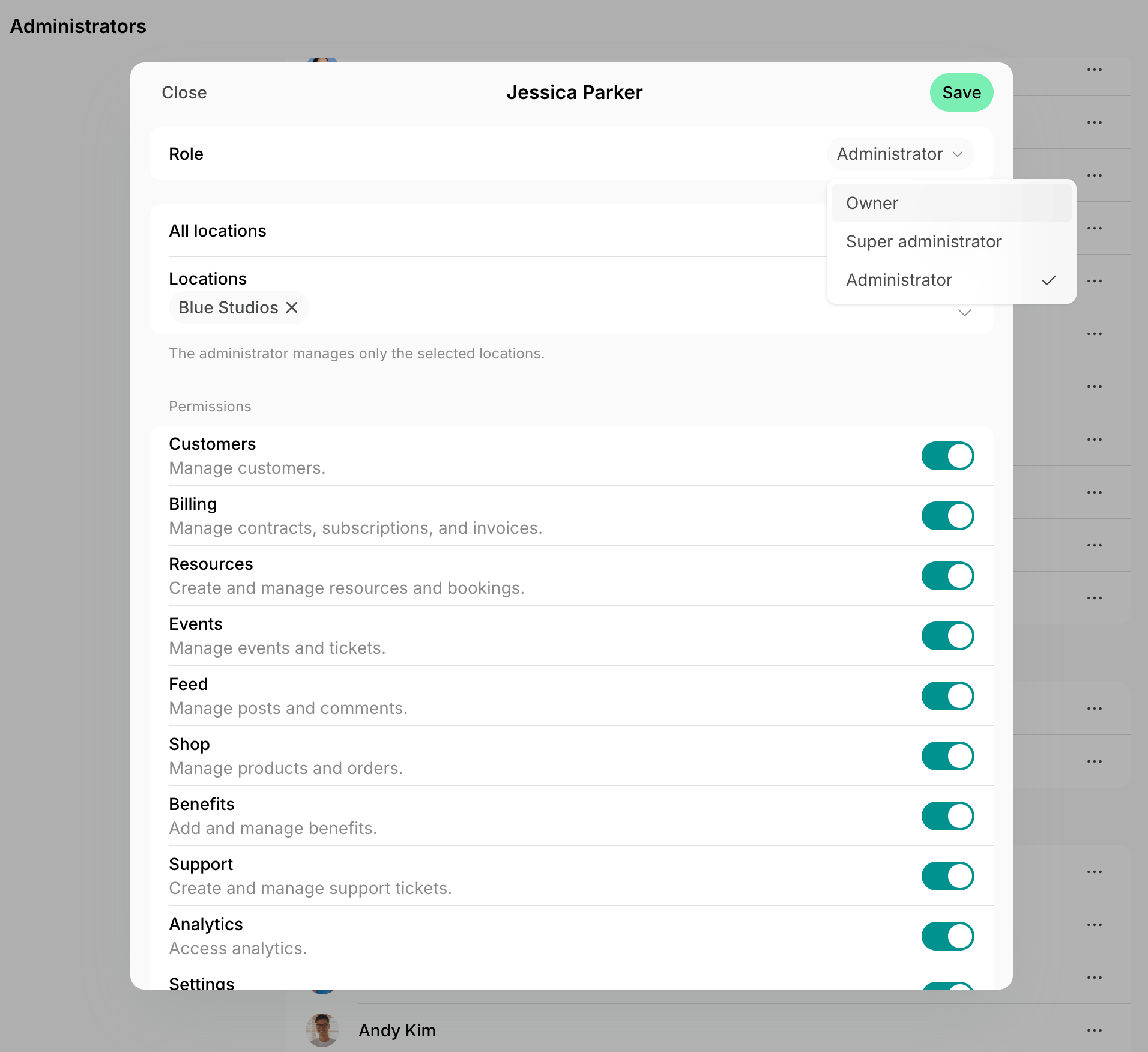
- Press Save.
- Owners can also edit themselves. The only owner of a network can’t change their own role.
- Super administrators can’t edit themselves.
Remove an administrator
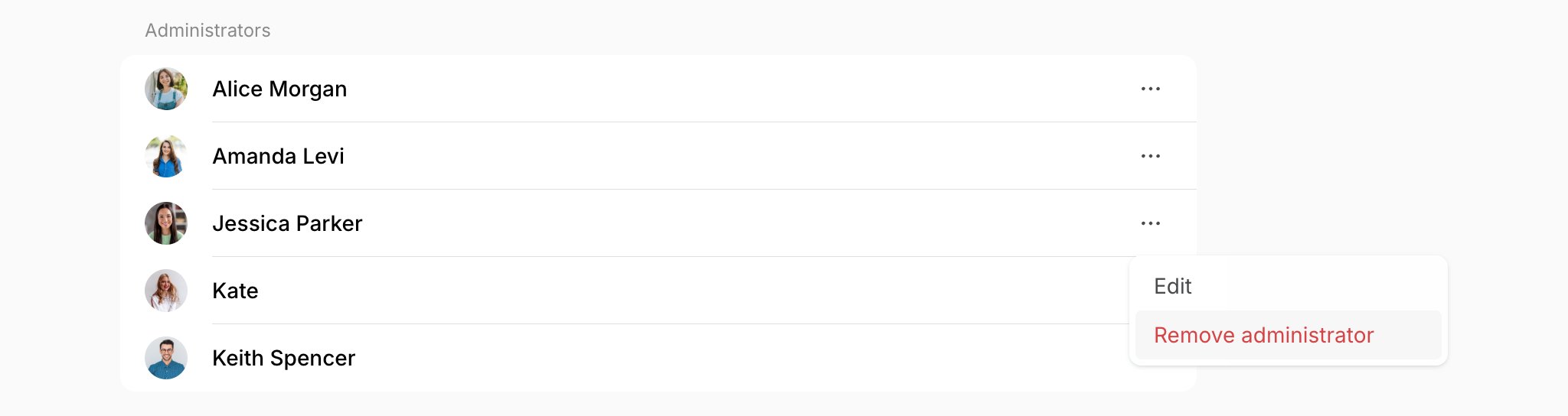
- On the Administrators page, press (…) next to the person.
- Select Remove administrator and confirm.
FAQs
How can I give an administrator access to multiple or all locations?
How can I give an administrator access to multiple or all locations?
Edit the administrator and select every location they should manage, or select All locations.Their permissions apply to every location they manage.
Can an administrator invite or manage other administrators?
Can an administrator invite or manage other administrators?
No. Only owners and super administrators can invite, edit, and remove administrators. To let an administrator manage other administrators, change their role to Super administrator.
Does removing a customer remove their administrator access?
Does removing a customer remove their administrator access?
No. Removing or deleting a customer doesn’t change their administrator access. To remove it, remove the administrator.