

- Restrict admin access to certain modules
- Assign different responsibilities across your team
- Prevent admins from viewing or editing sensitive information
Customize permissions
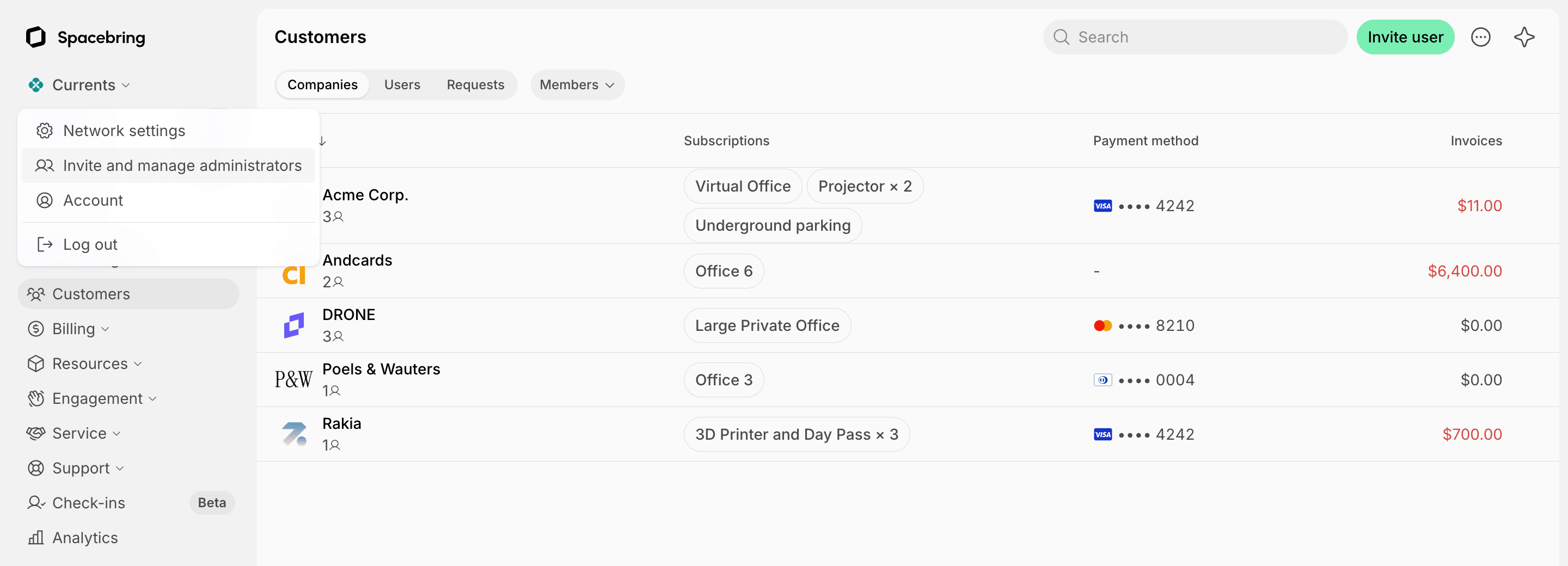
You set permissions when you invite an administrator. To change them later:- Click the network name top left > Invite and manage administrators.
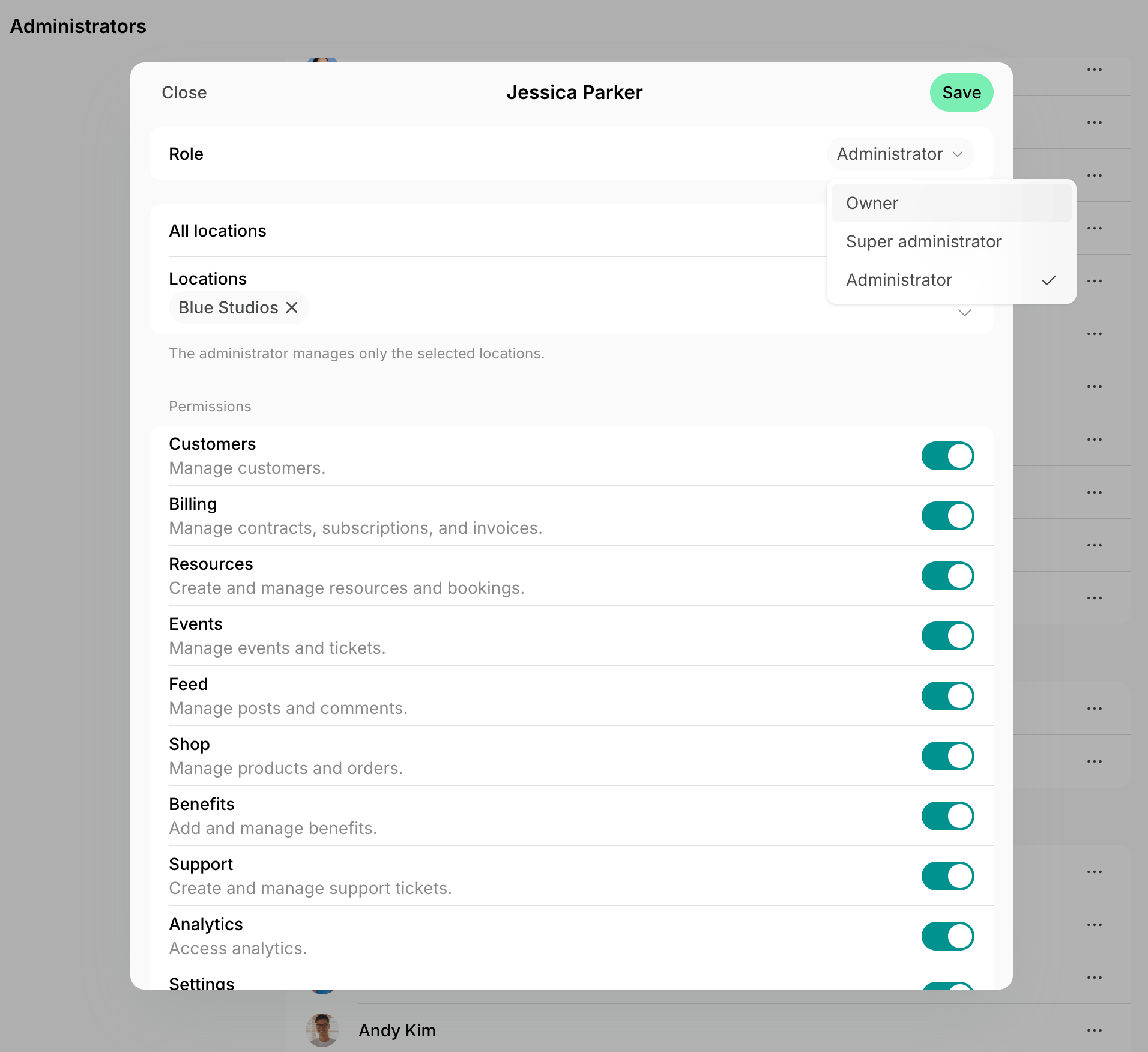
- Press (…) next to the administrator > Edit.
- Turn permissions on or off, and press Save.
Understand permissions
Key considerations
- Each administrator has one set of permissions, which applies to every location they manage.
- Owners and super administrators always have every permission in every location. If an owner’s owner rights are removed, they stay an administrator with every permission in every location until you edit their access.
- Administrators can turn on notifications on the Account > Notifications page, but they only receive those for the modules they have permissions for. For example, invoice payment notifications need the Customers permission, and booking notifications need Resources.
- Any administrator of a location can check users in, whatever their permissions.
Best practices
Administrators can have different roles in your space, and based on their responsibilities, they need access to specific pages only. We recommend you give the following permissions to such teammates:- Account manager: enable all permissions to invite members and create companies, manage subscriptions, and edit any content in the location if necessary.
- Event manager: enable Feed and Events permissions. The administrator will be able only to manage feed posts, create new events, and handle new event registrations.
- Accountant: enable the Analytics and Billing permissions. The administrator will be able to access the Analytics page and export payments and invoices from the Transactions and Invoices pages.
FAQs
Can administrators view pages they have no permission for?
Can administrators view pages they have no permission for?
Yes. Without a permission, administrators keep read-only access to that module, except:
- They can’t open Analytics, Location settings, or Integrations without the matching permission.
- They can’t open support tickets other users created without Support.
- They can’t see assignments on the Assignments page without Analytics.
Can I hide prices from an administrator?
Can I hide prices from an administrator?
No. Every administrator can view the prices of plans, subscriptions, invoices, resources, and bookings, whatever their permissions. Permissions only control what an administrator can create, edit, or refund.