

- Niche or curated spaces that require personal or professional verification
- Verification-based memberships that require ID uploads or supporting documents
- Discounted memberships for students, nonprofits, or other groups that need eligibility confirmation.
Prerequisites
Enable admin notifications for Subscriptions to be notified whenever a customer sends a request.Configure membership sign-up requests
- Create or edit a membership.
- Open its plan under Plans.
- Enable Sign-up.
- Select Request as the sign-up Type.
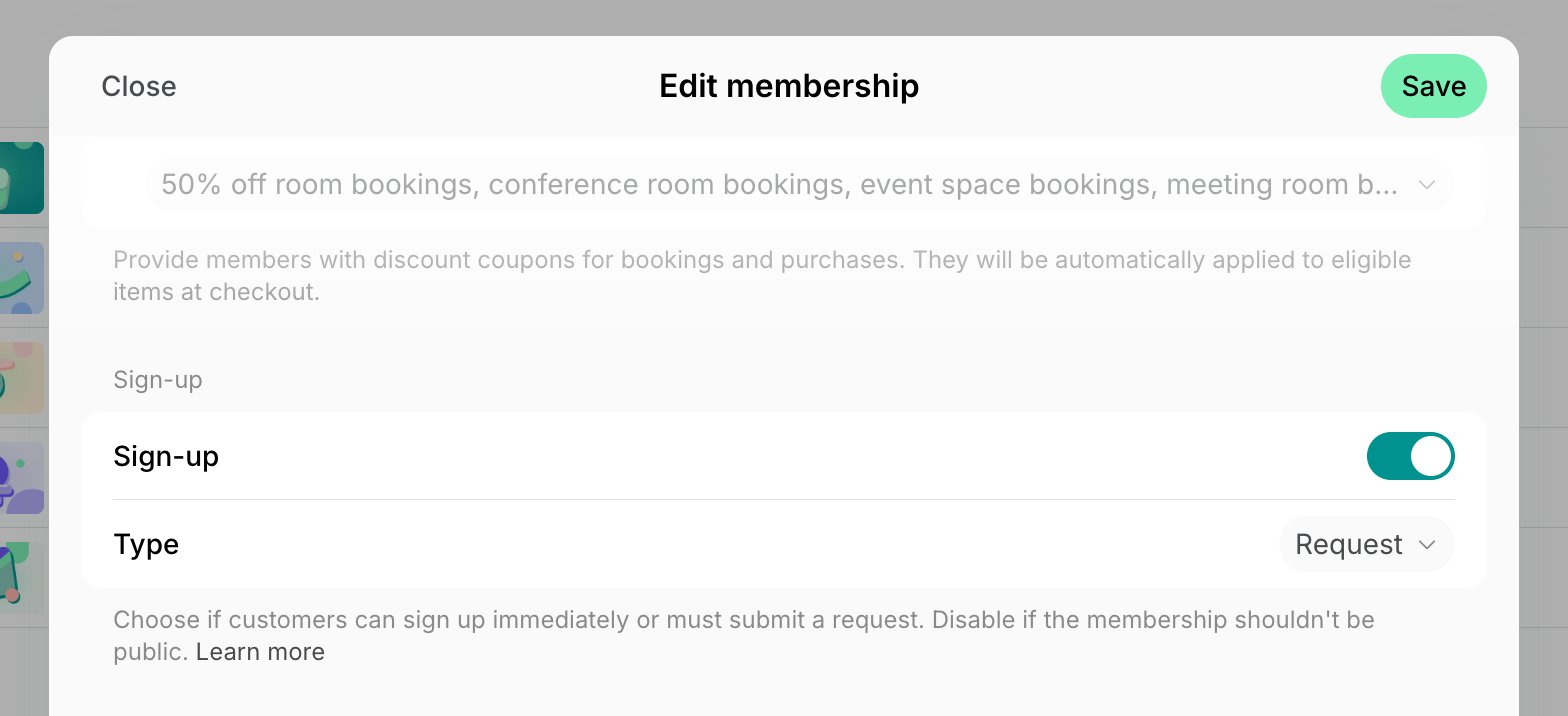
How users request a membership
- Customers press Sign up next to their desired location to view available memberships.
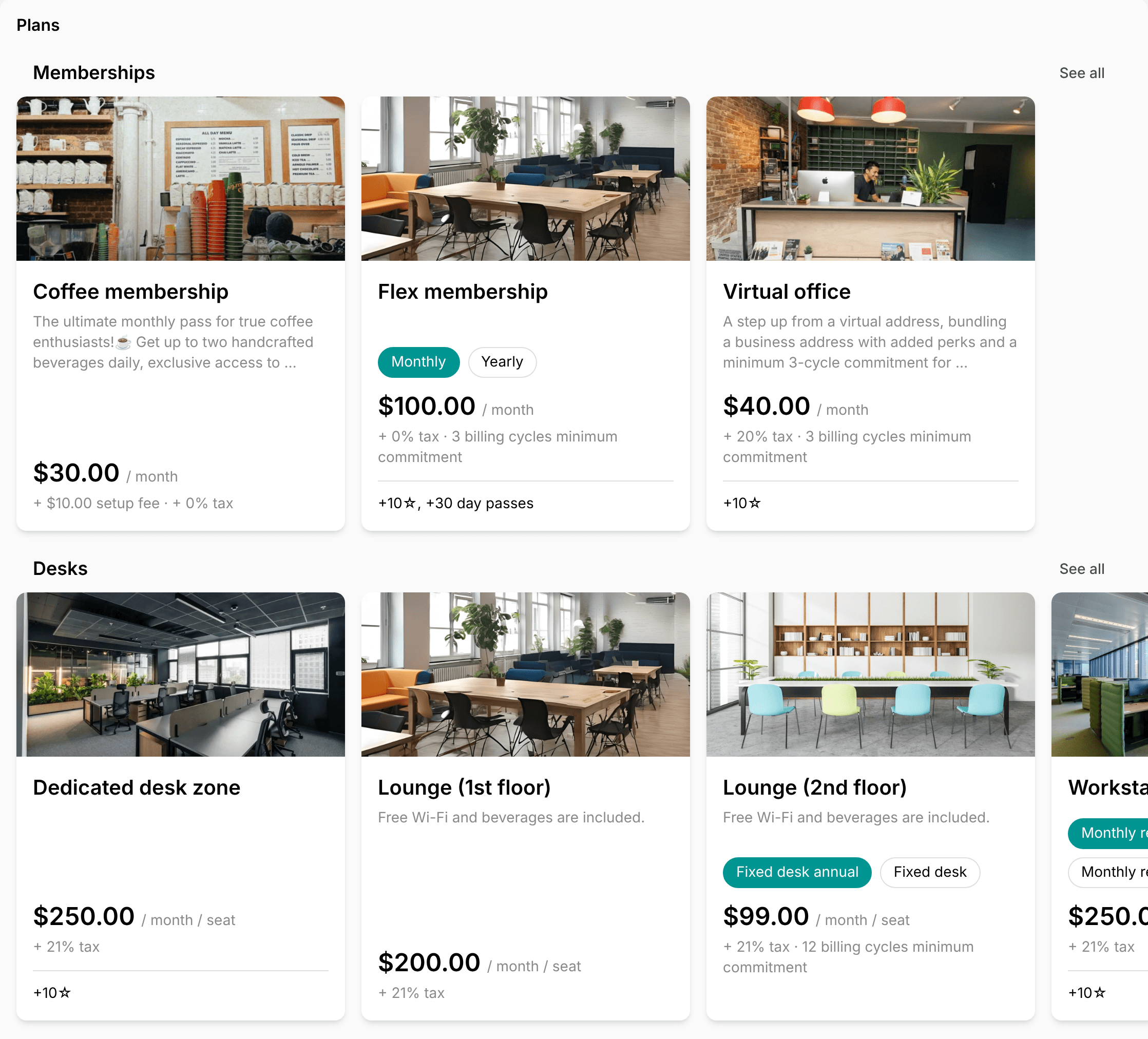
- Open a membership, press Subscribe, and set their preferred subscription start date, renewal, quantity, whether they want to sign up as an individual member or as a business, and optionally leave a comment.
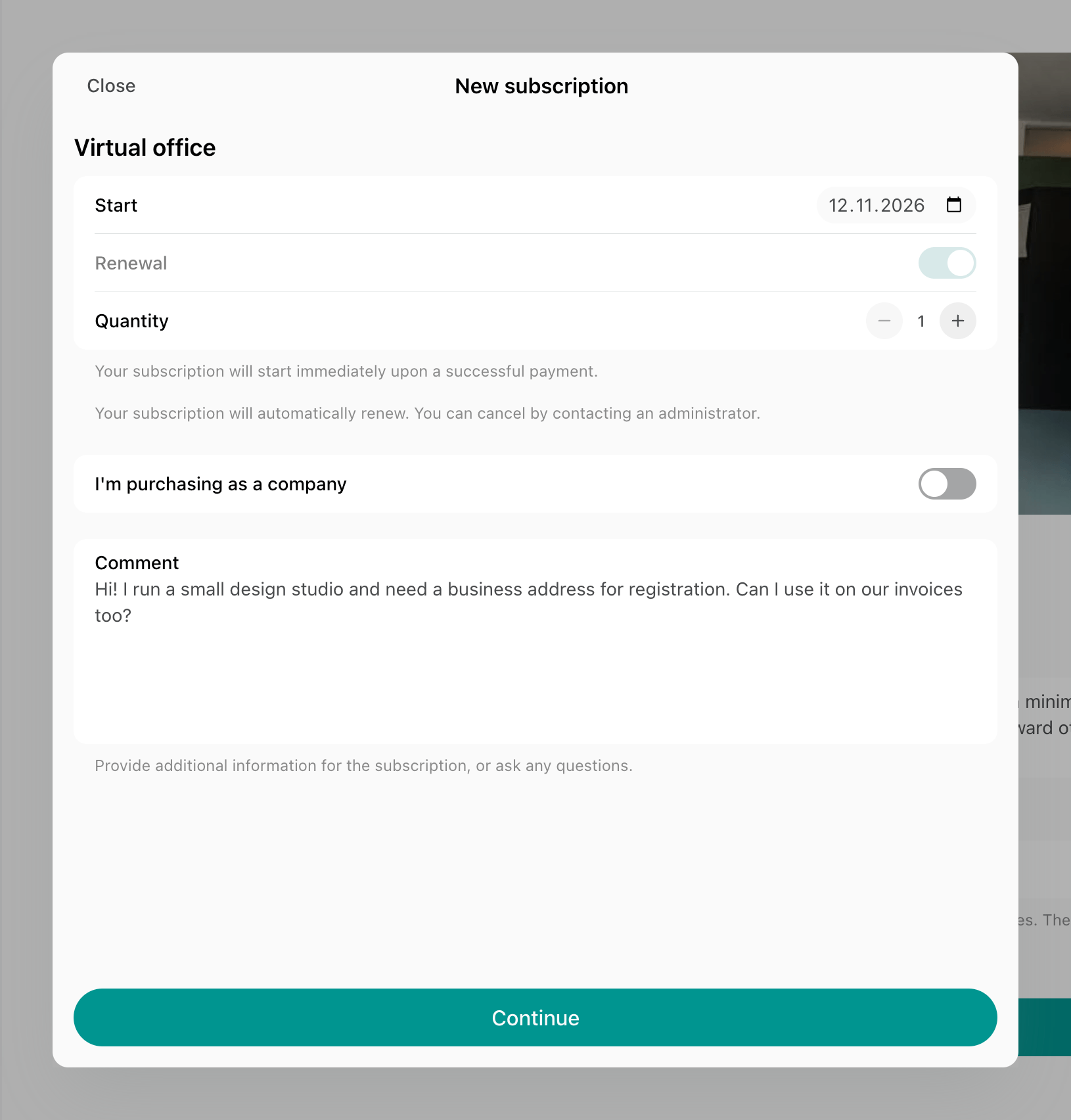
- Press Continue, check their name and phone number, and press Send request.
Approve or decline a membership request
New requests appear on the Subscriptions page with the Requested status. A user who wasn’t a customer of the location becomes a nonmember when they send a request, and a user who requests it as a business gets a company with them as its manager.- Go to Billing > Subscriptions and open the request. The user’s comment is the first entry in its Activities section.
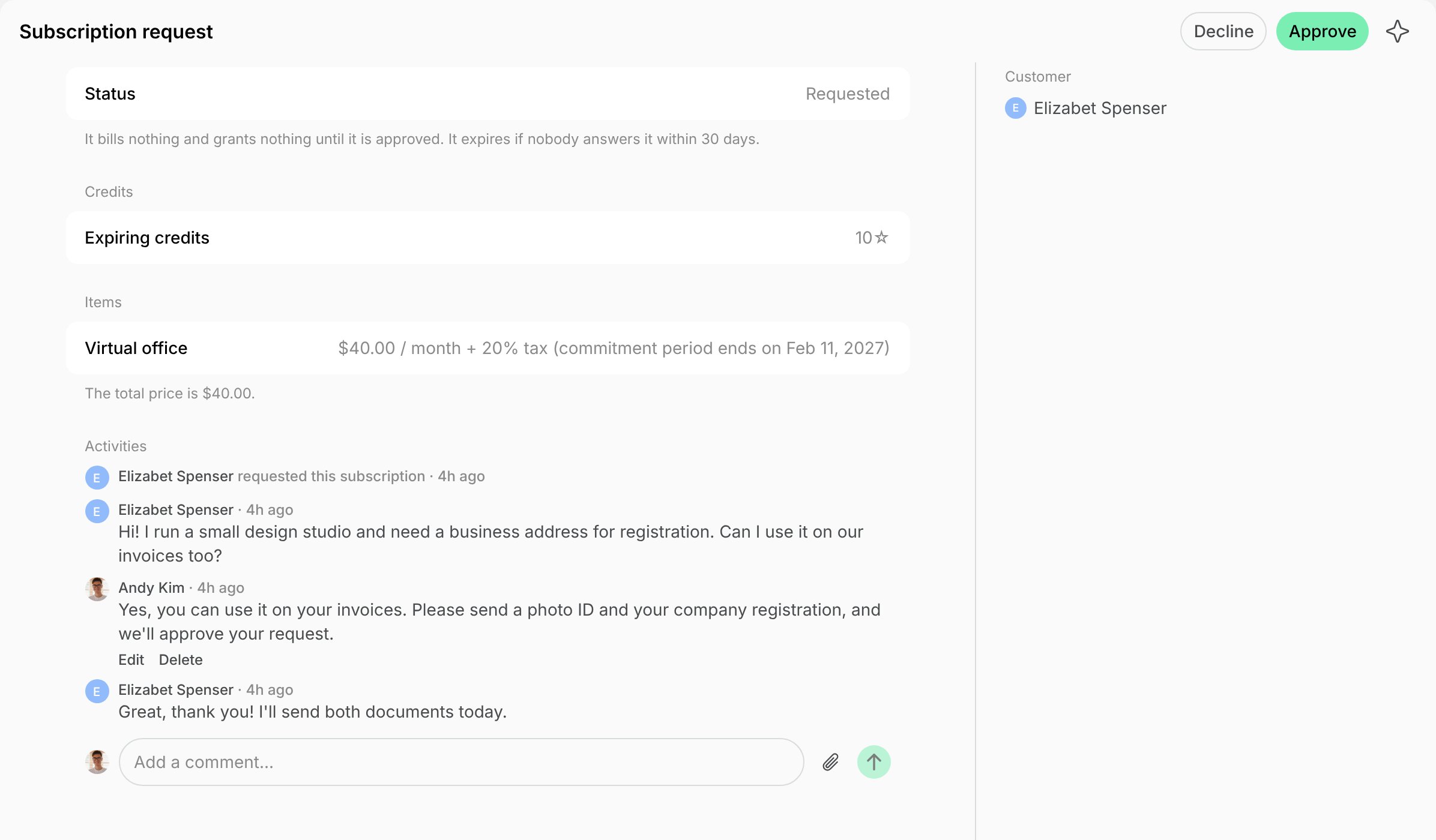
- To approve it, press Approve and confirm. The subscription is created with the membership, quantity, start date, and renewal the user requested, and the customer becomes a member. To change any of them, edit the subscription afterwards.
- To decline it, press Decline, optionally enter a Reason, and press Decline again. The user gets the reason by email and push.
Message a user about a request
To ask for verification documents or more details before you answer, write to the user in the Activities section of the request page. They can reply, and attach files, from the same page in their subscriptions. The conversation closes once the request is answered. The subscription an approval creates keeps it in its Activities section, where Show conversation opens it.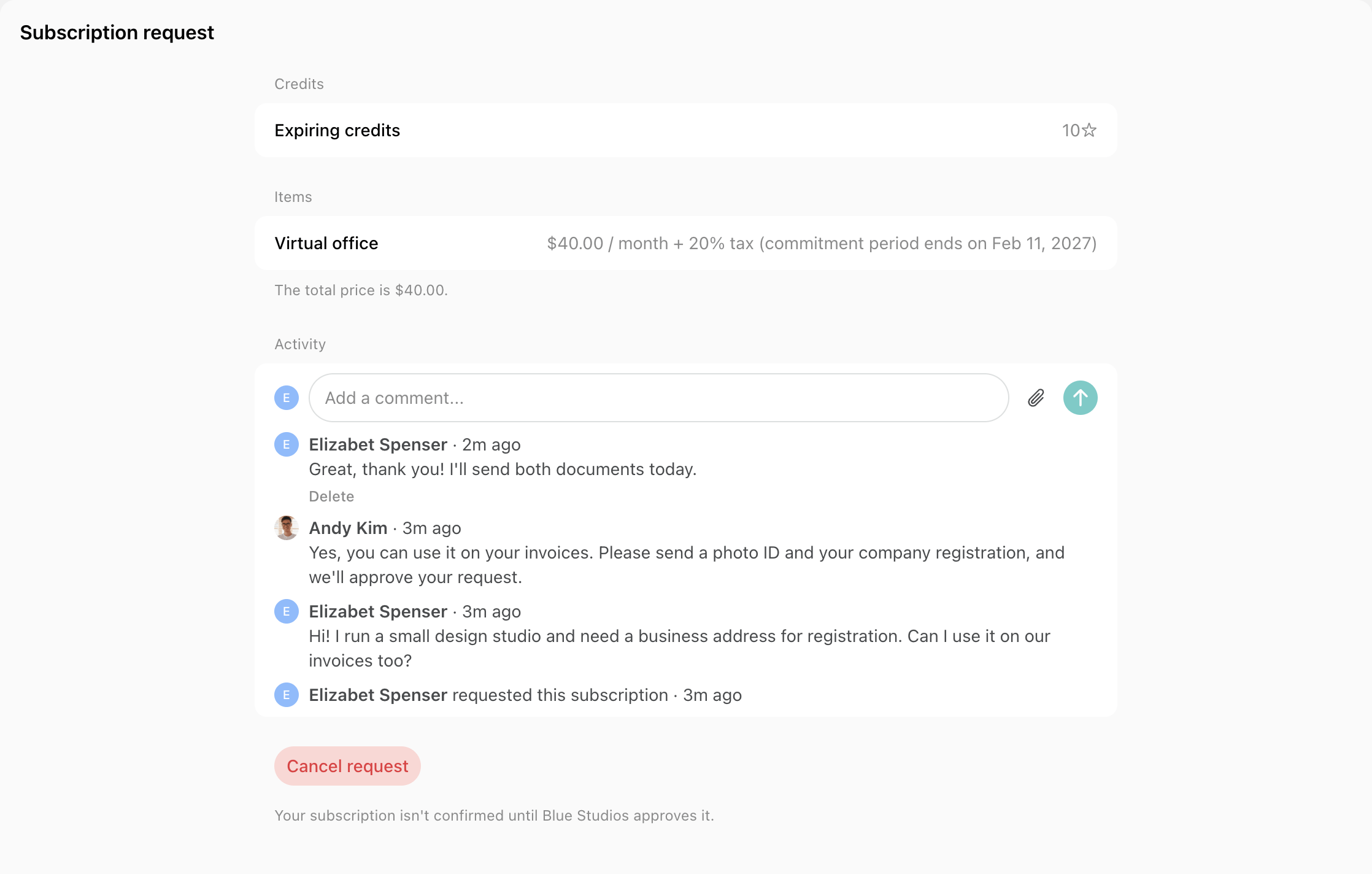
- When the user writes, administrators who manage billing at the location get a push and an inbox notification, through the same setting as new requests.
- When you write, the user gets a push and an email, and the request shows New message in their subscriptions until they open it.
FAQs
Where do I find a customer who sent a request?
Where do I find a customer who sent a request?
A user who sends a request becomes a nonmember of the location, so they appear on the Customers page before you answer. Click their name on the request page to open their profile.