

Offer extra plans with memberships and rentals
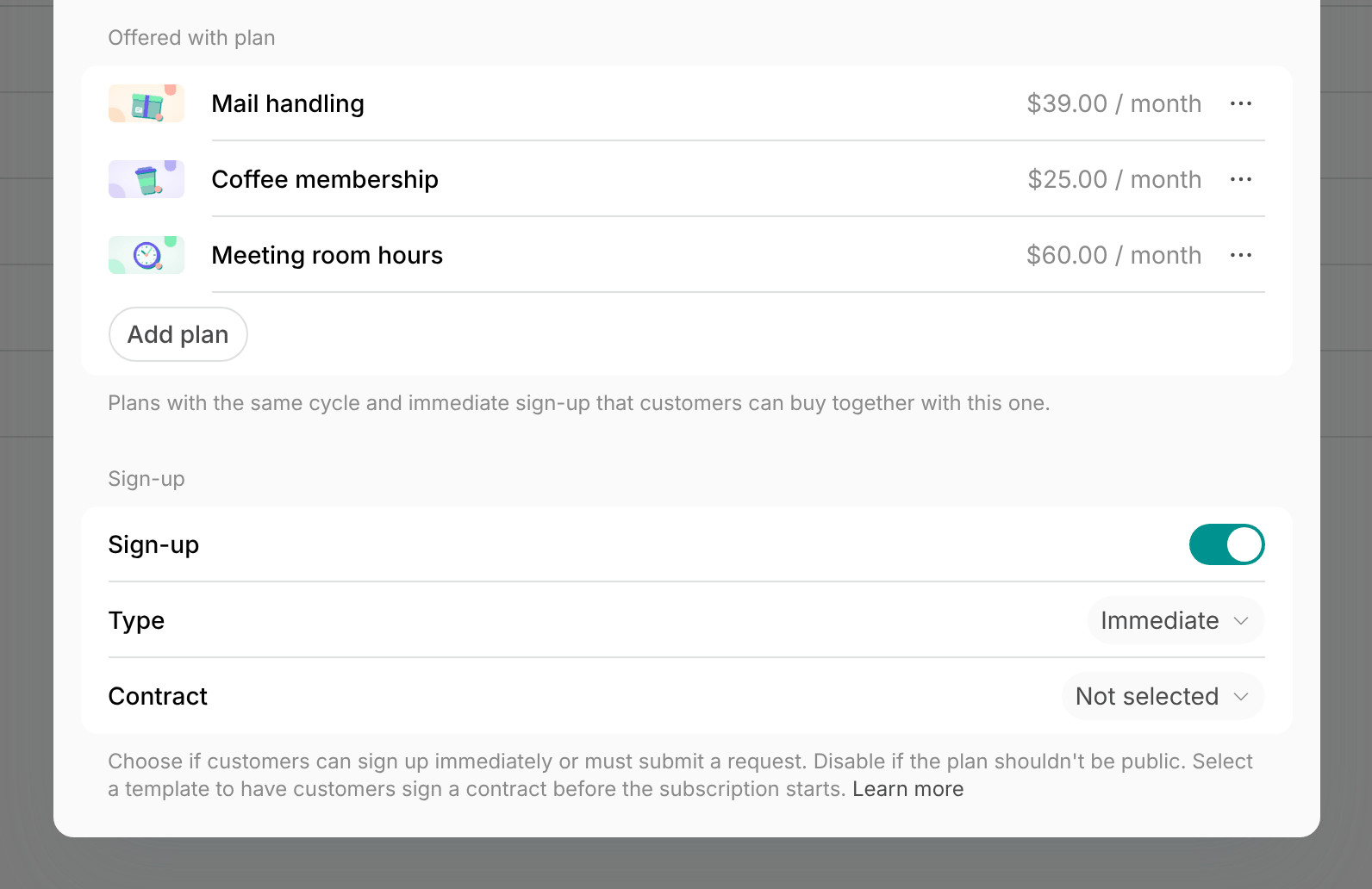
- Create a membership for each plan to offer, such as mail handling priced per month. Only membership plans can be offered, not a resource’s rental plans.
- Give its plan the same Cycle as the main plan.
- Enable Sign-up and set its Type to Immediate, so it can be offered. Customers can also sign up for it on its own.
- Open the main plan: a membership’s plan under Catalog > Memberships, or a rental plan on a resource’s Pricing tab.
- Customers see the offered plans only while the main plan has Sign-up enabled with the Immediate type.
- Under Offered with plan, click Add plan and select the plans.
- Click Save in the plan, then in the membership or resource.
How customers add extra plans at sign-up
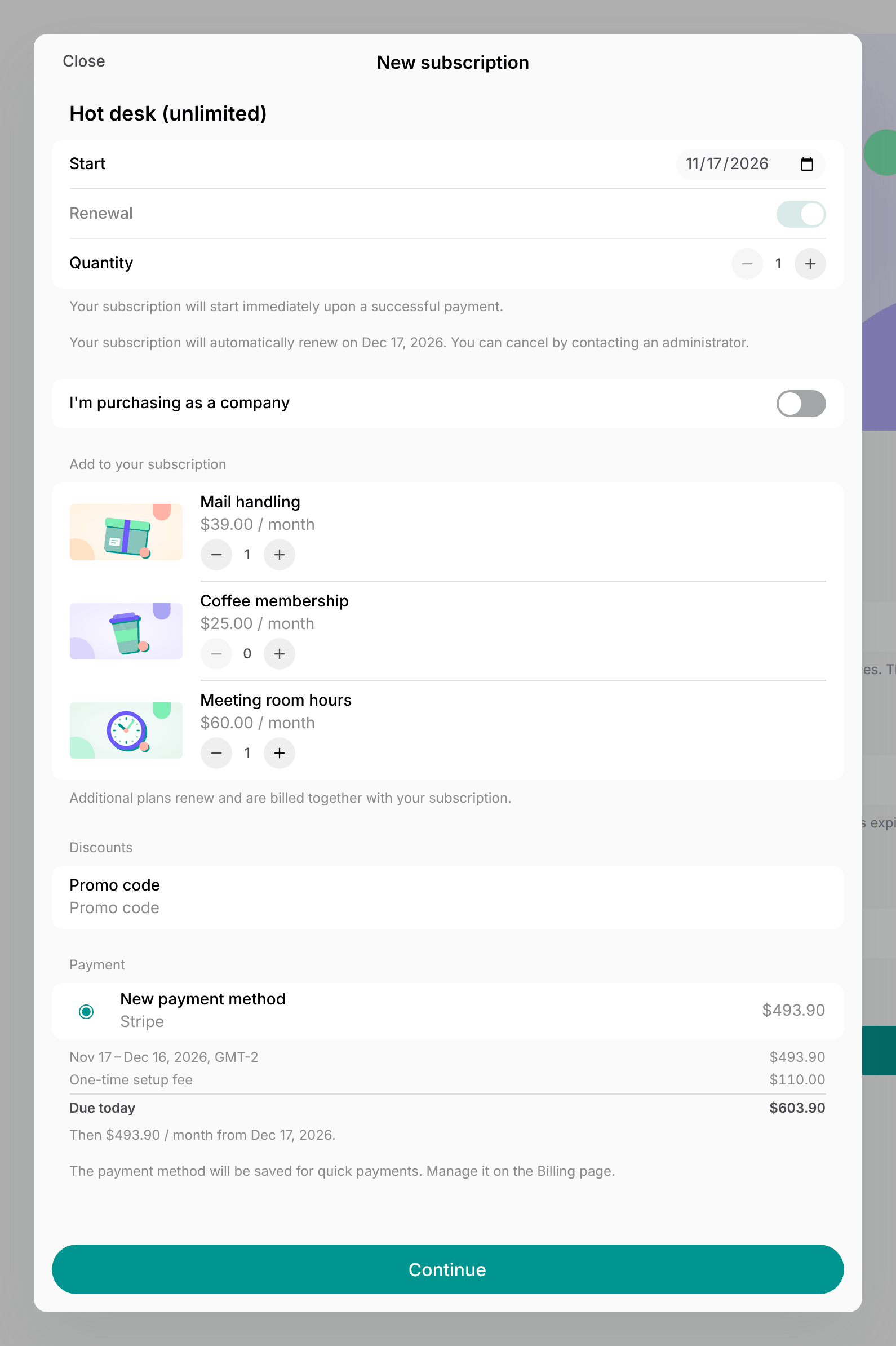
In the member web portal or mobile app, customers:- Start signing up for the membership or renting the resource, and choose the main plan.
- Under Add to your subscription, which lists the plans offered with it, set how many of each they need.
- A plan with a Minimum commitment of more than 1 cycle can be added only with Renewal on.
- Pay for the first cycle, or sign the contract when the main plan has one. The payment and the contract include the added plans.
Change or end an added plan
- Edit the customer’s subscription. Each added plan is an item of its own, next to the main plan.
- Click the added plan’s item, and change its quantity or set its End date.
- When the change takes effect depends on its dates, as for any other item.
FAQs
Can I offer a plan only with other plans and not on its own?
Can I offer a plan only with other plans and not on its own?
No. A plan offered with another plan needs Sign-up with the Immediate type, so customers also see it on the location’s Plans page and can sign up for it on its own. To sell an add-on only to your members, set it up with the Request type and add it to their subscription once you approve their request.
Do the offered plans show when I create a subscription for a customer?
Do the offered plans show when I create a subscription for a customer?
No. Create the subscription with the main plan as its first item, then add each extra plan as another recurring item, so they’re billed on the same invoice.