

Automate offboarding to save time
Turn on the Auto-remove members feature to automatically remove members as soon as their subscription ends. It helps keep your space’s access list clean and up to date.Use subscription end date to time offboarding
To plan a smooth offboarding, track scheduled subscription expirations.- Go to the Billing > Subscriptions page.
- Use the End date filter to see which customers’ subscriptions are due to expire soon.
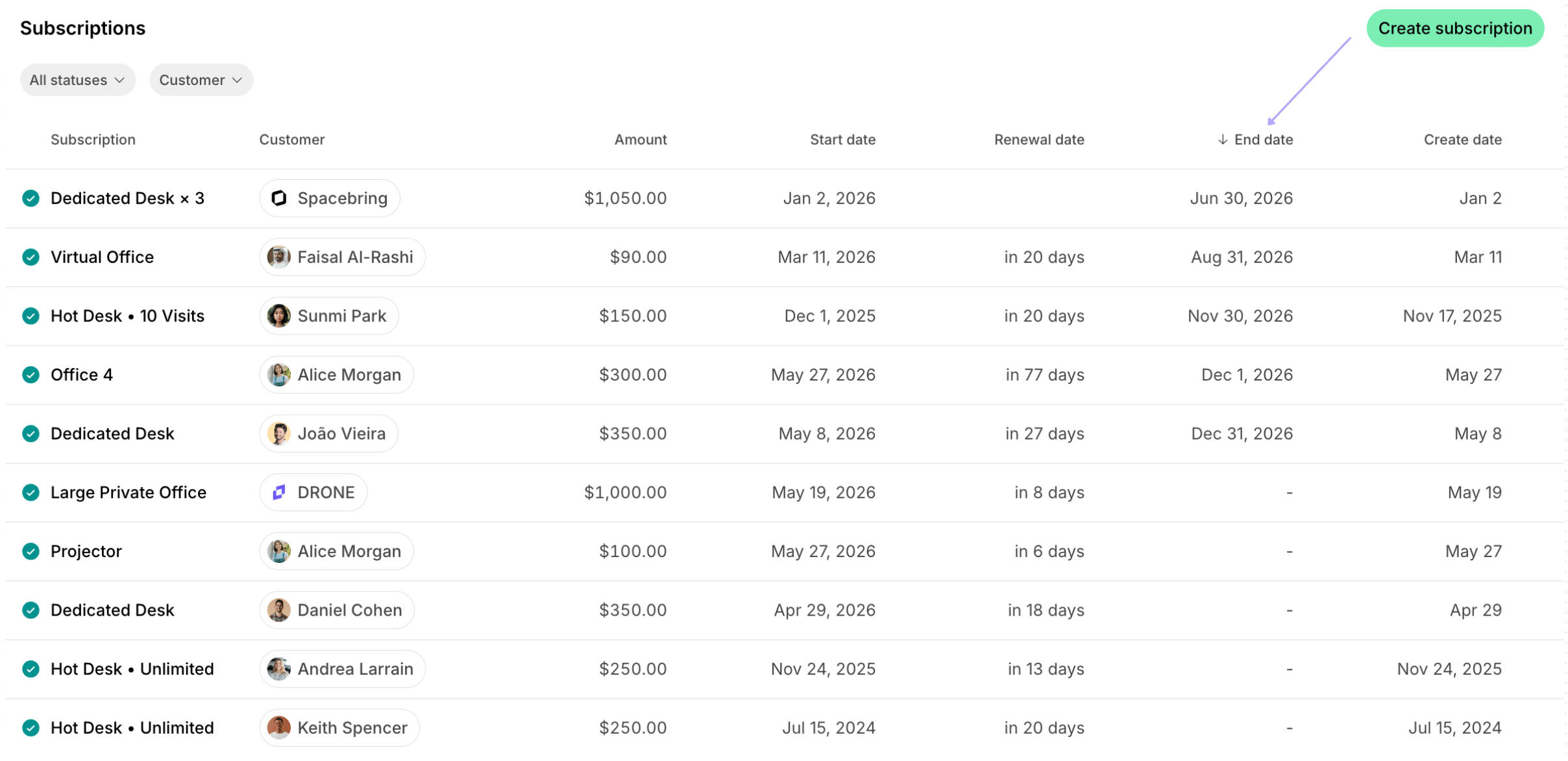
Administrators can always change the end date by editing the subscription.
Offer last-minute retention incentives
Don’t let a member’s departure be the final goodbye. When you see that the user’s subscription is about to end, use these tools to encourage them to stay:- Credits: Add credits that members and companies can use for services or bookings.
- Day passes: Provide day passes for hot desk bookings to encourage new bookings.
- Discounts & Promo codes: Set up subscription discounts or create personalized promo codes to re-engage members to stay longer.
Incorporate invoice checks
If the member still decided to terminate the subscription, we recommend verifying payment statuses before completing the offboarding process:- Go to the Customers page and see the outstanding balances of the members/companies in the Invoices section.
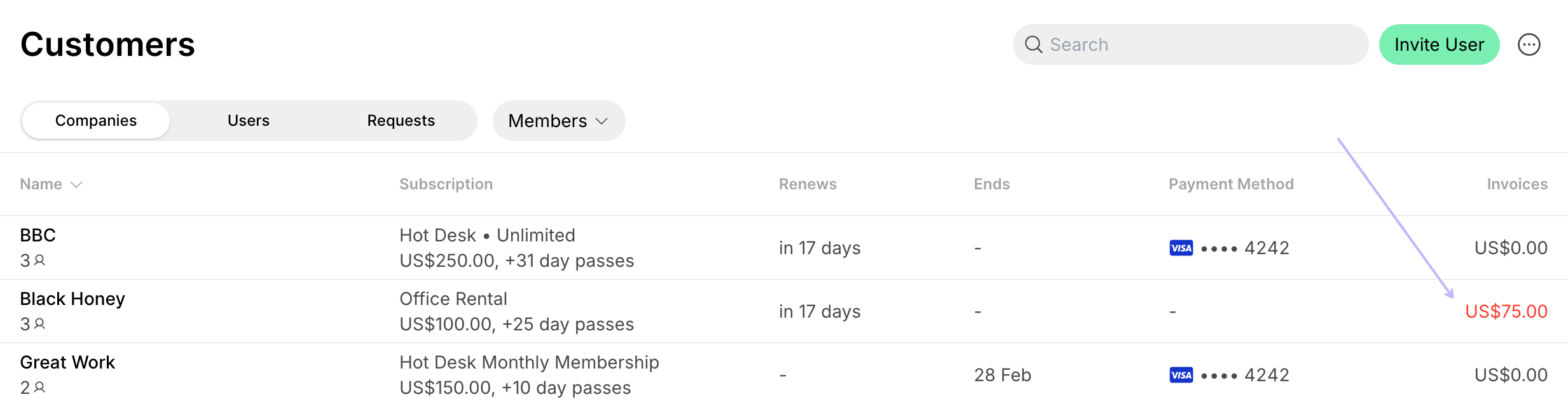
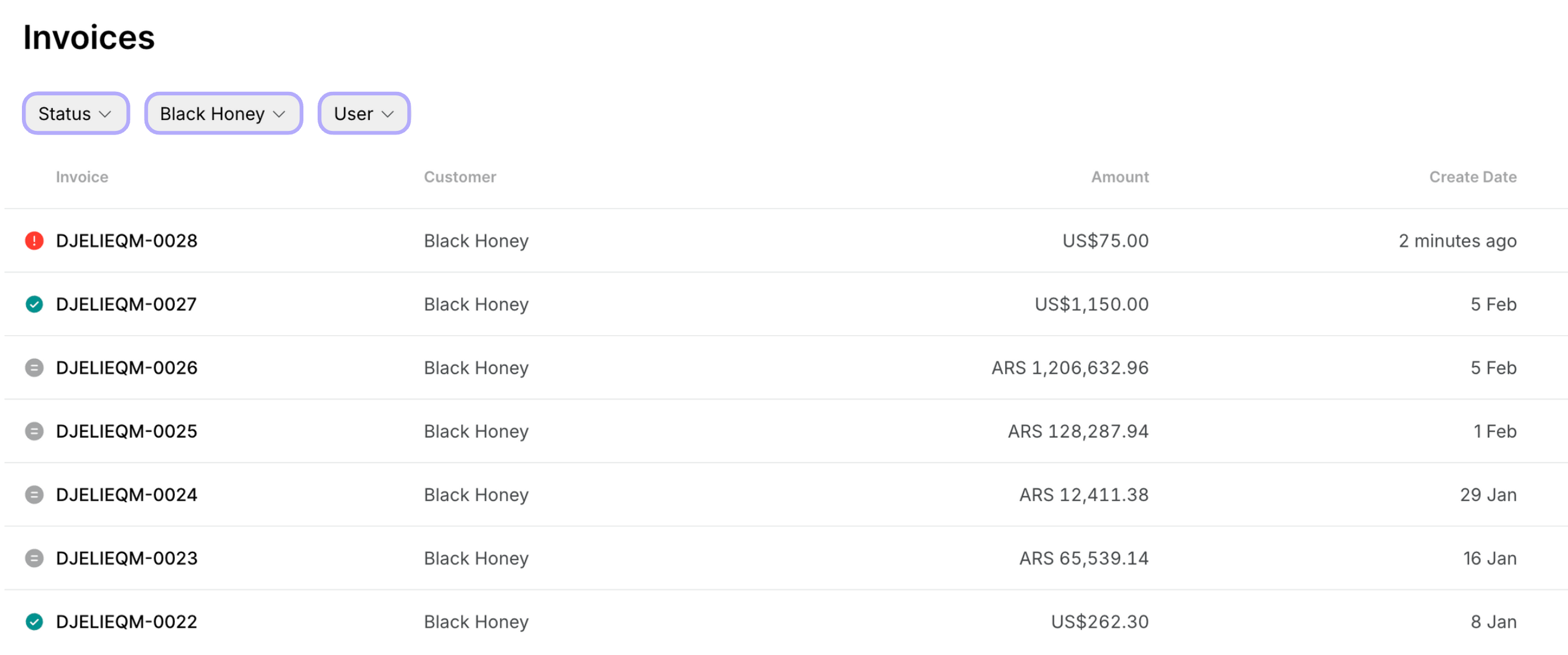
- Check who has outstanding invoices, reach out to users, and resend invoices.