When purchases with credits and day passes are deducted
How scheduled transactions work
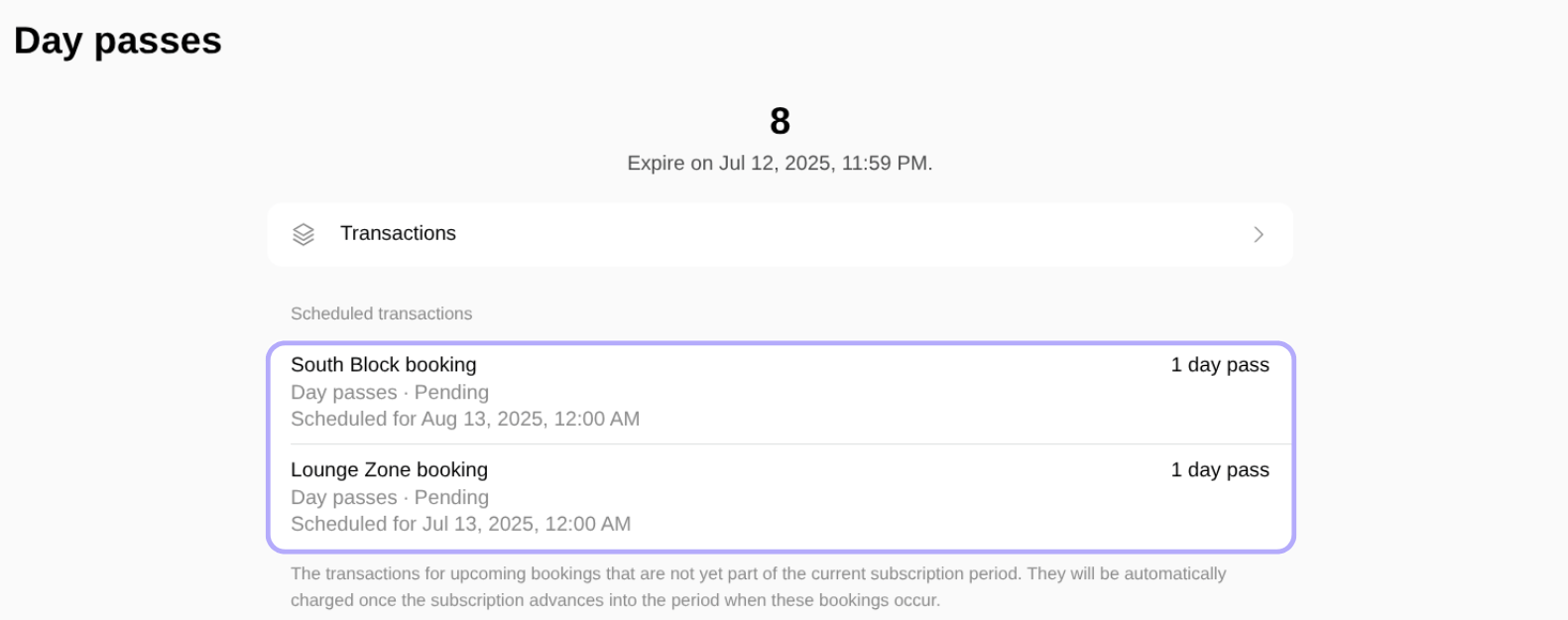
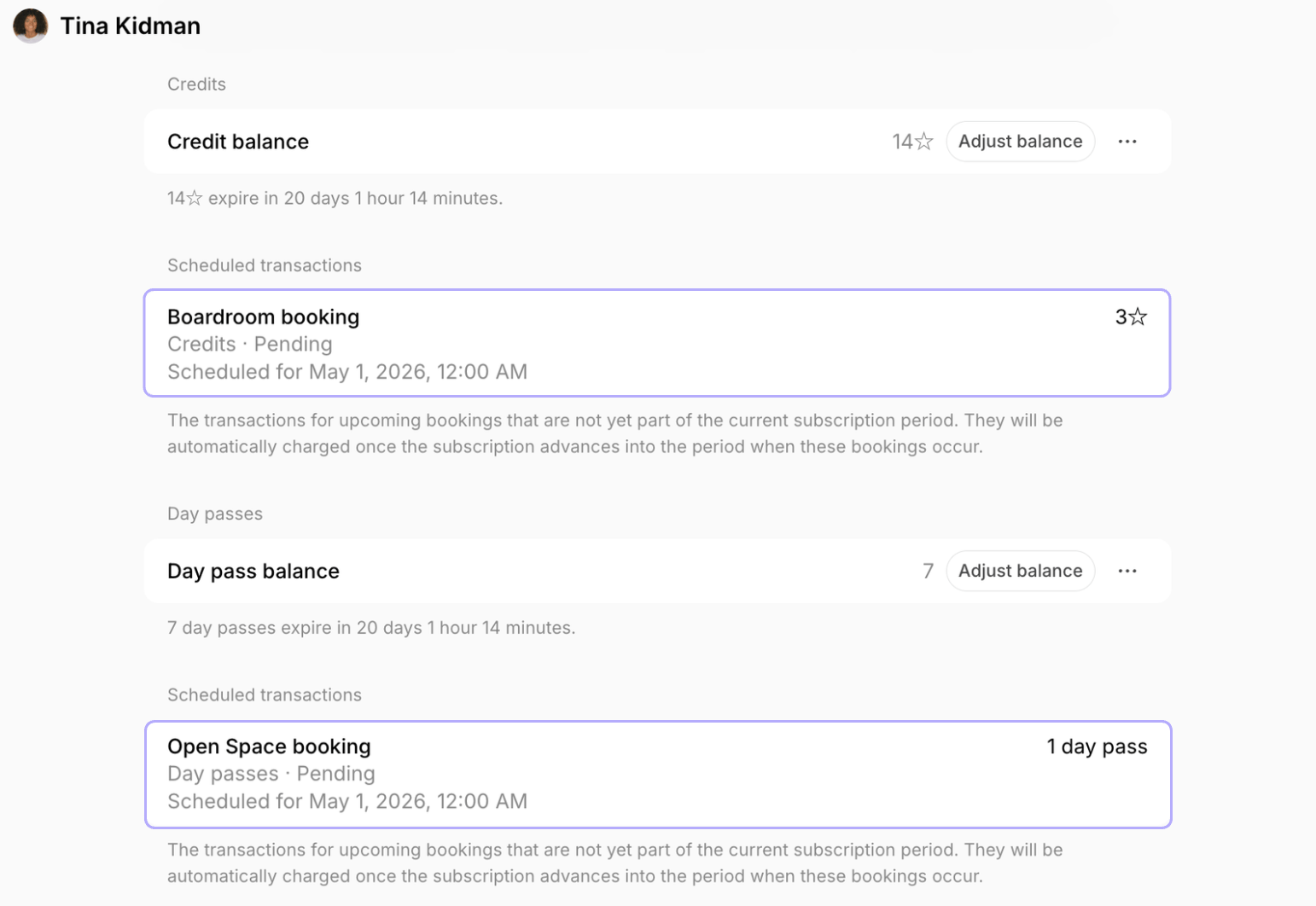
- When booking with subscription credits and day passes for future periods, the booking is created with the Tentative status and appears under Scheduled transactions with the Pending payment status. No credits or day passes are deducted immediately.
Even though the booking is tentative, the timeslot is fully secured and cannot be booked by other customers.
- When the subscription period in which the booking takes place begins, the customer receives their new credit/day pass balance, the booking is automatically charged, and its status changes to Confirmed. (Administrators will receive a notification of the new booking at this time).
If the booking is edited or canceled
If the booking is edited or canceled
- If rescheduled to a date within the current period, it is charged immediately.
- If canceled according to the rescheduling policy, the scheduled charge is removed.
- If canceled outside the rescheduling policy, the charge remains Pending and will still be deducted when the relevant subscription period begins.
If there are not enough credits to cover scheduled bookings
If there are not enough credits to cover scheduled bookings
- At the subscription renewal, Spacebring tries to deduct the credits or day passes for the customer’s scheduled bookings in that period, starting with the soonest upcoming ones.
- To cover them, the credits or day passes expiring soonest are used first, then those expiring later, and the non-expiring ones (from packages or given by admin) last.
- If the balance is not enough to cover some of the bookings, the user receives a notification asking them to add credits or day passes to keep their bookings.
- Spacebring then retries the charge every 30 minutes.
- Retries continue for as long as the booking remains refundable under the resource’s rescheduling policy. With a 1 day policy, for example, the charge is retried until 24 hours before the booking starts. With Before the start, it is retried until the booking starts.
- During this time, the transaction shows the date by which the charge has to succeed instead of the renewal date.
- As soon as the customer’s credit or day pass balance is topped up and covers the booking, the charge goes through and the booking status changes to Confirmed.
- If the charge does not succeed within that time, the booking is canceled, the transaction status changes to Failed, and the user receives a notification that the charge failed.
If the customer has multiple subscriptions
If the customer has multiple subscriptions
If a customer has multiple subscriptions including credits/day passes with different renewal dates:
- If at least one subscription renews before the booking date, the booking is created as a scheduled future transaction and not charged immediately.
- The charge is scheduled against the subscription that renews soonest among those that include credits or day passes. A subscription that has not started yet is ranked by its start date, so it can be chosen over an active subscription that renews later.
If the subscription is canceled
If the subscription is canceled
If the customer’s subscription is canceled before the future bookings are charged, all scheduled bookings are charged right away instead of at the start of their subscription period:
- Bookings covered by the credits or day passes left on the balance (from packages or given by admin) are charged, and their status changes to Confirmed.
- Bookings the balance does not cover are not retried. The transaction is marked Failed, and the booking is canceled immediately.
Only customers whose subscription includes credits or day passes can schedule future transactions.A customer with a subscription set to start in the future can begin booking immediately, provided the booking dates are on or after their subscription start date. Bookings for earlier dates are charged immediately.
Track scheduled transactions
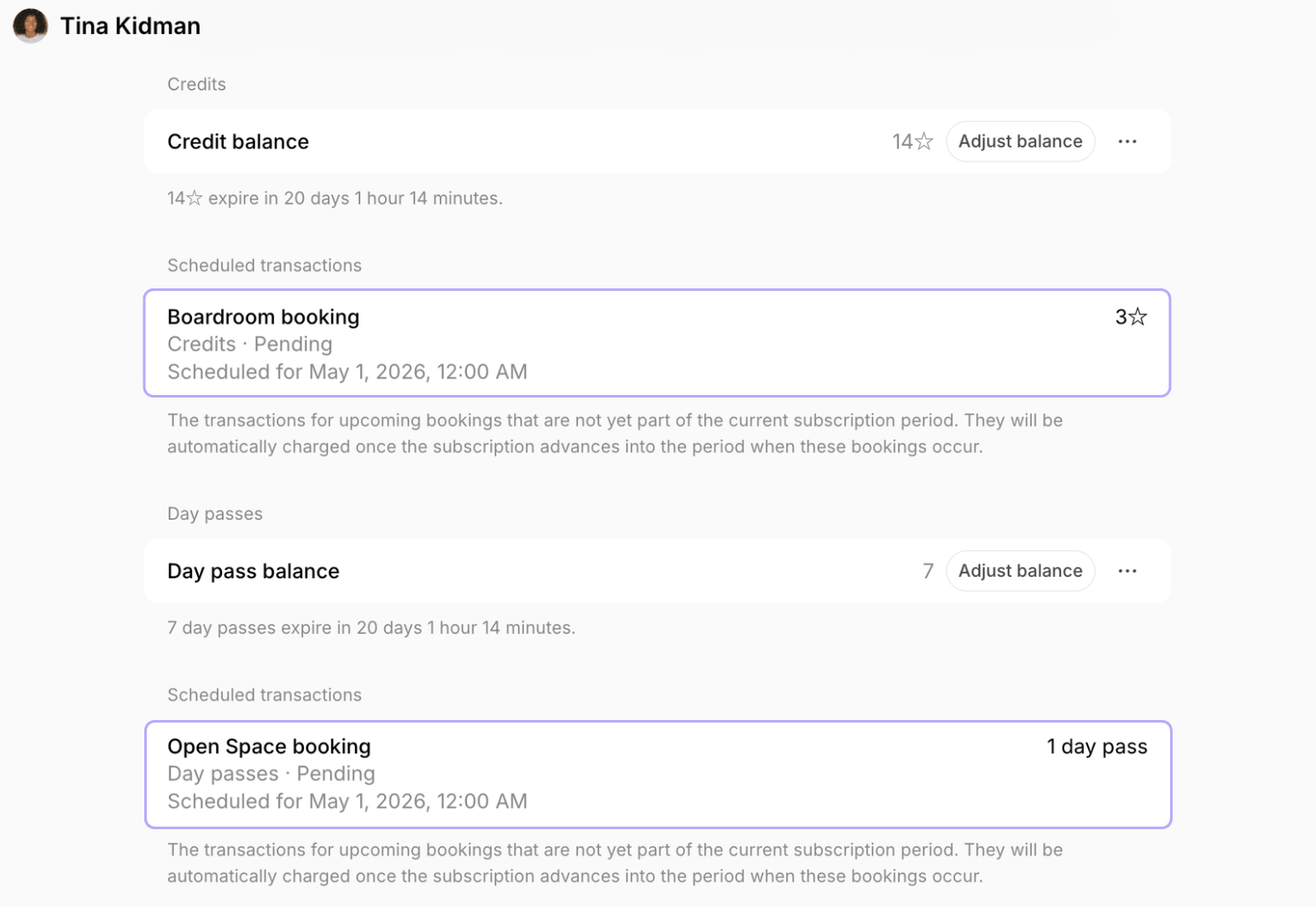
Administrators:- Go to Customers > open the necessary customer profile.
- Locate the Scheduled transactions section that follows the Credits and Day passes sections. It appears only when the customer has scheduled transactions.
- Go to Membership and open Credits or Day passes, either in the Personal section or in the company’s section.
- Locate the Scheduled transactions section.