

Set notification preferences
- Click your network name top left.
- Go to Network settings > Notifications > Preferences.
- In User notification settings, choose an Email and a Push setting for each notification:
- Always on — every user must receive it and can’t turn it off.
- On by default — all users receive it by default, and each user can turn it off in their notification preferences.
- Off by default — users don’t receive it by default, and each user can turn it on in their notification preferences.
- Always off — it isn’t sent to any user.
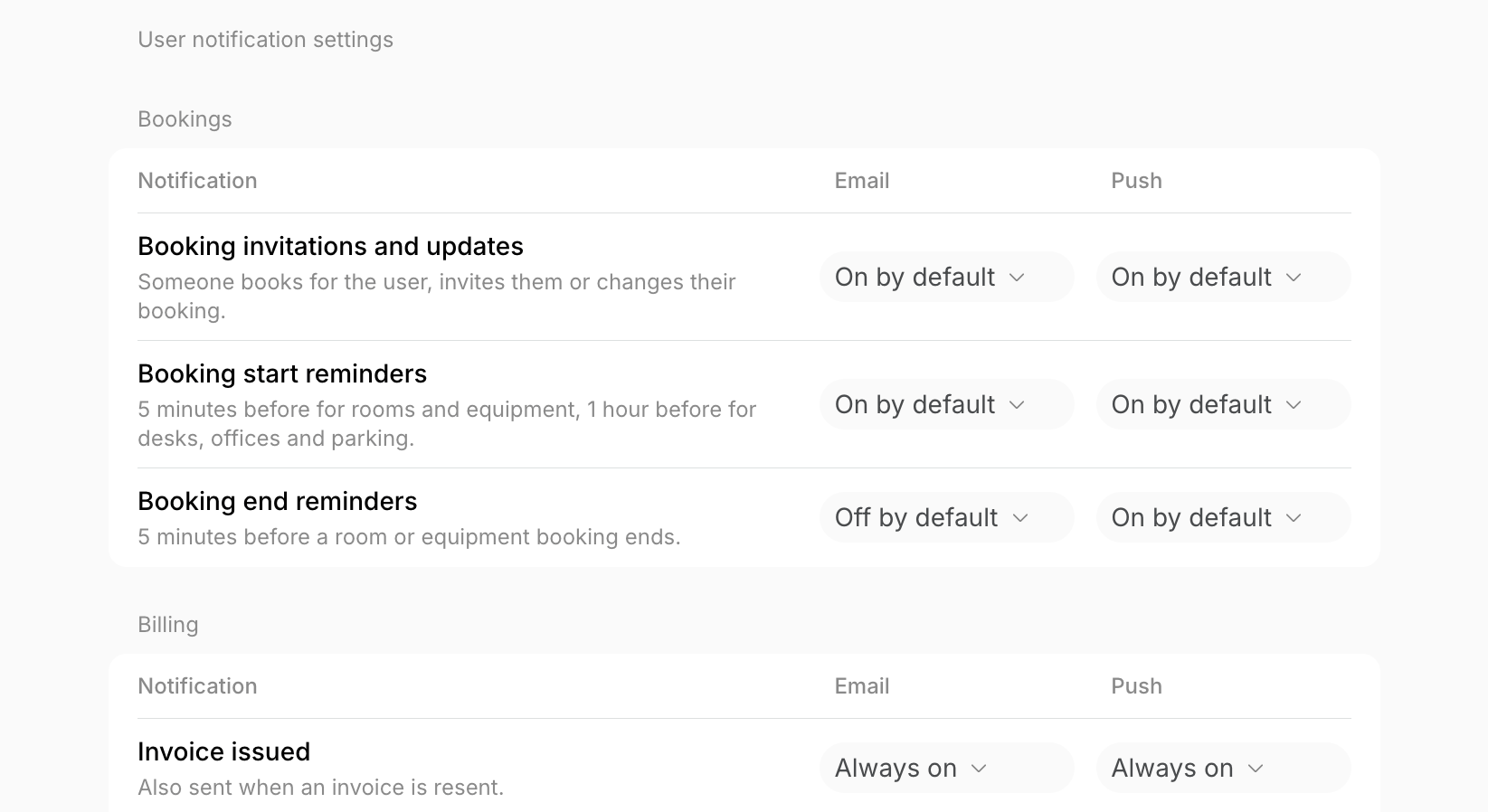
- Always on and Always off apply to every user, including users who previously changed the notification in their notification preferences.
- On by default and Off by default apply to users who haven’t changed the notification in their notification preferences. Users who previously changed it keep their own choice.
Billing emails also go to the customer’s billing and company email addresses. Those follow your setting, and members can’t change them.
Understand which notifications users receive
The tables show the default setting of each notification, grouped as on the Preferences tab, where you can change it.Bookings
Billing
Subscriptions and credits
Events
Shop
Community
Support
Visitors
Deliveries
Contracts
Other emails
These emails aren’t on the Preferences tab. Login codes and signature requests are always sent too.FAQs
Can I choose which notifications I get as an administrator?
Can I choose which notifications I get as an administrator?
Yes. Your own notifications are set on your Account > Notifications page.