- If you have general terms that all customers need to agree to, such as a cancellation or guest policy, add them to your terms of use. Spacebring asks each user to accept them before they can make their first booking or purchase.
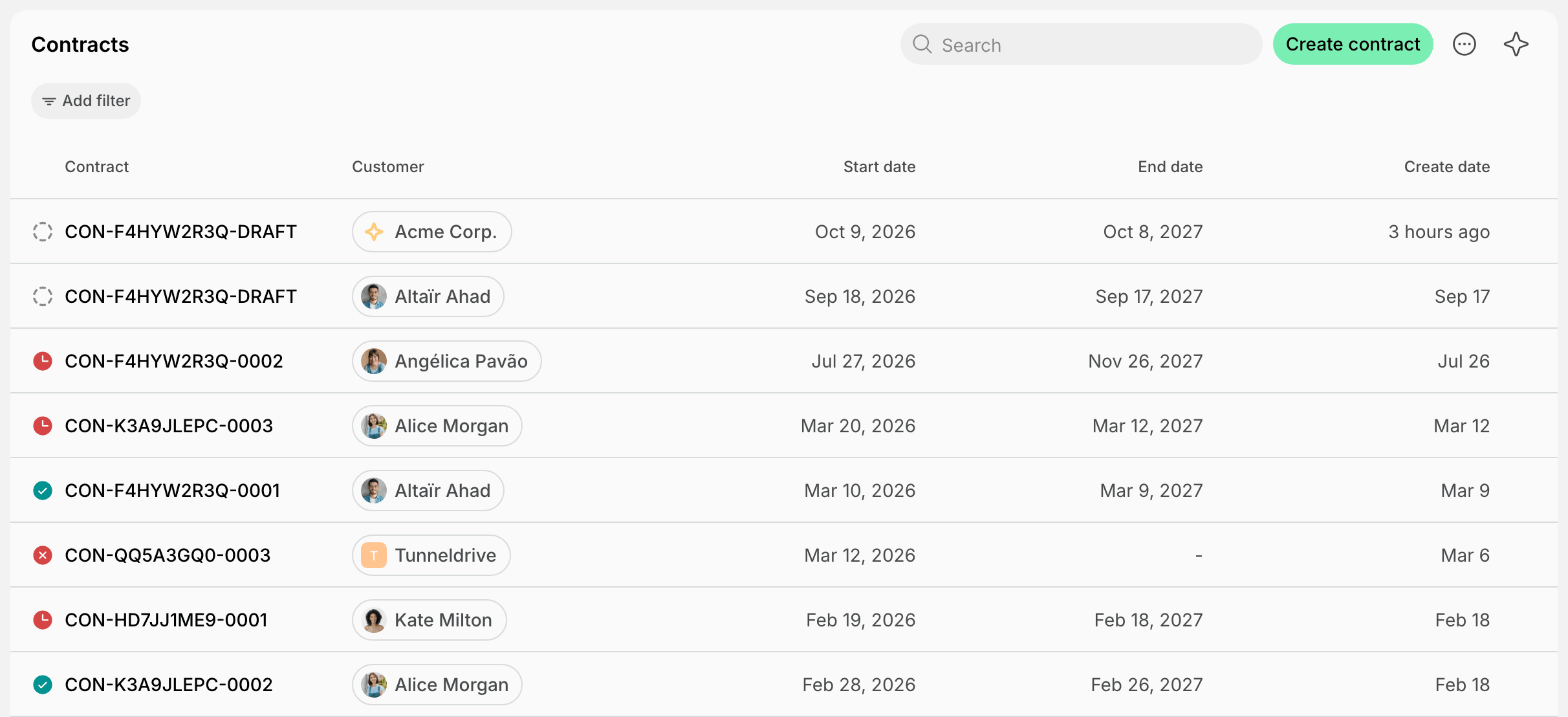
- If you have individual contracts with your customers, such as for a private office or virtual office rental, issue them in Spacebring. The customer can sign a contract online or on paper.
Ask customers to accept your terms of use
Your terms and conditions may cover payments, cancellations, or guest visits, and you may want every customer to accept them before they book a desk or buy a day pass. As an owner, add your terms and conditions to the terms of use in Spacebring. The first time a customer books, buys, or pays for something in the member web portal or mobile app, they must select the checkbox that says they agree to your terms of use. The checkbox links to your full terms, so the customer can read them before they continue.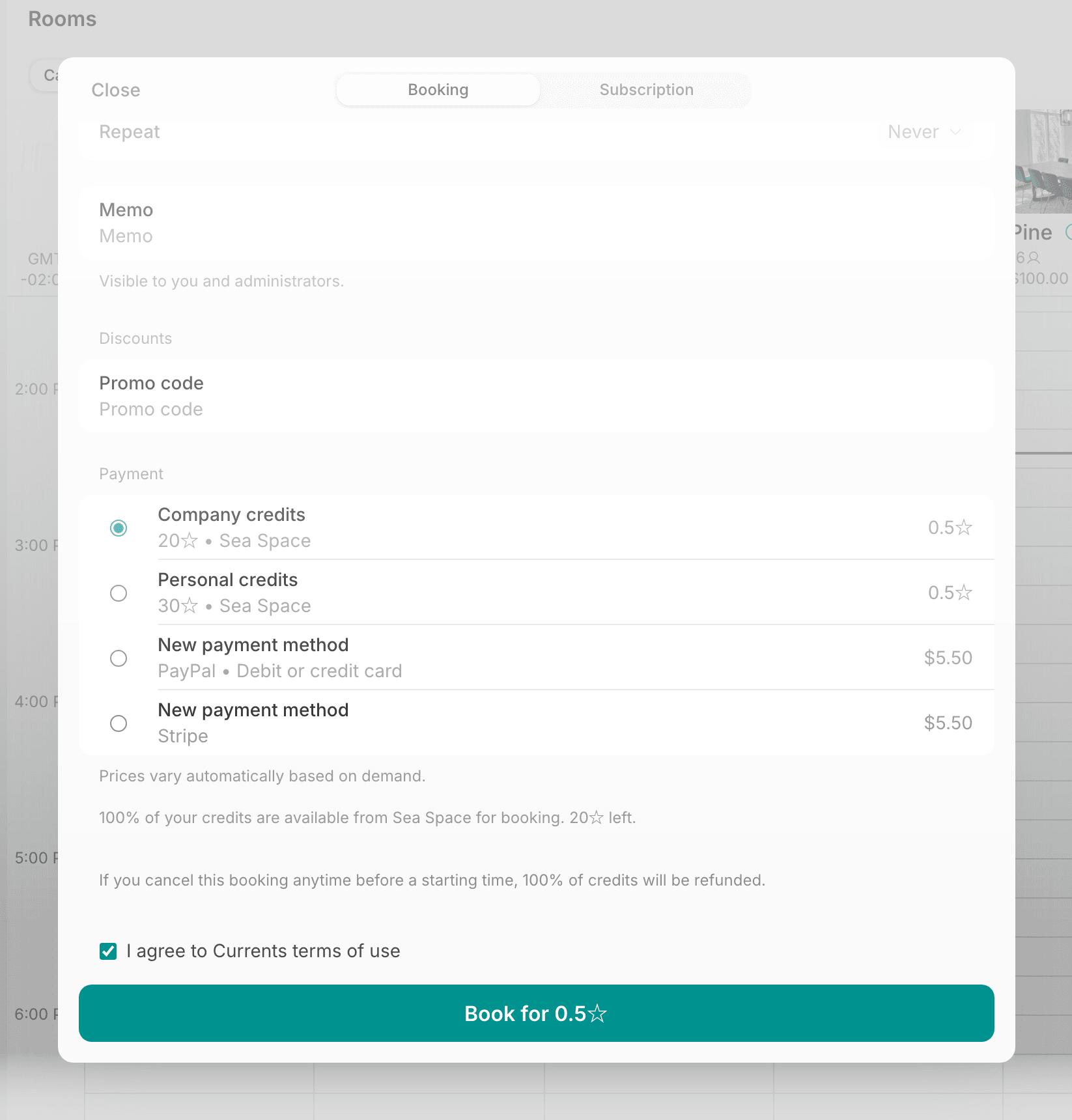
- Administrators open the user’s profile from the Customers page and find the date they agreed to the terms of use.

- Owners see the date for all users at once in the Terms accepted column on the Network settings > Users page.
Issue contracts for signature
If you rent out private offices or offer virtual office addresses, you may want each customer to sign a contract with its own price, term, and services. Create a contract for the customer from your own template in Spacebring, with the plans or resources they get. Send it for eSignature so the customer signs online, or collect the signatures on paper and record them in Spacebring. When everyone signs, the contract gets the Signed status and stores the signed document. If you set it up, Spacebring then creates the customer’s subscription or issues their invoice. Track every contract and its status on the Billing > Contracts page.