

- Sell one-time bundles or credit and day passes for members who need occasional access rather than a recurring plan
- Let members purchase more when they run out of credit or day passes in their subscription
- Create packages with custom expiration periods or non-expiring packages
- Encourage credit payments, reducing small transactions and payment processing fees.
Create packages
- Go to Billing > Packages.
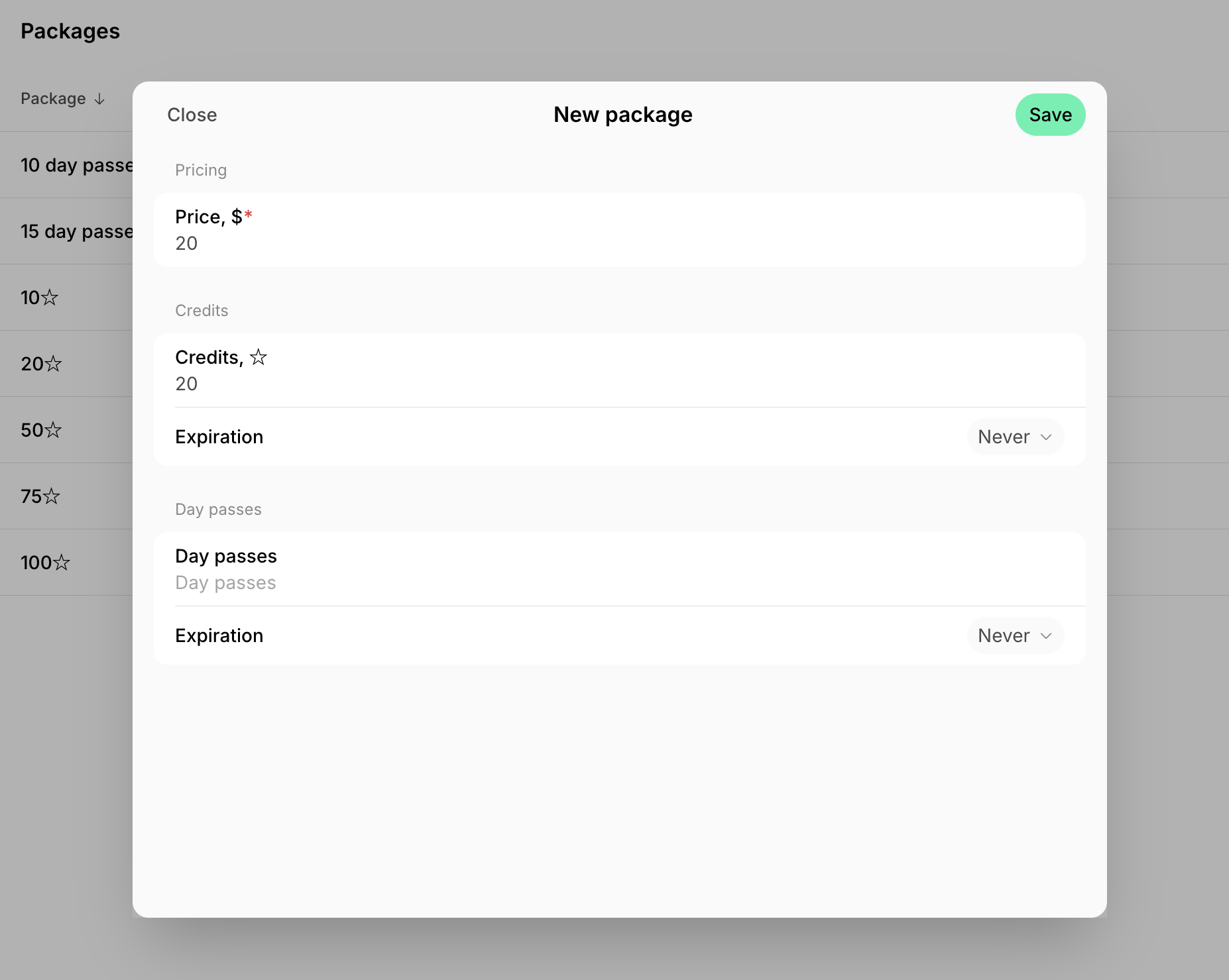
- Click Create package.
- Enter the package price.
- Enter the number of credits, day passes, or both to create a mixed package.
- Set Expiration to Never or choose a specific validity period.
- Click Save.
How members buy packages
- Members buy packages from the Membership > Credits and Day passes pages.
- Individual members — under the Personal section.
- Company managers and members — under the company section.
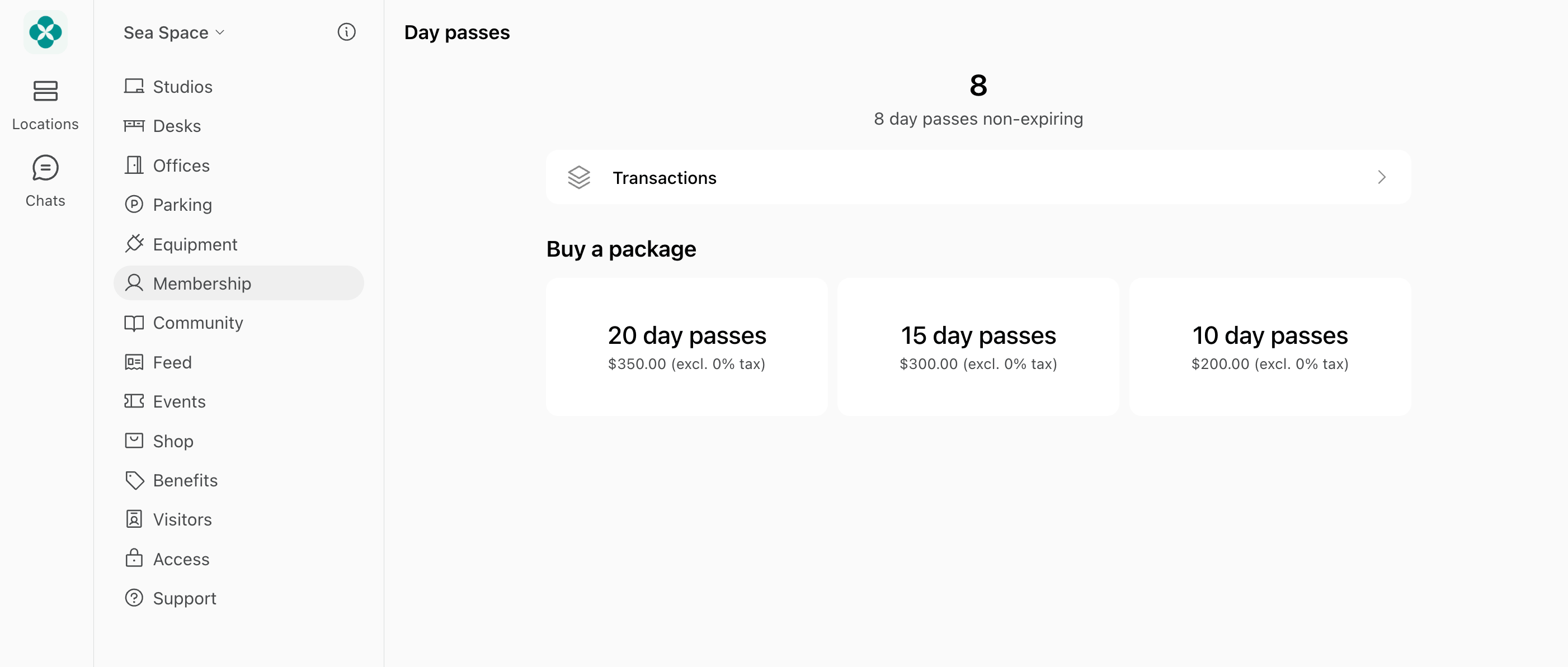
- After purchase, credits or day passes are added immediately to their balance and can be used until the package expiration date (if there is any).
Only members can see, buy, and use packages — nonmembers cannot:
- Invite them as a member so they can buy a package, or
- Nonmembers can sign up for plans with credits and day passes instead.
Company members (non-managers) can only purchase packages for their company is they have a permission to use company card or company invoice for this.
Manage packages
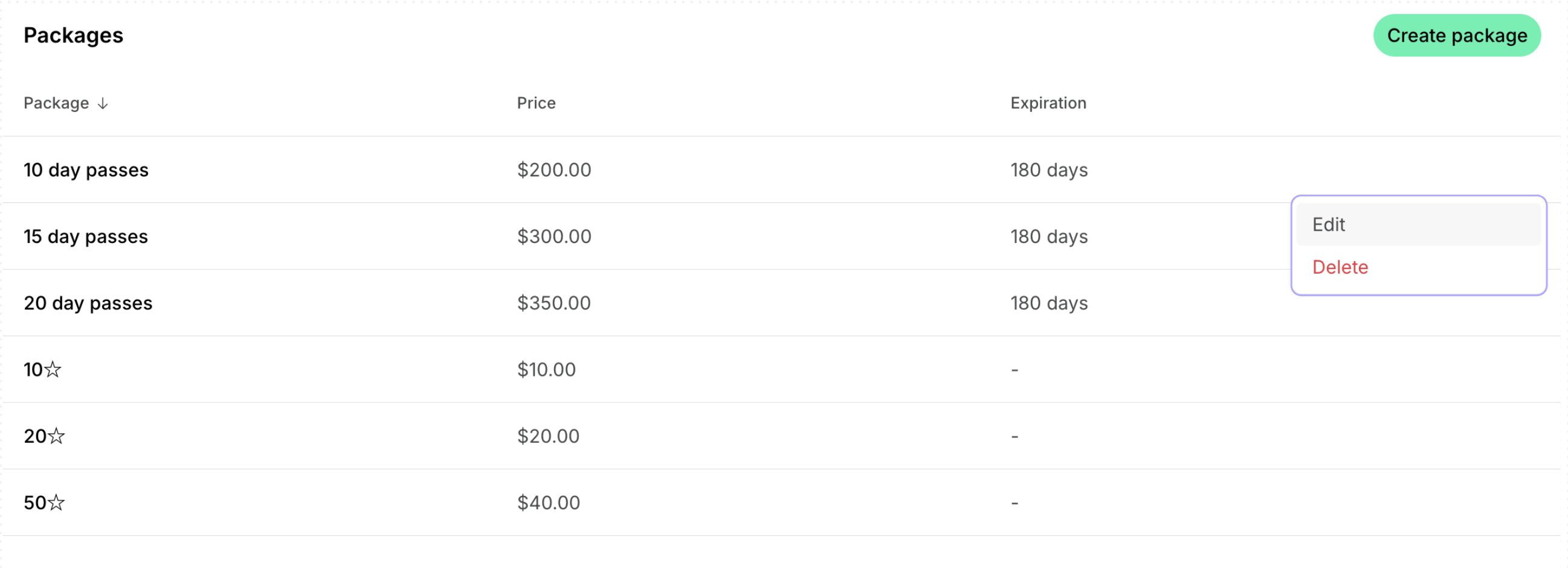
To edit or delete a package:- Go to Billing > Packages.
- Press (…) next to the necessary package and tap Edit or Delete.
Best practices
To encourage package sales:- Price larger packages slightly below their equivalent monetary value, or
- Give members discounts on packages of credits and day passes.
Where can members see transactions for their package purchases?
Where can members see transactions for their package purchases?
- If purchased by card — on the Membership > Billing > Transactions page.
- If purchased with an invoice — on the Membership > Billing page > Upcoming invoice or Invoices.
- Package purchases are also reflected in their credit history on the Membership > Credits/Day passes > Transactions page.
Where can I track customers' credit package purchases?
Where can I track customers' credit package purchases?
- Enable notifications for package purchases.
- Use the Payments tab on Analytics to monitor package sales.
- Generate Transactions custom report > filter it by Package type.