

- Create and issue a one-off invoice for the customer to pay
- Create a one-off payment to immediately charge the customer’s card or record an externally received payment.
A one-off payment always creates a new invoice for itself. To record an external payment on an invoice you have already issued, open that invoice and create the payment in its Payments section instead.
Create a one-off payment
Follow these steps to create and process a one-off payment:- Go to the Billing > Transactions page > press Create payment top right.
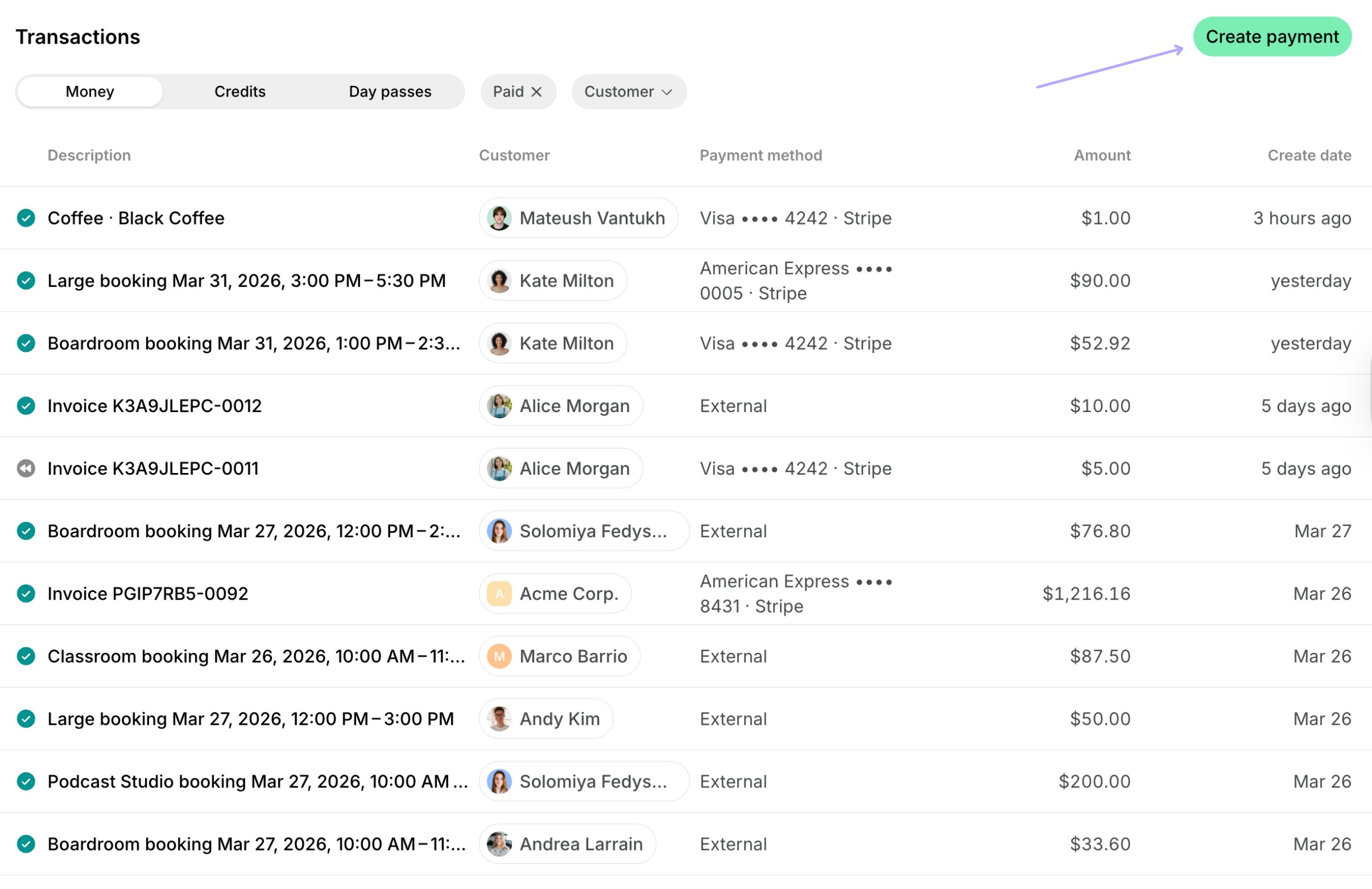
- Select the necessary customer.
- Enter the payment details:
- Description — the product or service you are charging for.
- Quantity — how many units of the service/product.
- Unit price — the price per unit.
- Currency — leave the default location currency or select an alternative currency.
- Tax rate — leave the default location tax percentage or enter a custom tax rate.
- Payment method — how you collect the money:
- Choose the customer’s saved payment method to charge the card or bank account they already have on file.
- Select External to record money you already received another way, like cash.
- Select In-person to charge the customer’s card in person with Tap to Pay. Available only in the admin mobile app on Android.
- Enter the customer’s billing details, if they haven’t yet. Billing details fields appear depending on the Require billing details setting.
- Confirm the payment.
How creating one-off payments works
Once you create a one-off payment:- A transaction is immediately created for the payment in the customer’s profile under Transactions, and the invoice for a one-off payment is created and can be found on the Invoices page.

- If you selected a customer’s card, the charge will be initiated to that card, and you can check its status on the transaction (whether it succeeded or failed).
- If you selected External as the payment method, the transaction will be recorded as an external payment.
- The payment will appear in Analytics with the Custom type, allowing you to track these specific charges.
Creating a one-off payment does not send the customer an email or push notification, unlike issuing an invoice, which does. This makes it a good way to record a payment the customer already made outside Spacebring, such as cash received in person, without notifying them that an invoice is ready.
Best practices
A one-off payment can be especially useful when:- A customer’s payment was disputed, and you need to re-charge them.
- An immediate payment is required for an urgent, last-minute service or an upgrade.
- A small, ad-hoc charge is needed for a service or product not covered by standard invoicing (e.g., a minor administrative fee, or a supplemental service).