

Free payment method
- The Free payment method is exclusively available in admin portal to administrators with the Bookings permission.
- It allows administrators to make bookings for themselves or for customers for free, without any monetary or credit deduction.
External payment method
- The External payment method is exclusively available to administrators in admin portal when making bookings for customers.
- It serves to record payments received outside of Spacebring.
Credits
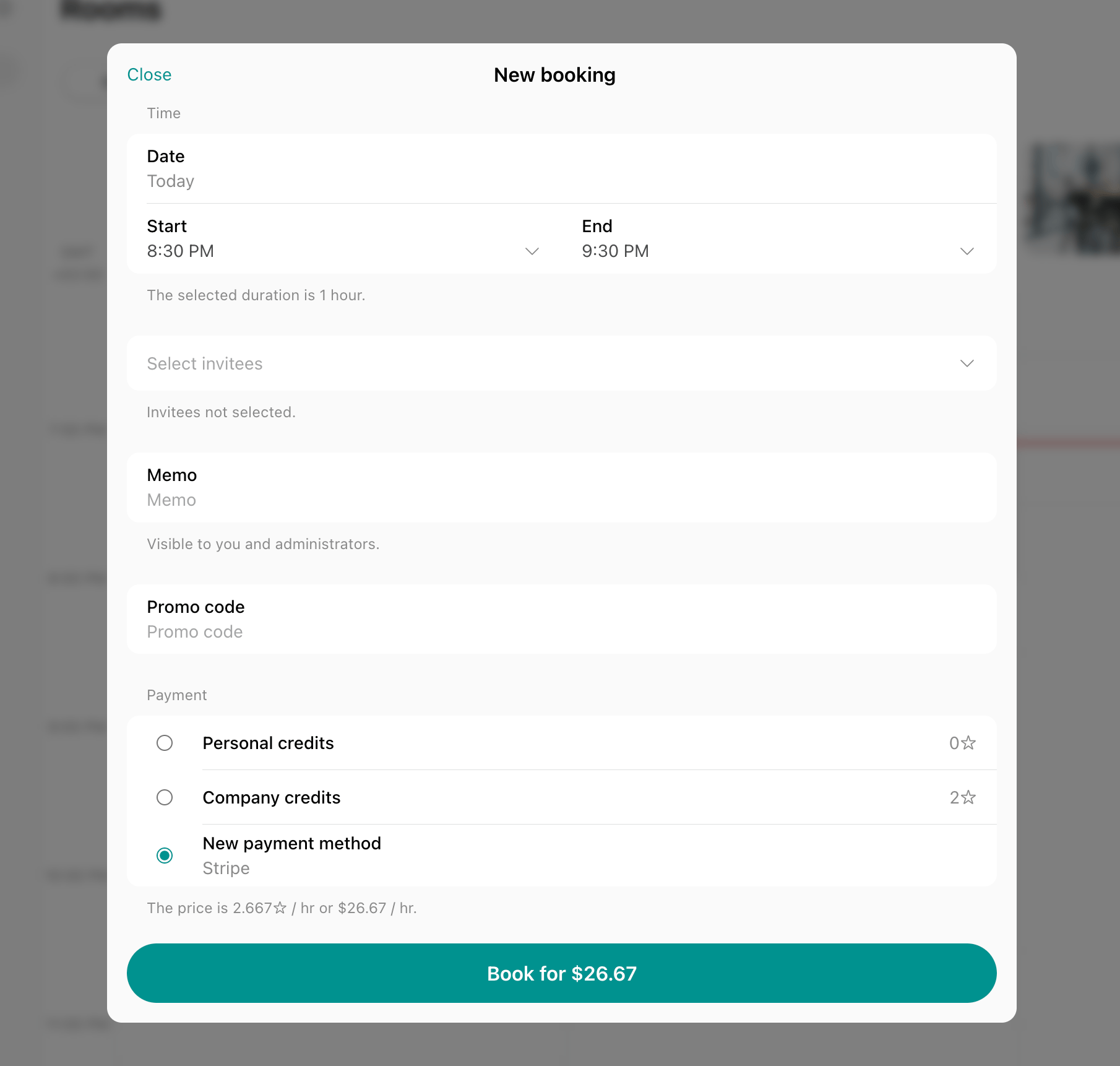
- The Credits payment method is available for members for bookings, event tickets, and shop orders if
- Credits are enabled for the location
- The service has a credit price set, and
- The member has been allocated or purchased credits.
- Administrators can also use credits when making a booking for a member who has credits.
- Personal credits are usable by individual members.
- Company credits are usable by company members and managers. For company members, this permission is subject to company payment method permissions.
Day passes
- The Day Passes payment method appears for members for hot desk bookings if
- Day passes are enabled for the location
- The specific hot desk has the Day Passes option enabled, and
- The member has a personal or company subscription with day passes.
- Administrators can also use day passes when making a booking for a member who has day passes.
- Personal day passes are usable by individual members.
- Company day passes are usable by company members and managers. For company members, this permission is subject to company settings.
Invoice
- The Invoice payment method allows including payments in an invoice rather than immediate payment.
- Customers can use the Invoice payment method for bookings, event tickets, shop orders, and credit package purchases if they have a Pay with invoice setting enabled.
- Administrators can use the Invoice payment method when making a booking for any customer.
- Personal invoice is usable by individual customers.
- Company invoice is usable by company members and managers. For company members, this permission is subject to company settings.
New payment method
- The New payment method option is available to all users in the member web portal and mobile app if
- A payment gateway is connected, and
- The resource or service has the Money switch enabled with a monetary price set.
- It allows users to enter new payment details for immediate transactions.
Saved payment method
Saved credit card
- The saved credit card appears for users for all types of payments if
- They have made at least one previous payment, or they or an administrator manually added their card details, and
- Your connected payment gateway supports saving payment methods.
- Administrators can also use customers’ saved cards for making a booking on behalf of a customer, charging the customer’s invoices, or creating one-off payments in Spacebring.
Each saved card belongs to one member or one company. A card saved on a company manager’s personal account pays only that manager’s own charges. Neither the manager nor an administrator can use it to pay the company’s invoices.
Saved bank account
- A saved bank account appears specifically for invoice payments if
- You have a Stripe payment gateway connected, and
- The customer has made at least one previous payment, or they or an administrator manually added their bank account details.
- Administrators can also use customers’ saved bank accounts for charging the customer’s invoices.
In-person
- The In-person payment method is exclusively available to administrators in the admin mobile app on Android when they create a one-off payment.
- It charges the customer’s card in person: the customer taps their card or phone to the admin’s phone. Manage Tap to Pay
FAQs
When I am making a booking on behalf of a customer, which payment methods are available to me as an administrator?
When I am making a booking on behalf of a customer, which payment methods are available to me as an administrator?
When booking on behalf of a member, administrators can use the following payment methods:
- External
- Member’s personal or company credits
- Member’s personal or company day passes
- Member’s personal or company invoice
- Member’s saved payment methods
- External
- Personal invoice
- Nonmember’s saved payment methods
How do I let my employees/staff book rooms or other resources for free?
How do I let my employees/staff book rooms or other resources for free?
- Add them as an administrator with the Bookings permission.
- When administrators book a room, desk, or other resource, they have a Free payment method.