

Configure dynamic pricing
You can set dynamic pricing for rooms, desks, offices, parking spaces, and equipment.- In the Resources module, go to the necessary page (Rooms/Desks/Offices/Equipment/Parking).
- Create or edit a resource.
- Enable the Dynamic pricing (beta) switch.
- Set your pricing deltas:
- Delta above – The maximum percentage the price can increase from the base price during high-demand periods.
- Delta below – The maximum percentage the price can decrease from the base price during low-demand periods.
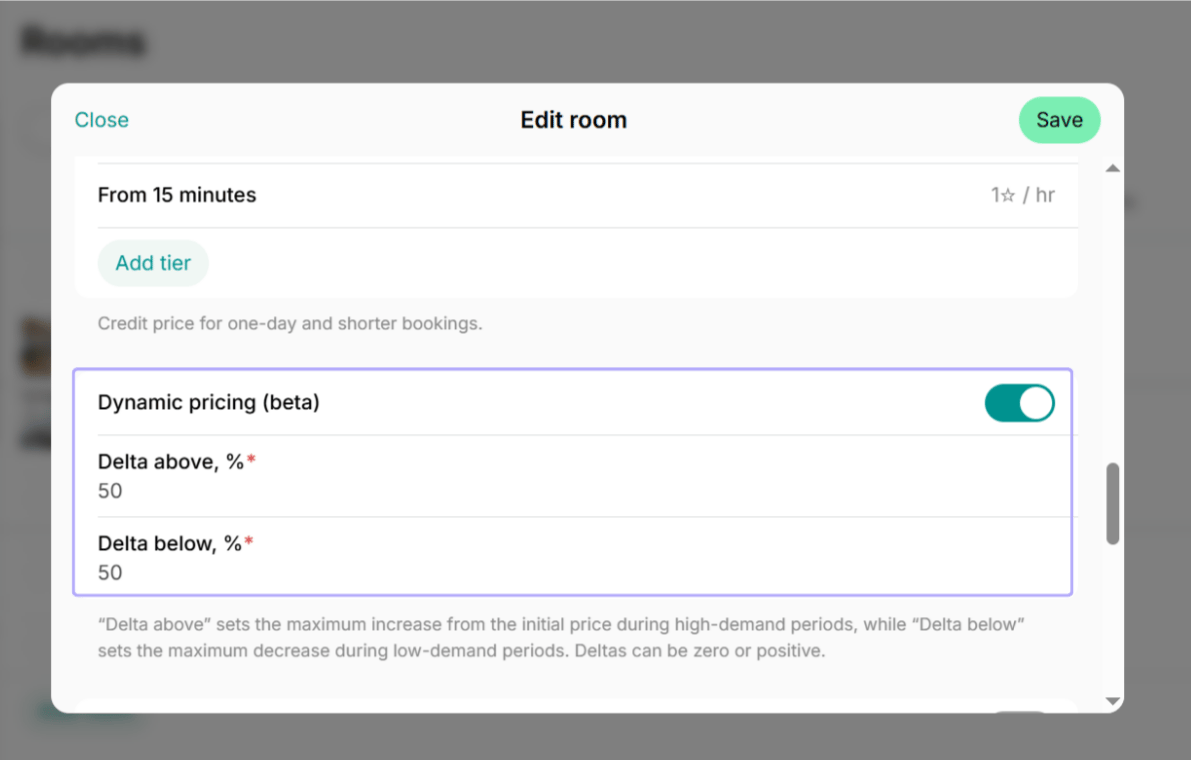
Example settings
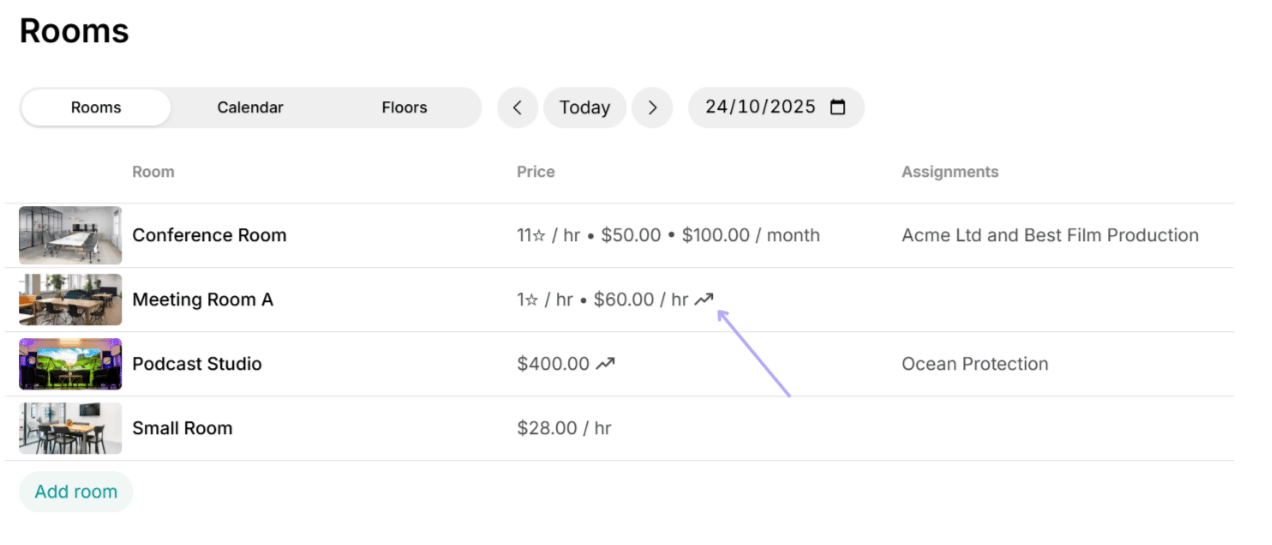
Resources with dynamic pricing enabled display a “trending up” arrow on the Resources pages.
What affects dynamic pricing
Dynamic pricing evaluates multiple factors and large data references to determine the most accurate rate for each booking, including:- Utilization rate
- Time of day
- Day of the week
How dynamic pricing works
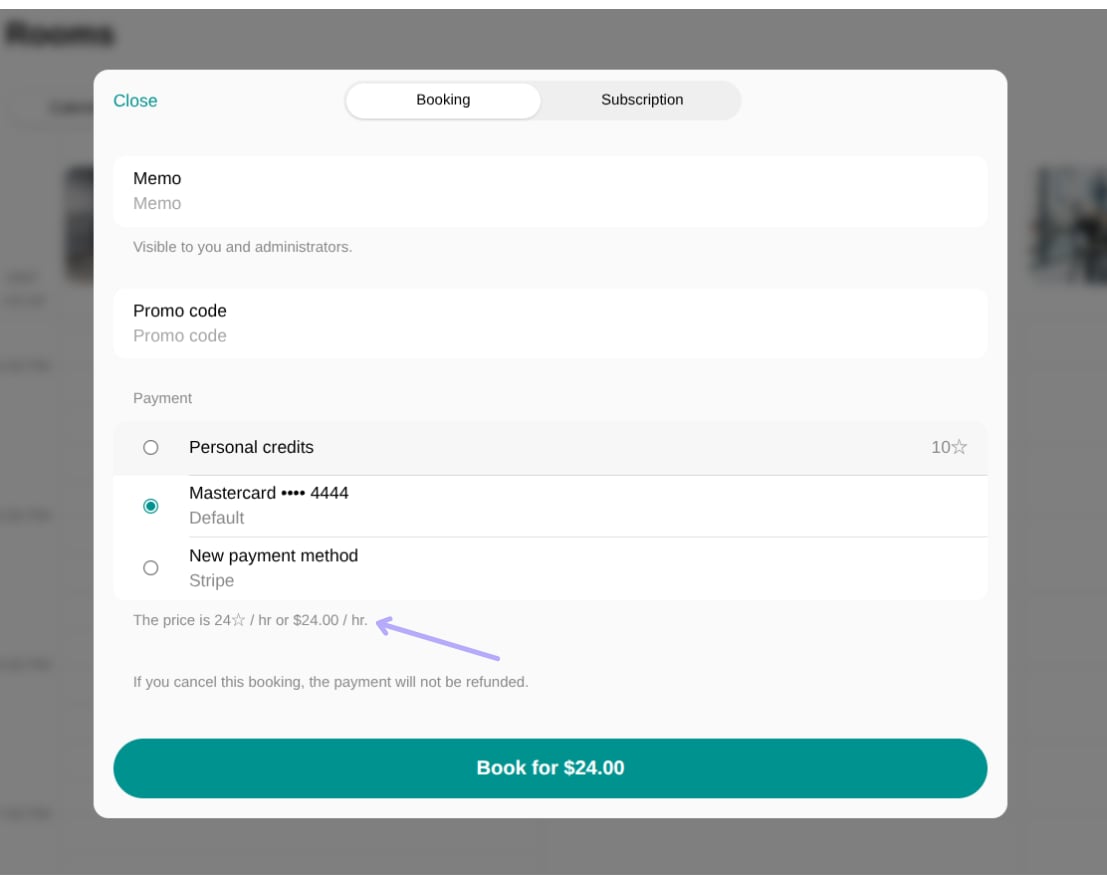
When a customer selects a date and time for their booking, the system automatically calculates the rate for their booking. This rate is shown on the booking page in the member web portal and mobile app.- Example (peak demand): If your meeting room is usually $20/hour, on a high-demand Wednesday, the user will see a higher price, such as $24/hour. This price is calculated based on the high occupancy rate and is capped by the delta above percentage you set.
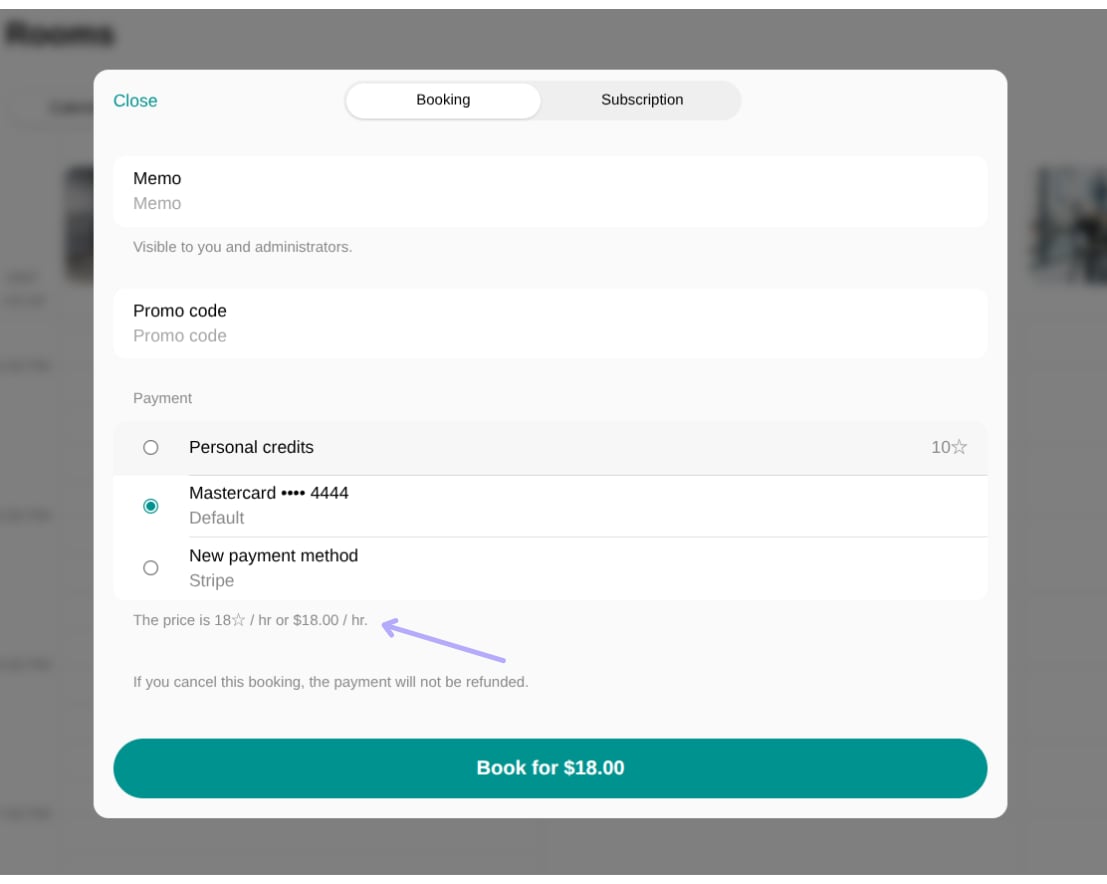
- Example (off-peak demand): Conversely, if you have low demand on a Thursday afternoon, the user may see a discounted price, such as $18/hour, capped by your delta below setting.
- Monetary and credit prices.
- Bookings made with all payment methods except day passes (payment gateways, external payments, payments with Invoice, and credits).
- Bookings made by members, nonmembers, and administrators.
- All price tiers for the configured resource.
- Bookings made with day passes
- Subscriptions
Best practices
- Only enable dynamic pricing if your space or a specific resource is established and already has a history of bookings. If a new space or new resource has zero booking history, the system will calculate low demand, causing the price to always drop to the minimum delta below limit.
- Dynamic pricing relies exclusively on data created and logged within Spacebring. Ensure all resource bookings—including those made manually by administrators or received via other platforms—are recorded in Spacebring’s calendar. If external bookings are missed, the system will register low occupancy, leading to incorrectly low prices.