

🌍 Mollie is available to businesses based in the European Economic Area (EEA), Switzerland, and the United Kingdom. Availability and eligibility may vary by country.
Mollie is a distinct company not affiliated with us. For any inquiries regarding Mollie’s solutions, services, or pricing, please reach out to Mollie directly. We do not have the authority to provide information or support on behalf of Mollie.
Connect Mollie
- Click the menu (…) next to the location’s name on the left-side panel > Integrations.
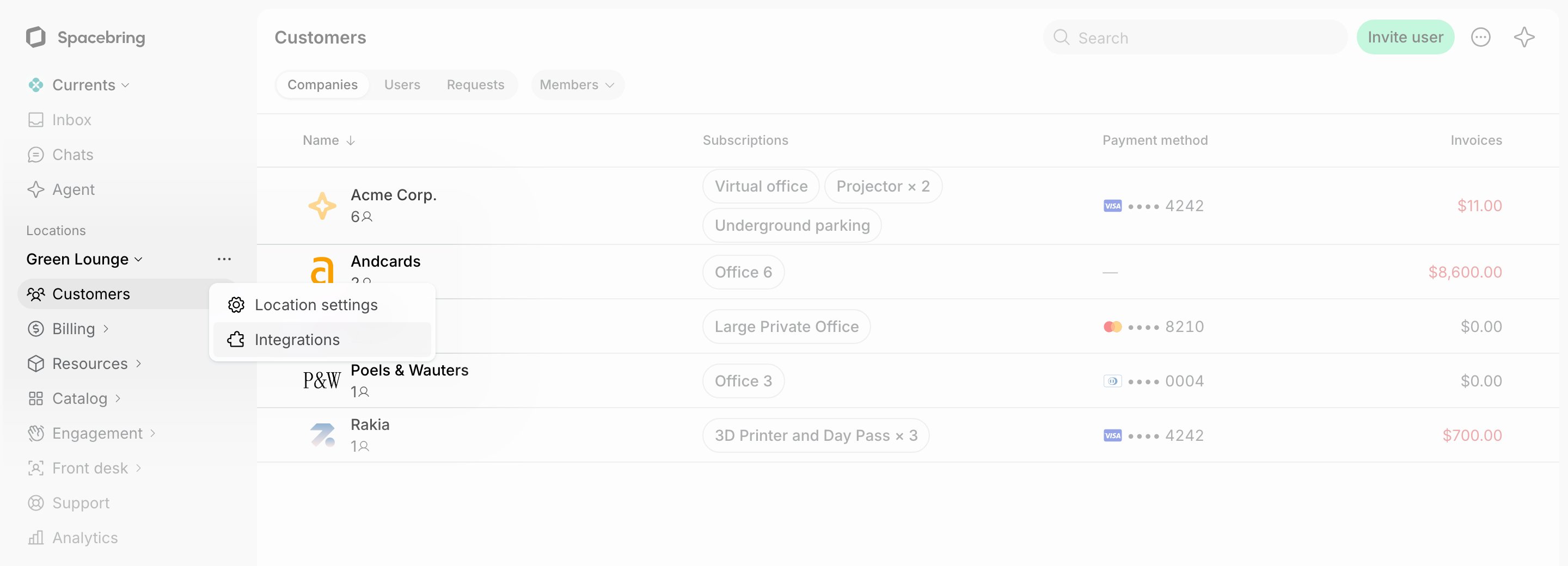
- Find Mollie > press Connect.
- You will be redirected to log in to your Mollie account and authorize the connection.
- After returning to Spacebring, select your Website profile to complete the setup.
Configure Mollie
Select services for which customers should be able to pay via Mollie:- Bookings
- Event tickets
- Shop products
- Packages
- Invoices
How Mollie works
The integration adds New payment method to the checkout section around member web portal and mobile app. Users selecting the New payment method are redirected to the Mollie payment page to pay. The integration supports paying with cards and Google Pay, and with iDEAL for payments in euros. Customers see only the methods activated in your Mollie website profile. If none of them is available for a payment, administrators with the Integrations > Failures notification enabled are notified on the Inbox page, by push, and by email, so they can activate a method in Mollie.To offer iDEAL, activate both iDEAL and SEPA Direct Debit in your Mollie website profile. Without SEPA Direct Debit, Mollie hides iDEAL from the payment page.
A SEPA Direct Debit payment takes a few business days to complete. Until Mollie confirms it, the payment shows as Processing and cannot be canceled.
Saving cards needs the permissions Mollie grants when you connect the account. If you connected Mollie before this feature was released, the integration page shows a warning. Press Reconnect and confirm the permissions in Mollie to start saving cards. The connected account and its settings stay in place.
Identify users’ transactions in Mollie
You can easily find users’ transactions in the Mollie dashboard using the following unique identifiers:- ID — coincides with the transaction ID in the Mollie dashboard. You can copy the ID of the transaction from the transactions report.
- Time — coincides with the date and time of the transaction in the Mollie dashboard.
- Description — the types of purchases users make, such as room bookings, desk bookings, Shop orders, etc.
Disconnect Mollie
To disconnect Mollie integration, follow these steps:- Click the menu (…) next to the location’s name on the left-side panel > go to Integrations > Mollie.
- Press Disconnect and confirm your choice.