

Invoices for rental or membership
For members or tenants who get a membership or rental for a specific period:- Go to Customers > customer profile.
- Create a subscription.
Invoices for one-off purchases
For one-off purchases (booking, event ticket, shop order, etc.):- The customer makes a purchase in the member web portal or mobile app by themselves and pays through a payment gateway.
- Alternatively, you, as an administrator, can record a one-off booking for the customer with the “External” payment method.
- The one-off invoice is generated automatically.
Manual one-off invoices
For occasional or irregular charges that are not part of a rental, membership, or a specific service purchase, you can also issue one-off invoices to any customer.- Go to Billing > Invoices or to the customer’s profile.
- Click
Create invoicetop right.
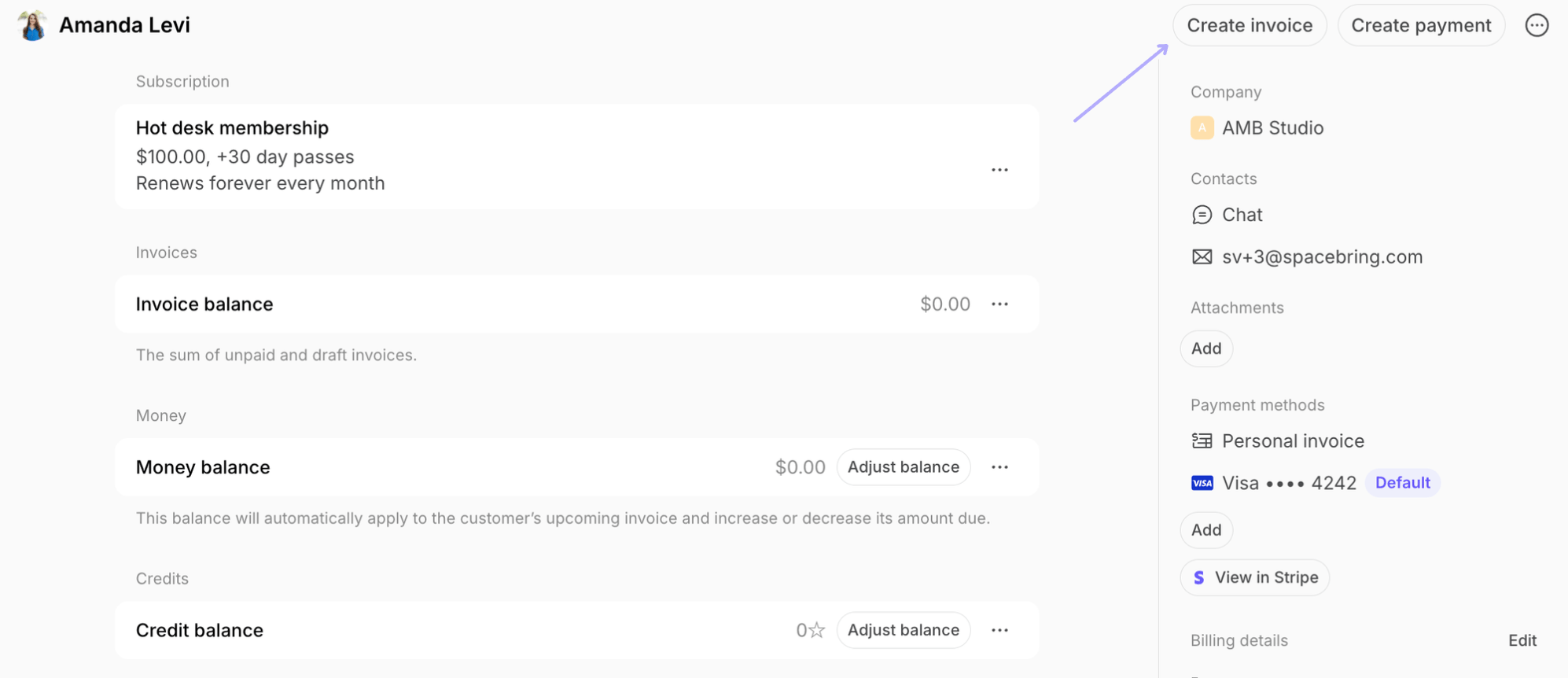
- Tap
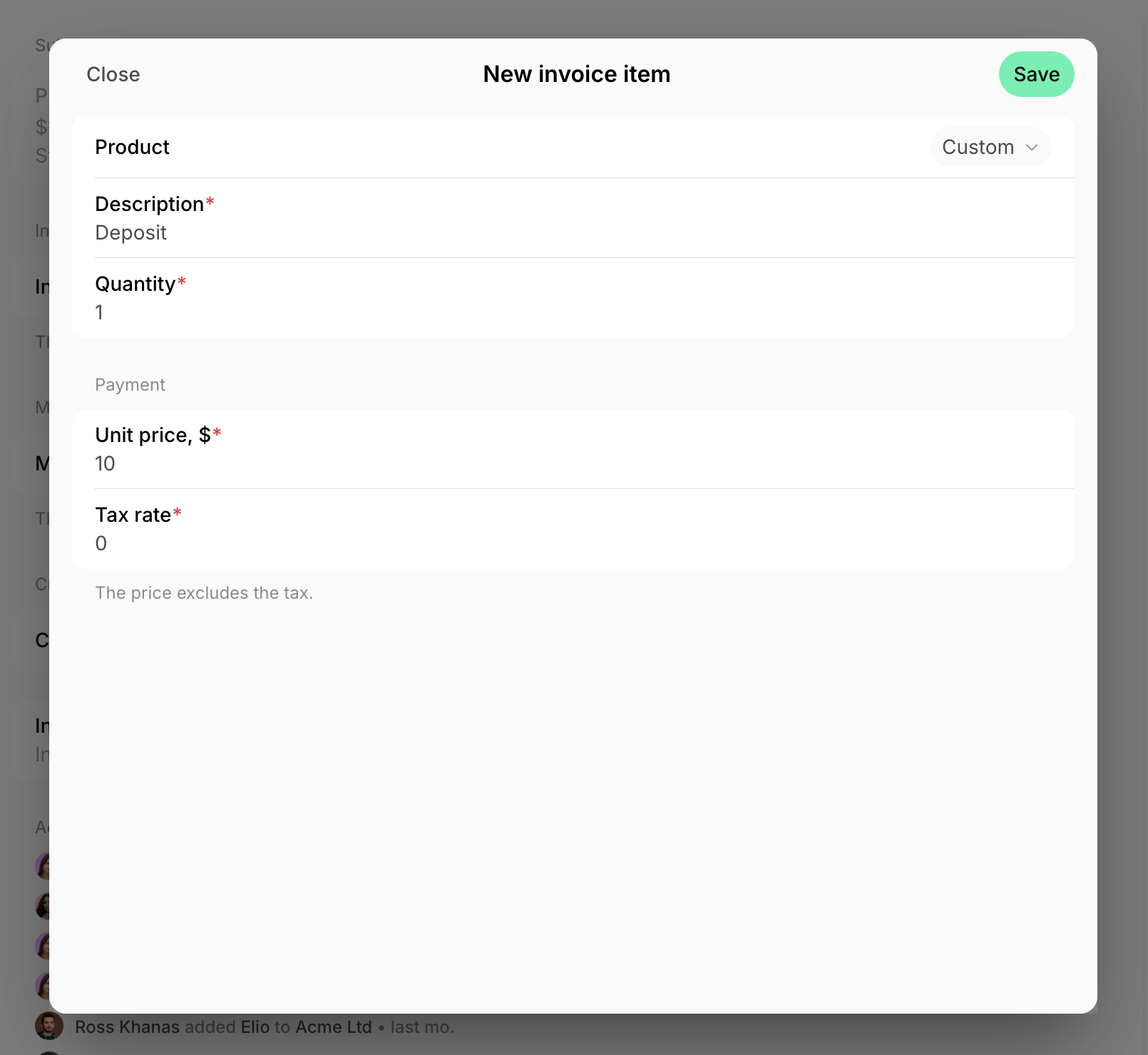
Add> in the “Product” field, select the pre-created item or keep “Custom” to add a unique item and price. - Specify “Quantity”, and fill out the other remaining fields > press
Save.
- Optionally, add an internal note to indicate the source of payment or any other relevant details for your payment records, and set a custom “Payment due” date. Press
Create. - Tap
View invoicein the confirmation window below. - Press
Issue. If a user has any saved payment methods, you’ll seeIssue and chargebutton and can charge the invoice right away.
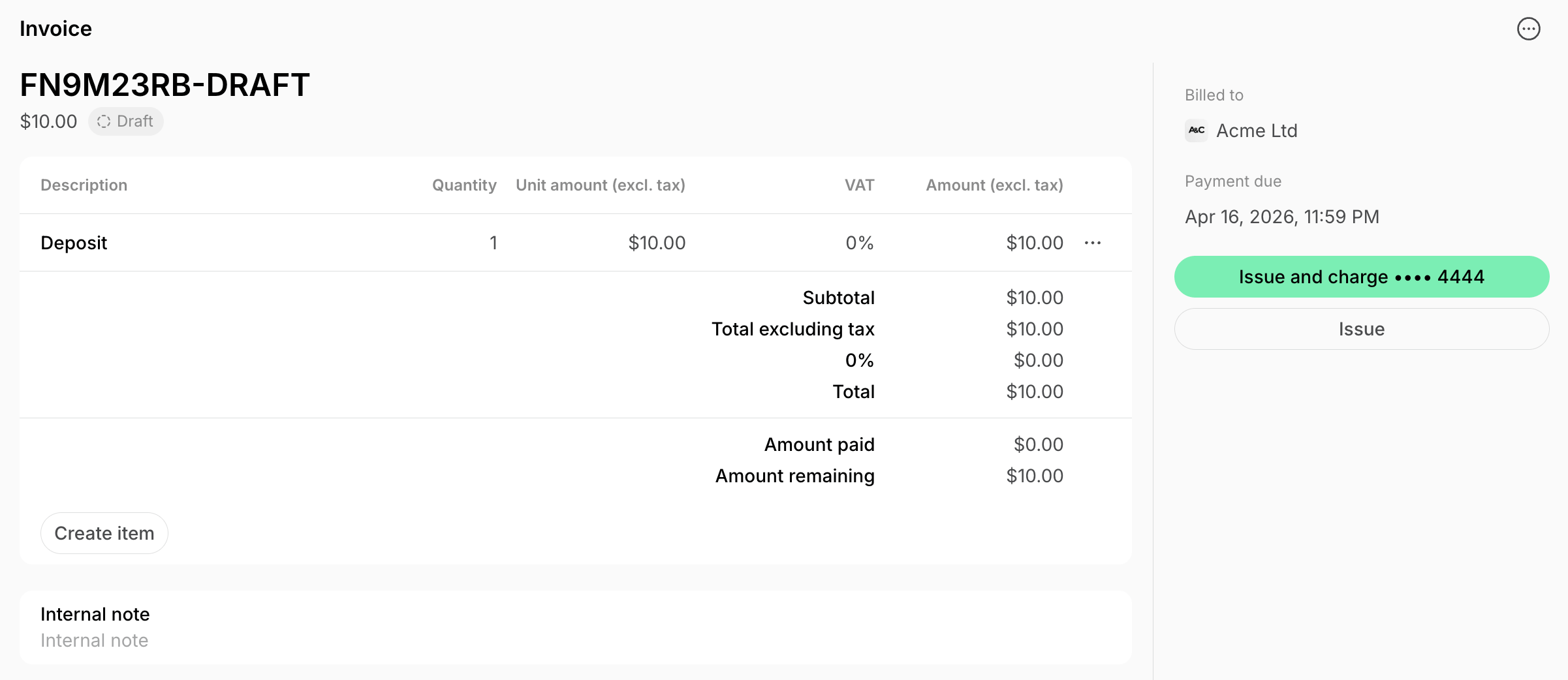
If “Require billing details” is enabled, the customer’s billing details must be added to be able to issue the invoice.
Manually created invoices use today’s issuance date and the following available sequence number.