

Keep customers in the loop until they collect their delivery
Log parcels and letters in one step. Customers get a push notification and an email, plus a reminder if it's still uncollected, and see the delivery, with any photos and comment, in the member web portal and member mobile app.
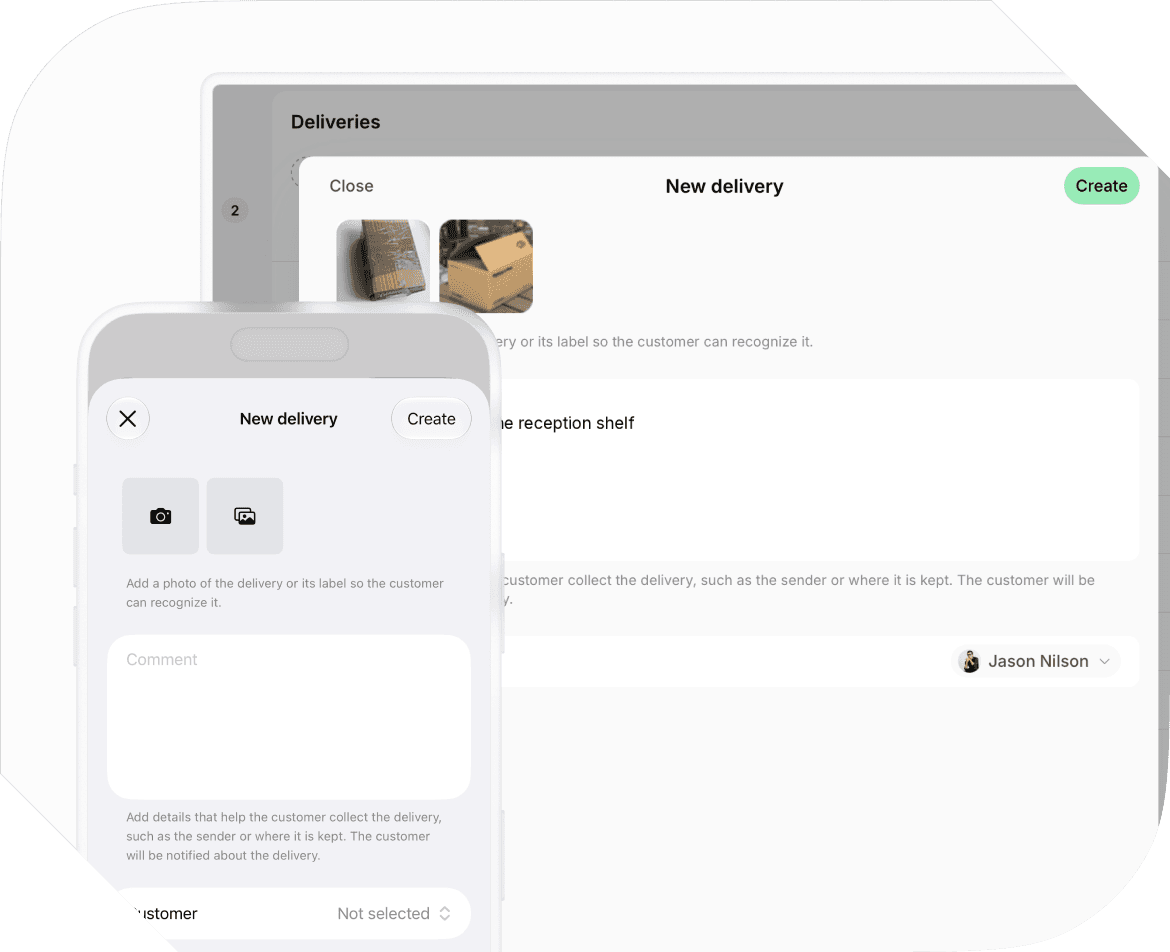
Register deliveries
Log every delivery in one step
Record each parcel, letter, or other item with photos and a comment, so the customer knows exactly what arrived, without a text message or a support ticket.
- Register a delivery for a member, nonmember, or company.
- Attach photos of the delivery or its label, so the customer recognizes it.
- Add a comment that helps the customer collect it, such as the sender or where it's kept.
- Register deliveries from the admin web portal or, right at the desk, from the admin mobile app.
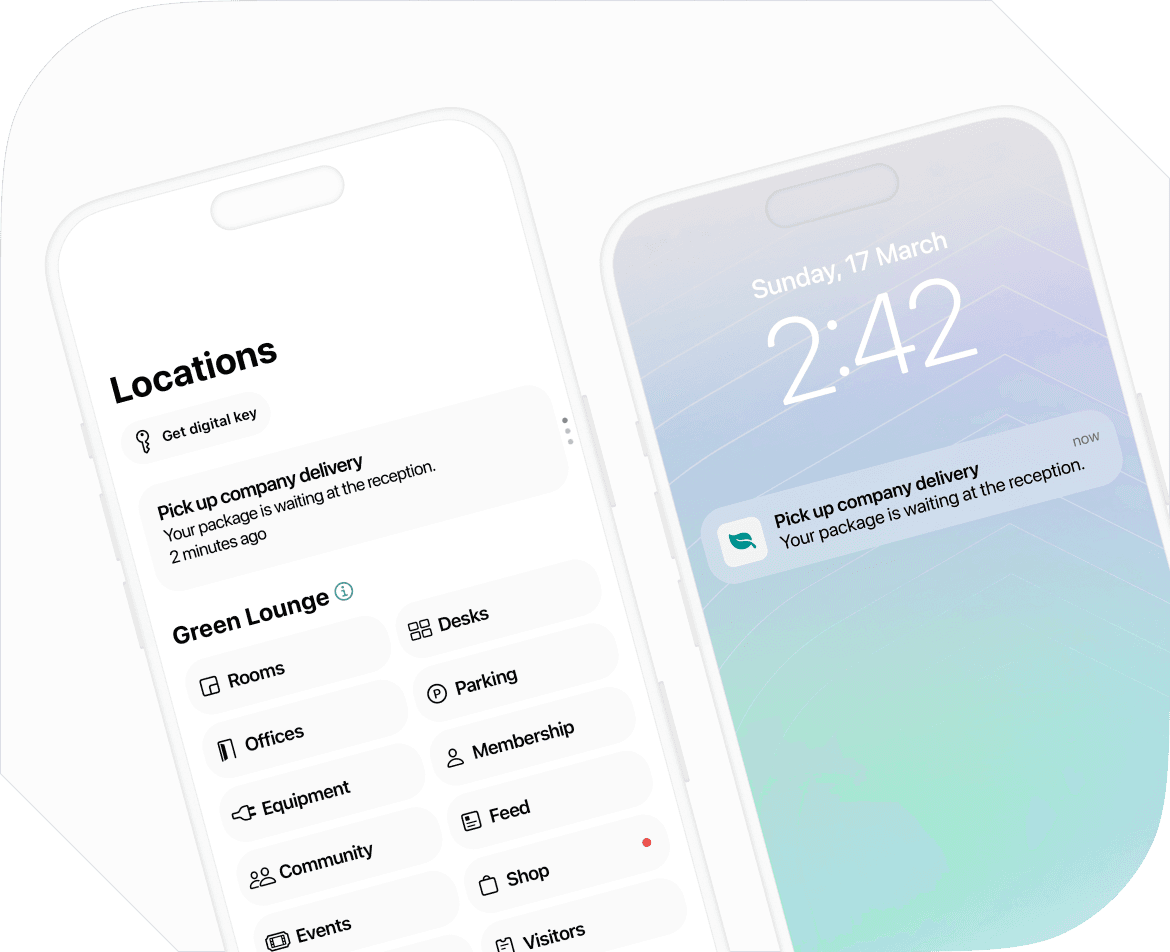
Notifications and reminders
Get deliveries collected sooner, without chasing customers
Spacebring tells the customer the moment you register a delivery, keeps it in their member portal until it's picked up, and reminds them if it's still waiting.
- Notify the customer by push and email, with a button that opens the delivery.
- Notify only a company's managers when a delivery is for a company.
- Show the delivery with its photos and comment in the member web portal and member mobile app until it's picked up.
- Remind the customer by push and email 3 days and again 7 days later if a delivery is still uncollected.
- Send reminders only on days the location is open.
See how Deliveries fits your front desk
Book a demo, and we'll walk you through registering a delivery, notifying the customer, and tracking the pickup in Spacebring.
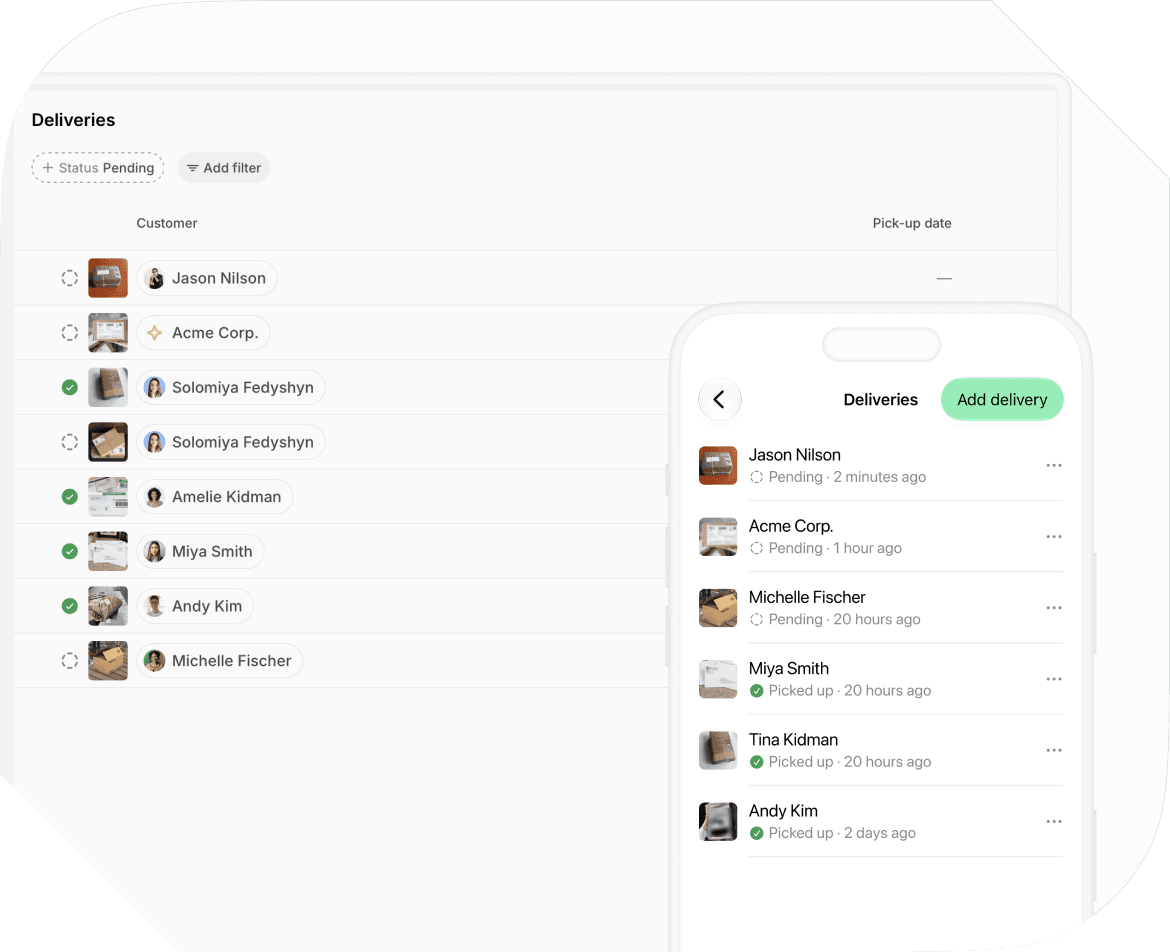
Track pickups
Always know what's still waiting at the front desk
Every delivery stays on one list with its status, customer, and dates until your team confirms the handover, so nothing leaves the list before it's collected.
- Filter deliveries by status, customer, or create date.
- Check when each delivery arrived and when it was picked up.
- Mark deliveries as picked up at handover, one at a time or several at once.
- Edit a delivery's photos, customer, or comment.
- Delete a delivery that goes back to the carrier, so the list stays accurate.
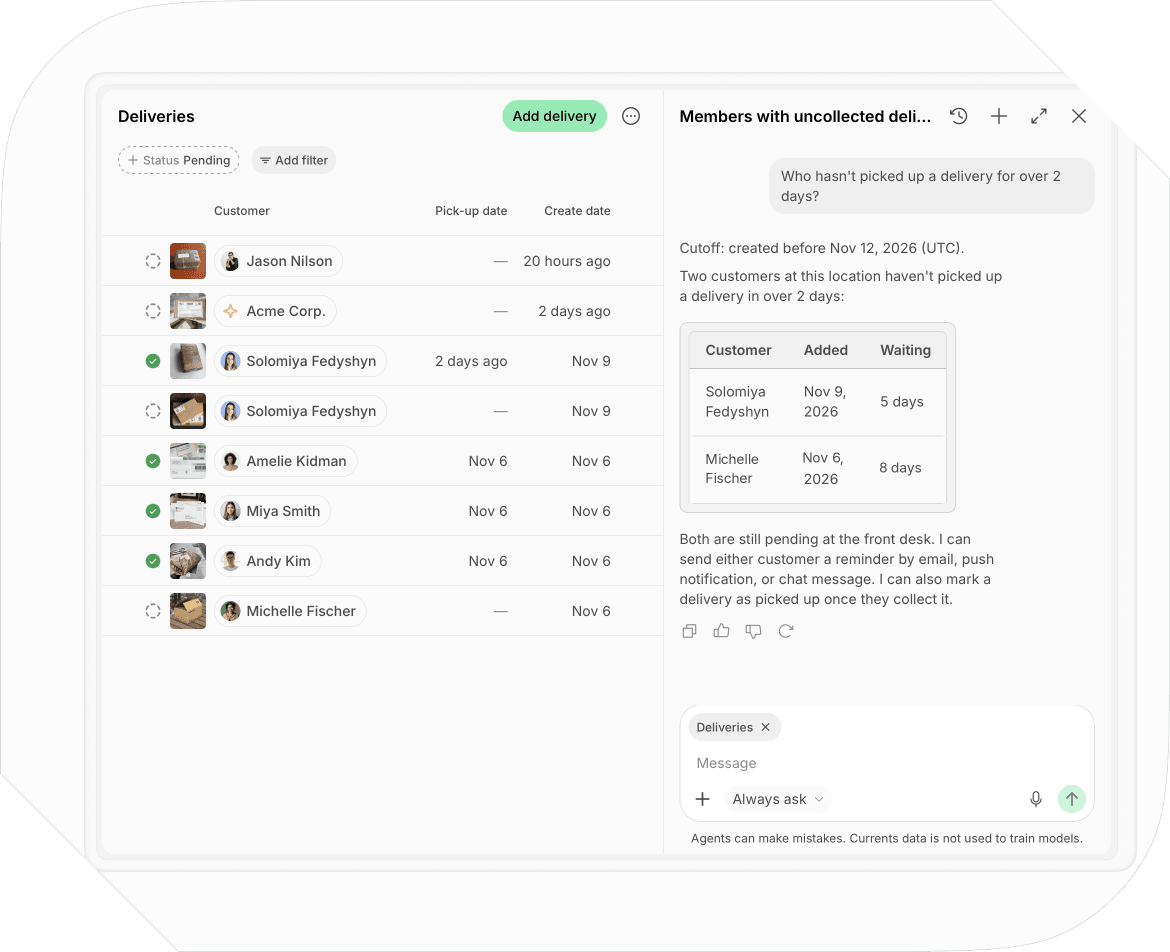
Delivery analytics
Get delivery insights without building reports
Spacebring Intelligence answers questions about your deliveries in plain words, as a table, chart, or file, and agents send your team delivery reports on a schedule. Agent runs are paid from your prepaid balance.
- Ask Spacebring Agent which customers haven't picked up a delivery in a few days.
- See how many deliveries arrived and were picked up in any period, as a summary, chart, or CSV file.
- Email your team a list of deliveries still waiting, on a schedule, with an agent.
- Remind customers about an uncollected delivery by email, push notification, or chat message, or mark it picked up, by asking Agent.
- Export a delivery report as CSV or XLSX.

Track deliveries at your coworking space
Deliveries is included with Spacebring. Use it in the admin web portal and the admin mobile app.