

Spacebring works where you work. Message Spacebring in WhatsApp about bookings, invoices, members, tickets, and more, without opening the admin dashboard.
Ask Spacebring where you already work
- Connect Spacebring to WhatsApp from Spacebring Agent, then ask in plain language in your one-to-one chat.
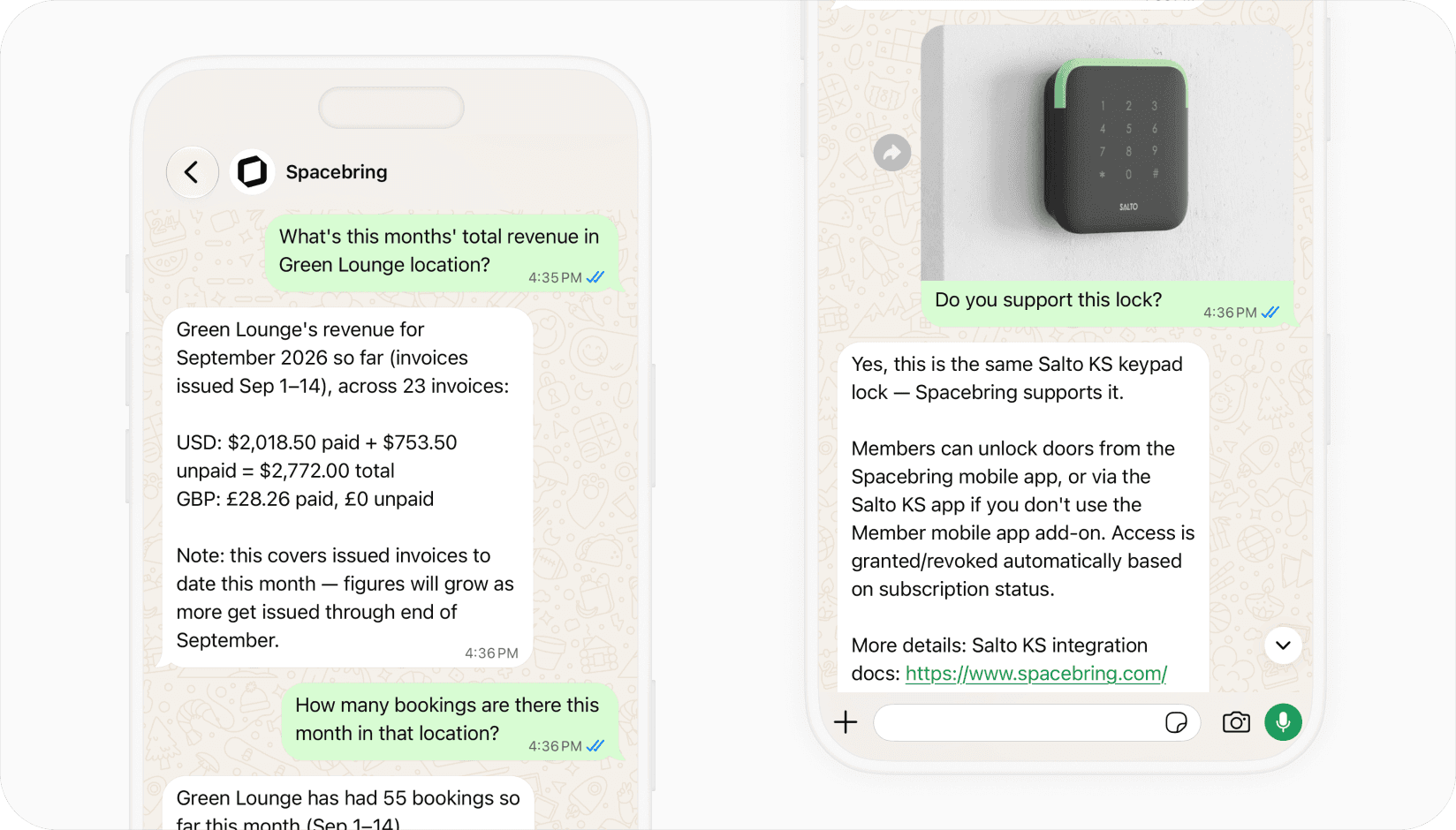
- Attach an image, such as a screenshot, and put your question in the caption so Spacebring can read it and answer from your network.
- Follow up in the same one-to-one chat; Spacebring keeps the conversation so you do not start from scratch.
- Get answers as clear sentences and short lists, or a link straight into the right place in Spacebring.
Stay on top of the space from WhatsApp
- Check members, companies, plans, and subscriptions without opening the dashboard first.
- Look up invoices, payments, bookings, and occupancy when you are away from the desk.
- Ask about shop orders, events, tickets, benefits, visitors, and support tickets in one place.
- Combine questions in one request — for example unpaid invoices for a location last month.
Built for how operators actually ask
- Spacebring answers in your one-to-one WhatsApp chat — not in groups.
- It replies when you write; it does not message you first.
- Questions stay tied to the Spacebring network you connected, with the permissions of your Spacebring role.
- The same conversation is saved as a Spacebring Agent chat in the admin dashboard, so you can continue there when you need charts, files, or edits.