


Coworking billing looks simple from the outside: a member joins, you send an invoice, they pay.
In reality, it rarely stays that simple for long.
A member joins on the 17th. Another moves from a hot desk to a private office halfway through the month. Someone books a meeting room, buys extra day passes for their team, then asks for a receipt. Meanwhile, an invoice goes unpaid because a card expired, and your accountant wants to know why the payment provider and the books do not match.
None of this is unusual. It is just everyday coworking.
The challenge is not sending an invoice. It is keeping all those small changes clear for members and manageable for your team—without turning the first week of every month into an admin marathon.
This guide shares a practical way to think about coworking space billing: what needs to work together, where problems usually start, and how to make the process feel easier for everyone involved.
What does coworking space billing include?
Coworking space billing is everything that happens between a member choosing a plan and the payment appearing correctly in your records.
That includes:
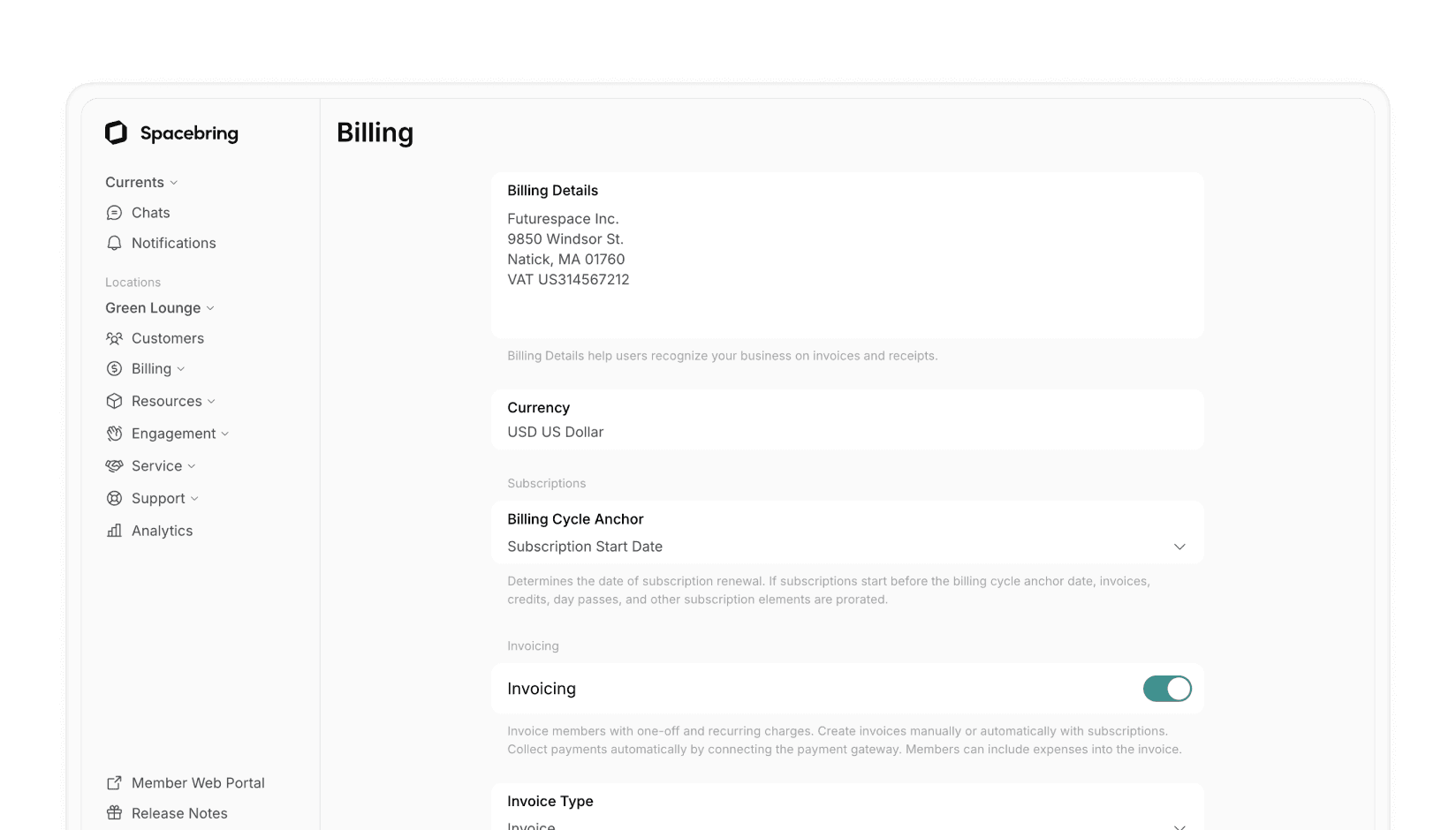
- The membership plan: what the member gets, how much it costs, and how often they are charged.
- The subscription: the recurring arrangement that keeps a membership active from one billing period to the next.
- The invoice: a clear record of membership fees, taxes, discounts, and additional purchases.
- Payment collection: giving the member a convenient way to pay and giving your team visibility when payment is still outstanding.
- Adjustments: handling credits, refunds, plan changes, or corrections without creating confusion later.
- Accounting: getting accurate billing information into the system your finance team relies on.
When these pieces live in separate places, billing becomes fragile. Someone has to remember the upgrade, add the room booking, check the payment, update the spreadsheet, and tell finance what changed.
When they work together, your team can spend less time stitching together information and more time looking after members.
The moment billing starts to feel difficult
Most spaces do not wake up one day with a “billing problem.” It builds gradually.
At first, manual work feels harmless. There are only a few members. You know everyone by name. An invoice can be adjusted in a few minutes, and a friendly reminder by email is enough to collect a late payment.
Then the space grows. More members means more plan types, more start dates, more companies, more payments, and more exceptions. Add a second location or a new currency, and even a good spreadsheet starts to feel like a risky place to run revenue.
Here are the warning signs that it is time to improve the process:
- You are calculating prorated charges by hand.
- Room bookings, passes, printing, lockers, or events are billed separately from memberships.
- Members regularly ask where to find an invoice or how to update their billing details.
- Your team spends the beginning of the month chasing payments instead of serving the space.
- Finance has to reconcile the same payment in several systems.
- You are opening another location and wondering whether everything needs to be rebuilt.
Culture Co-Working faced that reality while managing two locations. After moving away from manual invoicing, the team reduced invoicing work from hours to minutes. Their story is a useful example—not because every space has the same needs, but because the underlying issue is familiar: manual billing eventually takes attention away from the community.
A simple rule: bill the way members experience your space
Members do not think in terms of separate systems. They see one relationship with your space.
They may have a monthly membership, bring a guest one day, book a meeting room the next week, and renew their plan at the end of the month. From their point of view, those are all parts of being a member. Your billing should reflect that.
A good experience usually has three qualities:
1. Members know what they are paying for
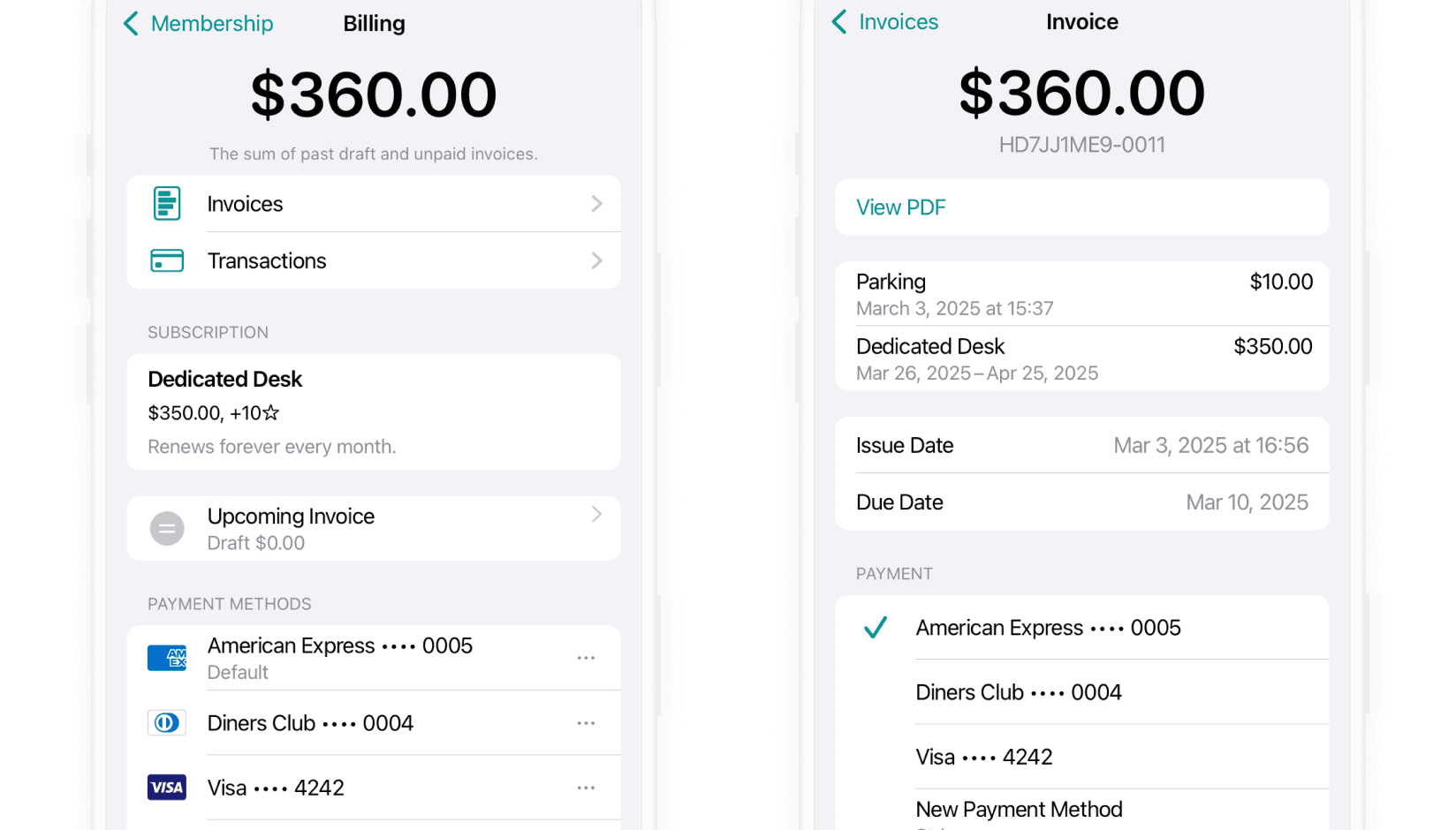
An invoice should not make someone guess. It should show the plan, the period covered, any additional services, discounts, tax, and the amount due in plain language.
This matters even more when a charge changes. If a member upgrades, pauses, or receives a credit, explain it clearly. A confusing invoice can turn a reasonable adjustment into a support ticket—and sometimes into a damaged relationship.
2. Members can solve simple things themselves
Most people do not want to email a coworking manager to find an invoice, check a balance, or update billing information. They want to do it in a minute and get back to work.
A self-service member portal is helpful here. For example, Spacebring gives members access to their subscription and billing details, while supporting online payment flows for invoices. The point is not to push more work onto members; it is to remove unnecessary waiting on both sides. See how the member portal works.
3. Your team can see what needs attention
Automation should not make billing invisible. It should make the right things visible.
Your team needs a clear view of unpaid invoices, payment status, upcoming renewals, and adjustments. That way, a member who needs help does not get lost in a spreadsheet or buried in an inbox.
The parts of coworking billing worth getting right first
You do not need to automate every edge case on day one. Start with the workflows that create the most repeated work or the most avoidable confusion.
Membership plans and recurring billing
Your plans are the foundation of your revenue model. Before setting up automation, make sure they describe how you actually sell access.
For each plan, be clear on:
- Who it is for.
- What it includes.
- What happens each billing period.
- Whether the plan can be purchased publicly or only assigned by your team.
- What should happen when someone changes plans mid-cycle.
For example, a hot-desk membership, a dedicated desk, and a private office may all renew monthly, but they do not necessarily have the same rules for access, included credits, or upgrades.
A subscription connects those rules to a recurring member relationship. In Spacebring, subscriptions can issue recurring invoices and can be set up with benefits such as discounts, credits, and day passes.
The key is not the terminology. It is having a repeatable rule so staff do not have to decide from scratch every time a member asks, “Can I switch plans today?”
One-off purchases and add-ons
This is where many billing processes quietly break down.
Membership fees tend to be organized. Extra charges do not. A meeting-room booking is recorded in one place, a printing charge is mentioned in a message, and a guest pass gets paid at the front desk. At the end of the month, someone has to remember what belongs to whom.
Whenever possible, keep add-ons connected to the member account. It creates one clearer bill, makes revenue easier to track, and reduces the chance that a charge simply never gets invoiced.
This does not mean every small purchase must wait until month-end. It means your billing process should have a consistent home for it.
Payments and late-payment follow-up
A late payment is often not a difficult conversation. It is an expired card, a missed notification, or a member who intended to pay later and forgot.
Treat the process accordingly:
- Make the invoice easy to understand.
- Offer convenient online payment methods that suit your members and region.
- Make it easy for members to update their billing information.
- Give your team a single place to track invoice and payment status.
- Use a clear, considerate follow-up policy rather than starting from scratch every time.
Spacebring supports online payments and payment-status tracking, so teams can see what is paid and what still needs action.

The human part matters here. A reminder should sound helpful, not accusatory. “Your payment method may need updating” is much more constructive than making a member feel they have done something wrong.
Credits, refunds, and corrections
Even with a well-designed process, things change. A service may not be delivered as planned. A member may be owed a refund. A plan change may need an adjustment.
What matters is that the correction is traceable.
Avoid deleting or overwriting billing records just to make a problem disappear. Use the right adjustment—such as a credit, refund, receipt, or credit note—so the member, the operations team, and finance can all understand what happened later.
This is not only an accounting habit. It is a trust habit. Members are more comfortable when they can see how a correction was handled.
Accounting integration
Your coworking platform and your accounting software have different jobs.
The coworking platform should help you run the day-to-day member relationship: plans, purchases, invoices, and payments. Your accounting platform should help finance maintain the books.
Connecting the two can remove a lot of duplicate entry, but it is not something to set up and forget. Before rolling it out, test a few real situations:
- A normal recurring invoice.
- A payment received online.
- A discount or credit.
- A tax rate that needs to map correctly.
- A refund or adjustment.
Spacebring integrates with Xero, QuickBooks Online, Holded, Zoho Books, Odoo, and Exact Online. The exact sync behavior depends on the integration and configuration, so it is worth testing your own workflow before relying on it at month-end. View the accounting integrations.
How to choose coworking billing software without getting lost in feature lists
Every billing tool promises automation. The more useful question is: what will it save your team from doing manually every month?
Use these questions when comparing options.
| Ask this | Why it matters |
|---|---|
| Can it handle memberships and additional purchases in one member account? | You avoid separate invoices and fewer charges slip through the cracks. |
| Can members view their billing details and pay online? | Members resolve routine requests themselves, and your team has fewer repetitive messages to answer. |
| Can it handle plan changes, discounts, credits, and refunds cleanly? | Coworking is flexible. Your billing needs to be flexible without becoming messy. |
| Does it support the currencies, taxes, and payment methods you need? | These are hard to bolt on later, especially across markets. |
| Does it connect to your accounting software? | Reducing duplicate entry helps prevent reconciliation errors. |
| Can it support multiple locations as you grow? | A new location should not mean starting billing from zero. |
| Does it support the eInvoicing requirements that apply to you? | In some markets, a PDF alone is not enough. |
A good tool will not remove every decision from your team. It will make the recurring decisions predictable and the exceptions easier to handle.
Taxes, currencies, and eInvoicing: do not leave this until expansion
Tax and invoicing rules are not the most exciting part of running a coworking space, but they become very important when you grow across borders, invoice business customers, or open a new location.
Start with the basics:
- Make sure your legal business information is correct on invoices.
- Set up the appropriate tax treatment for the services you sell.
- Decide which currency each location and customer should be billed in.
- Check whether your country or customer type requires structured electronic invoicing.
The details depend on where you operate. In some markets, businesses need to use specific eInvoicing networks or formats rather than simply emailing a PDF. Spacebring supports eInvoicing workflows for selected markets and networks, including Peppol, KSeF, myDATA, VERI*FACTU, and ZATCA Fatoorah. It also supports multiple currencies per location and alternative currencies for members or companies.
Read the coworking eInvoicing guide.
This is a place to be careful, not casual. Confirm the local requirements that apply to your business and get professional tax advice when needed.
Five mistakes that make coworking billing harder than it needs to be
1. Treating room bookings and memberships as separate worlds
When member purchases are scattered, staff have to reconcile them by hand and members receive a less clear experience.
Better approach: Give recurring memberships and extra purchases a shared billing home.
2. Making exceptions up as they happen
Without clear rules for upgrades, pauses, cancellations, and credits, every staff member may make a slightly different decision.
Better approach: Agree on the common scenarios early, document them internally, and communicate them plainly to members.
3. Thinking automation means no human oversight
Automation is there to remove repeated work—not to hide problems.
Better approach: Keep a regular review of unpaid invoices, unusual adjustments, and sync issues so small problems stay small.
4. Making payment feel like a dead end
A member who cannot easily find an invoice, understand a charge, or update their payment details will contact your team—or delay paying.
Better approach: Make the next step obvious and easy.
5. Waiting until a second location to think about currency and compliance
By then, your original billing setup may be holding back the launch.
Better approach: Choose tools and processes that can support your likely next stage, even if you only use a small part of that capability today.
Coworking billing FAQ
1. What is coworking space billing?
Coworking space billing is the process of charging members for plans and services, collecting payment, handling adjustments, and keeping the information accurate for operations and accounting.
2. How do coworking spaces automate billing?
They connect membership plans, recurring subscriptions, invoices, payments, member billing details, and accounting workflows. Automation is most valuable when it reduces repeat work such as issuing recurring invoices, recording purchases, and checking payment status.
3. How often should coworking members be invoiced?
Monthly billing is common for recurring memberships, but the right schedule depends on your plan terms and cash-flow needs. One-off services can be charged at the time of purchase or added to a later invoice, as long as the policy is clear to members.
4. How should a coworking space deal with overdue invoices?
Make payment straightforward, send considerate reminders, and keep a consistent escalation policy for your team. Many overdue invoices are caused by outdated payment details or a missed message, so start by making it easy for the member to resolve the issue.
5. Can coworking billing software include meeting rooms and other add-ons?
Yes—and it should whenever possible. Combining recurring membership fees with meeting rooms, passes, and other services creates clearer invoices and makes it easier to track revenue.
6. Do coworking billing platforms integrate with Xero and QuickBooks?
Many do. Spacebring offers integrations with Xero and QuickBooks Online, among other accounting platforms. Review the integration's sync behavior and test tax and payment scenarios before moving your whole billing process over. Learn about the Xero integration.
7. Is eInvoicing required for coworking spaces?
It depends on your country, the type of customer you invoice, and local rules. Check the requirements in each location where you operate rather than assuming a PDF invoice is sufficient.
Make billing feel less like admin and more like good service
The best billing process is not the most complicated one. It is the one that gives members confidence and gives your team control.
Members should understand what they are paying for, be able to handle routine billing tasks without waiting, and know where to go when something changes. Your team should be able to see the full picture without hunting through spreadsheets, payment dashboards, and email threads.
That is where automation earns its place—not as a cold, hands-off system, but as a quieter, more reliable way to run the everyday work of your space.
To see how memberships, invoices, payments, and accounting integrations can work together, explore Spacebring billing or book a demo.