

Running a coworking space is a labor of love. You're part community manager, part bookkeeper, part event planner and, on a bad Tuesday, part printer technician.
For a while, "using AI" mostly meant asking a chatbot to write a room description or a newsletter. Handy, but you still did all the running around: copying the draft, finding the right member, sending the email, checking whether the invoice got paid.
That has changed. AI can now do the routine work itself, inside the software that runs your space. This guide shows what that looks like day to day, with prompts and agent setups you can copy, and where a person should stay in charge.
In short
- Ask. Get answers and reports from your own data in plain words, instead of clicking through five pages.
- Act. Let AI make the changes, like creating rooms or fixing a subscription, and approve them before they happen.
- Automate. Set up agents that do a job every time something happens, such as a canceled booking or a signed contract.
- Stay human. Keep tours, tricky conversations, and the hello at the front desk for your team.
Assistant or agent: what's the difference?
The two words get mixed up a lot, so here's the simple version.
An AI assistant waits for you. You ask a question or give it a task; it does it, and it's done. Think of a sharp colleague you can lean over and ask, "Who hasn't paid this month?"
An AI agent has a standing job. It starts on its own when something happens, or on a schedule, and does the same job every time. Think of a colleague whose job is "every time someone cancels a booking, offer them another slot."
In Spacebring Intelligence (SI), you get both. Spacebring Agent (formerly Lem AI) is the assistant you chat with. Agents are the ones you create for routine jobs. One is your chief of staff; the others are the staff.
| Spacebring Agent (assistant) | Agents you create | |
|---|---|---|
| Starts when | You ask | Something happens, or on a schedule |
| Best for | Questions about your data or the web, reports, one-off or bulk changes | Jobs you repeat every day or week |
| Checks with you | Shows you each change and waits for your OK, unless you turn on automatic approval | Works on its own, only within the permissions you give it |
| Where it works | Admin web portal, admin mobile app, WhatsApp, Telegram, Slack | In the background, in the locations you choose |
Step 1: Ask your data instead of digging for it
Most admin time isn't spent doing things. It's spent finding things: which invoices are overdue, who's in today, how busy the meeting rooms really were last month. The answer exists; it's just spread across lists, filters, and a CSV export you'll clean up "later".
With Spacebring Agent, you type the question the way you'd ask a colleague. A few that operators use every week:
- "List all unpaid invoices from last month."
- "Which members' subscriptions expire this month?"
- "How many hot desk bookings did we have last week?"
- "Who is checked in right now?"
- "Make a bar chart of bookings per day this month."
- "Who paused payment collection on Acme Inc's subscription?"
- "Did john@example.com get his invoice email this week?"
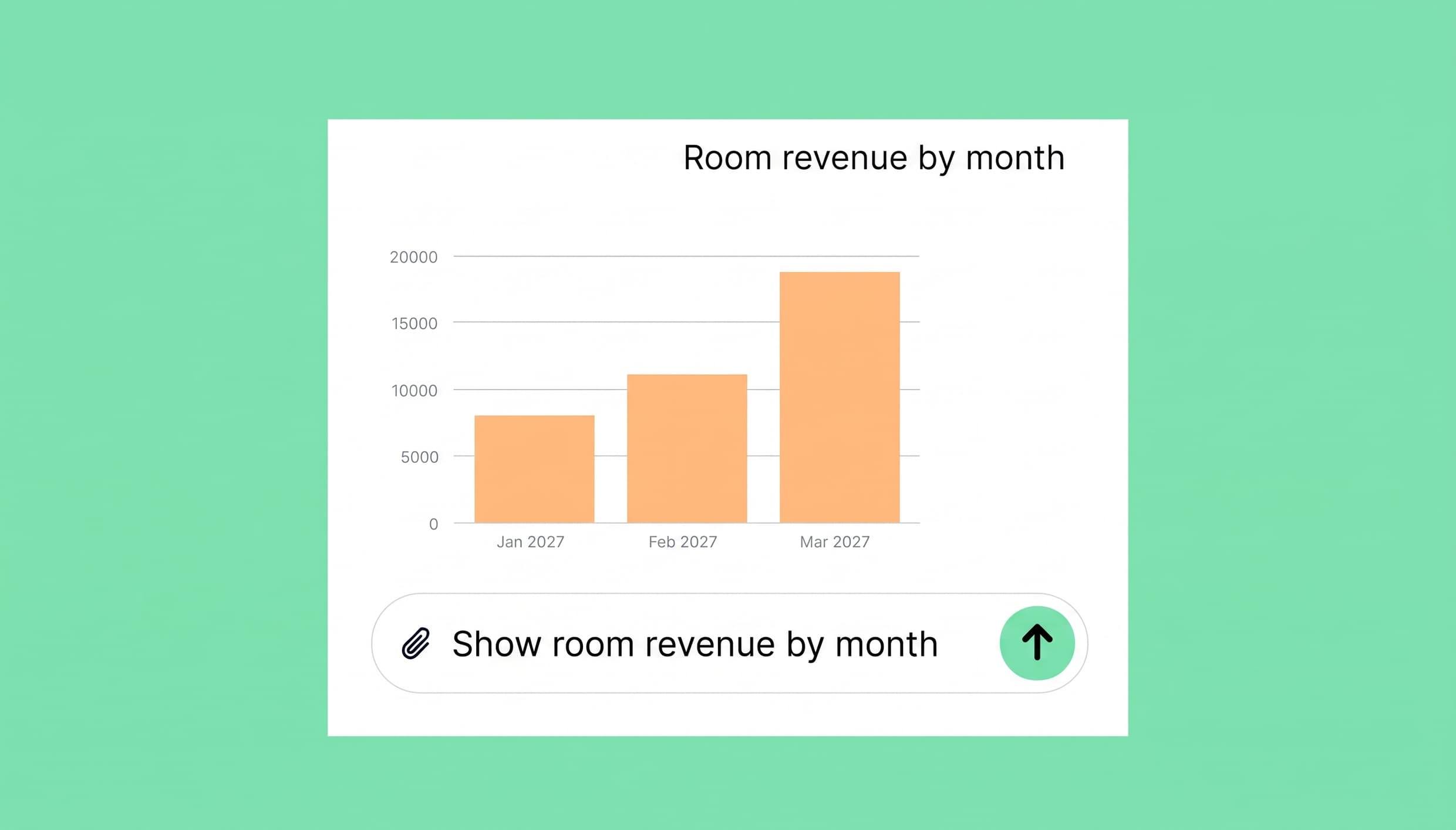
Illustrative example: ask Spacebring Agent for a monthly revenue report.
Three habits make the answers better:
- Ask from the page you're on. Open Agent on a member's profile and ask, "Does this member have unpaid invoices?" It knows who "this member" is.
- Be specific. "Bookings for Meeting Room A between 1 and 5 October" beats "show me bookings".
- Follow up. Got a list of invoices? Say, "Now only the ones issued on 5 March," or ask for it as a .csv file to open in a spreadsheet.
Agent answers in the language you write in, and it can look at any period, including past months, so "What was our occupancy in Riverside last March, and which days were busiest?" is a fair question.
It isn't limited to your own data, either. Spacebring Agent can search the web and mix what it finds with your numbers. Try: "Compare our meeting room prices with other coworking spaces in our city."
Step 2: Hand over the clicking
Answers are nice. Getting the work done is better. Spacebring Agent can also make changes for you: create and edit items one at a time or in bulk, manage bookings and billing, message customers, and change settings.
Some requests that save real time:
- Setting up rooms: "Create three meeting rooms in Riverside: Oak for 4 people, Pine for 6 and Cedar for 10, all at €25 an hour." Attach a spreadsheet of your rooms and their photos, and it can work from that instead.
- Events in a series: "Create a Founders' Breakfast every Tuesday from April to August at 8:30 in the café."
- Fixing billing in bulk: "Remove the 100% coupon from all subscriptions in Riverside." One operator applied a 100% discount to a year of subscriptions by mistake and fixed all of them with one request.
- Emailing members: "Email the members of Acme Inc that their office will be painted on Friday and suggest the quiet room instead." The email goes out under your network's name and branding, in each member's own language.
- Posting to your feed: "Write a feed post about Thursday's pitch night, and post a version for each location."
- Small settings: "Change the Wi-Fi password in Riverside to Spring2026."
Last month, a new Spacebring customer set up their whole account by uploading a file with their data. Spacebring Agent had it ready in 13 minutes.
You stay in control. When Agent is about to change something, it shows you what it will do and waits for your OK. Once you trust a routine, you can turn on automatic approval. And when an answer has created or changed something, there's no "retry" button, so nothing gets done twice by accident.
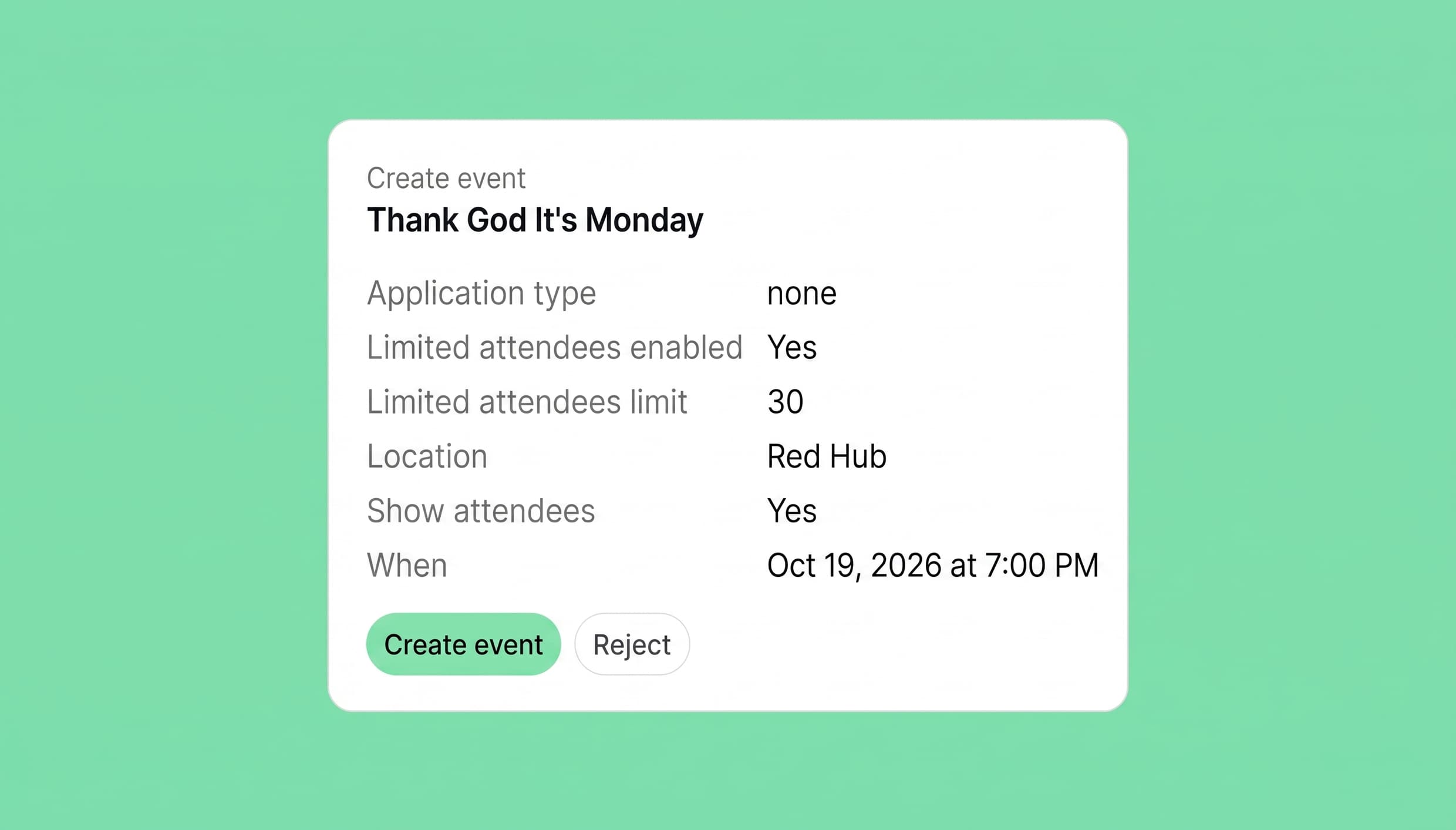
Review the proposed event, then approve or reject it.
Step 3: Give routine jobs to agents
Here's where it gets fun. Think about the jobs you repeat every day: the follow-up email, the Monday events post, the reminder nobody remembers to send. Those are jobs for agents.
Before handing over these tasks, coworking operators need to know whether an AI agent can complete each workflow reliably. Testing in simulated settings, such as RL environments, lets agents practise multi-step tasks and learn from feedback without affecting real members or bookings.
Setting one up takes a few minutes in Network settings > Agents:
- Name and photo. Members see them on anything the agent publishes, so pick something friendly, like "Front Desk" or "Billing Assistant".
- Trigger. What starts it: an event (Booking canceled, Contract signed, Invoice issued, and many more), a schedule (daily, weekly, or monthly, at a time you pick), or something that happens in another app.
- Locations. All of them, or only some.
- Instructions. What it should do, in plain words.
- Permissions. For each area, such as Feed, Billing, or Support, choose "No access", "Can view" or "Can manage".
Not sure where to begin? Start from a ready-made template: “Follow up a canceled booking”, “Follow up a signed contract”, “Confirm a paid order”, or “Welcome a new member”. The form opens already filled in, and you can change anything before you create the agent.
Eight agents worth setting up
| Agent | Starts when | What it does |
|---|---|---|
| Second chance | Booking canceled | Emails the customer three free slots for the same room that week |
| Welcome | Subscription purchased | Emails day-one details: where to go, opening hours, how to get in, in the member's language |
| Contract follow-up | Contract signed | Emails access details, house rules, and what happens next |
| This week | Schedule: Mondays at 9:00 | Posts the week's events to the feed in each location |
| Stay with us | Subscription ending soon | Emails the member the plans they can continue on |
| Smooth payments | Invoice issued | Asks customers with no saved payment method to add one |
| Visitor heads-up | Visit created | Emails the front desk the visitor's name, host and arrival time |
| Monthly numbers | Schedule: 1st of the month | Emails you last month's revenue and new members |
How to write instructions that work
Write them the way you'd brief a new team member on their first day. Here's a real example for the Welcome agent:
When someone buys a subscription, look up the customer and our location guides. If this isn't their first subscription, do nothing. Otherwise, write a short, warm email in the customer's language with: the address and how to get in, our opening hours, how to connect to Wi-Fi, how to book a meeting room, and one upcoming event they might like. Sign off as "The Riverside team".
Notice what that brief does:
- It says what to look up first (the customer, the guides).
- It says what to produce and for whom (an email, to the customer).
- It says when to do nothing (not their first subscription).
- It says which language to use.
And keep to one job per agent. If you want a second job done, create a second agent. It's easier to test and easier to fix.
Connect the other apps you use
Your CRM, task board, or wiki can join in too. An agent can connect to another app, such as HubSpot, Asana or Quo, through its MCP server, the open standard that lets AI tools work together, and then look up a deal, read a page, or create a task there. For example, an agent that runs when someone requests to join could create a deal for them in your CRM, so your sales follow-up starts on time.
The 3 a.m. Wi-Fi question
Every operator knows this one. A member can't connect, it's late, and the ticket will sit there until morning.
Spacebring's support AI replies to new support tickets using your location guides and the way your team solved similar tickets before. It only answers when it's confident. If it isn't, it stays quiet and leaves the ticket for your team. It also steps back as soon as an administrator replies, so it never talks over a person. It can assign each ticket to the right administrator, too.
The quality of its answers depends on your guides. So the best thing you can do this week is update them: Wi-Fi, printing, guests, kitchen rules, how to book a room. That helps members who look things up themselves, and it gives the AI something good to work from.
New member service agent carries the name you choose and tells members they're talking to an AI assistant.
Five habits that keep AI safe
Handing work to AI only makes sense if you can trust it. These habits make that easy.
- Give each agent only the access its job needs. Your Feed agent can post to your community, but it doesn't need to touch billing. Turn on only the areas the job requires.
- Test before you rely on it. Agents don't stop to ask for approval, because a run has nobody to ask. So cause the trigger yourself a few times, or set the schedule to 15 minutes from now, then read what it did and adjust the instructions.
- Read the runs. Every run is logged: what started it, when, and what the agent did. Invisible army, yes. Invisible work, no. A run that fails isn't repeated, so a customer never gets the same email twice.
- Write down when to do nothing. "If the booking was canceled by an administrator, do nothing" saves a lot of confused emails.
- Keep people on the judgment calls. Price negotiations, disputes between members, anything where tone matters more than speed: those stay with your team.
A note on privacy: Spacebring and its infrastructure providers don't use your content to train AI models.
And one honest reminder: AI can make mistakes. Treat a new agent like a new hire. Check its work closely for the first week, then less as it earns your trust.
AI still helps with the words
Writing is where most people start with AI, and it's still useful. A few things worth handing over:
- Descriptions that sell. Give the facts as bullet points and ask for a short, friendly description. "Meeting room, The Greenhouse, seats 6, huge window, big whiteboard, easy screen sharing, good for creative teams." You'll get a draft in seconds to edit into your own voice.
- House rules people read. Paste your list of don'ts and ask for a friendlier version. "Please wash your dishes" becomes "The sink isn't a museum for your mugs." Members remember the funny version.
- Feed posts. Ask Spacebring Agent to write a post about an event, a new benefit or a shop product. It drafts the post, you review it, and you click to publish.
If you use an AI text detector to check a draft, treat its result as one input—not a verdict. Review the final copy yourself for accuracy, clarity, and your space’s tone.
Work where you already are
You don't have to sit at the dashboard to use any of this. Spacebring Agent works in the admin web portal and in the admin mobile app (mobility and AI together, something only Spacebring can do), and you can message it in WhatsApp, Telegram and Slack, like you'd message a colleague: "Who's booked the big room tomorrow?" from the train.
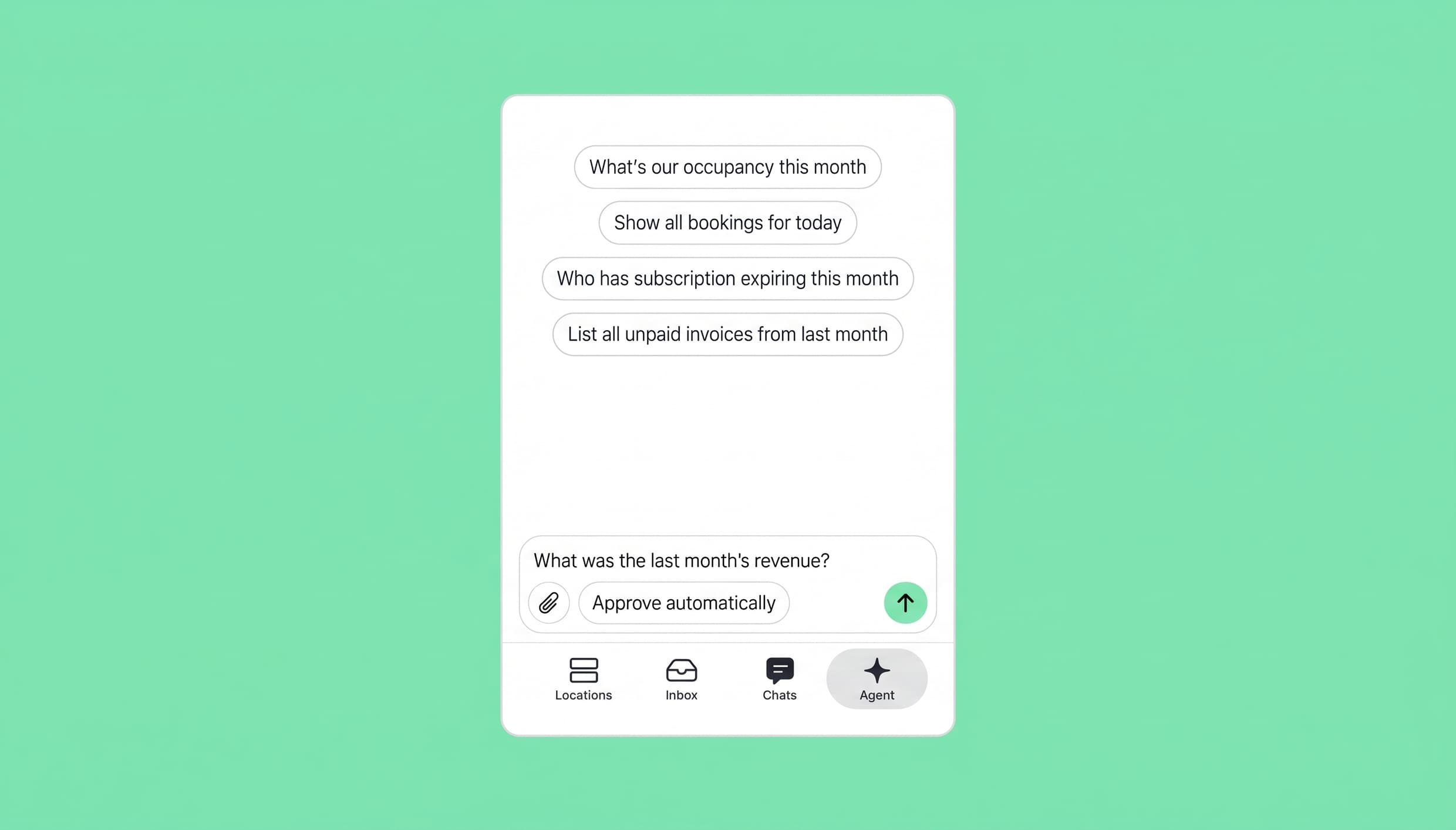
Use Spacebring Agent from the admin mobile app.
Already living in ChatGPT or Claude? Connect Spacebring there, ask about your data, and get routine jobs done without switching apps. Read more in our Claude and MCP server post.
Where to start this week
- Monday: Ask Spacebring Agent three questions you'd normally dig for.
- Tuesday: Update your location guides. Everything else gets better when they're good.
- Wednesday: Pick one job you repeat. Create one agent from a template.
- Thursday: Test it. Trigger it yourself and read the runs.
- Friday: Turn it on, and spend the time you got back on the floor with your members.
Next week, add a second agent.

See how Spacebring Intelligence helps you handle routine admin and focus on your members.
FAQ
1. Will AI replace my community manager?
No. It takes over the admin around them, so they can spend more time with members. The welcome at the door, the introduction between two members who should meet, the calm conversation when something goes wrong: that's still your team.
2. How is Spacebring Agent different from ChatGPT?
ChatGPT is a general assistant. Spacebring Agent can search the web too, but it also works on your live Spacebring data and can make changes there, such as creating a room or emailing a member. You can also use both: connect Spacebring to ChatGPT, then ask about your data and make changes from there.
3. Do members know when they're dealing with an agent?
An agent shows up in your network as its own user, with the name and photo you give it, so its feed posts and chat messages are signed by it. We recommend telling members you're using AI to answer faster, for example in a short feed post.
4. What should I never fully automate?
Anything that needs judgment or tact: pricing deals, disputes, exceptions to your rules. Let AI prepare the information, and let a person decide.
5. How much does it cost?
Spacebring Intelligence is available to all Spacebring customers. Spacebring Agent's basic actions are free. Complex actions that need coding or more powerful AI models are charged from your prepaid balance, based on what you use. Agents you create run on the same balance, and if it runs out, they pause until you top it up. To help you get started, every Spacebring customer gets a €20 (about $23) gift per location.
Your time, back
You didn't open a coworking space to chase invoices or copy dates between tabs. You opened it for the people. Let the AI handle the routine, and spend the time you get back where it matters: making somebody feel at home.
See it in action: watch the Spacebring Intelligence launch recording, read the Agents docs, or book a demo.