

Choosing the right coworking management software is a pivotal decision for your shared workspace. Two popular contenders in the market are Spacebring and Optix.
While both platforms aim to streamline operations and enhance member experience, they approach these goals differently. Optix is widely recognized for its strong focus on mobile-first design and aesthetics. Spacebring, conversely, positions itself as an accessible, unified powerhouse focused on automation, universal accessibility, and revenue generation.
This guide compares the two platforms to help you decide which aligns best with your business model.
Quick verdict: the core difference
- Optix is a design-forward solution that prioritizes a mobile-app experience for members and workflow automations. It is best suited for spaces that want a specific mobile workflow and are comfortable managing distinct apps for different admin functions (events, visitors).
- Spacebring is a comprehensive ecosystem that prioritizes accessibility and superior member service. It allows members and non-members to engage via both web and mobile apps, while empowering admins with a web dashboard and a powerful companion mobile app to solve issues and manage the community on the go.
1. Accessibility: mobile-first vs. multi-platform
The most significant structural difference between the two is how members access the platform.
Optix: mobile-centric
Optix is designed as a "mobile-first" experience. While they offer web widgets for simple drop-in bookings, the core member experience—community, perks, and account management—lives primarily in the mobile app. This creates a sleek interface but can create friction for users who prefer a full-featured browser experience or don't want to download an app just to interact with your space.
Spacebring: universal access
Spacebring takes a "meet them where they are" approach.
- Web & mobile parity: Members and non-members can access full functionality via native iOS/Android apps or a responsive web app.
- Frictionless booking: Clients can book rooms, buy passes, and sign up directly from a web browser without installing software.
Mario Abrego, the co-founder of Workps shares his reasons for choosing Spacebring over Optix.
Spacebring's app makes things so much easier for our members! They love being able to book rooms and shop right from their phones. With Spacebring, members and nonmembers have the freedom to choose the platform.Mario AbregoCo-founder at Workps

- Admin flexibility: Unlike Optix, where admins are primarily tied to a web dashboard, Spacebring offers a robust admin mobile app. This tool untethers staff from the front desk, allowing them to receive real-time push notifications, resolve support tickets, invite users, and manage the community feed directly from their smartphones.
We love that as an administrator you can run everything from your app on your phone, you don't have to have your laptop making it super easy to run the business on the go, respond or do administrative tasks anytime anywhere.Meisha StrykowskiThe Studio.Co

Why this matters: Spacebring’s web accessibility lowers the barrier to entry for external customers, helping you capture revenue from people who haven't downloaded your app yet.
2. Revenue & credits: flexibility in Spending
How your members pay for services—and what they can use their credits for—varies significantly between the platforms.
The credit system
- Optix generally distinguishes between "time credits" (minutes/hours for rooms) and "money credits."
- Spacebring utilizes a universal credit system. This acts as a single currency for the coworking space. Members can use credits to pay for anything: meeting rooms, event tickets, desk bookings, or even products from the shop (coffee, merch).
It seems that Spacebring has definitely more options for accommodating what we offer. For example, on Spacebring, it's a lot easier to have people book rooms either using their card or with credits. It basically just centralizes everything that we offer from memberships to day passes to meeting rooms.Jazz DavidCommunity Coordinator at Foundr Space

Pricing intelligence
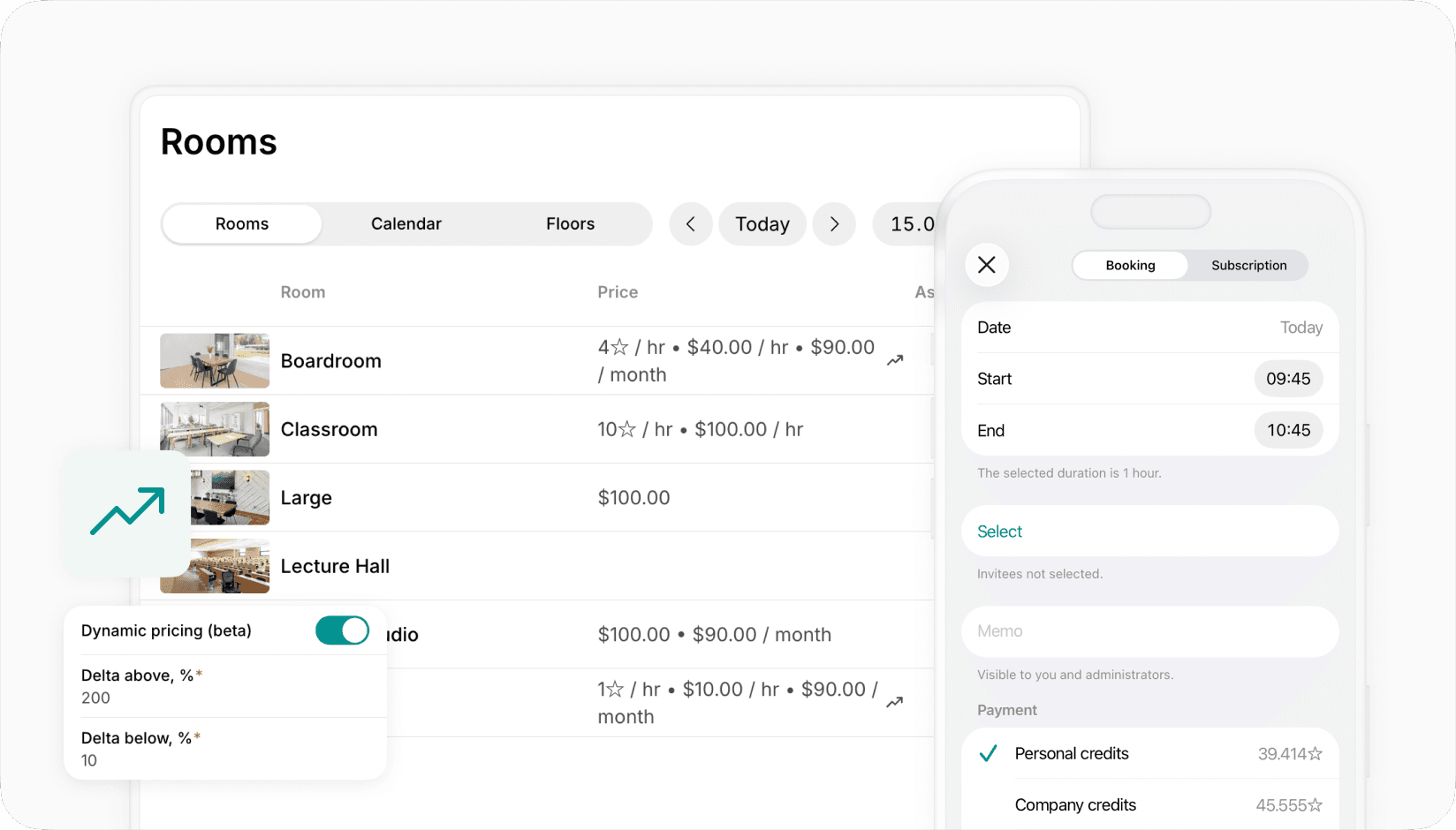
Spacebring includes a dynamic pricing engine. This allows operators to automatically adjust resource prices based on demand—raising rates during peak hours and offering discounts during quiet times to maximize occupancy.
3. Community & event management
Building a community is central to coworking, but the management tools differ.
Optix
Optix offers event features, but administrative management is often compartmentalized. For example, admins may need to use a separate "events app" to create and manage listings. The community feed allows for posts and engagement, though some users report limitations in editing posts after publication.
Spacebring
Spacebring integrates events directly into the core platform.
- External ticketing: You can sell tickets to the general public, not just members.
- Pay with credits: Increase member participation by allowing them to use their monthly credits to purchase tickets instantly.
- Consolidated management: Admins manage events, visitors, and support tickets from the same dashboard—no separate apps required.
4. Global support and localization
For spaces operating outside of English-speaking regions or those with a diverse member base, localization is key.
- Optix: Supports English and offers support primarily during North American business hours.
- Spacebring: Built for a global audience. The platform supports 10+ languages (including Spanish, French, German, Ukrainian, Korean, and Portuguese) for both the member and admin interfaces.
Support is available across time zones, covering 7:00–21:00 GMT, ensuring assistance is available for European and Asian markets as well.
The customer support they provide is unlike anything I’ve experienced, and I cannot rate them highly enough in this regard.Kate MorasCo-Founder at Hustle

5. Feature comparison table
Here is a side-by-side look at how the platforms handle key operational areas based on available data.
| Feature | Spacebring | Optix |
|---|---|---|
| Member platforms | Web app, iOS, Android (native) | Mobile app (iOS/Android) |
| Admin platforms | Web dashboard + admin mobile app | Web dashboard |
| Non-member access | Full booking & shop access via web | Requires app download |
| Credit system | Universal (spend on rooms, shop, events) | Split (time vs. money credits) |
| Event management | Integrated (pay with credits, public tickets) | Separate admin app needed |
| Visitor management | Integrated | Separate visitor app needed |
| Support hours | Global (07:00 - 21:00 GMT) | North American business hours |
| Languages | 10+ (English, Spanish, French, etc.) | English |
| Shop/products | Direct product management | Store/marketplace setup |
| Invoicing | Auto-pay, split tax, custom templates | Integration-focused (Xero/QB) |
Summary: why coworking operators choose Spacebring
While Optix offers a beautiful interface for member-exclusive mobile interactions, Spacebring stands out as the more functional, revenue-focused alternative for growing businesses.
Spacebring is often the preferred choice for operators who need:
- To sell to non-members: The web app allows drop-ins to book without friction.
- To manage on the go: The companion admin app frees community managers from the front desk.
- Simplicity: A single dashboard replaces the need for separate "events" or "visitor" apps.
- Global capabilities: Full translation and multi-currency support for international locations.
By unifying the web and mobile experience, Spacebring ensures you never miss a booking simply because a customer didn't want to download an app.
Spacebring is the only tool we need now. It handles bookings, payments, our shop, events—everything. This has made a huge difference in how efficiently we run our space.Mario AbregoCo-founder at Workps
Ready to upgrade your space management?
See how Spacebring can automate your operations and increase revenue.
Schedule a demo today to see the Admin mobile app in action or get started with a free trial.