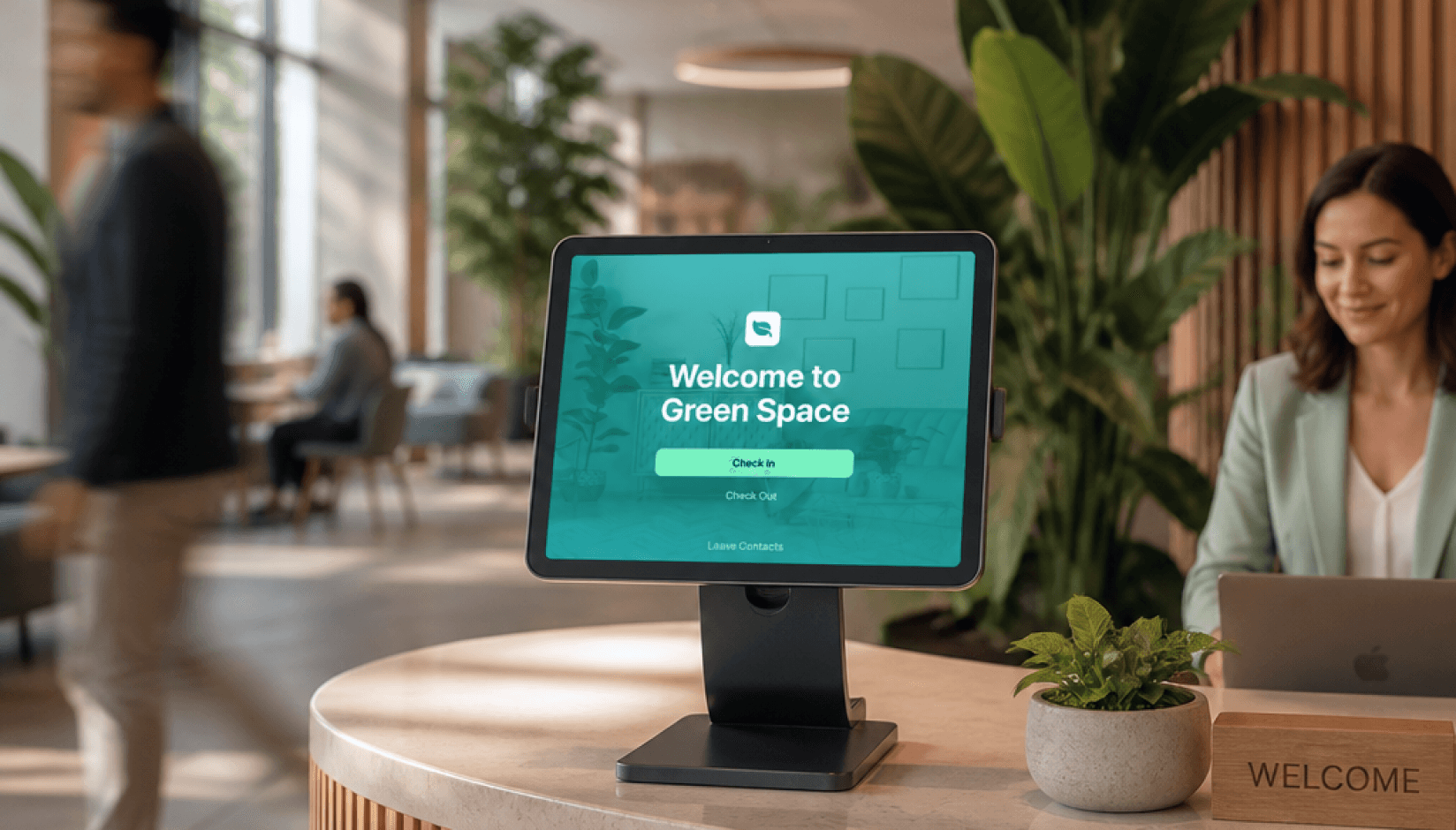
If people visit your coworking space regularly, it means you already have a visitor management system (VMS). But is it deliberate?
If it lives in the receptionist's head or spread across a notebook, a WhatsApp group, or whatever the host happened to mention that morning, that works for a while. But once you get busy, the cracks show fast.
Visitors wait. Members feel awkward. Your team repeats the same check-in routine over and over again. There’s no clear answer to a simple question: who is in the house right now?
That's when visitor management stops being a front-desk detail and begins to impact everything else.
A proper visitor management system handles guests from invite to checking out. It saves your team time and removes unnecessary friction for members who bring people in. Plus, it gives visitors a better first impression of your space.
For coworking spaces, that last part matters more than most operators realize. Visitors aren't random foot traffic. They are your members' customers, business partners, job interviewees, teammates, event attendees, and, quite possibly, your future members. How you manage them shapes the daily rhythm of your coworking operations and the way people experience your brand.
This guide walks you through how to set a visitor management system up, from defining your visitor types to choosing the right software and configuring it.
For clarity, throughout this article, "visitor" means anyone who enters your space and is not a member or staff. "Host" refers to the member they're visiting.
What a good visitor system does
One mental model worth holding onto before we get into the details is that a good visitor system does three jobs:
- It creates a smooth experience, so visitors know what to do and hosts are notified fast.
- It gives you control, so staff members understandknow who is in the space, why, and who is the host.
- It drives conversion, so prospects, repeat visitors, and qualified event attendees are captured and followed-up.
Almost everything below maps back to one of those three.
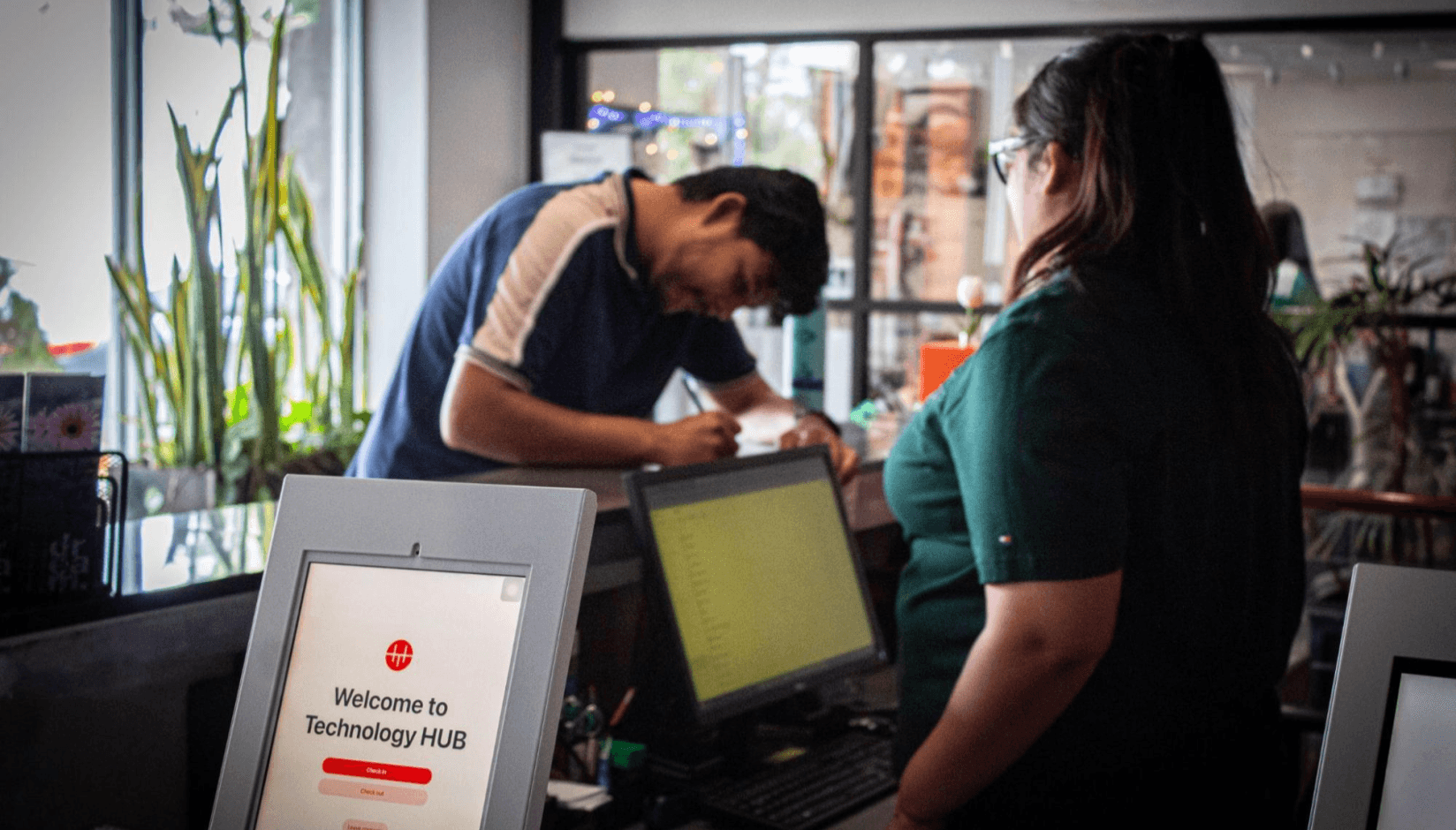
Technology Hub’s front desk, set up for streamlined visitor check-in with the Spacebring Reception app
Who your visitors are
Most operators treat "visitor" as one category. It isn't.
Based on Spacebring data, members’ visitors account for 65.7% of all visitors in a typical coworking space. The remaining 34.3% is split across several other types, each with different needs, check-in requirements, and implications for your operations.
About the data: figures cited here are based on anonymized visitor activity across Spacebring coworking space locations over 6 years, excluding demo and test accounts. Percentages are by visit, not unique visitor, unless noted.
In larger spaces with active event programs and multiple tenants, visitor numbers easily reach several hundred per month. The average space on Spacebring processes 20 visitors per month, with the busiest locations regularly seeing 200 or more. At that scale, manual processes slow you down and break. Security visibility drops, the experience gets inconsistent, and compliance is harder to maintain.
Here's the full picture at a glance:
| Visitor type | Typical host | Preregistered? | Main risk | Main opportunity |
|---|---|---|---|---|
| Members’ visitor | Member | Yes, usually | Reception bottleneck | Member experience |
| Event attendee | Event organizer | Yes, ideally via events flow | Arrival queue | Lead capture |
| Tour prospect | Staff / sales | No | Lost lead | Membership conversion |
| Contractor | Staff / operator | No, usually recurring | Door access and security | Operational control |
| Delivery | Staff or member | No | Disruption | Speed |
Core visitor type
Member guests are the core case: clients, teammates, interview candidates, business partners. They came because a member invited them. In most cases the member can, and should, preregister them in advance. This is the most common visitor type to build your process around first.
Two event scenarios
Event attendees could be split into two sub-types:
- Anonymous: the event organizer hasn't shared the attendee list, so from your perspective people just show up.
- Shared: you've arranged to collect attendee details in exchange for something, often a discounted venue rate. That second scenario is worth pursuing actively. If those attendees match your ideal member profile, you now have a warm list of contacts who've already experienced your space. That's more valuable than any cold outreach list.
High-value walk-ins
Tour prospects are walk-ins exploring the space who are curious and potentially interested in joining. They're often the highest-value visitor type you'll see, and the most frequently mishandled. They walk in with no booking, no appointment, and no expectation of paperwork. Many spaces have no clear process for them, which means their details get lost.
Recurring operational visitors
Service providers and contractors are recurring but often invisible: cleaners, IT technicians, maintenance workers. They don't fit the standard member-guest flow, and they often need different door access considerations than a visitor coming in for a meeting.
Short-stay arrivals
Delivery personnel are ultra-short-stay visitors who usually need to hand something off to a staff member or a specific member. Brief, transactional, but still worth logging.
Why segmentation matters
The reason this matters: if you design one generic process for all of these, it will be wrong for most of them. A preregistered client arriving for a meeting has completely different needs from an event attendee or a prospective member asking for a tour. Your system needs to handle all of them without falling apart.
Visitor flow: from invite to check out
Three flows cover the vast majority of what your team handles every day. Build your process around these three, and everything else becomes a variation.
Preliminary registration
A preregistered visitor is someone your member invites in advance through the member portal or app. The visitor receives an automated email with the visit details: date, time, host name, and check-in code. Upon arrival, they check in at the reception tablet using the visit code. The host gets an instant push notification. The visitor knows what to do next. When they leave, they check out.
Worth noting what that invite email can do beyond carrying a code. In Spacebring, the moment a visitor is registered, an account is created for them, and the email's "View visit" button opens the member app or web portal. The check-in code lives at the top of the home screen where it can't get buried in a busy inbox the way an email can. That small detail matters more than it looks: the most common arrival hiccup is a visitor who can't find their code, and the app solves this entirely. It also quietly sets up two things we'll come back to later: a channel to reach the visitor, and a foot in the door for conversion.
A note on check-out: whether you enforce it depends on what you want from the data. If you're not tracking utilization or running a fair-use policy, check-out can be skipped. But if you are (and most growing spaces should be), then check-out is the only reliable way to measure length of stay. Without it, you can see who arrived; you can't see who stayed for three hours. Across Spacebring-powered locations that use check-out, the average visit duration is 1.5 hours. This data directly informs capacity planning and fair-use enforcement. For any serious analysis of either, treat check-out as a requirement, not a suggestion.
The unregistered visitor
This happens more often than most operators expect. Across Spacebring spaces, 34.3% of visitor arrivals are unregistered, meaning that the visitor shows up without the host having registered them in advance. A client arrives without warning. A colleague stops by. A collaborator appears on short notice. They enter personal details and the host's name in the reception kiosk. The host receives an approval request and confirms with one tap. Once approved, the visitor is notified and proceeds with the visit.
The critical thing here: your receptionist should not be the middleman. If the host is notified immediately and can approve from their phone, reception stays free to attend to other things.
The walk-in prospect
Someone walks in asking about the coworking space. No appointment, no host, no booking. Your team should register their details through the visitor system, not in a notebook or a WhatsApp message. A name, an email, and a phone number captured in the system means you can follow up. Details scrawled on paper mean you probably won't.
Choosing your check-in model
Many operators assume they have to choose between two extremes: reception handles everything manually, or visitors do it all themselves.
The right answer is usually neither.
When staff becomes the bottleneck
Full front-desk stops scaling once arrivals start interrupting staff several times a day. For many small spaces, that threshold shows up around five visitors a day. If it’s more, then reception becomes a bottleneck as every arrival distracts someone from another task, and if the front desk is busy or unattended, the whole process stalls. Your team becomes the system.
Where self-serve falls short
Full self-serve is efficient but cold. First-time visitors in an unfamiliar environment often don't know what to do after tapping through the visitor check-in screen. They look around. They wait. If nobody acknowledges them, the experience feels hollow, especially if they're someone's client.
What works for most spaces
The hybrid model is the right setup for most coworking spaces:
- The visitor software system handles the repetitive parts: check-in, check-out, notifications, approvals, logging.
- Your human team handles the human parts: greeting people warmly, pointing them in the right direction, helping around, and stepping in when something unusual comes up.
How to set it up physically
In terms of hardware, this means a tablet at the entrance locked to the Reception app for check-in. “Screen pinning” on Android or “Guided access” on iPadOS will prevent your visitors from accidentally navigating away.
Place the device so it’s visible immediately on entry, not tucked to the side of a desk or facing away from the door.
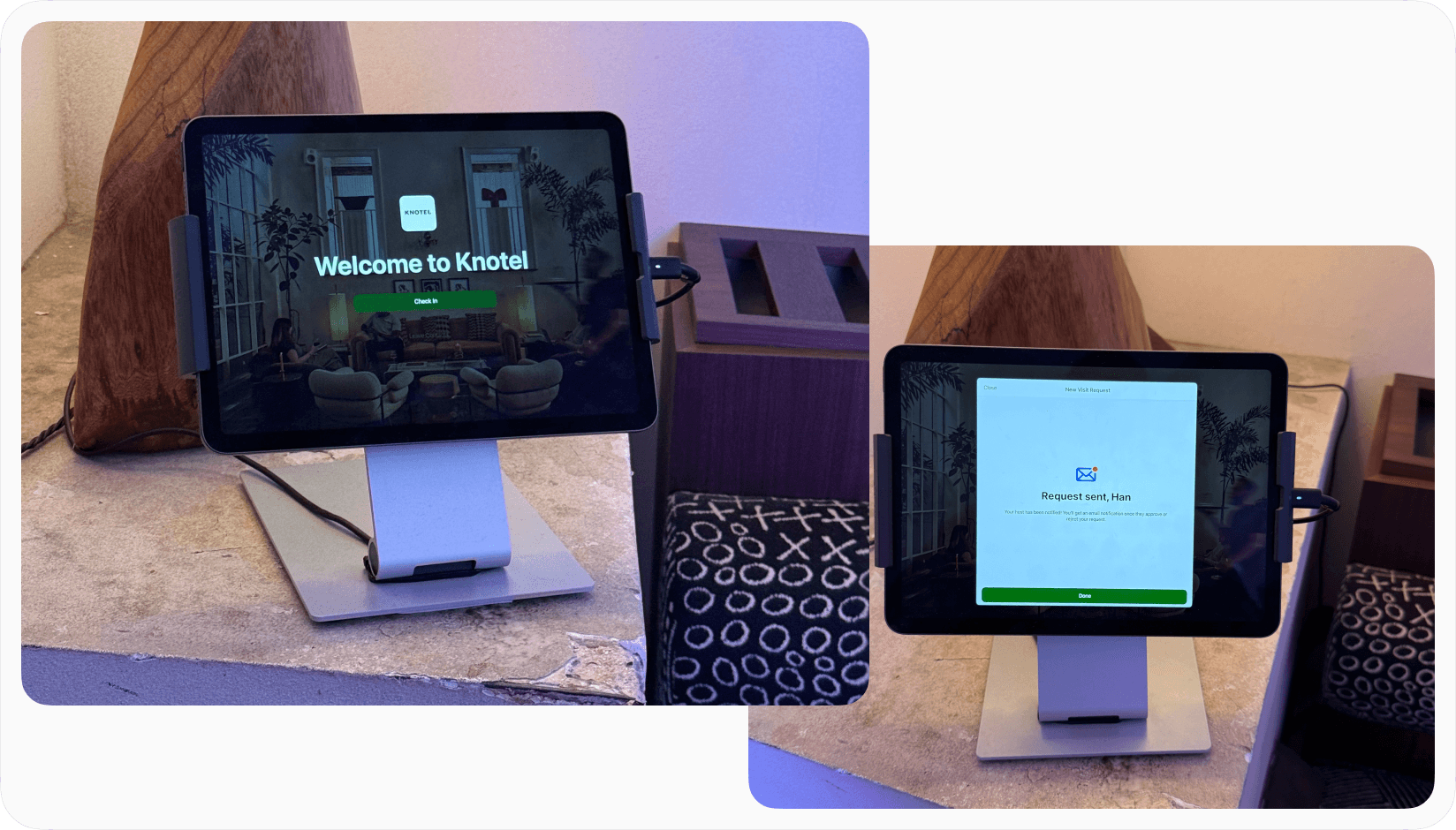
A self-serve check-in tablet running Spacebring Reception app at Knotel's front desk.
It’s common to use a kiosk mount to secure the reception tablet in place. There’s a lot of options on Amazon from manufacturers like Mount-It! or Bounceback Click.
If your space hosts larger events or has multiple entrances, a second kiosk tablet makes sense. One device causes a queue fast during a busy morning.
Side-by-side comparison
A quick comparison of the three models:
| Full front-desk | Full self-serve | Hybrid | |
|---|---|---|---|
| Scales with visitor volume | No | Yes | Yes |
| Feels warm and personal | Yes | Rarely | Yes |
| Works when reception is occupied | No | Yes | Yes |
| Handles multiple simultaneous arrivals | No | Yes | Yes |
| Requires staff present at all times | Yes | No | For greeting only |
For most coworking spaces, the hybrid approach is the right answer.
The visitor policy
Most operators skip the visitor policy until something goes wrong. But that's not the ideal time to prepare it.
Your visitor policy doesn't have to read like a legal document. But it should be clear around your house rules, membership contracts, and staff procedures. Basically, it's the decisions you make about how visitors work in your space, written down so your team applies them consistently and your members know what to expect.
The decisions you should make include:
Visitor limits
Unlimited free visitors sounds generous. In practice, people don’t appreciate free stuff and will abuse your generosity. If members can bring as many people as they want for free, some will bring their whole team to work for the day, consuming your coffee, Wi-Fi, phone booths, and lounge space while paying for one desk. At the same time, charging for every single visitor is member-hostile. Someone bringing a client for a one-hour meeting shouldn't feel penalized.
Successful coworking spaces follow one of two approaches:
- A fixed number of free visits per month per membership contract, with paid visitor passes beyond that. The right number depends on your space, but the key thing is that there is a number.
- The number of visits is not limited, but the visit duration is. The first couple of hours are free. Beyond that, there’s an hourly rate.
Creative States, Ukraine's largest coworking space network, runs on this second model. Scaling 3x with Spacebring, they now manage 1,000+ visitor registrations a month without adding reception headcount, which saves 200 hours monthly.
Preregistration requirements
Decide whether members must register visitors in advance or whether walk-up registration is acceptable. Preregistration gives you better visibility and smoother arrivals. Walk-up is more flexible but less predictable. A common approach: encourage advance registration at all times (especially for large groups), but allow walk-up for individual visitors as well.
Visitor hours
Can visitors come outside staffed hours? If your space runs on keycard door access in the evenings, you need a clear answer. Most coworking spaces limit visitor door access to staffed hours unless a specific arrangement has been made.
Door access areas
Which parts of the space can a visitor physically reach unescorted? Although it’s best to be escorted by a member host, lounge, open space, and common corridors are usually fine. Private offices, maintenance rooms, and storage areas are not. Members must feel safe in your space, leave laptops and valuables at their desks or step out for lunch without fear of losing valuables.
Data collection
What information do you capture and for how long do you keep it? Start with a name, email, phone number, host, and arrival time. The principle to follow is data minimization: collect only what you actually need for operations, security, and any follow-up you're permitted to do.
If you operate under GDPR or a similar law, consider four things:
- a clear privacy notice shown at check-in,
- a documented lawful basis,
- a defined retention period, and
- a clean separation between operational logging and optional marketing.
One common mixup is that “consent” is often not the right lawful basis for routine visitor logging. If a visitor can't realistically enter without agreeing, that "consent" isn't freely given, so it’s not really valid. For ordinary security and operational records, many spaces rely on legitimate interests instead. Consent belongs to the separate question of marketing follow-up, and there it should be a genuine, optional opt-in. The software can support all of this, but it doesn't make you compliant on its own, but the configuration does.
Liability for damages
This one is often missed. If a visitor damaged some shared equipment, a meeting room, or a member's property, who is responsible for compensating the damages? Your policy should make clear that the hosting member takes responsibility for the conduct and any damages caused by their visitor. State this explicitly, and reference it when members sign up.
Communicating the policy
A policy your members haven't read doesn't exist in practice. Introduce it during onboarding. Have members acknowledge it as part of the contract. Keep it accessible in the member portal at all times.
Jump to the “Checklist for visitor management setup” section to download a skill for your AI agent to generate visitor policy.
Connecting visitors to the rest of your operations
Visitor management connects to at least three other parts of how your space runs.
Your coworking platform
Visitors need a system-of-record. That should be your core coworking management platform, the same system where your member data, bookings, and communications live.
Why does this matter? Because if visitor data sits in a separate tool, it's siloed. You can't see visit history alongside member activity. You can't follow up with tour prospects from the same place you manage leads. It’s hard to use the data for anything meaningful. The visitor management system should be part of your core platform, not bolted on as a separate product.
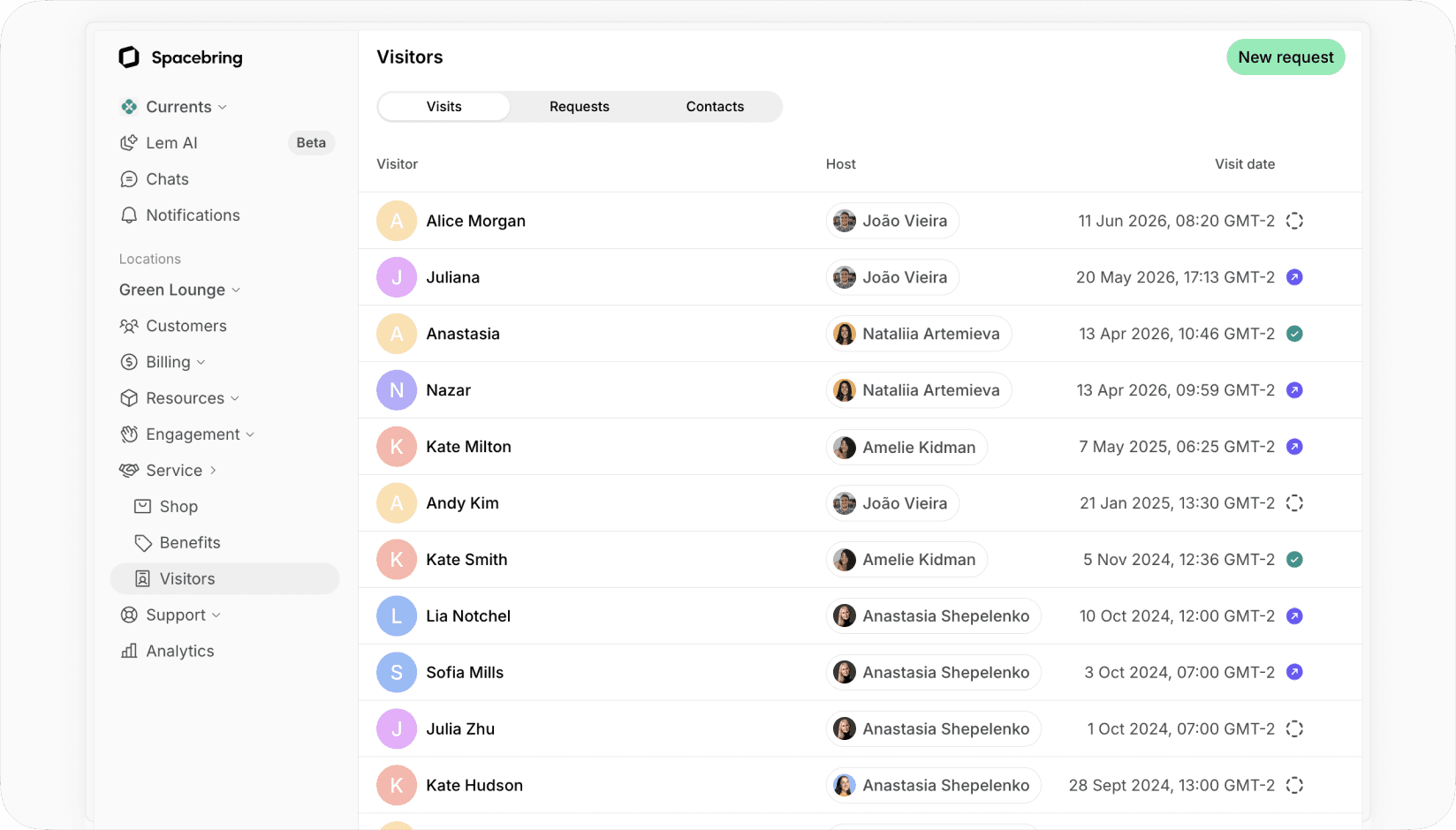
Visits registered by members in Spacebring’s admin web portal.
This matters most for the visitors who also demand signals: tour prospects, event attendees who opted into follow-up, and frequent repeat visitors. When their records connect to your CRM, those signals turn into pipelines. When they don't, the signals stay trapped at reception and quietly disappear.
Door access control
This is where operators often overcomplicate things. Most coworking spaces don't need to issue temporary door credentials to visitors at all.
Here's why: the typical coworking space layout is relatively open. Reception connects directly to lounge and open-desk areas. Meeting rooms are reachable through common corridors. In that setup, the right model is straightforward: a staff member or the host walks the visitor to where they need to be.
There is one practical exception. If getting to the bathroom requires passing through a keycard-controlled door, visitors can't be escorted every single time. In that case, issuing a temporary keycard or digital key for the duration of the visit makes sense.
What you should avoid: giving visitors door access to all areas of the space. Members leave laptops on desks. They step out for lunch. Private offices don't always get locked. A visitor with unrestricted door access is a security risk that's easy to create and hard to explain afterward. The default principle is least privilege: a visitor should only be able to open the doors their visit actually requires.
Host notifications
This is quite an impactful element of the whole system. When it works, the host comes to the visitor, reception stays free, and everything moves without friction. When it fails, reception becomes a message relay for calling or messaging members, waiting for replies, explaining to visitors why they need to wait.
The notification needs to be instant. A push notification to the member's phone is the right channel. The host should also be able to approve or reject an unexpected visitor without logging into anything. The following video helps explain how host notifications work together with visitor check-in:
It's worth deciding in advance what happens when a host doesn't respond. A simple escalation ladder keeps the visitor from being left standing at the desk:
| Time since arrival | Action |
|---|---|
| 0 min | Visitor checks in; host gets a push notification |
| 5 min | Reception calls or messages the host directly |
| 10 min | Visitor is seated in the waiting area, or offered to reschedule if the host can't be reached |
The exact timings are yours to set. The point is that the protocol exists, so no one has to improvise while a visitor waits.
The human side of visitor experience
The best visitor management setup in the world won't fix a cold reception. Technology handles the process. People handle the experience. And the research backs this up.
In Proxyclick's "Office Worker Bugbears" survey of 2,000 US and UK office workers, 40% said their perception of a company had been negatively affected by their experience in the lobby or reception. The top reason, cited by over 71%, was unfriendly reception staff. More than half pointed to a lackluster welcome.
Nobody wants to stand at a reception desk and feel ignored. Even a few seconds of being unacknowledged, while staff look at a screen, finish a conversation, or take a call, creates a disproportionate negative impression. The classic work on this is David Maister's "The Psychology of Waiting Lines," which showed that perceived wait time diverges sharply from actual wait time: unexplained and uncertain waits feel far longer than ones the person understands.
What this means in practice
What this means practically: the system handles check-in, while your team handles acknowledgment. These are two separate jobs. A visitor can check themselves in on a tablet, and that's fine and efficient. But they should be greeted by a human within seconds of walking through the door. Eye contact. A smile. The tablet should never replace the acknowledgement; the right sequence is greet first, then guide them to check in.

Friendly greeting with a smile help make visitors feel welcome.
A simple opening line does a lot of work here: "Welcome! Are you here to meet someone, attend an event, or take a tour?" That single question routes the visitor into the right flow and indicates to your team which type they're dealing with.
Train for the greeting, not just the software
Train your team on this. Not on the software first, but on the greeting. The software takes ten minutes to learn. The habit of acknowledging every person who walks through the door takes deliberate practice, especially on busy mornings when it's easy to stay heads-down.
Members notice. When their clients and colleagues are treated well, it reflects on them. When the experience is cold or disorganized, they feel that too.
Emma Offices found this out firsthand. Switching to Spacebring wasn't just about saving time on daily admin. It changed how their coworking space came across to the people passing through. As their team put it, the shift "improved the way Emma Offices present themselves to their members and visitors."
Visitors as a revenue and lead channel
Most operators treat visitor management as a cost center. It doesn't have to be.
Tour prospects
Walk-ins asking about the space are warm leads. The difference between capturing them and losing them comes down to one thing: does your team register their details in the system, or somewhere else? If it's the system, you can follow up. If it's a notebook or a WhatsApp message, it’ll get lost.
Converting frequent visitors
Some visitors come repeatedly. A freelancer who works in a member's office twice a week. A contractor who shows up every Thursday. Across Spacebring coworking spaces, 24% of visitors return to the same space at least once, and among those who return, the average number of visits is 32. At some point, these people are using your space in a meaningful way without paying for it.
Track two metrics:
- number of visitors per member per month (to spot fair-use pressure early) and
- number of visits per individual visitor per month (to identify people worth converting).
If you're using Spacebring, you can ask the Lem AI agent directly and it'll surface these reports without you having to build them manually: “For last month, show me the number of visitors per member and the number of visits per individual visitor”
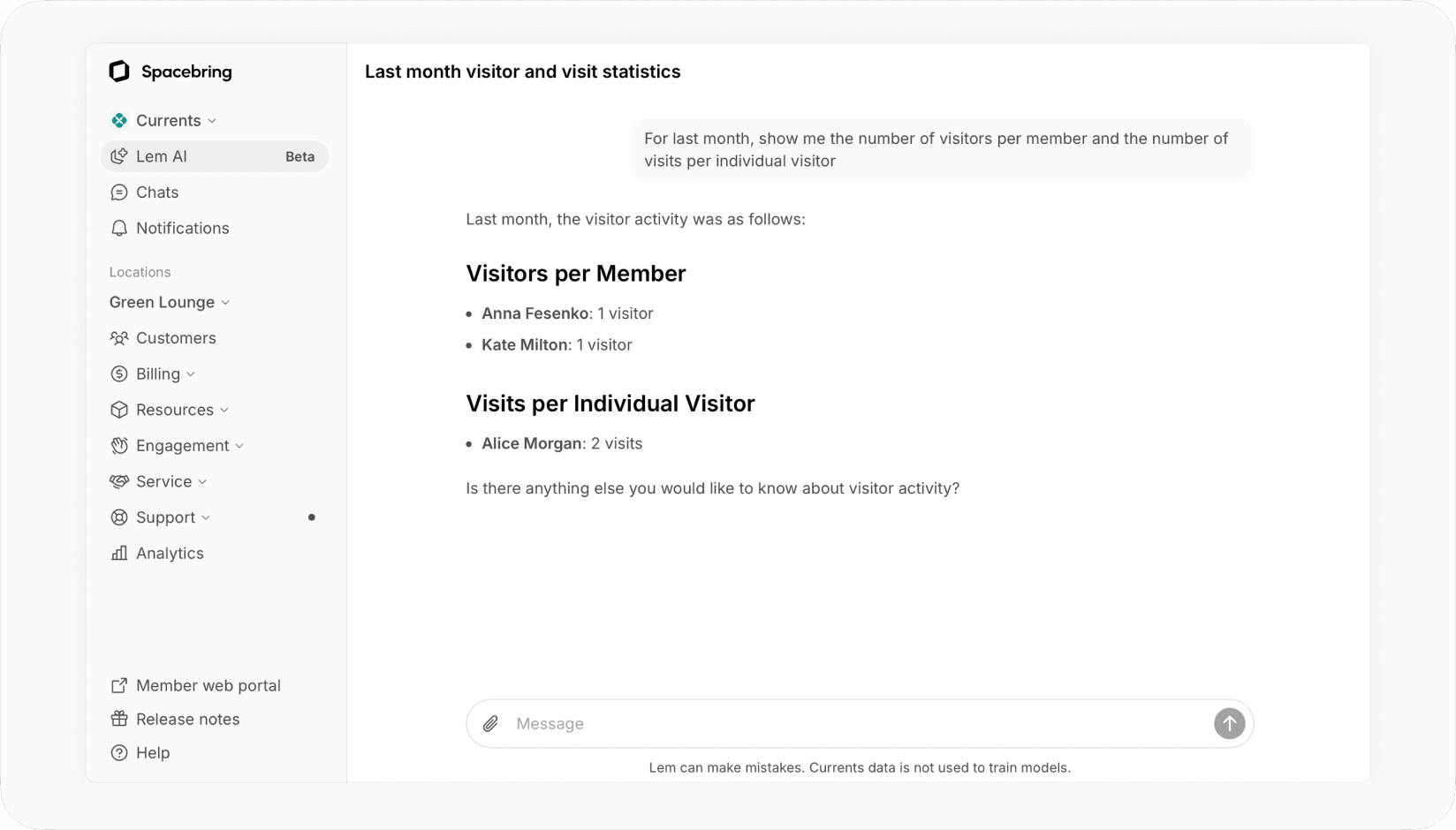
When you identify a frequent visitor, the right next step is offering them a day pass. Not to extract revenue for its own sake, but because a day pass is a useful signal. If they pay for one, it tells you they see value in accessing the space independently and not just because a member brought them along.
From there, the natural next step is a part-time monthly plan: something with prepaid day passes and credits. You're not asking them to commit to full membership. You're offering structured, flexible access that reflects how they already use the space.
The best conversion path mirrors actual behavior: repeated visit → day pass → part-time plan → membership. Start with a simple checkout follow-up email asking for feedback and offering a few upgrade options.
Every visitor is already an account
Here's the piece most visitor systems miss, and where coworking space differs from a corporate office. In a corporate lobby, a visitor is a one-time guest with no conversion potential, so they get a dead record and nothing more. In a coworking space, every visitor is a potential member, so the visitor record is not the end, but the beginning of the customer journey.
What that looks like in practice:
For example, in Spacebring, when a visitor is registered or approved, it isn't just for your records. The visitor can actually open your member app or web portal to see everything the coworking space has made public: day pass bundles, hot desk and lounge plans, events, bookable rooms and desks, shop products. And they can buy any of it on the spot, no staff, no separate signup, no new account. They already have one.
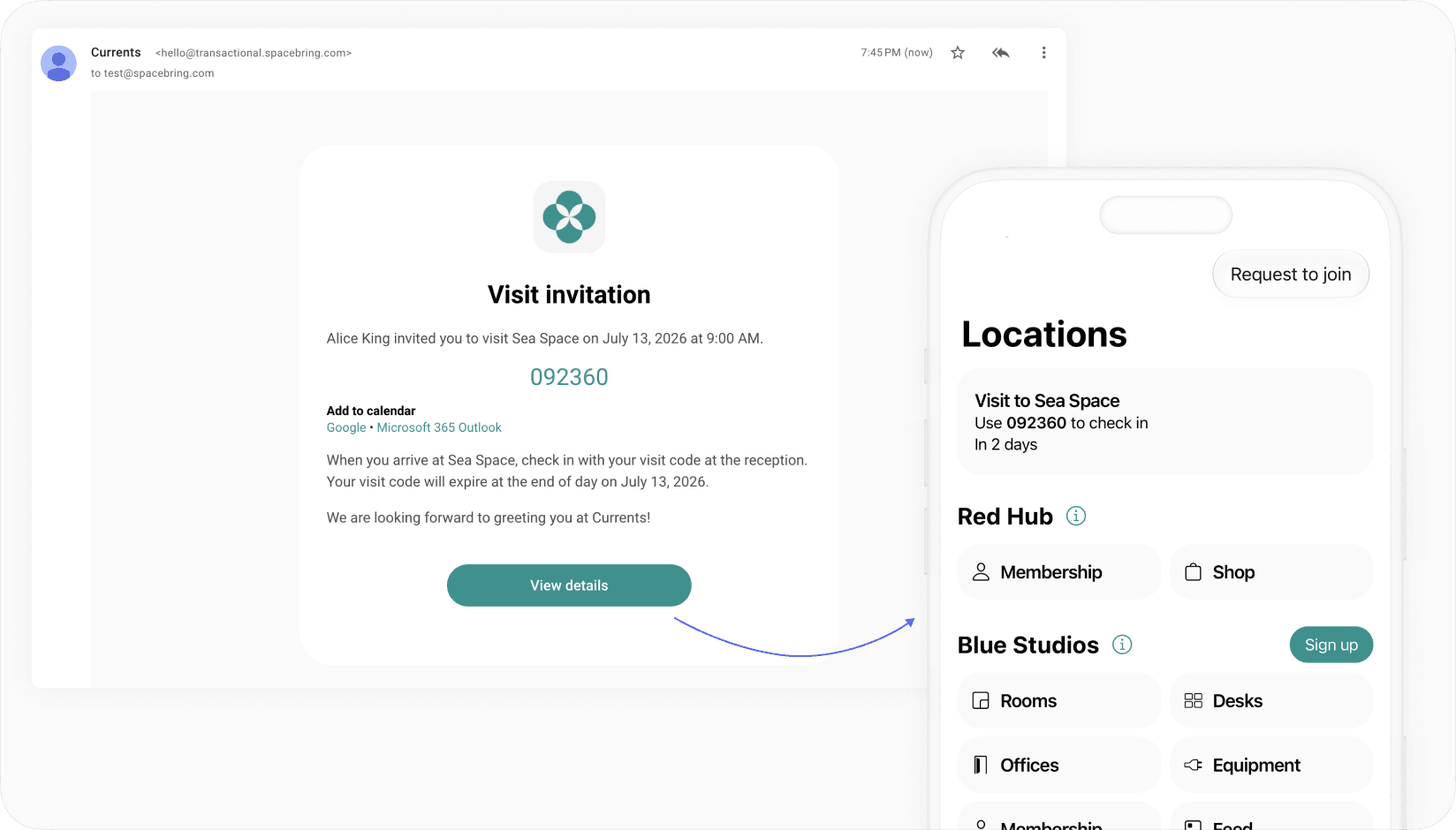
Why that matters:
That accelerates the buyer journey. A visitor who had a good experience, already has an account, and can already see what's for sale is one tap from converting. Compare that to the usual path, where a prospect has to remember your name, find your website, create an account, and figure out what to buy, all those days later, if at all.
It also changes communication:
A visitor account in your coworking platform also gives you a clean line to the visitor while they're on-site or just after. For instance, Spacebring operators can message any registered visitor through in-app chat, which is useful for the small things (AirPods left in a meeting room) and the serious ones (a building evacuation). If the visitor hasn't opened the app, the message routes to their email, so it reaches them either way.
Common mistakes operators run into
Most spaces don't fail because they have no process. They fail because they have one that's half-manual, half-digital, and fully annoying.
The recurring mistakes:
- Configuring software separately from writing the policy. Tools often inform defaults and vice versa, because they reflect how thousands of other spaces already work.
- Treating all visitors the same. A delivery driver, a job candidate, and a tour prospect don't belong in one generic flow.
- Relying on calls or emails for host notifications. Email is slow and easy to miss. Push to the phone is the difference between a host who shows up and one who doesn't.
- Letting reception become the approval layer. If staff have to chase members for every unregistered arrival, you've rebuilt the bottleneck you were trying to remove.
- Waiting for the "perfect" system before launching. A common worry: visitors will struggle with a 6-digit check-in code, or members won't approve requests in time. Some operators keep searching for an ideal system that handles every edge case, and never launch. The better move is to launch, watch the real data, and adjust. In practice these fears rarely match what actually happens, and you can't know your true approval times or check-in friction until people are using it.
- Giving visitors broader door access than they need. Convenient on day one, a security problem the first time someone's laptop goes missing.
- Capturing tour prospects somewhere other than your lead system. A name on a sticky note is a lost lead.
Checklist for visitor management setup
The steps to set up visitor management aren't complicated. But the order matters. Decisions made early about visitor types, policies, and flows, determine how you configure the system, what you tell your team, and what visitors actually experience.
The short version
- Define your visitor types
- Set visitor limits and hours
- Choose your check-in model (front desk, self-serve, or hybrid)
- Write a visitor policy
- Configure check-in tablet
- Set up check-out and post-visit follow up
- Train staff on the greeting and the escalation protocol
- Test every flow: preregistered, unregistered, event, contractor, delivery, walk-in
- Review your metrics every 30 days and adjust
We've also put together an AI skill that will help you generate visitor policy efficiently.
Download the coworking space visitor management AI skill.
What to look for in VMS for coworking spaces
If you're evaluating visitor management tools, skip the feature marketing for a moment and focus on what your team will actually use every day.
The non-negotiables
- Member-initiated preregistration. Members should be able to invite visitors themselves, without contacting staff. If they can't, every invitation creates manual work.
- Self-serve check-in and check-out. Visitors should complete the process without a receptionist. Fast, clear, and obvious at every step.
- Instant host notifications. Push notifications to the member's phone when their visitor arrives.
- Approval flows for unregistered visitors. When someone arrives unannounced, the host approves or rejects from their phone. Staff are not in the loop unless something goes wrong.
- Staff dashboard. A real-time view of who is expected, who has arrived, and who is still in the space.
- Walk-in support. The system should handle unscheduled arrivals as cleanly as preregistered visits.
The coworking-specific requirements
- Mobile app. The ability to preregister visitors, approve arrival requests, and receive push notifications from within the same app members use for room bookings and everything else. Visitors shouldn't require a separate app. Members shouldn't need to go somewhere unfamiliar to manage a guest.
- A live visitor account, not an internal log. Most visitor systems treat a visitor as a one-time record that expires when they leave. For a corporate office, that's fine. For coworking spaces, it's a missed opportunity. The better model gives each visitor an actual account they can open where their visit details and check-in code live, where they can see what the space sells, and where you can reach them by chat. It's the difference between a visitor you logged and a visitor you can convert and communicate with. This is hard to integrate as a standalone tool and natural when visitor management is part of your core platform.
- Built into your coworking platform. Standalone visitor management tools can work well for corporate offices, high-security buildings, and enterprise reception desks. But a coworking space has a different paradigm: your visitors are tied to members, bookings, memberships, day passes, events, and lead follow-up. When those records live in separate systems, a standalone VMS can become a data silo, and your team loses context and works across two tools instead of one. The cleaner setup for most coworking spaces is visitor management that's native to the core platform. In Spacebring, visitors are managed in the same place as memberships, bookings, and member communications, so nothing extra to integrate or maintain.
| Requirement | Standalone VMS | Coworking-native VMS |
|---|---|---|
| Corporate security workflows | Often stronger | Usually lighter |
| Member–host relationship | Often manual | Native |
| Day-pass conversion | Needs integration | Native |
| Live visitor account for conversion | Rare | Native |
| Multi-tenant coworking space logic | Varies | Usually stronger |
| Setup complexity | Higher | Lower |
| Best fit | Single occupier / corporate sites | Coworking and flex spaces |
- Hardware flexibility. The check-in app should run on standard tablets, such as iPad and Android. Avoid proprietary hardware lock-in.
- White-label branding. The check-in screen and visitor notification emails should look like your space, not the software company's product.
The best visitor management system isn't the one with the longest feature list. It's the one your team uses confidently every day and your visitors navigate without needing to be told what to do.
FAQ
What is the difference between a “visitor” and a “guest”?
Both words mean the same thing and are used interchangeably. But we recommend picking one and sticking with it for consistency, especially when you're writing policies and training staff.
When should I start using a visitor management system?
From the moment you have your first member because they'll bring people with them. You need clear rules about how that works before those situations arise.
How to handle large events with many attendees arriving at once?
If you are on Spacebring, use the dedicated event attendee check in system, which is designed for fast confirmation of a large number of visitors and is tied directly to event ticketing. If you use another coworking space visitor management system, preregister all attendees before the event. Have at least two tablets running at reception for the arrival window. Brief your team before it starts because 40 arrivals in 20 minutes is a different operational challenge from a regular morning.
Should coworking space visitors get door access?
We recommend against this as most visitors should be met by their host or a staff member and escorted around the space. Temporary door credentials could make sense only when a visitor needs repeated independent access during a defined window (the bathroom sits behind an access-controlled door or for a contractor working on-site for the day.)
Final thought
Visitor management feels like a small thing right up until it isn't.
Once your space gets busy, it influences reception, member experience, security, and your team confidence to handle arrivals. Ideal setup will keep your team’s day moving quietly, because visitors know what to do, hosts are promptly notified, and your staff is free to handle the job that requires an actual human.
If your current visitor management process seems inefficient and heavily depends on someone at reception remembering things, that's a clear sign your business has outgrown it.
Want to see what coworking-native visitor management with check-in, host notifications, and visitor app looks like? Spacebring helps coworking spaces keep the whole visitor flow simple and organized.