
Your new coworking software is ready. You've imported the member list, added your meeting rooms, and sent the team their invitations. Then someone asks: “What happens to the invoices the old system has already sent?”
That's worth answering before you invite members.
Switching coworking software means more than moving names and email addresses. Your members already have renewal dates, saved payment methods, room bookings, and door credentials. Some have unpaid invoices. Others have credits or deposits you still owe them.
The safest way to switch is to agree which system bills each period, confirm how members will pay, and test door access before disconnecting the old integration. This guide walks through those decisions using a simple example: a coworking space moving to new software on December 1.
If you haven't chosen a replacement yet, start with how to compare coworking software.
When should you switch coworking software?
Switch at a billing boundary where possible. It's easier to check the move when November is on the old system and December is on the new one.
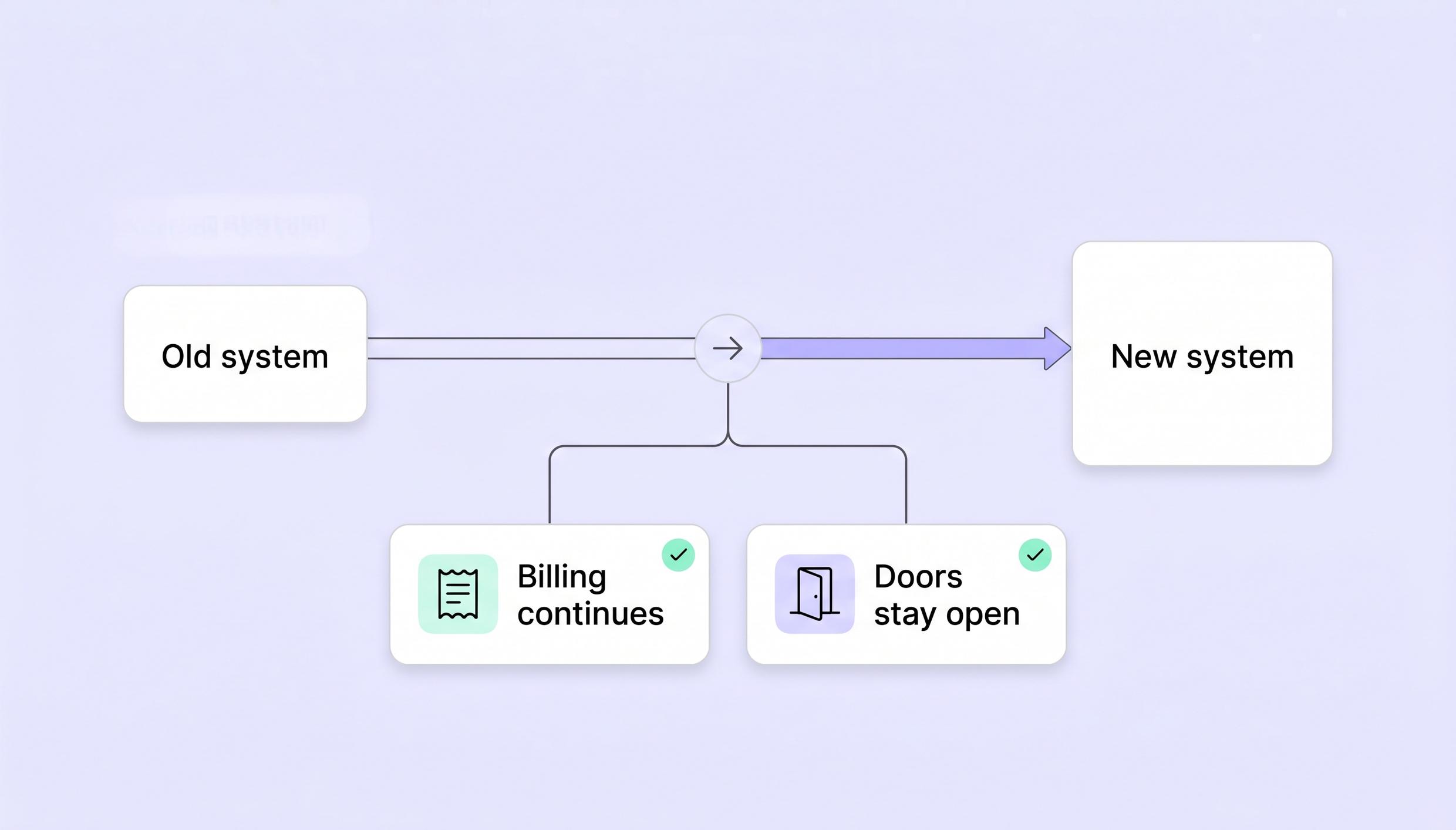
For example, imagine a member pays 300 a month for a dedicated desk. Their November invoice has already been issued by the old platform. When you recreate their subscription, the new platform must not charge them for November again. Its first invoice should cover December.
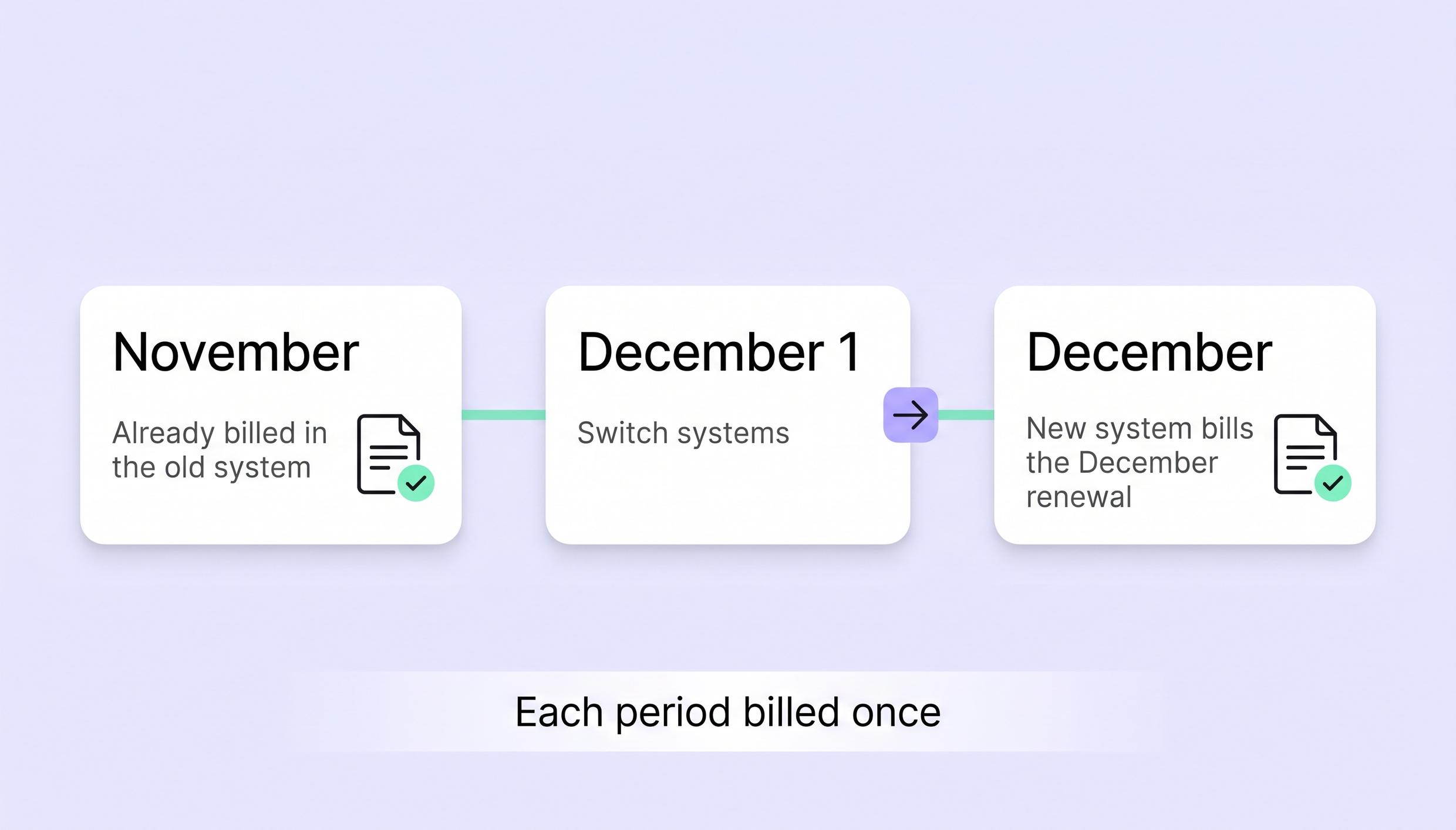
Before setting the date, check when your old platform creates invoices. A December 1 renewal might generate an invoice in November. Turning off billing on November 30 could already be too late.
Write down two things:
- The last period the old platform will invoice.
- The first period the new platform will invoice.
If members renew on different days, you don't have to move everyone to the 1st. Keeping existing renewal dates avoids changing their payment schedules. Moving everyone to one date can involve partial-month charges, so decide that before setting up subscriptions.
Choose a quieter period if you can. A software switch is also easier to explain when you aren't changing membership prices at the same time.
Check what transfers before announcing the move
A member export is a starting point, not a complete migration.
Ask your current vendor what you can export, then ask the new vendor how each part will be brought in. Include companies, subscriptions, and future bookings, as well as member profiles.
Check the exceptions separately. Can you keep invoice PDFs? What happens to unused meeting-room hours? Will a member's saved card still work?
For example, a member might have 50 in account credit, ten prepaid meeting-room hours and a 300 refundable deposit. Those are three separate records. Importing their name and membership doesn't prove that any of those balances came across.
Keep a record of each balance, how it will be recreated, and who will check it. Do the same for discounts and company accounts with several members.
Set the launch date after you understand these requirements. Four weeks may be a useful preparation window for some spaces, but payment transfers or record cleanup can change the schedule. Confirm it with your vendors and payment provider rather than treating it as a fixed deadline.
Will saved cards and direct debits still work?
Saved payment methods don't necessarily move with your member data. Their reuse depends on the payment provider, the account holding them, and what the new platform supports.
Suppose both platforms connect to Stripe. That alone doesn't tell you whether the new software can charge the cards saved through the old one. Ask the new vendor whether it can use your existing customer records, payment methods, and authorizations.
If you're changing payment accounts or providers, ask whether they support a secure transfer. Don't export sensitive card or bank details into a spreadsheet.
Until reuse or transfer is confirmed, prepare for members to enter their payment details again.
Give members instructions for their payment method
Where advance setup is supported, ask members to add their details before the first billing run. Keep track of who has finished so you can contact the remaining members directly.
Some bank debit methods work differently: members may need to authorize the payment method while paying an invoice. In that case, an email telling them to “add your bank account before launch” won't help.
Check whether that first payment also enables future automatic charges, and whether the saved method must be selected as the default. Have a payment-link option ready for members who need help.
Move subscriptions without charging anyone twice
Keep the old platform available while you prepare the new one. But don't allow both to invoice the same membership period.
Be careful with cancellation. Canceling a membership might stop future invoices, but it could also remove bookings or door access. Ask the old vendor how to stop billing without ending services members have already paid for.
Then check a few real accounts in the new system before enabling billing. Include an ordinary membership and the accounts most likely to expose a mistake: a legacy discount, a mid-month renewal, and a company paying for several people.
For each account, compare:
- The price, tax treatment and discount.
- The original subscription date and next renewal date.
- The draft invoice and the period it covers.
- Future bookings, including anything already paid for.
A monthly price of 300 including VAT is different from 300 plus VAT. The member's name and plan can be correct while their invoice is still wrong.
Give one person responsibility for checking the first billing run. If a draft invoice doesn't match what the member owes, resolve the difference before it is issued.
Keep track of changes during preparation
Your space won't stop taking bookings while you move software. A member may cancel, someone else may change plans, and a company may add another desk after the initial export.
Choose one place to record these changes. Before the handover, bring them into the new system and check them against the old one. Otherwise, a clean import can be out of date by launch day.
What about unpaid invoices?
Where possible, collect existing unpaid invoices through the old system. Don't recreate a November invoice in the new platform simply because it hasn't been paid yet. That can leave the member with two requests for the same payment.
Export invoices and credit notes before you lose access, including PDFs where available. Agree with your accountant on record retention, invoice numbering, and any balances that need carrying forward.
How do you keep door access working during the switch?
Treat door access as a separate handover. Keeping the same locks doesn't automatically mean every member will keep the same access.
Confirm that the new platform supports your access provider, hardware, and credentials. Make sure someone on your team has the access provider's admin login—not just a login to the coworking software.
Record which doors each membership can open, at what times, and whether members use an app, card, fob, or PIN.
Then agree on the order of the switch with both vendors. What happens when you disconnect the old integration? Does canceling an old subscription remove someone from an access group? Does the new integration require dedicated groups?
Don't leave both platforms managing the same access groups unless the providers explicitly support that arrangement.
Test who cannot enter, too
Imagine your reception team tests the front door at noon. It opens, so the integration appears ready. But that doesn't tell you whether a member with evening access can enter at 7 p.m., or whether a former member's fob still works.
Before launch, test that:
- An active member can open the doors included in their membership.
- A former member cannot enter.
- A member cannot enter outside their permitted hours or areas.
- Booking-based access starts and ends as expected, including any documented grace period.
Tell members whether they can keep their existing credentials or need an invitation, app, or activation step. For the first morning, have someone available at reception and a tested backup way to open the door.
Once the new setup works, disconnect the old integration in the agreed order. Review any remaining users, groups, and credentials. Disconnecting the software doesn't necessarily revoke permissions left in the access system.
What should you tell members before switching?
Explain what members need to do, not how much work the migration involves.
They need the switch date, any account or payment setup steps, door instructions, and a contact for help. They also need to know whether their membership, price, or desk is changing.
For a December 1 move, your announcement could read like this, once you've verified the details:
“We're moving to a new member portal on December 1. Your membership, desk, and monthly price will stay the same. Your November invoice will remain in the current system; your December invoice will come from the new one. We'll send your account invitation separately, with instructions for payment setup and door access. Please contact reception if you need help.”
Adapt that message to your actual setup. If members need a new door app, say so clearly. If saved payment methods will not transfer, explain how and when to add them again.
Send reminders to people with unfinished setup rather than repeatedly emailing everyone. Keep essential access instructions in the invitation so members can find them when they arrive.
After the first billing run, review payments and contact affected members. Allow for bank debit processing times before treating a pending payment as a failure.

Switching to Spacebring: billing and access details to check
The Spacebring migration guide explains the setup sequence. Pay particular attention to subscription dates, the first invoice, and your access provider's requirements.
Keep the original subscription start date
The guide recommends stopping old-platform billing one or two weeks before the next cycle, before creating Spacebring subscriptions. First, check invoices already issued and whether stopping or canceling anything affects door access.
For individual and company subscriptions, enter the original start date, not the next billing date.
If the current period was already billed in the old system, set Issue first invoice to Manually, then delete that period's draft invoice. Subsequent invoices are issued automatically from the next renewal date.
In the December example, November stays billed in the old platform. You don't send the member another November invoice just because you've recreated their subscription in Spacebring.
Check payment setup before sending instructions
The payment gateway guide explains how members and administrators add supported payment methods and set a default for automatic invoice payments. Adding a payment method manually is different from transferring one from another platform.
For Stripe bank debits, enable the relevant methods in the invoice payment configuration and, for advance setup, the setup payment configuration too. ACH, SEPA, and other supported methods can be added in advance. Bacs Direct Debit must be added by paying an invoice.
Check that the saved bank account is the default for automatic invoice payments. Use the Stripe bank debit instructions to prepare the right message for each group of members.
Follow your access provider's setup instructions
Spacebring supports integrations with Kisi, Brivo, Salto KS, Avigilon Alta and Tapkey. The access control comparison explains the differences.
With the appropriate access groups linked to memberships, subscriptions, or resources, access follows active subscriptions or bookings. The way members unlock doors depends on the provider:
- Kisi and Brivo support unlocking through Spacebring's member web portal or mobile app.
- Salto KS unlocking through Spacebring requires the Member mobile app add-on. Otherwise, members use the Salto KS app.
- Avigilon Alta and Tapkey use their providers' unlocking methods.
If subscriptions already exist in Spacebring, check the access group on each subscription item. Changing membership settings alone doesn't replace that check.
Follow the provider-specific setup and disconnection instructions, and include any documented booking-access grace period in your tests.
Recreate booking credits separately
Booking credit balances don't transfer automatically. Add the appropriate credits manually and compare the result with your old records. Reconcile monetary balances and refundable deposits separately.
A dedicated customer success specialist is available throughout the migration to answer questions. The Spacebring migration page explains more about moving your space.
Frequently asked questions about switching coworking software
1. Can you switch coworking software without charging members twice?
Yes. Assign each billing period to one system, check invoices already issued, and review the new platform's first draft invoices. If a period was billed in the old system, don't bill it again in the new one.
2. Do saved cards transfer to new coworking software?
Not always. Ask whether the new platform can reuse your existing payment records or whether the payment providers support a secure transfer. If neither is supported, members must add their payment details again.
3. Can members keep their door cards or fobs?
That depends on your access provider, credentials, and the new integration. Confirm compatibility before promising that existing cards or fobs will work, then test them with the new setup.
4. What happens to unpaid invoices when you switch?
Where possible, continue collecting them through the old system. Keep exported copies and agree with your accountant on any balances that must carry forward. Avoid issuing a second invoice for the same charge.
5. How long does a coworking software migration take?
The schedule depends on your records, payment setup, and access handover. Four weeks is one possible preparation window, not a guarantee. Confirm exports, payment-method arrangements and vendor availability before announcing a date.
6. What should you check on launch day?
Check that members can enter, their bookings are correct, and the new system is billing only the periods assigned to it. Keep help available for account activation and payment setup, then review the first billing run for errors.